1. Wprowadzenie
Thank you for choosing the JTEMAN Portable Phone Stand with Bluetooth Speaker. This versatile device combines a stable phone stand with a high-quality Bluetooth speaker, offering convenience for media consumption, video calls, and audio playback. This manual will guide you through the setup, operation, and maintenance of your new device.

Figure 1: JTEMAN Portable Phone Stand with Bluetooth Speaker (White)
2. Zawartość opakowania
Proszę zaznaczyć pole dotyczące następujących elementów:
- Stojak na telefon z głośnikiem Bluetooth
- Instrukcja obsługi
- USB-A to Type-C charger cable (1)
3. Koniec produktuview
The JTEMAN L9 is designed for multi-functional use, serving as both a phone stand and a Bluetooth speaker. It features an adjustable and foldable design for portability and optimal viewkąty.
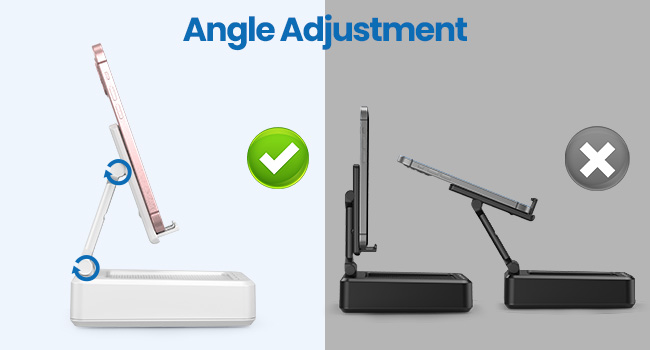
Figure 2: Product Dimensions and Controls
Główne cechy:
- Funkcjonalność 2 w 1: Combines a phone stand with a Bluetooth speaker.
- Szeroka kompatybilność: Supports most 4-13 inch smartphones, tablets, and e-readers with Bluetooth.
- Adjustable & Foldable: Wiele viewing angles and a compact, portable design.
- Stable & Anti-slip: Features anti-slip silicone pads for device protection and stability.
- Wbudowany mikrofon: Umożliwia prowadzenie wyraźnych rozmów w trybie głośnomówiącym.

Figure 3: Integrated Features
4. Konfiguracja
4.1 Ładowanie urządzenia
- Connect the provided USB-A to Type-C charging cable to the charging port on the side of the JTEMAN L9.
- Podłącz drugi koniec kabla do kompatybilnego zasilacza USB (nie ma go w zestawie).
- The charging indicator light will show red during charging and turn green when fully charged. A full charge takes approximately 4 hours.
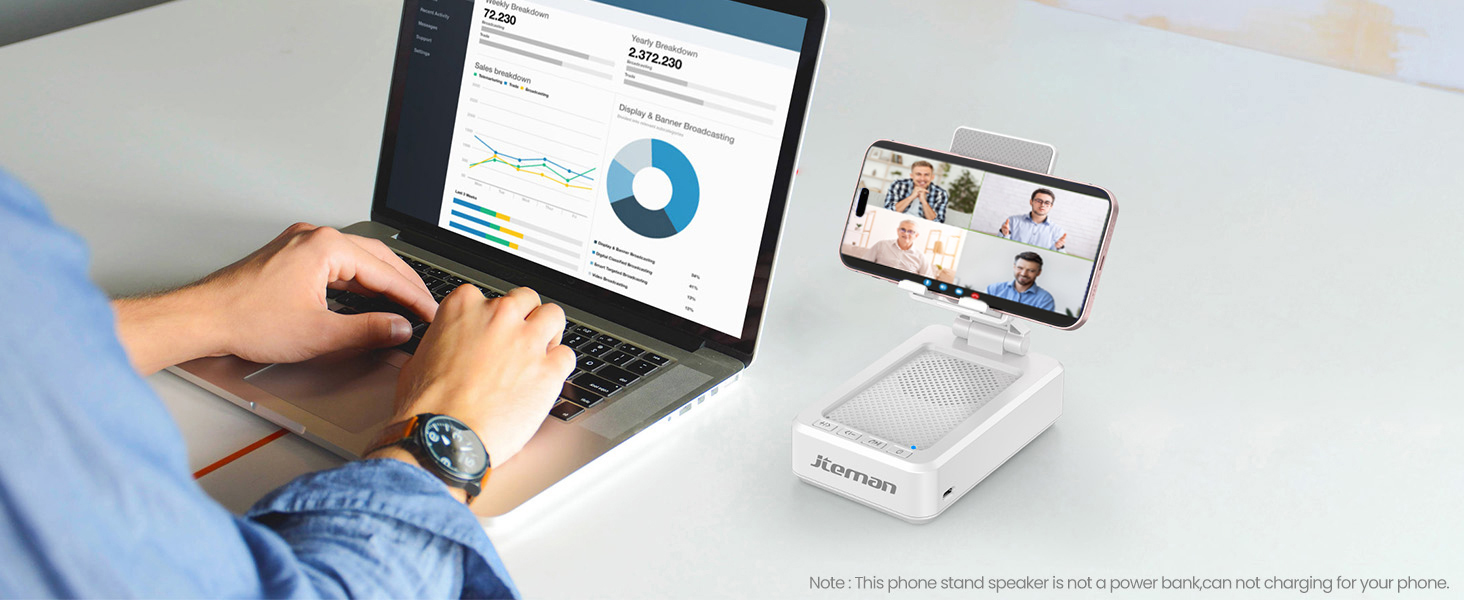
Figure 4: Charging the JTEMAN L9
4.2 parowanie Bluetooth
- Press and hold the power button on the JTEMAN L9 until you hear an audible prompt indicating it's powered on and in Bluetooth pairing mode. The Bluetooth indicator light will flash.
- On your smartphone, tablet, or e-reader, go to the Bluetooth settings.
- Szukaj available devices and select "JTEMAN L9" from the list.
- Once connected, you will hear a confirmation tone, and the Bluetooth indicator light will remain solid.
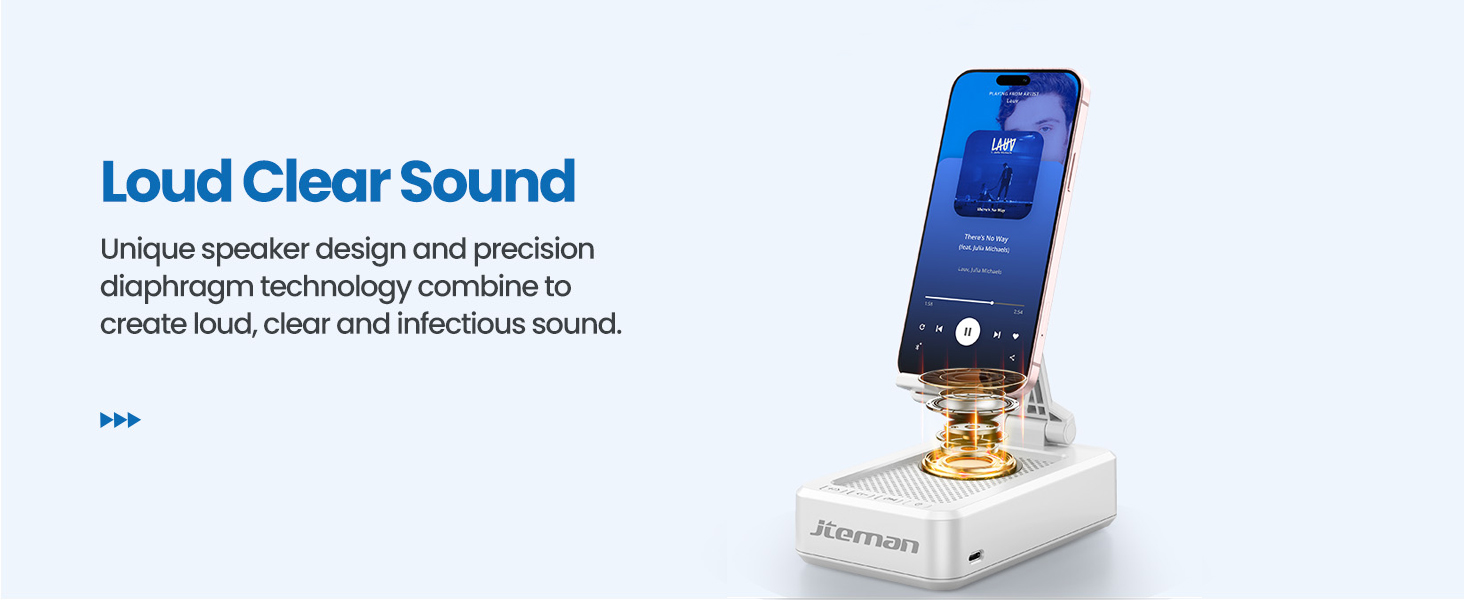
Figure 5: Easy Bluetooth Connection
5. Instrukcja obsługi
5.1 Using as a Phone/Tablet Stand
- Gently pull up the phone holder arm from its folded position.
- Adjust the angle of the holder to your preferred viewing position. The stand is designed to be stable at various angles.
- Place your smartphone, tablet, or e-reader onto the holder. The anti-slip silicone pads will secure your device.
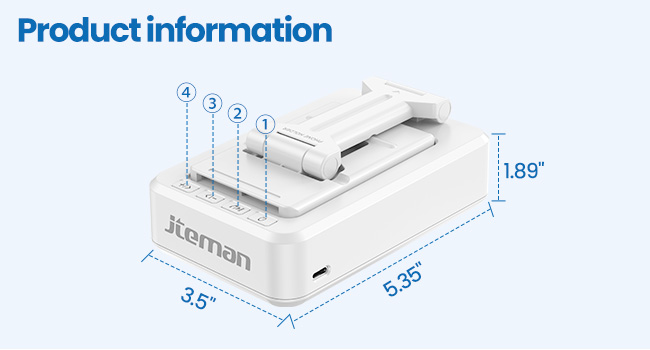
Figure 6: Angle Adjustment for Optimal Viewwchodzenie
5.2 Using the Bluetooth Speaker
Once paired with your device, audio will automatically play through the JTEMAN L9 speaker.
- Odtwórz/Pauza: Press the Play/Pause button on the speaker to control media playback.
- Regulacja głośności: Use the volume buttons (+/-) on the speaker to adjust the audio level.
- Nawigacja po ścieżce: Use the skip buttons (<< / >>) to go to the previous or next track.
- Połączenia w trybie głośnomówiącym: The built-in microphone allows for clear hands-free communication. Press the phone icon button to answer or end calls.

Figure 7: Loud and Clear Sound Output
5.3 Przenośność
When not in use, the phone holder arm can be folded down, making the device compact and easy to carry in a bag.

Figure 8: Foldable and Portable Design
5.4 Oficjalne filmy o produktach
Video 1: Demonstrates the sound quality and instant pairing of the JTEMAN L9.
Video 2: Showcases the power and versatility of the JTEMAN L9 speaker and stand.
Video 3: Highlights the compact design, clear sound, and anti-slip base of the JTEMAN L9.
6. Konserwacja
- Utrzymuj urządzenie w czystości, wycierając je miękką, suchą ściereczką.
- Unikaj wystawiania urządzenia na działanie ekstremalnych temperatur, wilgoci lub bezpośredniego światła słonecznego.
- Nie należy używać środków czyszczących o właściwościach ściernych ani rozpuszczalników.
7. Rozwiązywanie Problemów
| Problem | Możliwa przyczyna | Rozwiązanie |
|---|---|---|
| Urządzenie nie włącza się | Niski poziom baterii | Naładuj urządzenie za pomocą dostarczonego kabla USB-C. |
| Nie można sparować przez Bluetooth | Bluetooth not enabled on source device; device too far; already paired to another device | Ensure Bluetooth is on and within range (approx. 10m). Disconnect from other devices. |
| Brak dźwięku lub niska głośność | Volume too low on speaker or source device; not properly connected | Increase volume on both devices. Re-pair Bluetooth connection. |
| Audio skipping/interruption | Zakłócenia; urządzenie za daleko; słaba bateria | Move closer to the source device. Ensure no obstructions. Charge the device. |
8. Specyfikacje
| Funkcja | Szczegół |
|---|---|
| Wymiary produktu | 5.35 x 3.5 x 1.89 cala |
| Waga przedmiotu | 11.5 uncji |
| Numer modelu przedmiotu | L9 |
| Marka | JTEMAN |
| Kolor | Biały |
| Współczynnik kształtu | Stojak na telefon z głośnikiem |
| Kompatybilne urządzenia | Mobile phone, Tablet |
| Kompatybilne modele telefonów | iPhone, Samsung, iPad mini, Samsung Tab, Google Nexus, Kindle |
| Pojemność baterii | 1800mAh (approx. 8-10 hours play time at medium volume) |
9. Gwarancja i wsparcie
JTEMAN products are manufactured with high-quality standards. For any issues or support needs, please refer to the contact information provided with your purchase or visit the official JTEMAN webZachowaj dowód zakupu na wypadek roszczeń gwarancyjnych.


