1. Wprowadzenie
Thank you for choosing the Midea Arctic King KAP14H1CBL Portable Air Conditioner. This manual provides essential information for the safe operation, installation, maintenance, and troubleshooting of your new appliance. Please read this manual thoroughly before using the product and retain it for future reference.
2. Informacje dotyczące bezpieczeństwa
Your safety and the safety of others are very important. Please read and follow all safety instructions provided in this manual to prevent injury or damage.
- Always plug the unit into a grounded 120V AC outlet. Do not use extension cords or adapter plugs.
- Nie używaj urządzenia z uszkodzonym przewodem zasilającym lub wtyczką.
- Trzymaj urządzenie z dala od źródeł ciepła i bezpośredniego światła słonecznego.
- Zapewnij odpowiednią wentylację wokół urządzenia. Nie blokuj wlotów ani wylotów powietrza.
- Do not insert fingers or objects into the air outlet grille.
- Przed czyszczeniem lub jakąkolwiek konserwacją należy odłączyć urządzenie od zasilania.
- Urządzenie to nie jest przeznaczone do użytku przez osoby (w tym dzieci) o ograniczonej sprawności fizycznej, sensorycznej lub umysłowej, a także osoby nieposiadające odpowiedniego doświadczenia lub wiedzy, chyba że znajdują się one pod nadzorem osoby odpowiedzialnej za ich bezpieczeństwo lub otrzymały od niej instrukcje dotyczące korzystania z urządzenia.
3. Zawartość opakowania
Carefully unpack your portable air conditioner and check that all items are included:
- Midea Arctic King KAP14H1CBL Portable Air Conditioner Unit
- Wąż wydechowy
- Window Venting Kit (Window Slider Kit, Exhaust Hose Adapter, Window Exhaust Adapter)
- Zdalne sterowanie
- Wąż spustowy
- Instrukcja obsługi (ten dokument)
4. Koniec produktuview
Zapoznaj się z głównymi elementami przenośnego klimatyzatora.
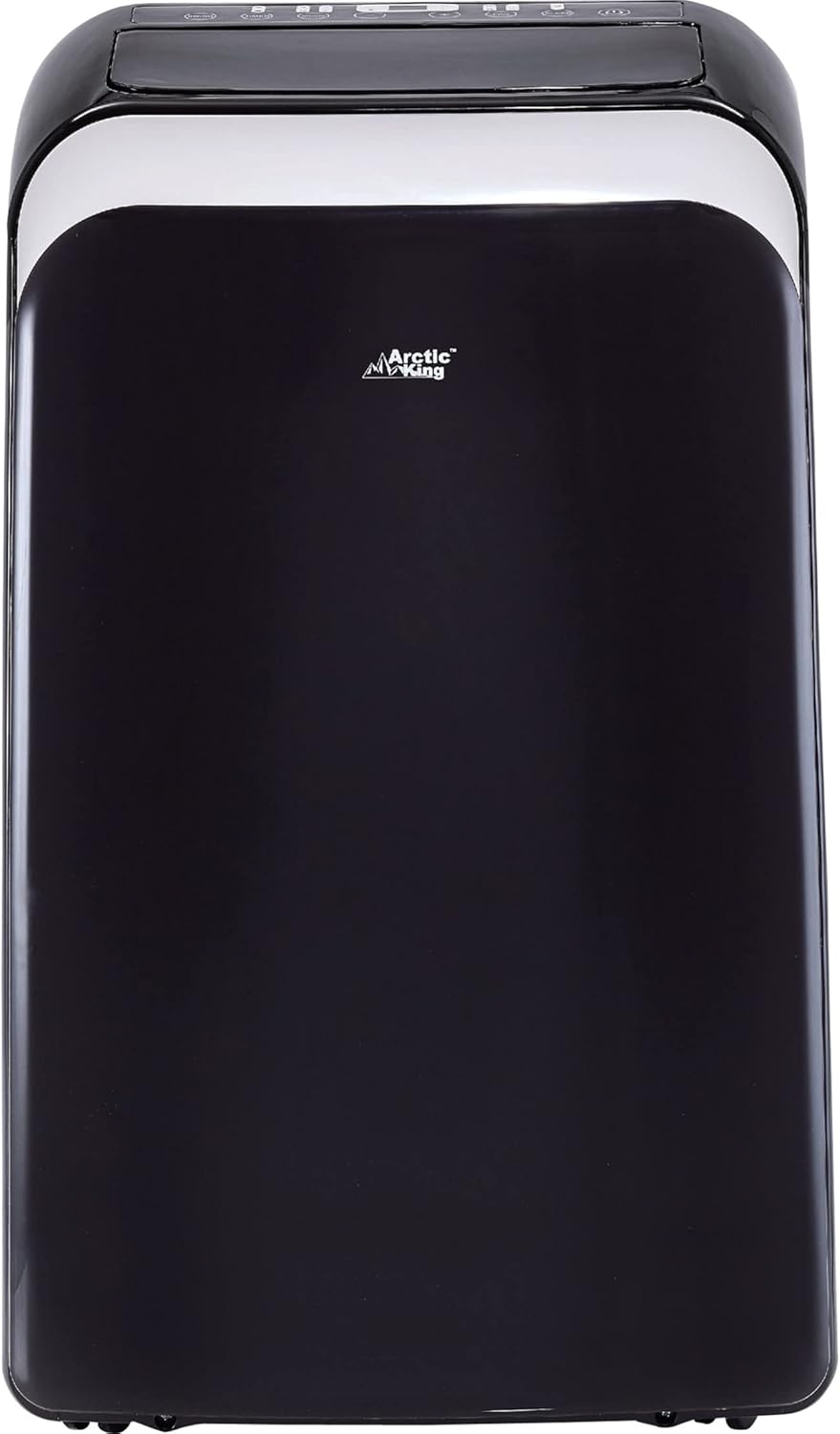
Rysunek 4.1: Przód view of the Midea Arctic King KAP14H1CBL Portable Air Conditioner. This image shows the sleek black unit with its control panel located on the top surface.
Panel sterowania i pilot zdalnego sterowania
The unit features an intuitive control panel on its top surface and comes with a remote control for convenient operation from a distance. Both allow you to adjust settings such as mode, temperature, fan speed, and timer.
5. Konfiguracja i instalacja
The Midea Arctic King KAP14H1CBL is designed for easy installation without professional assistance. Simply follow these steps to set up your unit.
5.1 Rozmieszczenie jednostek
- Umieść urządzenie na płaskiej, stabilnej powierzchni.
- Upewnij się, że wokół urządzenia jest co najmniej 50 cm (20 cali) wolnej przestrzeni, aby zapewnić właściwy przepływ powietrza.
- Umieść urządzenie w pobliżu okna, aby umożliwić montaż węża wydechowego oraz uziemionego gniazdka elektrycznego.
5.2 Window Venting Kit Installation
- Złóż zestaw przesuwnych okien tak, aby pasował do otworu okiennego.
- Insert the exhaust hose adapter into one end of the exhaust hose.
- Attach the window exhaust adapter to the other end of the exhaust hose.
- Connect the exhaust hose adapter to the exhaust outlet on the back of the portable air conditioner.
- Secure the window exhaust adapter into the opening of the window slider kit.
- Close the window securely against the window slider kit to seal the opening.

Rysunek 5.1: The portable air conditioner unit with its exhaust hose properly installed in a window. This setup ensures hot air is expelled outdoors, enhancing cooling efficiency.
5.3 Połączenie zasilania
Once the unit is positioned and the exhaust hose is installed, plug the power cord into a standard 120V AC grounded electrical outlet. The unit is now ready for operation.
6. Instrukcja obsługi
This section details how to use the various functions of your portable air conditioner.
6.1 Włączanie/wyłączanie zasilania
Naciśnij MOC przycisk na panelu sterowania lub pilocie, aby włączyć lub wyłączyć urządzenie.
6.2 Wybór trybu
Naciśnij TRYB przycisk umożliwiający przełączanie dostępnych trybów pracy:
- Tryb chłodzenia: Aby schłodzić pomieszczenie. Ustaw żądaną temperaturę.
- Tryb wentylatora: Cyrkuluje powietrze bez chłodzenia. Prędkość wentylatora można regulować.
- Tryb osuszania: Zmniejsza wilgotność w pomieszczeniu.
- Tryb ogrzewania: Do ogrzewania pomieszczenia. Ustaw żądaną temperaturę.
6.3 Regulacja temperatury
In Cool or Heat mode, use the UP I W DÓŁ arrow buttons to set your desired temperature. The temperature range is typically between 62°F (17°C) and 88°F (30°C).
6.4 Sterowanie prędkością wentylatora
Naciśnij PRĘDKOŚĆ WIATRAKA button to select between Low, Medium, and High fan speeds. This function is available in Cool and Fan modes.
6.5 Funkcja timera
The timer allows you to set a specific time for the unit to turn on or off automatically. Refer to the remote control section for detailed timer programming instructions.
7. Konserwacja
Regular maintenance ensures optimal performance and extends the lifespan of your portable air conditioner. Always unplug the unit before performing any maintenance.
7.1 Czyszczenie filtra powietrza
The air filter should be cleaned every two weeks, or more frequently depending on usage and air quality.
- Wyłącz urządzenie i odłącz je od zasilania.
- Znajdź i wyjmij filtr powietrza znajdujący się z tyłu lub z boku urządzenia.
- Umyj filtr ciepłą wodą z mydłem. Dokładnie wypłucz.
- Przed ponownym montażem pozostaw filtr do całkowitego wyschnięcia. Nie wystawiaj go na bezpośrednie działanie promieni słonecznych.
7.2 Odprowadzanie wody
The unit has a self-evaporative system, but in high humidity conditions, the internal water tank may fill up. When this occurs, the unit will stop operating and display an error code (e.g., "FL" for full tank). Drain the water as follows:
- Wyłącz urządzenie i odłącz je od zasilania.
- Place a shallow pan or tray under the drain port located at the bottom rear of the unit.
- Wyjmij korek spustowy, aby umożliwić wypłynięcie wody.
- Po spuszczeniu płynu należy dokładnie zakręcić korek spustowy.
7.3 Przechowywanie
W przypadku przechowywania urządzenia przez dłuższy okres:
- Odcedź całą nagromadzoną wodę.
- Wyczyść filtr powietrza.
- Przechowywać urządzenie w chłodnym i suchym miejscu, przykryte, aby chronić je przed kurzem.
8. Rozwiązywanie Problemów
Przed skontaktowaniem się z obsługą klienta zapoznaj się z poniższą tabelą zawierającą listę typowych problemów i ich rozwiązania.
| Problem | Możliwa przyczyna | Rozwiązanie |
|---|---|---|
| Jednostka się nie włącza. | Brak zasilania; przewód zasilający odłączony; zadziałał wyłącznik automatyczny. | Ensure unit is plugged in; check circuit breaker; try a different outlet. |
| Urządzenie działa, ale nie chłodzi. | Air filter dirty; exhaust hose not properly installed; room too large; windows/doors open. | Clean air filter; ensure exhaust hose is sealed; close windows/doors; check room size. |
| Unit displays "FL" error. | Wewnętrzny zbiornik na wodę jest pełny. | Spuść nagromadzoną wodę z urządzenia. |
| Urządzenie jest głośne. | Unit not on a level surface; fan speed too high; internal components vibrating. | Place on a level surface; reduce fan speed; ensure no obstructions. |
9. Specyfikacje
Key technical specifications for the Midea Arctic King KAP14H1CBL Portable Air Conditioner:
- Numer modelu: KAP14H1CBL
- Wydajność chłodzenia: 13500 British Thermal Units (BTU) / 3956.46 W
- Moc grzewcza: Not explicitly stated in specs, but description mentions "Heater". Assuming similar capacity.
- Źródło zasilania: Elektryczny przewodowy
- Tomtage: 120 V (AC)
- Cotage: 1365.0 watów
- Poziom hałasu: 59.5 decybeli
- Chłodziwo: R-32
- Wymiary produktu (gł. x szer. x wys.): 20.2 x 17.4 x 34.7 cala
- Waga przedmiotu: 89 funta
- Kolor: Czarny
- Cechy szczególne: Portable, Remote Controlled
10. Gwarancja i wsparcie
This Midea Arctic King KAP14H1CBL Portable Air Conditioner comes with a 1-roczna ograniczona gwarancja od daty zakupu. Niniejsza gwarancja obejmuje wady materiałowe i wykonawcze przy normalnym użytkowaniu.
For warranty claims, technical support, or service inquiries, please contact Midea customer support. Please have your model number (KAP14H1CBL) and proof of purchase readily available.
You can find contact information for Midea customer support by visiting the official Midea website or referring to the documentation included with your product.