Wstęp
Welcome to the user manual for your new Amkette Pocket Blast 5-in-1 FM Radio. This versatile device combines an FM radio, Bluetooth speaker, MP3 player, voice recorder, and FM song recorder into a compact and portable unit. Please read this manual carefully to understand the features and operation of your device and ensure optimal performance.

Figure 1: Amkette Pocket Blast 5-in-1 FM Radio
Zawartość opakowania
Proszę zaznaczyć pole dotyczące następujących elementów:
- 1 x kieszonkowa jednostka wybuchowa Amkette
- 1 x Instrukcja obsługi
- 1 x kabel ładujący (typ C)
- Kabel 1 x AUX
Cechy produktu
The Amkette Pocket Blast is designed for versatile audio entertainment and utility.
- Funkcjonalność 5 w 1: FM Radio, Bluetooth Speaker, MP3 Player (USB/SD/AUX), Voice Recorder, and FM Song Recorder.
- Najwyższa jakość dźwięku: Equipped with a 6W speaker for clear audio with well-defined bass and pleasing vocals.
- Łatwa nawigacja: Full number pad for direct song and FM station selection.
- Long Playback: Over 7 hours of battery life on Bluetooth mode.
- Wbudowany mikrofon: For voice recording and hands-free calls when connected via Bluetooth.
- Ładowanie typu C: Modern and reliable charging port.
- Antena zewnętrzna: For improved FM reception.

Figure 2: Key Features of the Pocket Blast

Figure 3: Compact Size with Powerful Audio
Elementy sterujące i porty
Familiarize yourself with the buttons and ports on your Amkette Pocket Blast for seamless operation.
Front Panel (Number Pad and Display)
- Klawiatura numeryczna (0-9): Used for direct input of FM frequencies or song numbers in MP3 mode.
- Przycisk REC: Rozpoczyna nagrywanie głosu lub sygnału FM.
- Przycisk DEL: Usuwa nagrane files.
- Przycisk M (tryb): Switches between FM, Bluetooth, USB, SD, and AUX modes.
- Przycisk Odtwórz/Pauza: Steruje odtwarzaniem.
- Przyciski poprzedniego/następnego utworu: Navigates through songs or FM stations.
- Przyciski zwiększania / zmniejszania głośności: Dostosowuje głośność dźwięku.
- Wyświetlacz LCD: Shows current mode, FM frequency, track number, etc.
Side Panel (Ports)
- Przełącznik włącz / wyłącz: Włącza lub wyłącza urządzenie.
- Port DC 5 V (typ C): Do ładowania urządzenia.
- Port USB: For USB flash drives (MP3 playback, recording storage).
- Gniazdo kart TF (Micro SD): For Micro SD cards (MP3 playback, recording storage).
- Wejście AUX: Do podłączania zewnętrznych urządzeń audio za pomocą kabla audio 3.5 mm.
- Antena zewnętrzna: Rozsuwana antena zapewniająca lepszy odbiór sygnału FM.

Figure 4: Number Pad for Direct Selection

Figure 5: Multi Playback Options
Organizować coś
Początkowe ładowanie
Before first use, fully charge your Amkette Pocket Blast.
- Connect the provided Type-C charging cable to the DC 5V port on the device.
- Podłącz drugi koniec kabla do zasilacza USB (nie ma go w zestawie) lub do portu USB komputera.
- The charging indicator on the device will illuminate. It will turn off or change color once fully charged.
- Pełne naładowanie trwa zazwyczaj około 2 godzin.
Włączanie/wyłączanie
Slide the ON/OFF switch located on the side of the device to power it on or off.
Instrukcja obsługi
Tryb Bluetooth
Connect your smartphone or other Bluetooth-enabled devices to the Pocket Blast for wireless audio streaming and hands-free calls.
- Power on the Pocket Blast. It will automatically enter Bluetooth pairing mode (indicated by a flashing Bluetooth icon or voice prompt).
- Włącz na swoim urządzeniu Bluetooth i wyszukaj dostępne urządzenia.
- Select "Amkette Pocket Blast" from the list.
- Once paired, the device will confirm the connection. You can now play audio from your connected device.
- To answer/end calls, press the Play/Pause button. Use the built-in microphone for communication.
Obsługa radia FM
Enjoy your favorite FM radio stations with clear reception.
- Naciśnij M (tryb) button until "FM" mode is displayed.
- Extend the external antenna for optimal reception.
- Automatyczne skanowanie: Naciśnij i przytrzymaj Odtwórz/Pauza przycisk umożliwiający automatyczne skanowanie i zapisywanie dostępnych stacji FM.
- Strojenie ręczne: Użyj Poprzedni/następny utwór przyciski do precyzyjnego dostrojenia częstotliwości.
- Bezpośrednie wejście częstotliwościowe: Use the number pad to directly enter the desired FM frequency (e.g., 94.3 for 94.3 MHz).
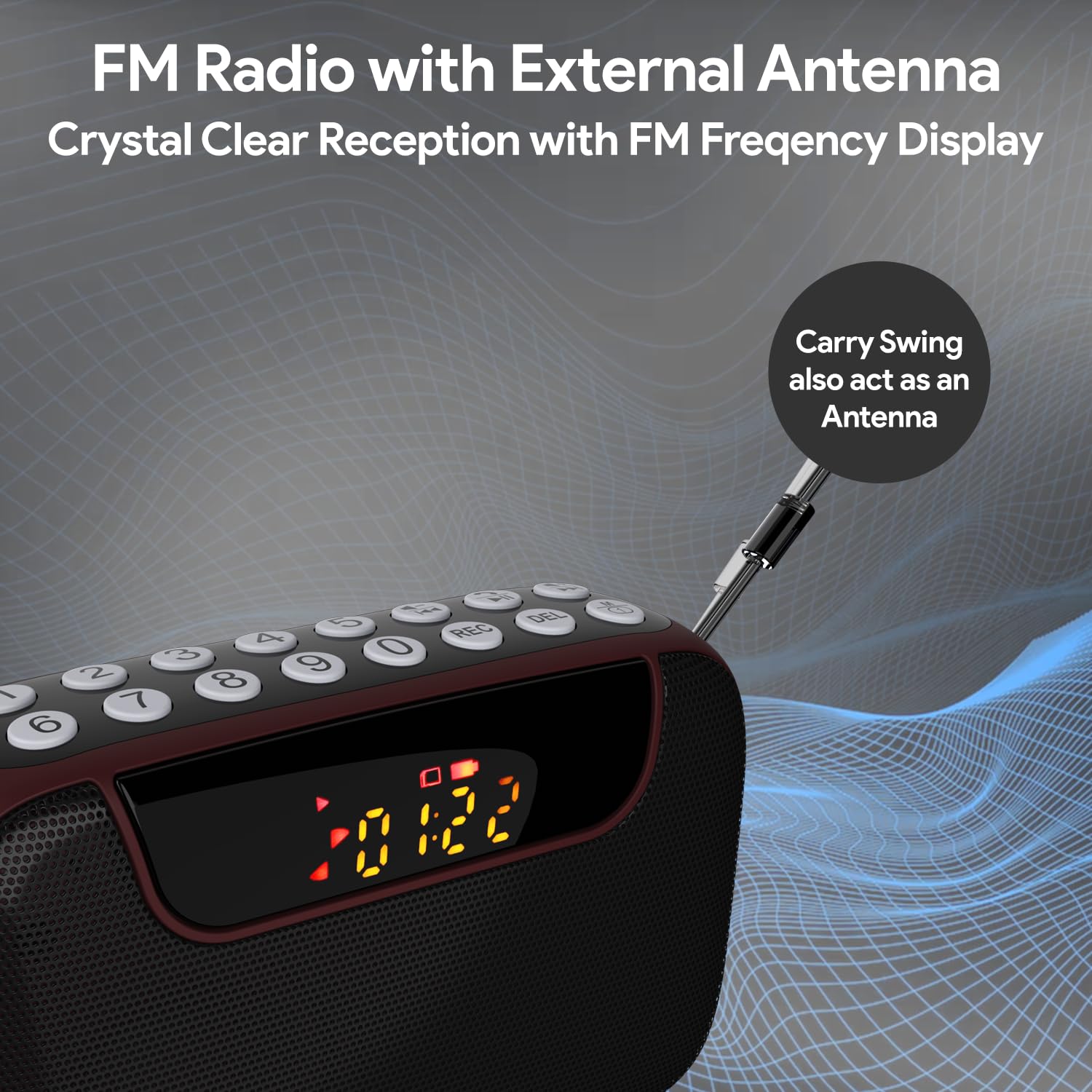
Figure 6: FM Radio with External Antenna
MP3 Playback (USB/SD/AUX)
Play music from USB drives, Micro SD cards, or external audio devices.
- Karta USB/SD: Insert a USB flash drive or Micro SD card (with MP3 files) into the corresponding port. The device will automatically switch to USB/SD mode and begin playback. If not, press the M (tryb) przycisk aby wybrać właściwy tryb.
- Wejście AUX: Connect an external audio device (e.g., smartphone, laptop) to the AUX port using the provided 3.5mm audio cable. Press the M (tryb) przycisk umożliwiający wybór trybu AUX.
- Użyj Odtwórz/Pauza I Poprzedni/następny utwór przyciski do sterowania odtwarzaniem.
- Use the number pad for direct song selection (e.g., enter "007" for the 7th song).

Figure 7: MP3 Player with Track Selection
Nagrywanie głosu
Record voice notes directly onto a connected USB drive or Micro SD card.
- Ensure a USB drive or Micro SD card is inserted into the device.
- Naciśnij REK button to start recording. The display will show a recording indicator.
- Mów wyraźnie do wbudowanego mikrofonu.
- Naciśnij REK Naciśnij przycisk ponownie, aby zatrzymać i zapisać nagrywanie.
- To play back recordings, switch to USB/SD mode and navigate to the recorded files.
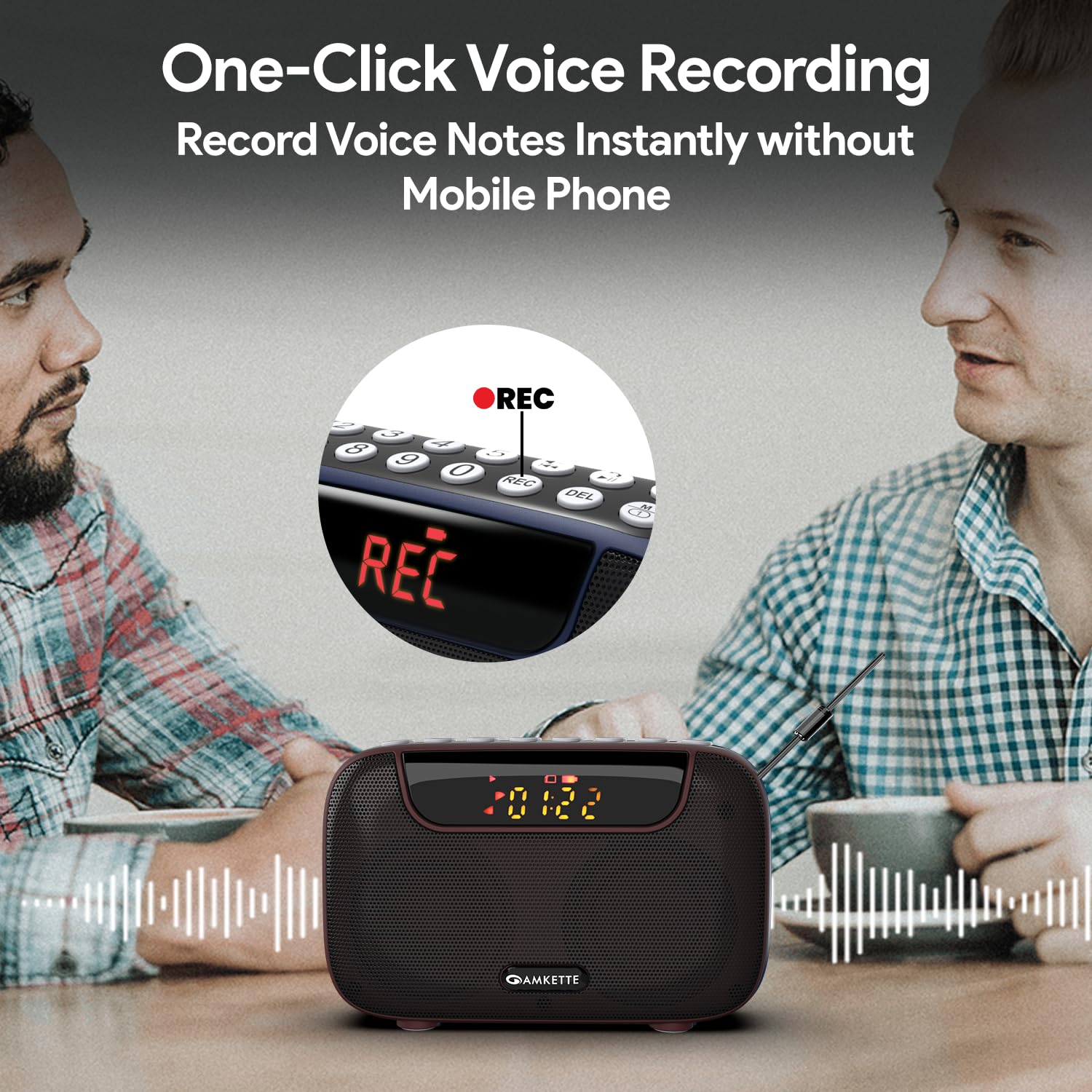
Figure 8: One-Click Voice Recording
FM Song Recording
Capture your favorite FM radio programs or songs directly from the radio.
- Ensure a USB drive or Micro SD card is inserted into the device.
- Switch to FM mode and tune to the desired station.
- Naciśnij REK button to start recording the FM broadcast. The display will show a recording indicator.
- Naciśnij REK Naciśnij przycisk ponownie, aby zatrzymać i zapisać nagrywanie.
- Recorded FM songs will be saved on the inserted storage device.

Figure 9: Built-in FM Song Recorder
Ładowanie
The Amkette Pocket Blast is equipped with a rechargeable Lithium Ion battery.
- Należy używać wyłącznie dołączonego kabla ładującego typu C.
- Connect to a standard USB power source (5V/1A recommended).
- Unikaj używania uszkodzonych kabli i ładowarek.
- Nie ładuj w ekstremalnych temperaturach.
- The device offers over 7 hours of playback on a full charge (Bluetooth mode).

Figure 10: Extended Playback Time
Konserwacja
To ensure the longevity and optimal performance of your device, follow these maintenance guidelines:
- Utrzymuj urządzenie w suchości. Unikaj narażenia na działanie wody i nadmiernej wilgotności.
- Czyść urządzenie miękką, suchą ściereczką. Nie używaj środków czyszczących o właściwościach ściernych ani rozpuszczalników.
- Przechowuj urządzenie w chłodnym, suchym miejscu, gdy nie jest używane.
- Unikaj upuszczania i narażania urządzenia na silne uderzenia.
- Nie próbuj samodzielnie demontować ani naprawiać urządzenia. Spowoduje to unieważnienie gwarancji.
Rozwiązywanie problemów
If you encounter any issues with your Amkette Pocket Blast, refer to the following common problems and solutions:
| Problem | Możliwa przyczyna | Rozwiązanie |
|---|---|---|
| Urządzenie nie włącza się. | Niski poziom naładowania baterii; wyłącznik zasilania jest wyłączony. | Charge the device fully; Ensure the ON/OFF switch is in the "ON" position. |
| Brak dźwięku. | Zbyt niski poziom głośności; Wybrano niewłaściwy tryb; Urządzenie nie jest sparowane (Bluetooth). | Increase volume; Press "M" button to select correct mode; Re-pair Bluetooth device. |
| Słaby odbiór FM. | Antena nie jest wysunięta; obszar o słabym sygnale. | Fully extend the external antenna; Try moving to a location with better signal. |
| Nie można nagrywać. | No USB/SD card inserted; Storage full; Card format issue. | Insert a compatible USB/SD card; Delete old files or use a new card; Ensure card is formatted correctly (FAT32). |
| Bluetooth często się rozłącza. | Device too far from Pocket Blast; Obstructions; Interference. | Keep devices within 10 meters (33 feet); Remove obstructions; Avoid strong electromagnetic interference. |
Specyfikacje
Detailed technical specifications for the Amkette Pocket Blast.
| Funkcja | Szczegół |
|---|---|
| Marka | Amketa |
| Nazwa modelu | Pocket Blast |
| Wymiary produktu | Wymiary 12 x 4.1 x 7.8 cm |
| Waga przedmiotu | 264 gramów |
| Moc wyjściowa głośnika | 6 watów |
| Źródło zasilania | Zasilany bateryjnie |
| Typ baterii | Litowo-jonowy (w zestawie) |
| Czas pracy baterii (średni) | 7+ Hours (Bluetooth) |
| Port ładowania | Type-C (DC 5V) |
| Łączność | Bluetooth, USB, SD Card, AUX |
| Technologia tunera | FM |
| Typ wyświetlacza | LCD |
| Kraj pochodzenia | Chiny |
Gwarancja i wsparcie
Your Amkette Pocket Blast comes with a 1-roczna gwarancja producenta.
For any issues, queries, or support, please contact our customer support team.
- Obsługa klienta: Please Call or WhatsApp our customer support team in case of any issues.
- Roszczenia gwarancyjne: Zachowaj paragon jako dowód zakupu na wypadek reklamacji.


