Wstęp
Welcome to the Alecto FR-115RD Kids Walkie Talkie Set instruction manual. This guide provides essential information for setting up, operating, maintaining, and troubleshooting your new walkie-talkies. Designed for children, these walkie-talkies offer reliable communication with a range of up to 7 kilometers, featuring an integrated flashlight and an illuminated display.
Co jest w pudełku
- 2 x Alecto FR-115RD Walkie Talkies
- 2 x paski
- Instrukcja obsługi (ten dokument)
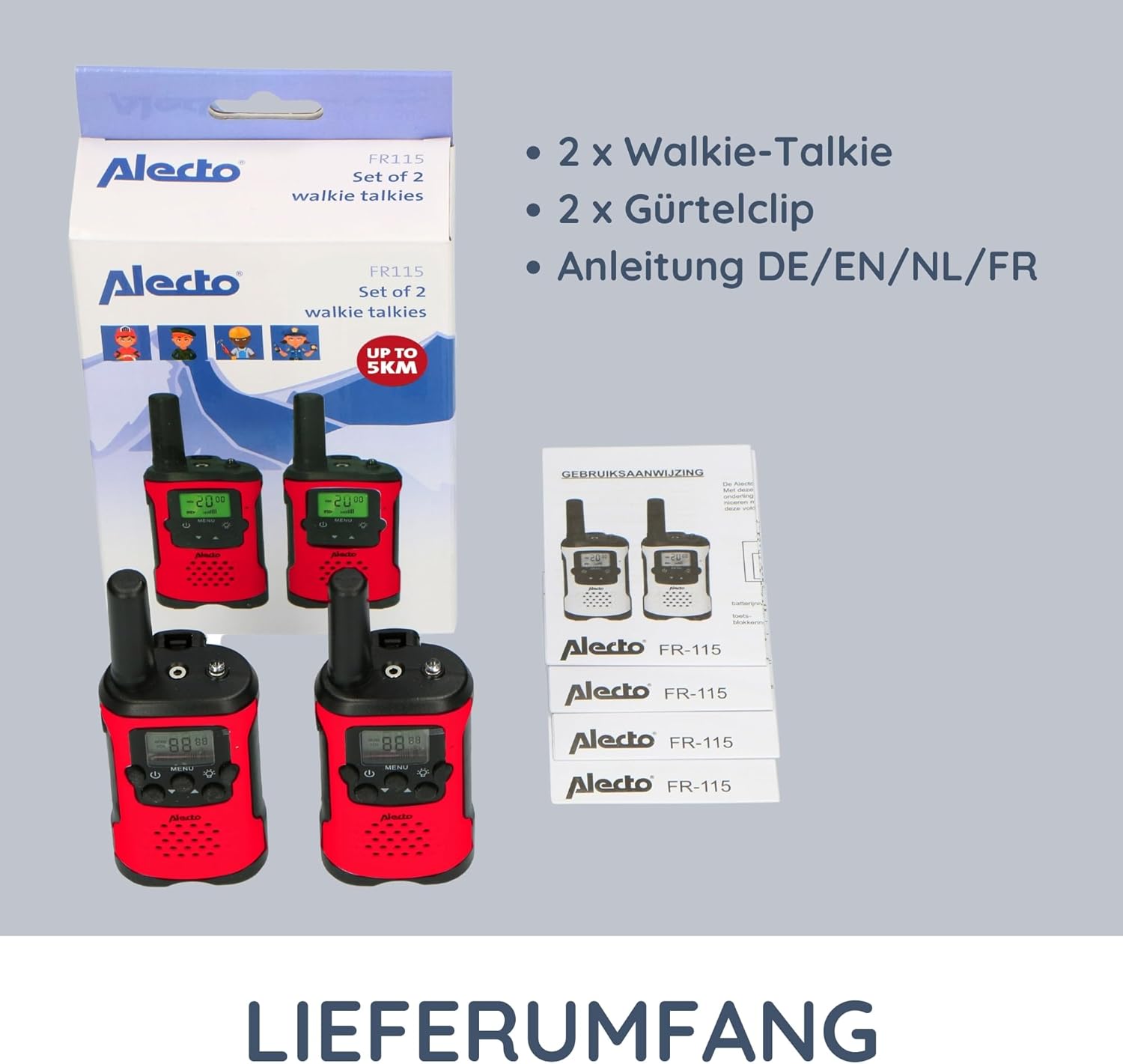
Image: The complete contents of the Alecto FR-115RD package, including the two walkie-talkies, their respective belt clips, and the instruction manual.
Organizować coś
Instalacja baterii
The Alecto FR-115RD walkie-talkies require 3 AAA batteries each (not included).
- Znajdź pokrywę komory baterii z tyłu krótkofalówki.
- Aby otworzyć, przesuń lub odepnij pokrywę.
- Włóż 3 baterie AAA, zwracając uwagę na prawidłową biegunowość (+ I -).
- Dokładnie zamknij pokrywę komory baterii.
Note: A battery warning indicator will appear on the display when batteries are low.
Mocowanie klipsa do paska
Each walkie-talkie comes with a removable belt clip for convenient carrying.
- Align the belt clip with the slot on the back of the walkie-talkie.
- Slide the clip downwards until it clicks into place.
- To remove, push the release tab (if present) and slide the clip upwards.
Instrukcja obsługi
Włączanie/wyłączanie zasilania
Naciśnij i przytrzymaj Przycisk zasilania (usually marked with a power symbol) to turn the walkie-talkie on or off.
Wybór kanału
The FR-115RD features 8 main channels. To change channels:
- Naciśnij Przycisk MENU. The channel number will flash.
- Użyj Przyciski w górę / w dół aby wybrać żądany kanał (1-8).
- Naciśnij Przycisk MENU again to confirm, or wait a few seconds for it to auto-confirm.
For optimal communication, ensure both walkie-talkies are on the same channel.
Sub-Tone (CTCSS) Selection
The device supports 38 CTCSS codes to reduce interference from other users on the same channel.
- Naciśnij Przycisk MENU twice. The sub-tone code will flash.
- Użyj Przyciski w górę / w dół aby wybrać żądany kod CTCSS (0-38).
- Naciśnij Przycisk MENU jeszcze raz, aby potwierdzić.
Both walkie-talkies must have the same channel and CTCSS code for communication.
Nadawanie i odbieranie
To transmit (speak): Press and hold the Przycisk Push-to-Talk (PTT) (usually on the side of the device). Speak clearly into the microphone. Release the PTT button to listen.
To receive: Ensure the PTT button is not pressed. The walkie-talkie will automatically receive signals on the selected channel.
Regulacja głośności
Użyj Przyciski w górę / w dół (when not in menu mode) to adjust the speaker volume.
Zintegrowana latarka
Naciśnij Przycisk latarki (usually marked with a light bulb icon) to turn the integrated flashlight on or off. Useful in low-light conditions.
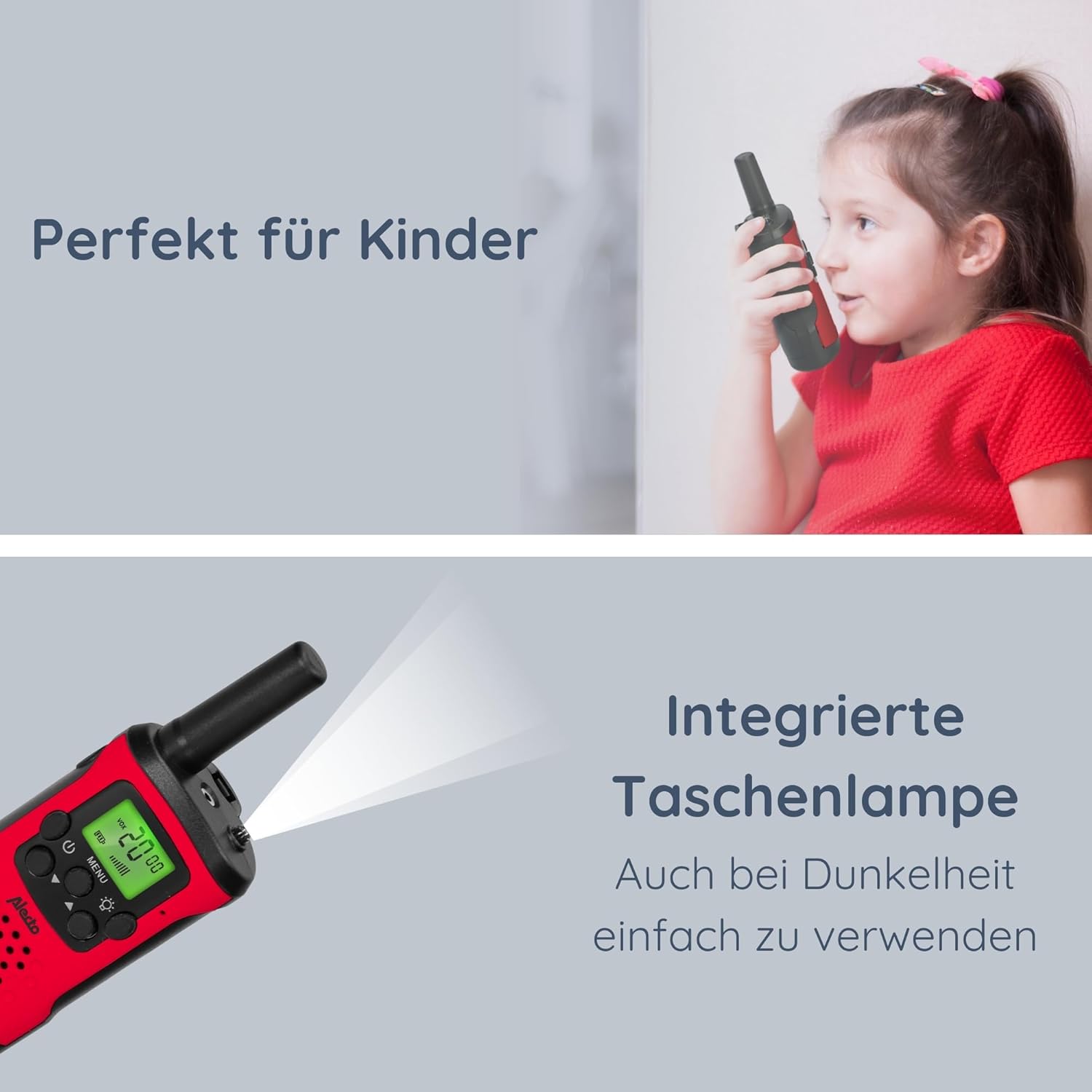
Image: The Alecto FR-115RD walkie-talkie in use by a child, highlighting the integrated flashlight feature for visibility in dark environments.

Image: The illuminated LCD display of the Alecto FR-115RD, showing channel and VOX status, emphasizing its readability and the voice-activated transmission feature.
VOX Function (Voice-Activated Transmission)
The VOX function allows for hands-free transmission. When activated, the walkie-talkie will transmit automatically when it detects your voice.
- Naciśnij Przycisk MENU three times. "VOX" will appear on the display.
- Użyj Przyciski w górę / w dół to select the VOX sensitivity level (e.g., 1-3, with 3 being most sensitive) or "OFF" to disable.
- Naciśnij Przycisk MENU aby potwierdzić.
When VOX is active, the walkie-talkie will only transmit when speech is detected.
Wyjście słuchawkowe
A 2.5 mm headphone output is available for private listening. Connect compatible headphones (not included) to this port.
Konserwacja
Czyszczenie
Wipe the walkie-talkies with a soft, damp ściereczka. Nie należy używać środków czyszczących o właściwościach ściernych ani rozpuszczalników.
Składowanie
If storing for extended periods, remove the batteries to prevent leakage and damage.
Przechowywać w chłodnym, suchym miejscu, z dala od bezpośredniego światła słonecznego i ekstremalnych temperatur.
Odporność na wodę
These walkie-talkies are nie wodoodporny. Avoid exposure to rain, splashes, or submersion in water.
Rozwiązywanie problemów
| Problem | Możliwa przyczyna | Rozwiązanie |
|---|---|---|
| Brak zasilania | Baterie są rozładowane lub nieprawidłowo zainstalowane. | Wymień baterie lub sprawdź biegunowość. |
| Cannot communicate with other walkie-talkie | Different channels or CTCSS codes. Out of range. | Ensure both units are on the same channel and CTCSS code. Move closer to the other unit. |
| Słaba jakość dźwięku / Szum | Słaby sygnał. Zakłócenia. Niski poziom naładowania baterii. | Move to an open area. Change channel/CTCSS. Replace batteries. |
| Latarka nie działa | Low battery. Faulty button. | Wymień baterie. Jeśli problem będzie się powtarzał, skontaktuj się z pomocą techniczną. |
Specyfikacje
- Model: FR115
- Marka: Alekto
- Kolor: Czerwony
- Wymiary: 3 x 4.9 x 12.9 cm (dł. x szer. x wys.)
- Waga: 224 grams (per set, approximate)
- Źródło zasilania: 3 x AAA batteries (per unit)
- Tomtage: 4.5 V prądu stałego
- Liczba kanałów: 8 main channels
- Kody CTCSS: 38
- Zakres częstotliwości: 446MHz
- Max. Speaking Range: Up to 7 kilometers (in optimal conditions)
- Cechy szczególne: Integrated flashlight, Illuminated LCD display, VOX function, 2.5 mm Headphone output
- Wodoodporność: Nie wodoodporny
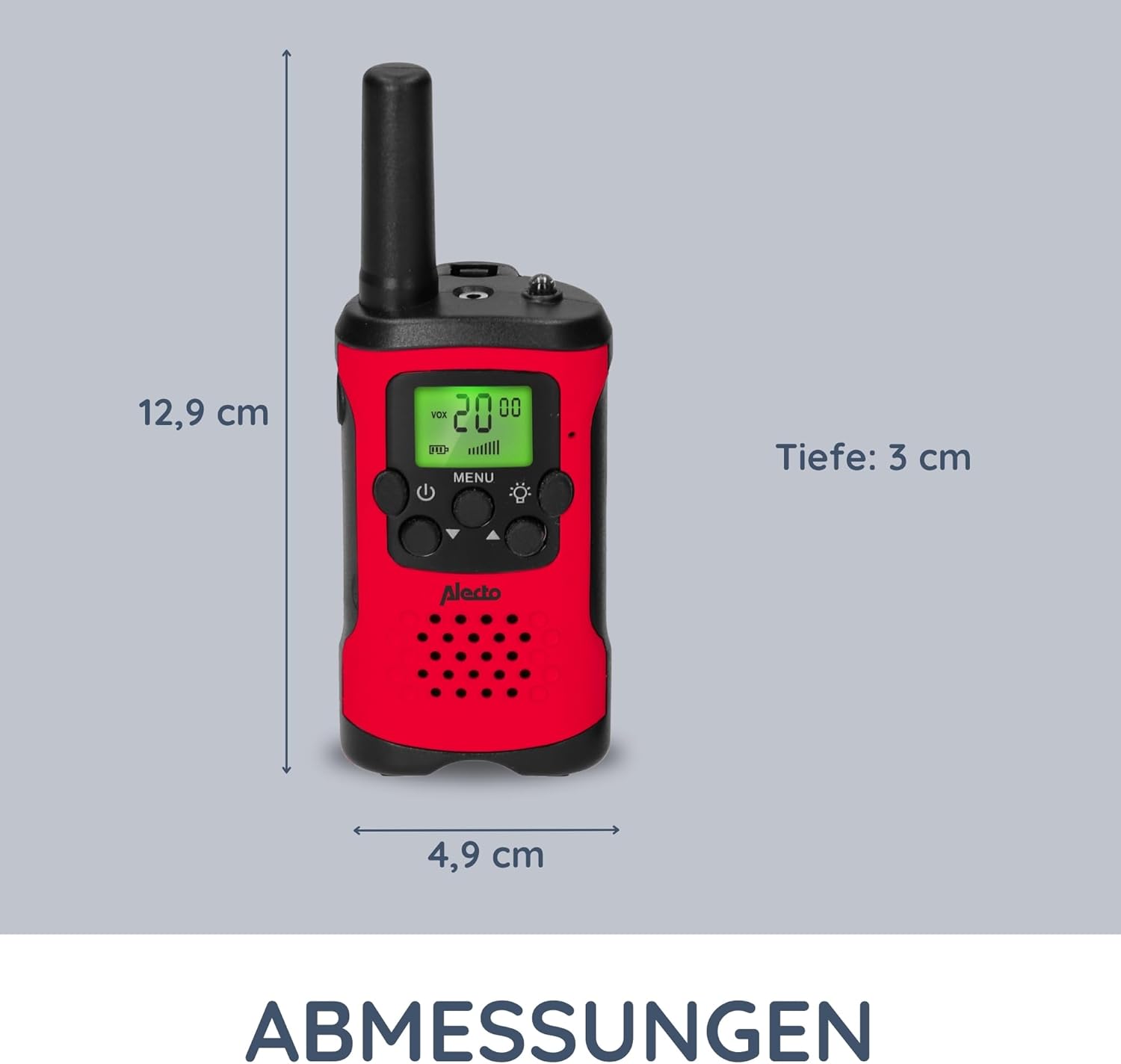
Image: Detailed dimensions of the Alecto FR-115RD walkie-talkie for reference.

Obraz: Ponadview of the main benefits and features of the Alecto FR-115RD walkie-talkies.

Image: Visual representation of the impressive 7-kilometer communication range of the walkie-talkies.
Gwarancja i wsparcie
For warranty information or technical support, please refer to the official Alecto webOdwiedź stronę internetową lub skontaktuj się bezpośrednio z działem obsługi klienta. Zachowaj paragon jako dowód zakupu.
Alecto Baby is committed to providing reliable products and support. You can find more information and contact details on the Alecto Brand Store.


