Wstęp
The Thrustmaster T128 features the HYBRID DRIVE system, which combines a belt and gears mechanism to provide immersive and versatile Force Feedback, and delivers 20% more power (in relation to previous Thrustmaster TMX hybrid racing wheels). Its lightweight wheel rim helps you really feel the sensations transmitted by the Force Feedback system, for an authentic racing experience and to optimize your racing lines. A 4-color LED strip lets you keep an eye on the engine speed, and indicates when it is time to shift gears. Thanks to the clamp-based attachment system, the racing wheel can be adjusted to fit desks and tables for quick and easy setup. The T2PM pedal set included with the racing wheel features patented frictionless magnetic technology, for enhanced precision that won’t decrease over time. T128 has been designed for all gamers looking for a first racing wheel offering new immersive sensations, and users who want to improve their driving skills. T128 is an officially-licensed racing wheel for Xbox Series X|S and Xbox One, and is compatible with PC.
Co jest w pudełku
- Koło wyścigowe
- Tabela klamp
- Instrukcja obsługi
Główne cechy
- Fully modular professional gamepad.Box Contents : 1 x ESWAP X PRO CONTROLLER gamepad, 2 x interchangeable mini-stick modules, 2 x interchangeable grip modules, 2 x interchangeable triggers, 1 x interchangeable four-direction D-pad module 2 x additional mini-stick caps, 1 x power cable, 1 x screwdriver for removing the modules, 1 x small storage bag for screwdriver and cable, Quick start guide and warranty information”
- New next-generation (NXG) mini-sticks: a longer lifespan, and greater precision
- Physical locking for triggers; direct remapping of rear buttons
- T-MOD technology and Hot Swap feature lets you swap a module with any other — at any point in a game
- Extremely high-precision modules and action buttons, with minimal response times
- Quick attachment system suitable for desks and tables up to 2.2 inches / 5.5 cm thick
- Magnetic 2-pedal pedal set (patented H.E.A.R.T technology) featuring 12-bit precision that won’t decrease over time
- Next-generation HYBRID DRIVE technology delivering 20% more power than other Thrustmaster hybrid racing wheels (TMX series)
- Access to hundreds of games, with 1 month’s free subscription to the Xbox Game Pass Ultimate service
- Officially licensed for Xbox and compatible with Xbox Series X|S, Xbox One and PC (Windows 10/11)
Organizować coś
- Rozpakowywanie: Ostrożnie wyjmij wszystkie elementy z opakowania. Upewnij się, że wszystkie elementy wymienione w sekcji „Zawartość opakowania” są obecne.
- Wheel Base Placement: Place the racing wheel base on a stable, flat surface such as a desk or table.
- Mocowanie Clamp: Use the included table clamp to securely fasten the racing wheel base to your surface. Tighten the clamp until the wheel is stable and does not move during use. The clamp system is suitable for surfaces up to 2.2 inches / 5.5 cm thick.
- Podłączanie pedałów: Podłącz kabel zestawu pedałów do przeznaczonego portu z tyłu podstawy kierownicy wyścigowej.
- Connecting to Console/PC: Connect the racing wheel's USB cable to an available USB port on your Xbox Series X|S, Xbox One, or PC.
- Podłączenie zasilania: Connect the power adapter to the racing wheel base and then plug it into a power outlet.
- PC Driver Installation (for PC users): For PC compatibility, download and install the latest drivers from the official Thrustmaster support website. This ensures proper functionality and access to all features, including Force Feedback.
- Kalibracja początkowa: The wheel will automatically calibrate itself upon power-on. Do not touch the wheel during this process.
For detailed setup instructions and diagrams, please refer to the official user manual PDF.
Instrukcja obsługi
- Włączanie: Once connected, power on your console or PC. The racing wheel will automatically be detected.
- Wybór trybu: Ensure the wheel is in the correct mode for your platform (Xbox or PC). Refer to the official user manual for specific button combinations or switches to change modes if necessary.
- Sterowniczy: Use the wheel to control steering in your racing games. The HYBRID DRIVE Force Feedback system will provide realistic sensations, including road texture, impacts, and tire grip.
- pedały: Use the magnetic pedals for acceleration (right pedal) and braking (left pedal). The H.E.A.R.T technology ensures precise and consistent performance.
- Łopatki zmiany biegów: Utilize the magnetic paddle shifters located behind the wheel for quick and precise gear changes.
- Taśma LED: Monitor the 4-color LED strip on the wheel. These LEDs indicate engine speed and signal when to shift gears, enhancing your racing experience.
- Funkcje przycisków: Familiarize yourself with the various buttons on the wheel, including the Xbox Guide button, D-pad, and action buttons (A, B, X, Y), which replicate standard controller functions.
- Zmiana ustawień: Some games and platforms allow for in-game or driver-level adjustments to Force Feedback strength and other wheel parameters. Experiment with these settings to find your preferred racing feel.
Konserwacja
- Czyszczenie: Regularly clean the racing wheel and pedals with a soft, dry cloth. Avoid using abrasive cleaners or solvents, as they may damage the surfaces.
- Zarządzanie kablami: Aby zapobiec uszkodzeniom, zadbaj o to, aby wszystkie kable były starannie ułożone, nie były splątane ani ściśnięte.
- Składowanie: Gdy kierownica nie jest używana, należy ją przechowywać w czystym i suchym miejscu, z dala od bezpośredniego światła słonecznego i ekstremalnych temperatur.
- Force Feedback Care: While the Force Feedback system is robust, avoid excessive force or sudden impacts on the wheel when not in use or during calibration.
- Konserwacja pedałów: The magnetic pedals are designed for long-term precision and require minimal maintenance. Keep them free of dust and debris.
Rozwiązywanie problemów
- No Power/No Detection:
- Ensure all cables (USB, power) are securely connected to the wheel base, console/PC, and power outlet.
- Spróbuj użyć innego portu USB w konsoli lub komputerze.
- For PC, verify that the latest drivers are installed and the device is recognized in Device Manager.
- Brak sprzężenia zwrotnego siły:
- Check in-game settings to ensure Force Feedback is enabled and its strength is not set to zero.
- Sprawdź, czy oprogramowanie układowe kierownicy jest aktualne.
- Restart your console/PC and the racing wheel.
- Pedały nie reagują:
- Verify the pedal cable is firmly connected to the wheel base.
- Check in-game controller settings to ensure pedal inputs are correctly mapped.
- Wheel Calibration Issues:
- Ensure no pressure is applied to the wheel or pedals during the initial calibration sequence when powering on.
- If issues persist, try recalibrating through the Thrustmaster control panel on PC, or by following specific console recalibration steps in the full manual.
For more in-depth troubleshooting, please consult the comprehensive user manual PDF or the Thrustmaster support webstrona.
Specyfikacje
| Funkcja | Szczegół |
|---|---|
| ASIN | B0B2BSHRV5 |
| Data wydania | 17 października 2022 r. |
| Wymiary produktu | 11.2 x 13.09 x 11 cala |
| Waga przedmiotu | 8.93 funta |
| Rodzaj przedmiotu | Akcesorium |
| Numer modelu przedmiotu | 4469027 |
| Producent | Thrustmaster |
| Kraj pochodzenia | Chiny |
Wizualizacje i demonstracje produktów

The Thrustmaster T128X Force Feedback Racing Wheel with its magnetic pedal set.
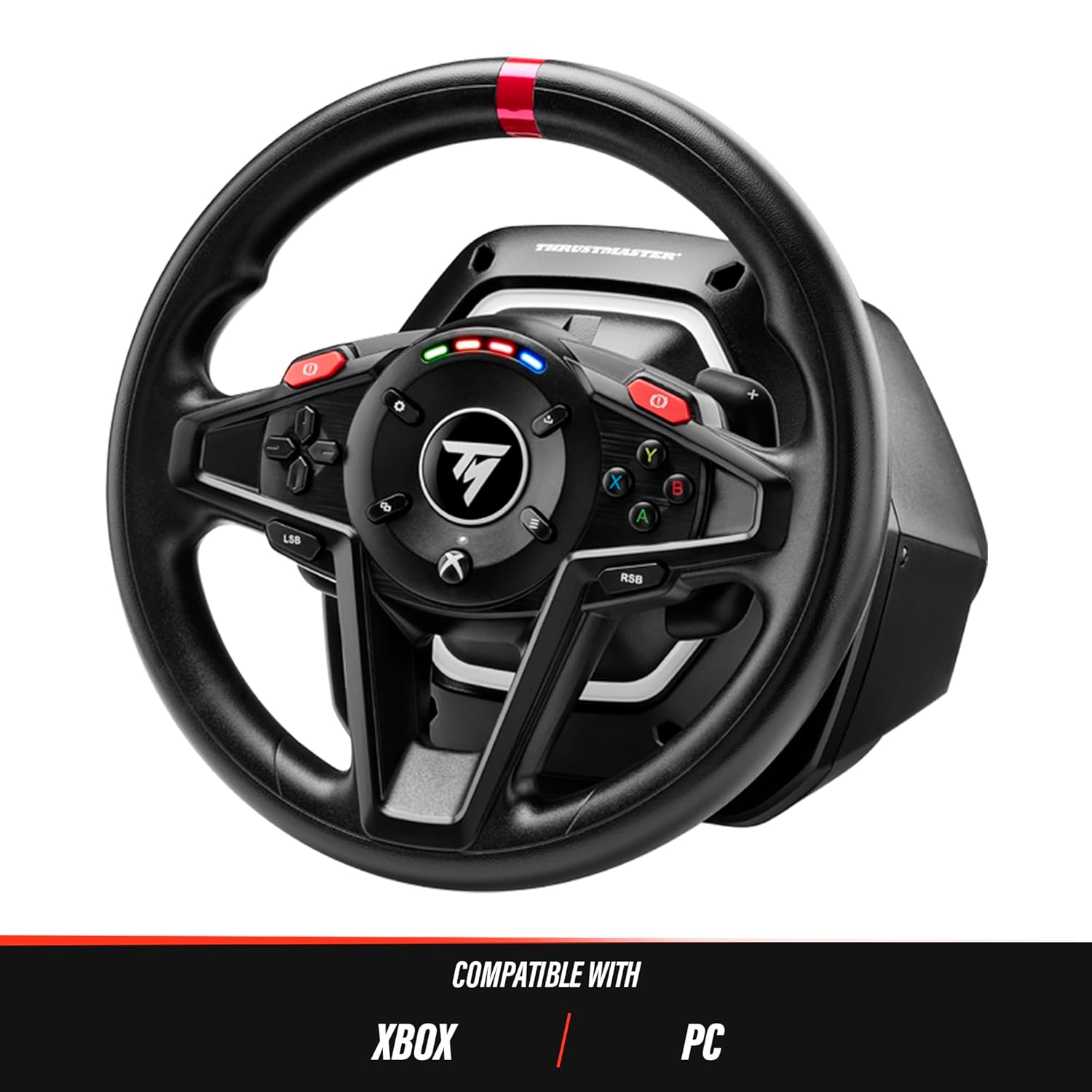
The T128X racing wheel is compatible with Xbox and PC platforms.

Z bliska view of the 4-color LED strip indicating engine speed on the T128X wheel.
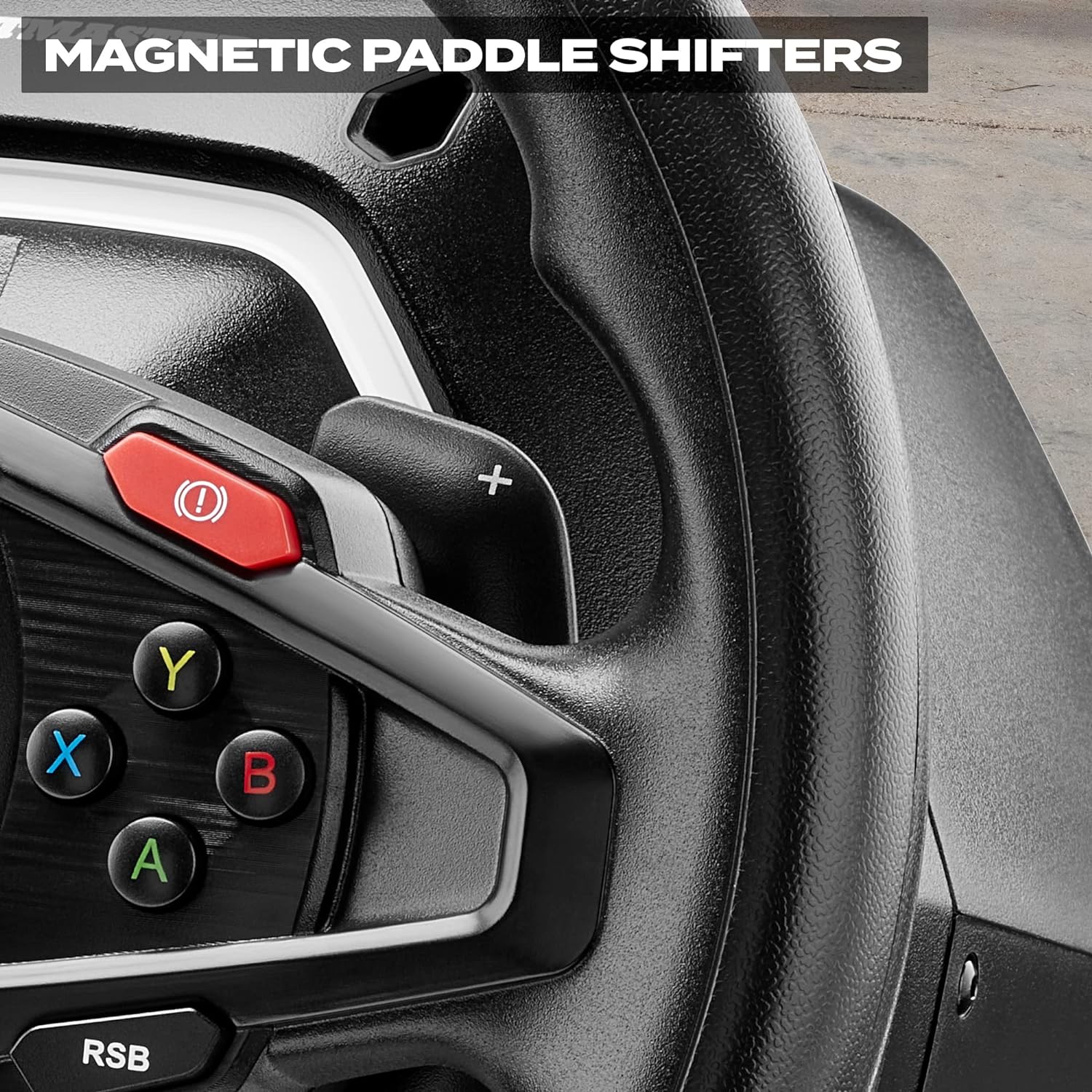
Detail of the magnetic paddle shifters located behind the T128X racing wheel.
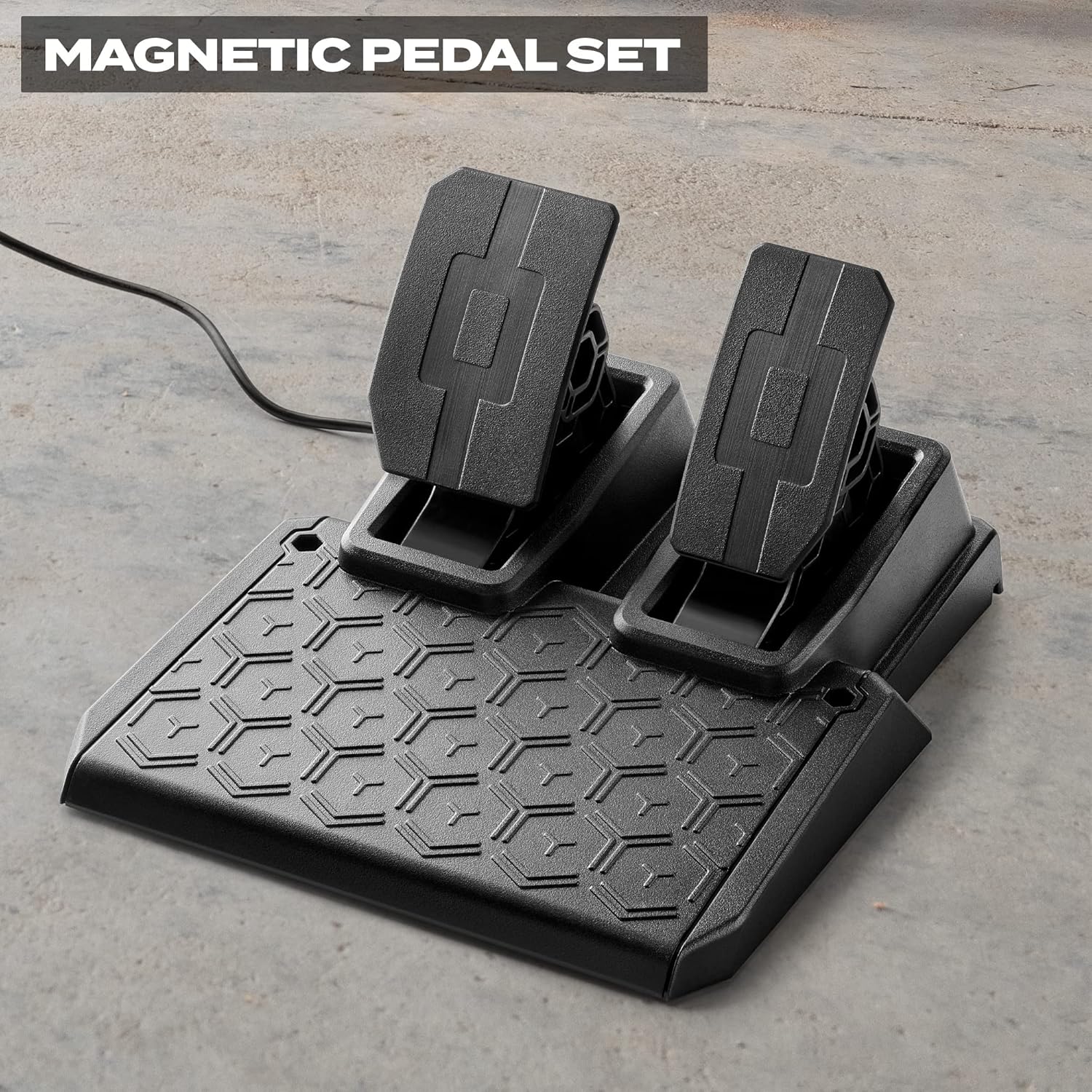
The T2PM magnetic 2-pedal set included with the T128X racing wheel.
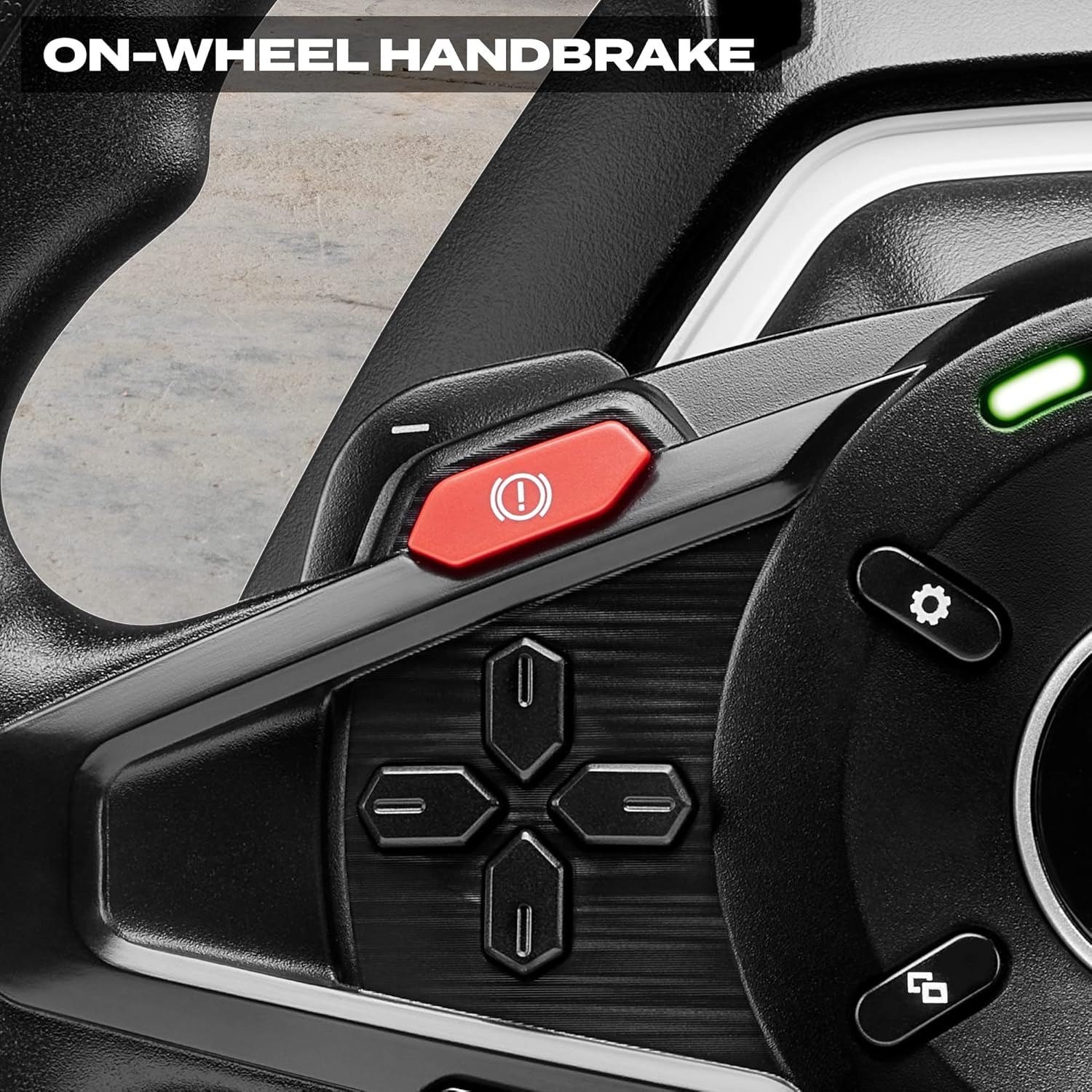
The dedicated on-wheel handbrake button for quick activation during gameplay.

The T128 racing wheel is part of the Thrustmaster ecosystem, allowing for upgrades with additional pedal sets and shifters.
Gwarancja i wsparcie
The Thrustmaster T128X Force Feedback Racing Wheel is covered by a manufacturer's warranty. For specific warranty terms and conditions, please refer to the documentation included with your product or visit the official Thrustmaster webstrona.
For comprehensive support, including detailed setup guides, driver downloads, and frequently asked questions, please refer to the official User Manual PDF:
Pobierz instrukcję obsługi (PDF)
Możesz również odwiedzić Sklep Thrustmaster na Amazon Aby uzyskać więcej informacji o produkcie i akcesoriach.


