1. Wprowadzenie
The Brady M211 Portable Bluetooth Monochrome Label Printer is a robust and intuitive device designed for efficient label creation and printing directly from your smartphone. Its compact and durable construction ensures reliable performance in various work environments. This manual provides comprehensive instructions for setting up, operating, maintaining, and troubleshooting your M211 label printer.

2. Co znajduje się w pudełku
Sprawdź, czy w przesyłce znajdują się wszystkie elementy:
- 1 x Brady M211 Printer
- 1 x M21-750-499 Label Cartridge
- 1 x Skrócona instrukcja obsługi
- 1 x AC Adapter (North America)
3. Konfiguracja
3.1 Ładowanie drukarki
Before first use, fully charge the M211 printer using the provided AC adapter. Connect the adapter to the printer's charging port and plug it into a power outlet. The charging indicator light will show the charging status.
3.2 Installing a Label Cartridge
The M211 printer uses M21 series label cartridges. To install a cartridge:
- Otwórz drzwiczki dostępu do wkładów z boku drukarki.
- Align the label cartridge with the slot and gently push it in until it clicks into place.
- Close the cartridge door securely.

3.3 Connecting via Bluetooth and App Installation
The M211 printer connects to your smartphone via Bluetooth using the Brady Express Labels Mobile app.
- Download the 'Express Labels Mobile' app from your device's app store (available for iOS and Android).
- Upewnij się, że Bluetooth jest włączony w Twoim smartfonie.
- Power on the M211 printer by pressing the power button. The Bluetooth indicator light will blink, indicating it's ready to pair.
- Open the Express Labels Mobile app. The app will automatically search for and connect to your M211 printer. Follow any on-screen prompts to complete the pairing process.
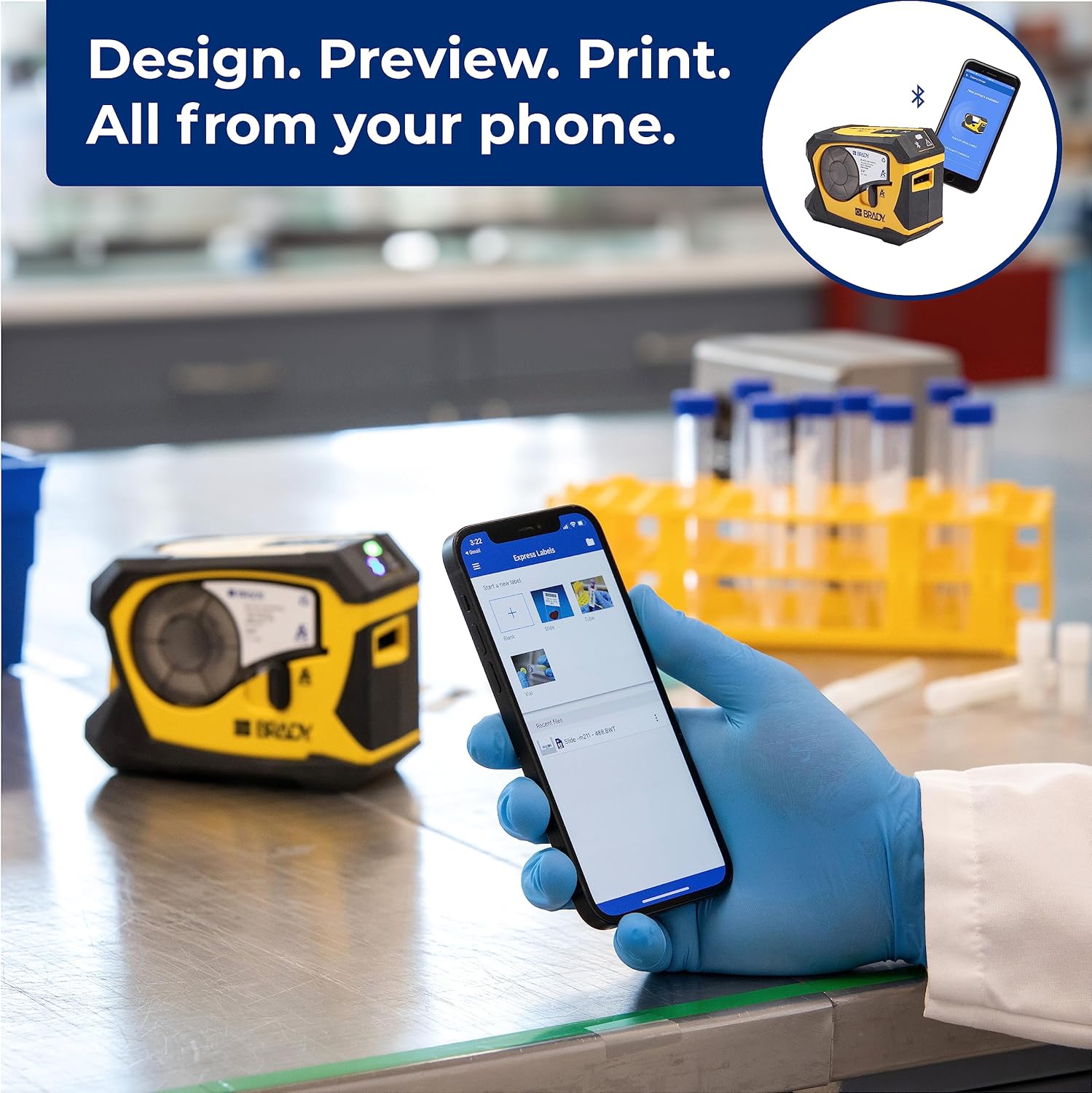
Video 1: Official video demonstrating how to create and print barcode labels using the Brady M211 printer and the Express Labels Mobile app.
4. Obsługa drukarki
4.1 Designing and Printing Labels
The Express Labels Mobile app provides a user-friendly interface for designing and printing labels.
- Open the app and select a label template or start a new blank label.
- Use the app's tools to add text, barcodes (over 20 types supported), symbols (over 1400 available), and other elements.
- Przedview your label design to ensure accuracy.
- Tap the print icon in the app to send the design to your M211 printer. The printer will automatically cut the label after printing.
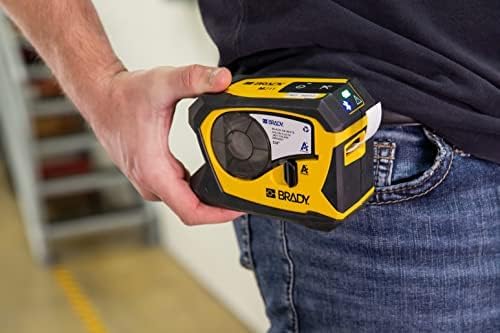
4.2 Label Applications and Materials
The M211 printer supports a wide range of label applications and materials, making it versatile for various tasks.

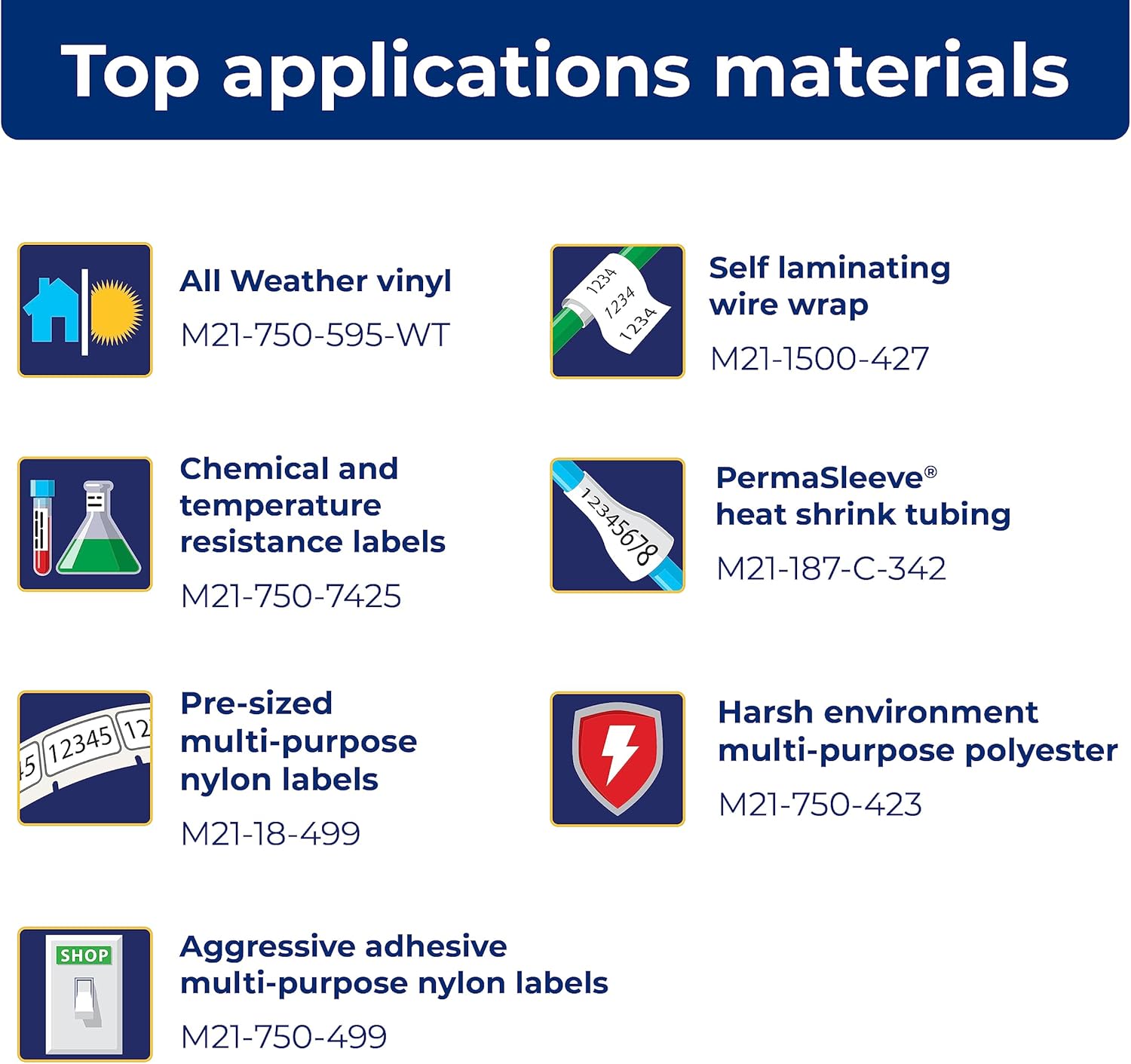
5. Konserwacja
5.1 Czyszczenie drukarki
Regularne czyszczenie pomaga utrzymać optymalną wydajność:
- Do czyszczenia zewnętrznej części drukarki należy używać miękkiej, niepozostawiającej włókien ściereczki.
- Periodically clean the print head and platen roller using a Brady-approved cleaning card or isopropyl alcohol on a cotton swab. Refer to the Quick Start Guide for detailed instructions on print head cleaning.
5.2 Wymiana wkładu
Replace label cartridges when the material runs out or when the print quality degrades. Always use authentic Brady cartridges to ensure compatibility and optimal performance.

6. Rozwiązywanie Problemów
If you encounter issues with your M211 printer, try the following common troubleshooting steps:
- Drukarka nie odpowiada: Ensure the printer is charged and powered on. Check the Bluetooth connection status in the app and on your phone.
- Słaba jakość druku: Verify that the label cartridge is correctly installed. Clean the print head as described in the maintenance section. Ensure you are using authentic Brady label materials.
- Problemy z połączeniem aplikacji: Restart both the printer and your smartphone. Ensure the Express Labels Mobile app is updated to the latest version. Try forgetting and re-pairing the Bluetooth connection in your phone's settings.
- Labels Not Feeding/Cutting: Check for any obstructions in the label path. Ensure the label cartridge is not empty or jammed.
For more complex issues, refer to the detailed troubleshooting section in the full user manual or contact Brady customer support.
7. Specyfikacje
| Funkcja | Specyfikacja |
|---|---|
| Wymiary produktu | 2.6" gł. x 5.4" szer. x 4" wys. |
| Typ kontrolera | Android, iOS |
| Maksymalny rozmiar nośnika | 0.75 cala |
| Media drukowane | Etykiety |
| Typ skanera | Przenośny |
| Maksymalna pojemność arkuszy wejściowych | 50 |
| Maksymalna prędkość kopiowania (czarno-białe) | 0.6 stron na milion |
| Typ wyświetlacza | LCD |
| Kompatybilne urządzenia | Smartfony |
| Maksymalna rozdzielczość druku kolorowego | 203 dpi |
| Rozmiar arkusza | 0.25x0.75 |
| Maksymalna rozdzielczość wydruku czarno-białego | 203 dpi |
| Głębia koloru | 1 bits per pixel |
| Drukowanie dwustronne | Tak |
| Maksymalna rozdzielczość kopii czarno-białej | 203 dpi |
| Dupleks | Simpleks |
| Interfejs sprzętowy | Bluetooth |
| Kolor tuszu | Czarny, Żółty |
| Rezolucja | 203 dpi |
| Dodatkowe funkcje drukarki | Tylko do druku |
| Metoda kontroli | Aplikacja |
| Pojemność arkuszy wyjściowych | 50 |
| Numer serii | 211 |
| Seria modeli | 211 |
| UPC | 888434587515 |
| Pojemność pamięci masowej | 2 MB |
| Waga przedmiotu | 1.44 funta |
| Baterie | Wymagana jest 1 bateria litowo-jonowa. (w zestawie) |
| Data pierwszej dostępności | 31 marca 2022 r. |
| Producent | Brady |
| Marka | Brady |
| Technologia łączności | Bluetooth® 5 Low Energy (class II) |
| Technologia druku | Termiczny |
| Kolor | Żółty/Czarny |
| Nazwa modelu | M211 |
| Wyjście drukarki | Monochromia |
| Maksymalna prędkość drukowania (kolor) | 0.6 stron na milion |
| Maksymalna prędkość druku monochromatycznego | 0.6 |

8. Dostępne akcesoria
Enhance your M211 printer's functionality and protection with these available accessories:
- Hard Case
- Zasilacz sieciowy
- Kostka energetyczna
- Klips do paska
- Magnes

9. Gwarancja i wsparcie
9.1 Informacje o gwarancji
The Brady M211 Portable Bluetooth Monochrome Label Printer comes with a Limited Warranty. Please refer to the warranty card included with your product or visit the official Brady webSzczegółowe warunki gwarancji, jej czas trwania i procedury reklamacyjne można znaleźć na stronie internetowej.
9.2 Obsługa klienta
For technical assistance, product inquiries, or service requests, please contact Brady Customer Support:
- Webstrona: Visit the official Brady webwitryna z odpowiedziami na często zadawane pytania, zasobami pomocy i formularzami kontaktowymi.
- Telefon: Refer to the Quick Start Guide or Brady's webwitryna z regionalnymi numerami kontaktowymi.
- E-mail: Use the contact information provided on the Brady webwitryna dla wsparcia e-mailowego.


