1. Koniec produktuview
The Prolink DL-7203E is a portable LTE Mobile Wi-Fi device designed to provide high-speed wireless connectivity on the go. It functions as a 4G router, allowing multiple devices to connect to the internet via a SIM card. Additionally, it features a built-in power bank function for charging other devices.
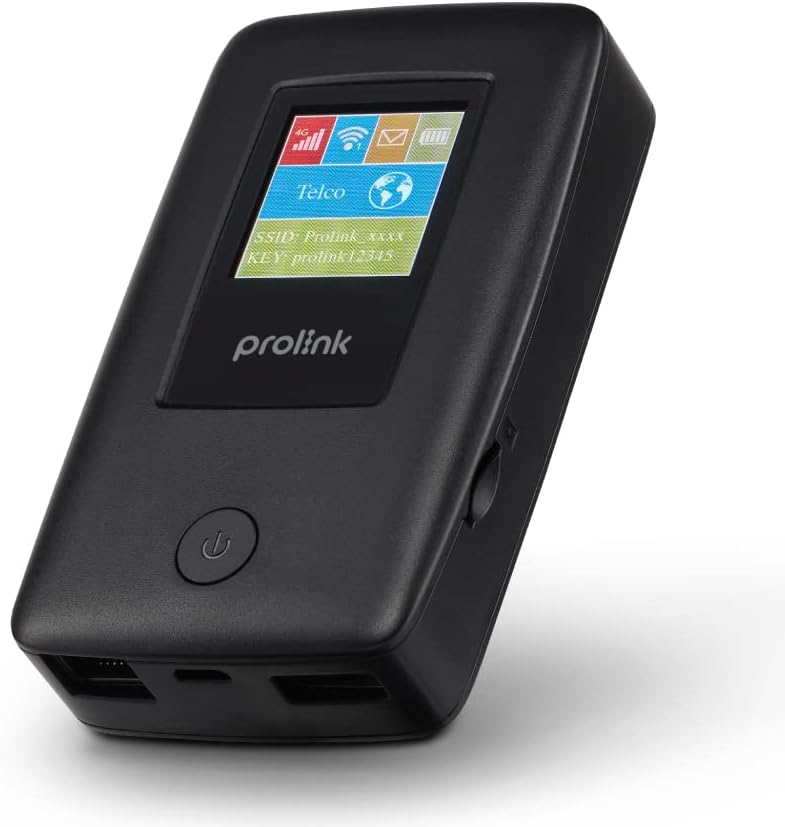
Figure 1.1: Prolink DL-7203E LTE Mobile Wi-Fi device.

Figure 1.2: Key features and capabilities of the Prolink DL-7203E.
Zawartość opakowania
- Prolink DL-7203E LTE Mobile Wi-Fi Device
- Kabel ładujący USB
- Szybki przewodnik (nie jest zawarty w tym podręczniku)
2. Układ urządzenia
Familiarize yourself with the various components and ports of your DL-7203E device.

Rysunek 2.1: Przód i bok view of the Prolink DL-7203E with labeled components.
- LCD Screen Indicator: Displays signal strength, battery level, Wi-Fi status, and network information.
- Gniazdo karty SIM: Włóż tutaj swoją kartę Nano SIM.
- RJ45 LAN/WAN Port: For wired Ethernet connection to devices or an existing network.
- Port ładowania (USB-C): Connect the provided USB cable for charging the device.
- Port USB typu A (wyjście): Used for the power bank function to charge other devices.
- Przycisk zasilania: Naciśnij i przytrzymaj, aby włączyć/wyłączyć urządzenie.
3. Przewodnik konfiguracji
3.1 Wkładanie karty SIM
- Sprawdź, czy urządzenie jest wyłączone.
- Znajdź gniazdo karty SIM z boku urządzenia.
- Carefully insert your Nano SIM card into the slot until it clicks into place. Ensure the correct orientation as indicated on the device.
- Zamknij pokrywę gniazda karty SIM, jeśli jest używana.
3.2 Ładowanie urządzenia
- Connect the provided USB charging cable to the USB-C charging port on the DL-7203E.
- Podłącz drugi koniec kabla do zasilacza USB (nie ma go w zestawie) lub do portu USB komputera.
- The battery indicator on the LCD screen will show charging status. A full charge provides up to 25 hours of connectivity.
3.3 Włączanie/wyłączanie
- Włączanie: Naciśnij i przytrzymaj przycisk zasilania, aż zaświeci się ekran LCD.
- Aby wyłączyć: Naciśnij i przytrzymaj przycisk zasilania, aż urządzenie się wyłączy.

Figure 3.1: The Auto APN feature enables plug-and-play functionality in over 185 countries.
4. Działanie
4.1 Łączenie urządzeń przez Wi-Fi
- Ensure the DL-7203E is powered on and has an active internet connection (indicated by the signal icon on the LCD).
- Na urządzeniu z włączoną funkcją Wi-Fi (smartfon, laptop, tablet) wyszukaj dostępne sieci Wi-Fi.
- Select the SSID (network name) displayed on the DL-7203E's LCD screen.
- Enter the Wi-Fi Key (password) also displayed on the LCD screen.
- Your device should now be connected to the internet. The DL-7203E supports up to 16 Wi-Fi devices simultaneously.

Figure 4.1: Share internet connection with up to 16 devices simultaneously.
4.2 Używanie jako powerbanku
The DL-7203E can double as a portable power bank to charge your mobile devices.
- Connect your mobile device's charging cable to the USB Type-A output port on the DL-7203E.
- The DL-7203E will begin charging your device.

Figure 4.2: The DL-7203E can charge your devices on the go.
4.3 Connecting via LAN/WAN Port
The RJ45 port allows for wired connectivity.
- Tryb LAN: Connect a device (e.g., laptop, desktop) to the DL-7203E via an Ethernet cable for a wired internet connection.
- Tryb WAN: Connect the DL-7203E to an existing wired network (e.g., hotel Ethernet) to share that internet connection wirelessly.
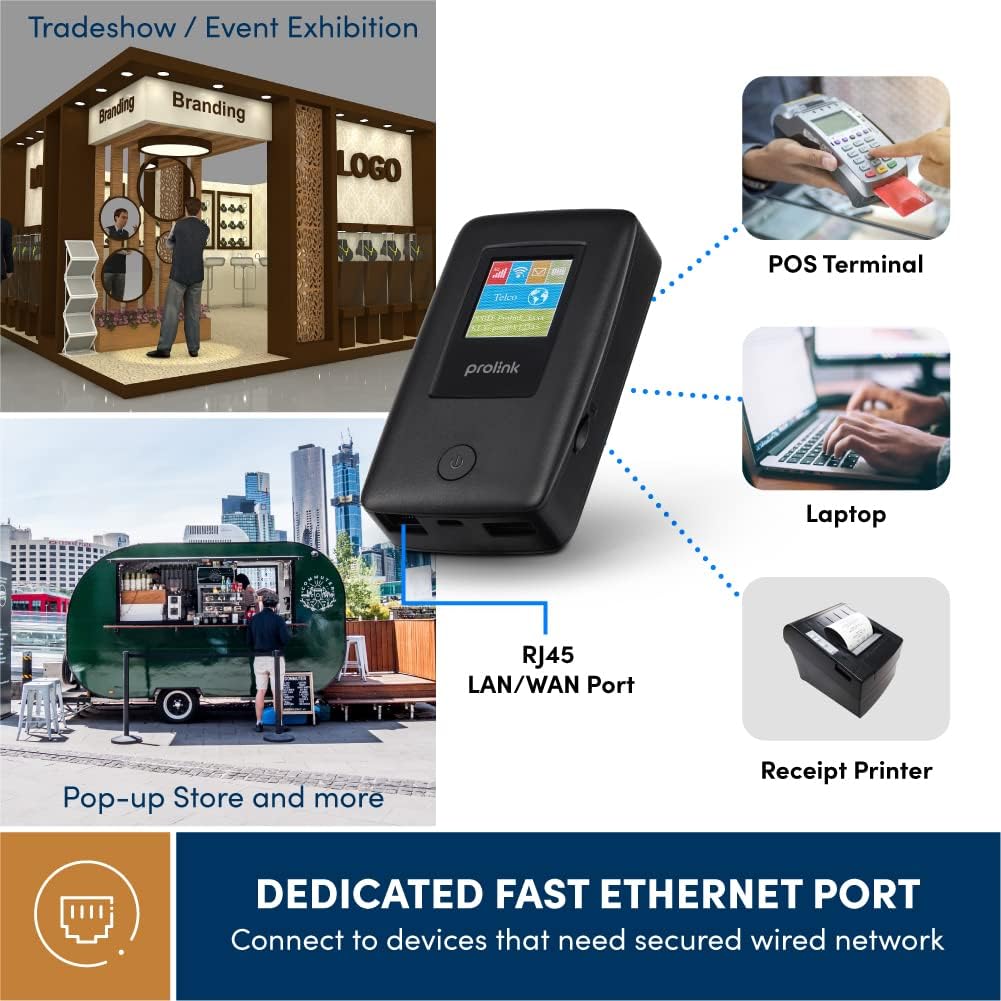
Figure 4.3: Utilize the dedicated Ethernet port for secured wired network connections.
4.4 File Sharing via MicroSD Card
The built-in microSD card slot supports up to 64GB, allowing for easy file partycypujący.
- Włóż kartę microSD do wyznaczonego gniazda.
- Access the shared content wirelessly from connected devices through the device's web interface or the mProMifi App.

Figure 4.4: Share media content wirelessly across your network via a microSD card.
4.5 Using the mProMifi App
For enhanced control and monitoring, download the mProMifi App (available for devices with P/N: LTE-DL7203E-E, S/N starting from "265201" or later). The app allows you to manage settings, view connected devices, and monitor data usage.
5. Główne cechy
- Szybkie połączenie: Enjoy high-speed connectivity of up to 150Mbps via LTE and up to 300Mbps via Wi-Fi hotspot.
- Dłuższa żywotność baterii: Equipped with a 5200mAh (or 6000mAh for updated models) battery, providing up to 25 hours of continuous connectivity.
- Dostęp wielodostępny: Share your internet connection with up to 16 Wi-Fi enabled devices simultaneously.
- Przyjazne podróżom: Supports automatic APN configuration for over 185 countries, making it ideal for international travel.
- Funkcja banku mocy: Charge your smartphones and other USB-powered devices on the go.
- Port Ethernet: Provides a reliable wired connection for devices without wireless capabilities or for sharing an existing wired network.
- Gniazdo kart microSD: Supports up to 64GB for convenient wireless file partycypujący.

Figure 5.1: Enjoy extended connectivity with up to 25 hours of battery life.

Figure 5.2: The compact design allows you to stay connected wherever you are.
6. Konserwacja
- Czyszczenie: Do czyszczenia urządzenia używaj miękkiej, suchej ściereczki. Unikaj płynnych środków czyszczących i aerozoli.
- Pielęgnacja baterii: To prolong battery life, avoid exposing the device to extreme temperatures. If storing for a long period, charge the battery to about 50% before storage.
- Składowanie: Przechowuj urządzenie w chłodnym, suchym miejscu, z dala od bezpośredniego światła słonecznego i wilgoci.
7. Rozwiązywanie Problemów
Typowe problemy i rozwiązania
| Problem | Możliwa przyczyna | Rozwiązanie |
|---|---|---|
| Brak połączenia internetowego | No SIM card inserted, SIM card not activated, poor signal, incorrect APN settings. | Ensure SIM is correctly inserted and active. Move to an area with better signal. The device has Auto APN, but if issues persist, check network provider settings. |
| Nie można połączyć się z siecią Wi-Fi | Incorrect Wi-Fi password, device too far from router, Wi-Fi disabled. | Verify Wi-Fi password. Move closer to the DL-7203E. Ensure Wi-Fi is enabled on the device. |
| Battery Not Charging / Draining Quickly | Faulty cable/adapter, high usage, old battery. | Try a different USB cable and power adapter. Reduce the number of connected devices or usage time. Contact support if battery life significantly degrades. |
| Device Freezes / Unresponsive | Błąd oprogramowania. | Perform a soft reset by holding the power button until the device restarts. If persistent, a factory reset might be needed (refer to advanced settings via web interfejs). |
8. Specyfikacje
| Funkcja | Szczegół |
|---|---|
| Nazwa modelu | DL-7203E (LTE-DL7203E) |
| Marka | Prolink |
| Komunikacja bezprzewodowa | 4G LTE, Wi-Fi (802.11ac) |
| Prędkość Wi-Fi | Do 300 Mb/s |
| Prędkość LTE | Do 150 Mb/s |
| Pojemność baterii | 5200mAh (updated models 6000mAh) |
| Żywotność baterii | Do 25 godzin |
| Maksymalna liczba użytkowników Wi-Fi | 16 |
| Typ karty SIM | Karta nano-SIM |
| Porty | RJ45 LAN/WAN, USB-C Charging, USB Type-A Output |
| MicroSD Support | Do 64 GB |
| Wymiary (dł. x szer. x wys.) | Wymiary 15.4 x 9.2 x 4.4 cm |
| Waga | 161 gramów |
| Kolor | Czarny |
9. Gwarancja i wsparcie
Prolink products come with a local warranty and technical support. For any inquiries or assistance, please contact Prolink support.

Figure 9.1: Prolink Official Store support information.
- Wsparcie e-mailowe: wsparcie@prolink2u.com
- Wsparcie telefoniczne: (65) 6357 0666
- For the most up-to-date support information, please visit the official Prolink website or your regional Prolink support page.


