1. Wprowadzenie
Thank you for choosing the Sonodyne Alaap 80W Wireless Bluetooth Speaker. This manual provides essential information for setting up, operating, and maintaining your speaker to ensure optimal performance and longevity. Please read this manual thoroughly before using the product.
2. Informacje dotyczące bezpieczeństwa
Aby zapobiec uszkodzeniu urządzenia i zapewnić bezpieczeństwo użytkownika, należy przestrzegać następujących środków ostrożności:
- Nie wystawiaj głośnika na działanie wody, wilgoci ani ekstremalnych temperatur.
- Zapewnij odpowiednią wentylację, nie blokuj żadnych otworów wentylacyjnych.
- Używaj wyłącznie przewodu zasilającego dostarczonego wraz z urządzeniem.
- Nie próbuj samodzielnie otwierać ani serwisować urządzenia. Wszelkie prace serwisowe zlecaj wykwalifikowanemu personelowi.
- Trzymaj głośnik z dala od źródeł ciepła, takich jak kaloryfery, kratki wentylacyjne, piece i inne urządzenia wytwarzające ciepło.
- Czyścić wyłącznie suchą szmatką.
3. Zawartość opakowania
Sprawdź, czy w opakowaniu znajdują się wszystkie elementy:
- Sonodyne Alaap Speaker
- Przewód zasilający
- Zdalne sterowanie
- Instrukcja obsługi (ten dokument)
4. Koniec produktuview
The Sonodyne Alaap is an 80W wireless Bluetooth speaker designed for high-fidelity audio. It features a rigid wooden cabinet, Class D amplifiers, and multiple input options for versatile use.

Image: Sonodyne Alaap speaker in black, showcasing its design from an angled front view.
Główne cechy:
- Wide Stereo Sound-stage: Critical integration of transducer, enclosure, crossover, and DSP for high fidelity stereophonic sound.
- Highly Rigid Wooden Cabinet: A handmade enclosure designed to minimize cabinet vibration and enhance audio clarity.
- Class D High Power Ampwężownice: Efficient design providing clarity and loudness.
- Glass-fiber Cone Woofer: Delivers deep bass and clear low-mids.
- Polycone Tweeters: Completes the sonic range with sparkling highs.
- Built-in Limiter: Ensures clear, distortion-less sound for extended listening.
- Tryb duetu: Allows pairing of two Alaap speakers for an enhanced stereo experience.
- Wiele opcji łączności: Bluetooth, USB Audio, Optical, and Analog stereo input.
- Ładowanie smartfona: Integrated USB port for charging compatible devices.
- Full-featured Infra-red Remote Control: Dla wygodnej obsługi.

Image: Diagram highlighting key acoustic features: wide stereo soundstage, rigid wooden cabinet, and precision drivers.

Image: Diagram illustrating Duet Mode functionality, Class D high power amplifier technology, and the built-in limiter.
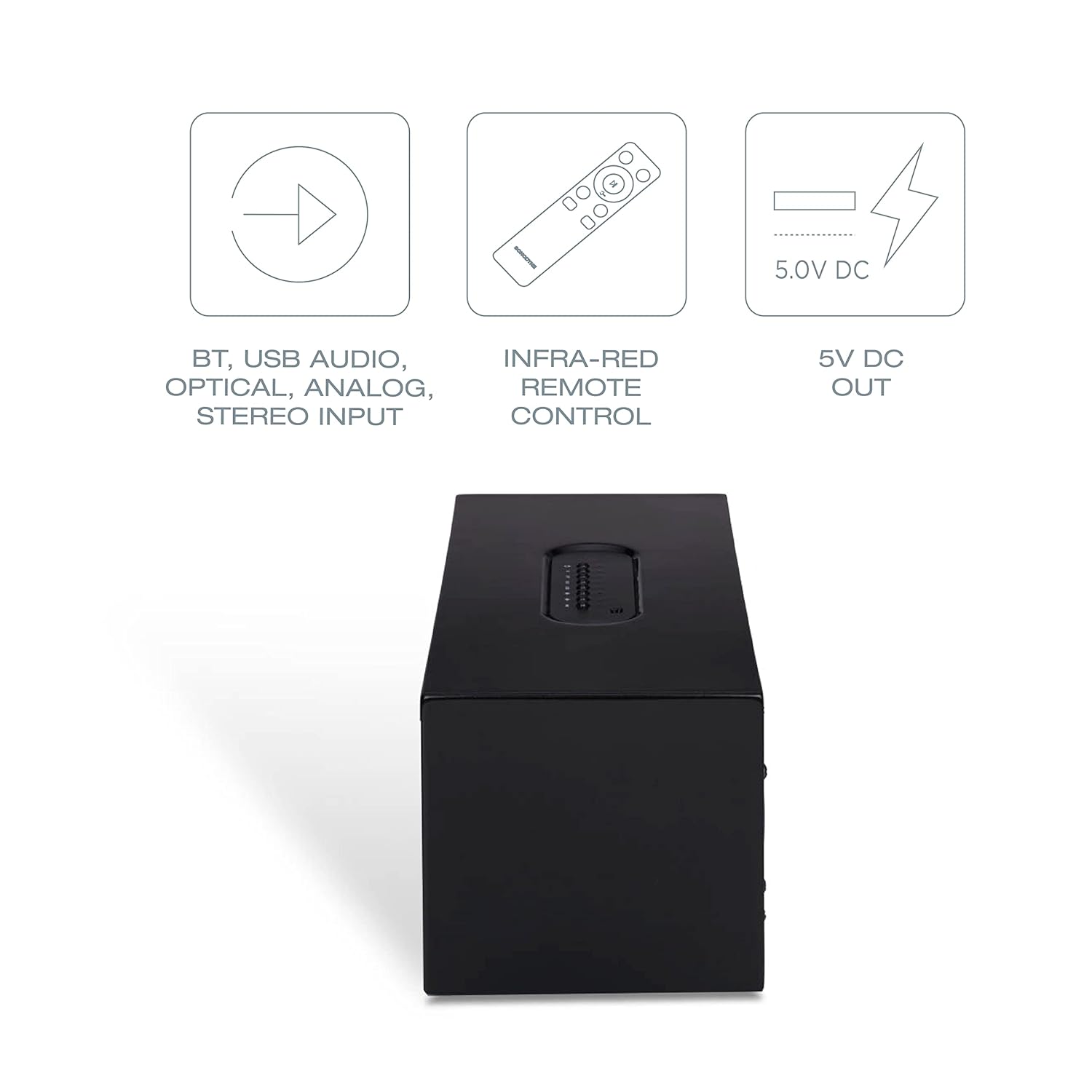
Image: Diagram showing various connectivity options: Bluetooth, USB Audio, Optical, Analog Stereo Input, along with the infra-red remote control and 5V DC output.
5. Sterowanie i połączenia
Familiarize yourself with the physical controls and connection ports on your Sonodyne Alaap speaker.
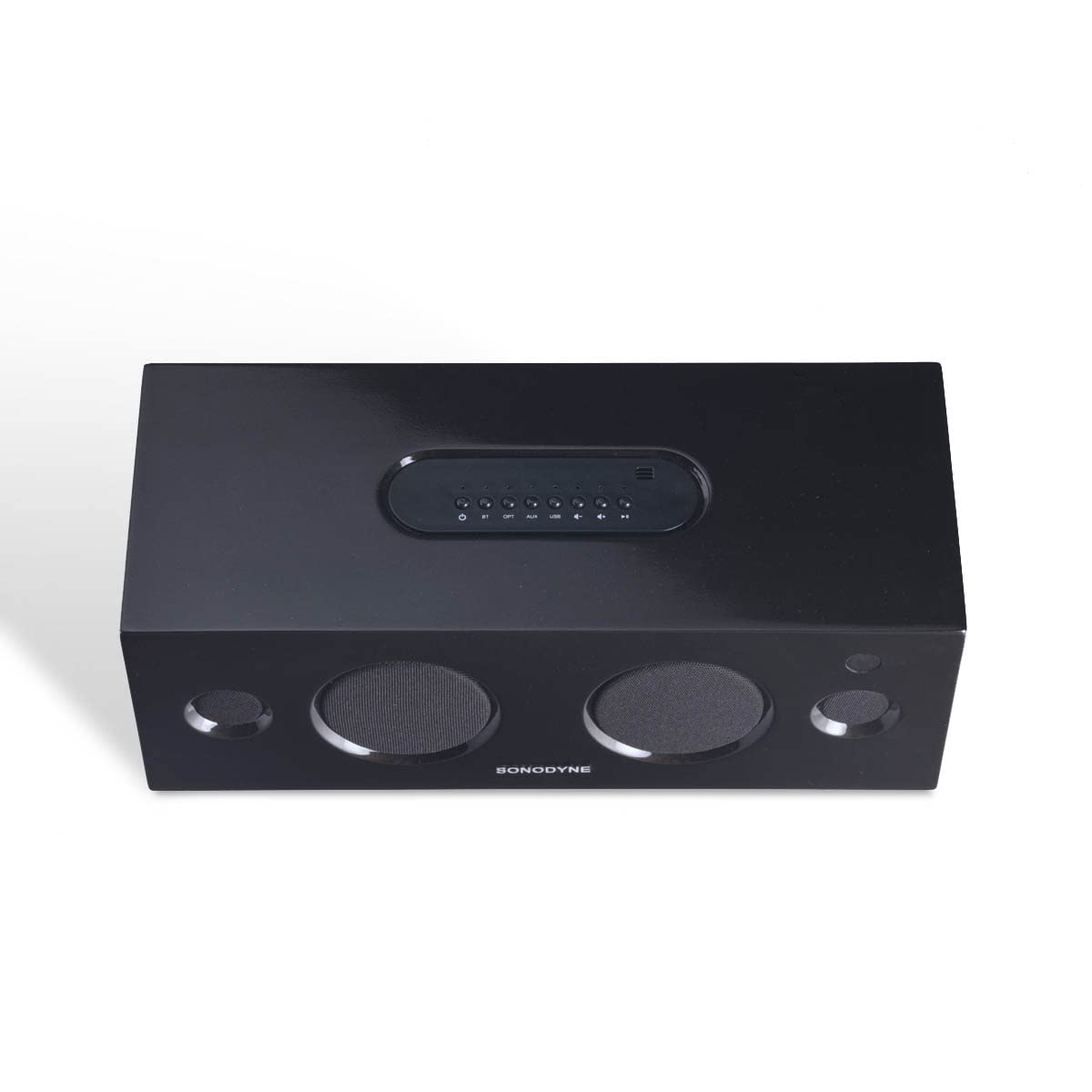
Obraz: Góra view of the Sonodyne Alaap speaker, highlighting the integrated control panel.

Image: Close-up of the top panel controls, including power, volume, and input selection buttons.

Image: Close-up of the rear panel, showing the power input, USB ports, optical input, and auxiliary input.

Image: The included infra-red remote control for convenient operation of the speaker.
6. Konfiguracja
6.1. Podłączenie zasilania
- Umieść głośnik na stabilnej, płaskiej powierzchni.
- Podłącz dołączony przewód zasilający do wejścia AC z tyłu głośnika.
- Plug the other end of the power cord into a standard 230V AC wall outlet.
6.2. Pierwsze włączenie zasilania
- Press the power button on the top panel of the speaker or on the remote control.
- The indicator light will illuminate, indicating the speaker is powered on.
7. Instrukcja obsługi
7.1. Parowanie Bluetooth
- Włącz głośnik.
- Press the 'BT' button on the top panel or remote control to select Bluetooth input. The Bluetooth indicator will flash.
- Enable Bluetooth on your device (smartphone, tablet, etc.) and search for 'Sonodyne Alaap'.
- Select 'Sonodyne Alaap' from the list of available devices to pair. Once paired, the Bluetooth indicator will stop flashing and remain solid.
7.2. Duet Mode (Pairing Two Speakers)
To create a wider stereo soundstage, you can pair two Sonodyne Alaap speakers together:
- Ensure both Alaap speakers are powered on and not currently paired with any device.
- On one speaker (this will be the master), press and hold the 'Duet' button (if available, or refer to specific button combination in your quick start guide) until an audible prompt is heard.
- Powtórz czynność z drugim głośnikiem.
- The speakers will attempt to connect to each other. Once connected, an audible confirmation will be heard, and their indicators will change.
- Now, pair your device to the master speaker via Bluetooth as described in Section 7.1. Audio will play through both speakers in stereo.
7.3. USB Audio Playback
- Connect a USB storage device containing audio files to one of the USB ports on the rear of the speaker.
- Press the 'USB' button on the top panel or remote control to select USB input.
- Use the playback controls (play/pause, next/previous track) on the speaker or remote to manage audio playback.
7.4. Wejście optyczne
- Connect an optical cable from your audio source (e.g., TV, game console) to the 'OPTICAL' input on the rear of the speaker.
- Press the 'OPT' button on the top panel or remote control to select Optical input.
7.5. Analog Input (Aux)
- Connect a 3.5mm audio cable from your audio source to the 'AUX' input on the rear of the speaker.
- Press the 'AUX' button on the top panel or remote control to select Analog input.
7.6. Korzystanie z pilota zdalnego sterowania
The included remote control allows for convenient operation from a distance. Functions include:
- Włączanie/wyłączanie zasilania
- Głośność w górę/w dół
- Input Selection (BT, USB, OPT, AUX)
- Niemy
- Playback Controls (Play/Pause, Next/Previous for USB/Bluetooth)
7.7. Smartphone Charging
The USB ports on the rear of the speaker can be used to charge compatible smartphones or other USB-powered devices. Simply connect your device's charging cable to the USB port.
8. Konserwacja
To maintain the appearance and performance of your Sonodyne Alaap speaker:
- Czyszczenie: Wipe the cabinet with a soft, dry cloth. Do not use liquid cleaners or abrasive materials.
- Umieszczenie: Avoid placing the speaker in direct sunlight or near heat sources. Ensure adequate airflow around the unit.
- Składowanie: Jeśli głośnik będzie przechowywany przez dłuższy czas, należy odłączyć go od zasilania i przechowywać w chłodnym, suchym miejscu.
9. Rozwiązywanie Problemów
Jeśli masz problemy z głośnikiem, zapoznaj się z poniższymi typowymi problemami i ich rozwiązaniami:
| Problem | Możliwa przyczyna | Rozwiązanie |
|---|---|---|
| Brak zasilania | Przewód zasilający nie jest podłączony; gniazdko jest nieaktywne. | Ensure power cord is securely connected and the outlet is functional. |
| Brak dźwięku | Incorrect input selected; volume too low; source device issue. | Select the correct input source. Increase volume. Check audio output on source device. |
| Parowanie Bluetooth nie powiodło się | Głośnik nie jest w trybie parowania; urządzenie jest za daleko; występują zakłócenia. | Ensure speaker is in Bluetooth pairing mode. Move device closer. Restart both speaker and device. |
| Pilot nie działa | Baterie są rozładowane; przeszkody; pilot poza zasięgiem. | Replace remote batteries. Remove obstructions. Ensure remote is within operating range and pointed at the speaker. |
| Duet Mode not connecting | Nieprawidłowa procedura parowania; głośniki są zbyt daleko od siebie. | Follow Duet Mode pairing instructions carefully. Ensure speakers are within close proximity. |
10. Specyfikacje
Detailed technical specifications for the Sonodyne Alaap speaker:

Image: Dimensions of the Sonodyne Alaap speaker: 12.7 cm (Depth) x 35.7 cm (Width) x 14.4 cm (Height).
- Nazwa modelu: ALAAP
- Tworzywo: Prawdziwe drewno
- Typ głośnika: Monitor
- Amplifier Typ: Klasa D
- Maksymalna moc wyjściowa głośnika: 80 watów
- Stosunek sygnału do szumu: 90dB
- Średnica głośnika niskotonowego: 3 cali
- Średnica głośnika wysokotonowego: 0.5 cali
- Konfiguracja kanałów dźwięku przestrzennego: 2
- Technologia łączności: Bluetooth
- Technologia komunikacji bezprzewodowej: Bluetooth
- Audio Input Compatible with Item: Auxiliary, USB, Optical, Bluetooth
- Zgodne urządzenia: Smartfon, tablet, telewizor
- Metoda sterowania: Zdalny
- Źródło zasilania: Mains 230V AC
- Wymiary produktu (gł. x szer. x wys.): 12.7 x 35.7 x 14.4 centymetrów
- Waga przedmiotu: 3.9 kilograma
- Całkowita liczba portów USB: 2
- Czy jest wodoodporny: NIE
11. Gwarancja i wsparcie
Your Sonodyne Alaap speaker comes with a 2 rok gwarancji. For warranty claims or technical support, please contact Sonodyne customer service.
Producent: Sonodyne Technologies Pvt. Ltd., 98 NB Block E New Alipore, Kolkata 700053
Aby uzyskać dalszą pomoc, możesz odwiedzić oficjalną stronę Sonodyne Store on Amazon.


