1. Koniec produktuview
The Plugable UD-3900C4 is a versatile 14-in-1 USB-C docking station designed to expand your connectivity and enhance productivity. It supports up to four HDMI displays, provides 96W laptop charging, and offers a variety of ports for peripherals and data transfer.

Rysunek 1: Przód i tył view of the Plugable UD-3900C4 docking station with all ports labeled, including 4x USB 3.0, Gigabit Ethernet, 4x HDMI, Audio Out, Audio In, SD Card Reader, USB-C 20W Charging, To Host 100W Charging, and Power In.
2. Co jest zawarte
The package for your Plugable UD-3900C4 docking station includes the following components:
- Stacja dokująca UD-3900C4 z możliwością podłączenia
- Power Cord (6ft / 1.8m)
- Power Adapter (5.2ft / 1.5m cable)
- 1m kabel USB-C do USB-C
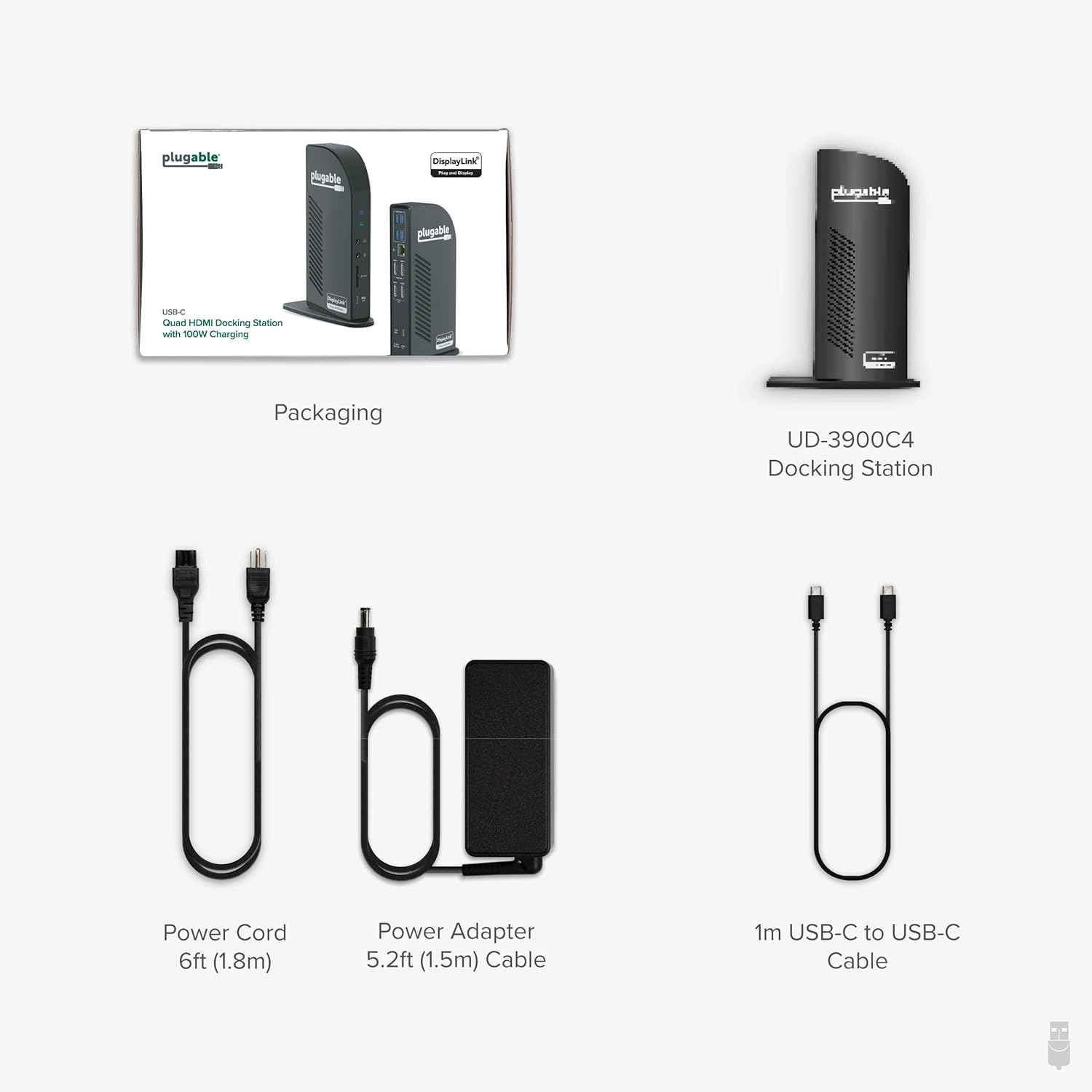
Figure 2: Contents of the Plugable UD-3900C4 docking station packaging.
3. Konfiguracja
3.1 Podłączanie stacji dokującej
- Connect the power adapter to the docking station and then to a power outlet.
- Connect the included USB-C to USB-C cable from the docking station's host port (identified by a laptop symbol) to your computer's USB-C port.
- Connect your monitors to the HDMI ports on the docking station.
- Connect any desired peripherals (keyboard, mouse, Ethernet, etc.) to the available ports on the docking station.
3.2 Instalacja sterownika
For the HDMI 1 and HDMI 2 ports, DisplayLink drivers are required. These are typically installed automatically via Windows Update for most users. For macOS or in corporate environments, manual installation may be needed.

Figure 3: Instructions for downloading and installing DisplayLink drivers.
3.3 Common Setup Issues
If you encounter issues during setup, please refer to the following video for common troubleshooting steps:
Video 1: This video addresses common setup issues encountered with docking stations and hubs, providing tips for proper cable connection, host port identification, and ensuring the power adapter is correctly connected for optimal functionality.
4. Instrukcja obsługi
Once the docking station is set up and drivers are installed, your connected displays and peripherals should function automatically. You can manage display settings through your operating system's display preferences.
5. Konfiguracja wyświetlacza
5.1 Windows Multi-Display Setup
The UD-3900C4 supports up to four extended 1080p displays at 60Hz on Windows 10+ and ChromeOS 100+. HDMI 1-2 utilize DisplayLink technology, while HDMI 3-4 rely on DisplayPort Alt Mode MST. A compatible USB-C port with DisplayPort Alt Mode is required for HDMI 3 and 4 to function.
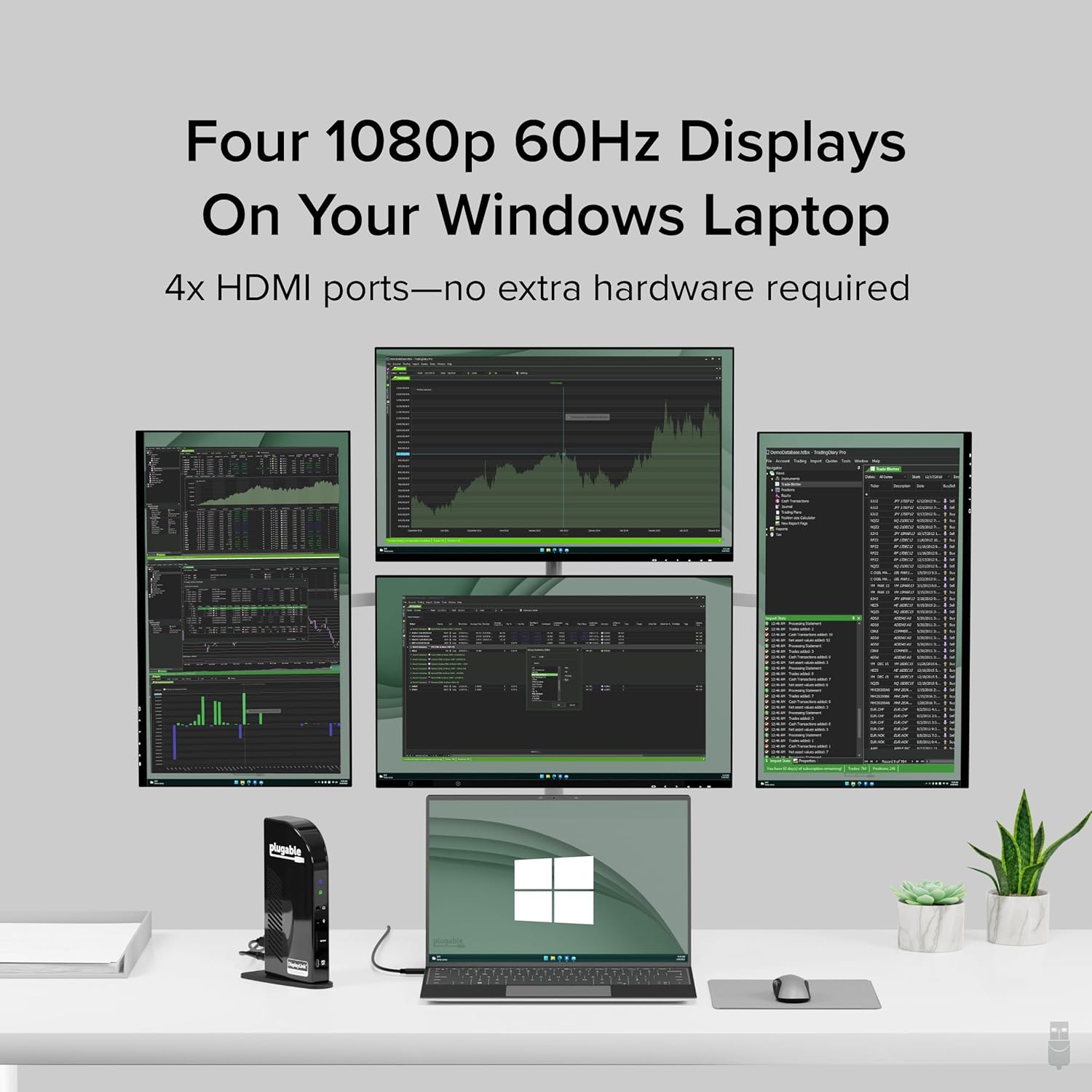
Figure 4: Four 1080p 60Hz displays connected to a Windows laptop via the docking station.
5.2 macOS Multi-Display Setup
On macOS, the docking station supports three extended displays. The fourth display will mirror one of the other displays due to macOS's lack of Multi-Stream Transport (MST) support.
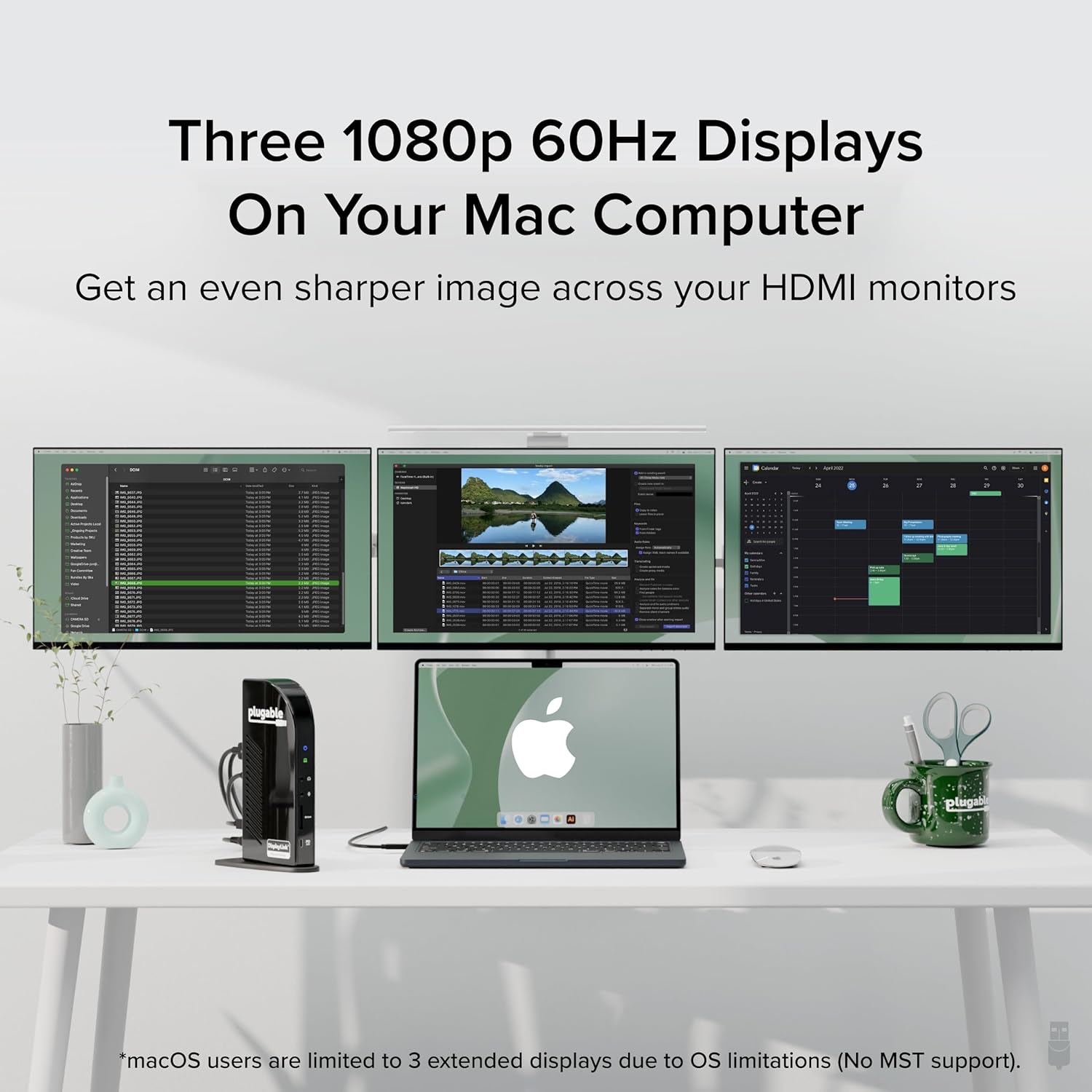
Figure 5: Three 1080p 60Hz displays connected to a Mac computer via the docking station.
5.3 Adding Multiple Screens
For a visual guide on adding multiple screens, refer to the following video:
Video 2: This video demonstrates how to connect and configure four external displays to your laptop using the Plugable UD-3900C4 docking station via a single USB-C cable, highlighting the DisplayLink and Multi-Stream Transport (MST) technologies.
6. Connectivity and Charging
The UD-3900C4 docking station offers extensive connectivity options:
- Wyświetl porty: 4x HDMI ports (1080p @ 60Hz)
- Porty danych USB: 4x USB 3.0 (5 Gb/s)
- Port USB-C: 1x USB-C (5Gbps data + 20W charging)
- Sieć: Port Gigabit Ethernet
- Czytnik kart: Czytnik kart SD
- Audio: Audio in/out (3.5mm stereo)
The docking station provides up to 96W of power delivery to charge your connected laptop via the host USB-C cable. The front USB-C port also offers 20W charging for phones or tablets.

Figure 6: 100W Power Delivery to laptop and 20W charging to devices.
7. Zgodność
The Plugable UD-3900C4 is compatible with a wide range of systems:
- Połączenie hosta: Works with USB4, Thunderbolt 3/4, and USB-C systems that support DisplayPort Alt Mode MST.
- Systemy operacyjne: Supports Windows 10 / 11 and ChromeOS 100+ for up to four extended monitors.
- MacOS: Supports macOS 11+ for up to three extended displays (the fourth will mirror due to lack of MST support on macOS).
- Supported Laptops: Includes HP ProBook / EliteBook / Spectre x360 series, Dell XPS / Latitude / Inspiron series, Lenovo ThinkPad / IdeaPad / Yoga, Microsoft Surface Pro / Go / Book / Laptop models, LG Gram, and other full-featured, standards-compliant USB-C laptops.

Figure 7: Operating System and Host Connection Compatibility.
8. Konserwacja
Aby zapewnić optymalną wydajność i długą żywotność stacji dokującej:
- Trzymaj urządzenie w dobrze wentylowanym pomieszczeniu, aby zapobiec przegrzaniu.
- Avoid exposing the docking station to liquids or extreme temperatures.
- Regularly check for and install the latest DisplayLink drivers from the Wtykowy webstrona to ensure compatibility and performance updates.
- Czyść zewnętrzną część miękką, suchą ściereczką. Nie używaj silnych środków chemicznych ani materiałów ściernych.
9. Rozwiązywanie Problemów
If you experience issues with your docking station, consider the following:
- Brak wyświetlacza: Ensure all HDMI cables are securely connected to both the docking station and the monitors. Verify that the docking station's host cable is properly connected to your computer's USB-C port. Check your computer's display settings to detect and extend displays.
- Brak zasilania/ładowania: Confirm the power adapter is firmly connected to the docking station and a working power outlet. Ensure your laptop's USB-C port supports power delivery.
- Awaria urządzeń peryferyjnych: Try connecting the peripheral directly to your computer to rule out device issues. Ensure the correct drivers for the docking station are installed.
- Łączność przerywana: Check all cable connections for looseness. Restart your computer and the docking station.
For further assistance, refer to the common setup issues video in Section 3.3 or contact Plugable support.
10. Specyfikacje
| Funkcja | Specyfikacja |
|---|---|
| Numer modelu | UD-3900C4 |
| Liczba portów | 14 |
| Wszystkie porty HDMI | 4 |
| Rozdzielczość HDMI | Up to 1080p @ 60Hz (all 4 ports) |
| Liczba portów USB 3.0 | 4 |
| Port danych/ładowania USB-C | 1x (5Gbps data, 20W charging) |
| Host Charging (Power Delivery) | Do 96 W |
| Sieć Ethernetowa | Gigabitowy Ethernet |
| Czytnik kart | Czytnik kart SD |
| Audio | Wejście/wyjście audio 3.5 mm |
| Interfejs sprzętowy | USB typu C |
| Waga przedmiotu | 1.07 funta (486 gramów) |
| Wymiary produktu | 10 x 6 x 4 cala (9.8" dł. x 3.7" szer. x 6.3" wys.) |
11. Gwarancja i wsparcie
Every Plugable product, including the UD-3900C4 14-in-1 USB-C docking station, is covered against defects for 2 years. Additionally, Plugable provides lifetime support for its products. If you have any questions or require assistance, please contact our North American-based support team.
For more information, visit the official Plugable website or your product's support page.


