Wstęp
This manual provides essential information for setting up, operating, maintaining, and troubleshooting your Samsung Galaxy Book Pro 360 15.6-inch touchscreen laptop. This device combines the power of a laptop with the versatility of a tablet, featuring a 360-degree hinge and S Pen compatibility. Please read this manual thoroughly to ensure proper use and to maximize your product's lifespan.

Image: The Samsung Galaxy Book Pro 360 showcasing its convertible design and the included S Pen.
Organizować coś
1. Pierwsze włączenie i ładowanie
Connect the provided USB-C power adapter to the laptop's Thunderbolt 4 or USB-C port and then to a power outlet. The battery icon on the screen will indicate charging status. Press the power button located on the side of the laptop to turn it on.
2. Konfiguracja systemu Windows 11
Follow the on-screen prompts to complete the initial Windows 11 setup. This includes selecting your region, language, accepting terms, and creating a user account.
3. Połączenie sieciowe
During the Windows setup, you will be prompted to connect to a Wi-Fi network. Select your network from the list and enter the password. The device supports Wi-Fi 6E for fast wireless connectivity.
4. Konfiguracja czytnika linii papilarnych
For enhanced security, set up the fingerprint reader. Navigate to Ustawienia > Konta > Opcje logowania > Rozpoznawanie odcisków palców (Windows Hello) i postępuj zgodnie z instrukcjami, aby zarejestrować swoje odciski palców.
5. S Pen Pairing and Usage
The S Pen is typically pre-paired. To use it, simply remove it from its storage slot (if applicable) or ensure it is charged. The S Pen allows for precise input on the touchscreen, including writing, drawing, and navigating the interface.
Operacyjny
1. Tryby konwertowalne
The Galaxy Book Pro 360 features a 360-degree hinge, allowing it to be used in various modes:
- Tryb laptopa: Standardowa konfiguracja laptopa do pisania i pracy biurowej.
- Tryb tabletu: Fold the screen back completely to use as a tablet.
- Tryb namiotu: Position the device like a tent for media consumption or presentations.
- Tryb stojący: Flip the keyboard face down to use the screen as a display.
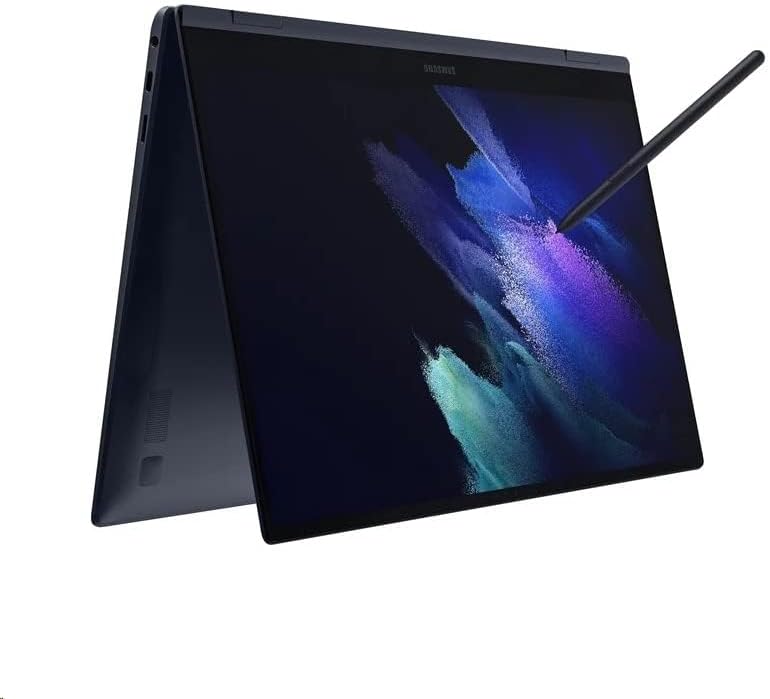
Image: The Samsung Galaxy Book Pro 360 configured in tablet mode, demonstrating its flexibility.
2. Touchscreen and S Pen Interaction
The 15.6-inch FHD AMOLED touchscreen supports multi-touch gestures. Use the S Pen for precise input, note-taking, drawing, and navigating the interface. Air Command features can be accessed by hovering the S Pen over the screen and pressing its button.
3. Klawiatura i gładzik
The full-sized keyboard includes a backlight, adjustable via function keys (e.g., F9). The large trackpad supports multi-touch gestures for navigation. For external input, connect a mouse to a USB port.
4. Wykorzystanie portu
- Piorun 4: High-speed data transfer, video output, and charging.
- USB typu C: Data transfer, video output, and charging.
- USB-A: Connect standard USB devices like external drives or peripherals.
- HDMI: Podłącz do zewnętrznych wyświetlaczy lub projektorów.
- Czytnik kart Micro SD: Rozszerz pamięć masową lub transfer filez kart pamięci.
- Mic/Headphone Combo Jack: Connect headphones or an external microphone.
5. Dźwięk i Webkrzywka
Experience enhanced audio with Dolby Atmos speakers. The integrated HD webcam is suitable for video calls and conferences.
Konserwacja
1. Czyszczenie
Użyj miękkiej, niestrzępiącej się ściereczki, lekko wyczyśćampened with water or a screen cleaner to wipe the display. For the body and keyboard, use a dry or slightly damp szmatką. Unikaj silnych środków chemicznych i materiałów ściernych.
2. Pielęgnacja baterii
To prolong battery life, avoid fully discharging the battery frequently. Store the laptop in a cool, dry place. If storing for an extended period, charge the battery to around 50-70%.
3. Aktualizacje oprogramowania
Regularly check for and install Windows updates and Samsung software updates to ensure optimal performance, security, and compatibility. Go to Ustawienia > Windows Update.
4. Zarządzanie magazynem
Okresowo ponownieview i usuń niepotrzebne files to maintain sufficient free space on the 1TB SSD. Utilize cloud storage or external drives for large files.
Rozwiązywanie problemów
1. Laptop się nie włącza
- Upewnij się, że zasilacz jest prawidłowo podłączony do laptopa i do sprawnego gniazdka elektrycznego.
- Sprawdź, czy gniazdko elektryczne działa prawidłowo, podłączając do niego inne urządzenie.
- Jeśli bateria jest całkowicie rozładowana, ładowanie laptopa może potrwać kilka minut, zanim będzie można go włączyć.
2. Problemy z wyświetlaniem
- If the screen is blank, try adjusting the brightness using the function keys.
- Ensure no external display is connected and set as the primary output.
- Uruchom ponownie laptopa.
3. Problemy z łącznością Wi-Fi
- Sprawdź, czy w ustawieniach systemu Windows włączona jest funkcja Wi-Fi.
- Uruchom ponownie router i modem.
- Zapomnij o sieci i połącz się ponownie, wpisując jeszcze raz hasło.
- Zaktualizuj sterowniki Wi-Fi za pomocą Menedżera urządzeń.
4. S Pen Not Responding
- Ensure the S Pen is properly seated in its storage slot (if applicable) to charge.
- Check if the S Pen settings are correctly configured in Windows.
- Uruchom ponownie laptopa.
Specyfikacje
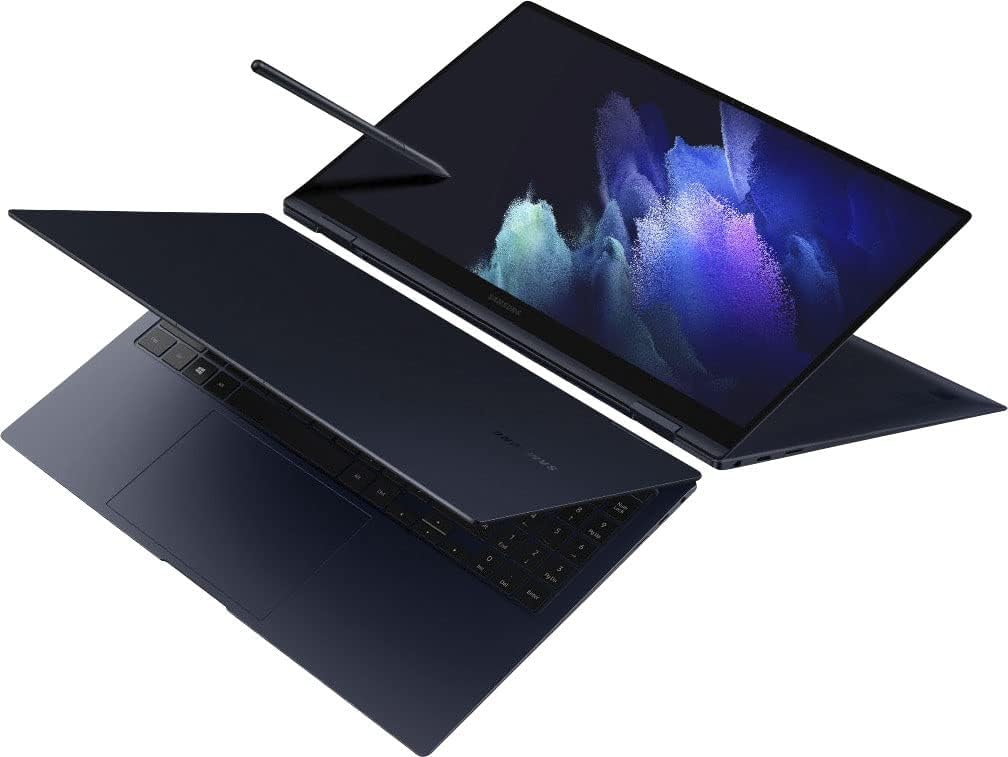
Obraz: widok z góry view of the Samsung Galaxy Book Pro 360 in traditional laptop mode.
| Funkcja | Szczegół |
|---|---|
| Numer modelu | NP950QDB-KB3US |
| Wyświetlacz | 15.6-inch FHD (1920 x 1080) AMOLED Touchscreen |
| Edytor | Intel Core i7-1165G7 (2.8 GHz, up to 4.7 GHz) |
| Grafika | Karta graficzna Intel Iris Xe (zintegrowana) |
| BARAN | 16 GB DDR4 |
| Składowanie | Dysk SSD 1TB |
| System operacyjny | Windows 11 Home |
| Porty | 1 x Thunderbolt 4, 1 x USB-C, 1 x USB-A, 1 x HDMI, 1 x Micro SD Card Reader, 1 x Mic/Headphone Combo |
| Łączność bezprzewodowa | Wi-Fi 6E, Bluetooth 5.1 |
| Audio | Głośniki Dolby Atmos |
| Webkrzywka | HD Webkrzywka |
| Cechy specjalne | Backlit Keyboard, Fingerprint Reader, S Pen Support |
| Kolor | Mystic Navy |
| Wymiary (dł. x szer. x wys.) | 19.29 x 11.42 x 2.64 cala |
| Waga | 4.1 funta |
| Czas pracy baterii (średni) | Do 20 godzin |
Informacje o gwarancji
Your Samsung Galaxy Book Pro 360 is covered by a limited manufacturer's warranty. Specific warranty terms, conditions, and duration may vary by region and point of purchase. Please refer to the warranty card included with your product packaging or visit the official Samsung support webWięcej informacji znajdziesz na naszej stronie.
Wsparcie
Aby uzyskać dalszą pomoc, wsparcie techniczne lub zadać pytania dotyczące serwisu, odwiedź oficjalną stronę pomocy technicznej firmy Samsung website or contact Samsung customer service in your region. You can find contact details and extensive FAQs on the Samsung webstrona.
Wsparcie Samsunga Webstrona: www.samsung.com/us/support/


