1. Wprowadzenie
The MageGee V650 Wireless Keyboard and Mouse Combo is designed for efficient and comfortable use with your computer. This combo features a full-size 104-key keyboard with a number pad and multimedia shortcuts, paired with a sensitive and quiet mouse. Both devices connect wirelessly via a single 2.4G USB receiver, offering a stable connection within a 10-meter range.

Image 1.1: MageGee V650 Wireless Keyboard and Mouse Combo.

Image 1.2: Key features of the MageGee V650 combo.
2. Zawartość opakowania
Proszę sprawdzić, czy w paczce znajdują się następujące elementy:
- 1 x Bezprzewodowa klawiatura
- 1 x mysz bezprzewodowa
- 1 x USB Receiver (stored inside the keyboard)
- 1 bateria AA (do myszy)
- 2 baterie AAA (do klawiatury)
- 1 x Instrukcja obsługi
3. Instrukcje konfiguracji
3.1. Instalacja baterii
- Dla klawiatury: Locate the battery compartment on the underside of the keyboard. Insert two AAA batteries, ensuring correct polarity (+/-).
- Dla myszy: Locate the battery compartment on the underside of the mouse. Insert one AA battery, ensuring correct polarity (+/-).

Image 3.1: Keyboard battery compartment and USB receiver storage.
3.2. Podłączanie odbiornika USB
- Locate the USB receiver. It is typically stored in a dedicated slot on the underside of the keyboard for safekeeping.
- Plug the USB receiver into an available USB port on your computer (PC, desktop, laptop, or notebook).
- The system should automatically detect and install the necessary drivers. No additional software download is required.
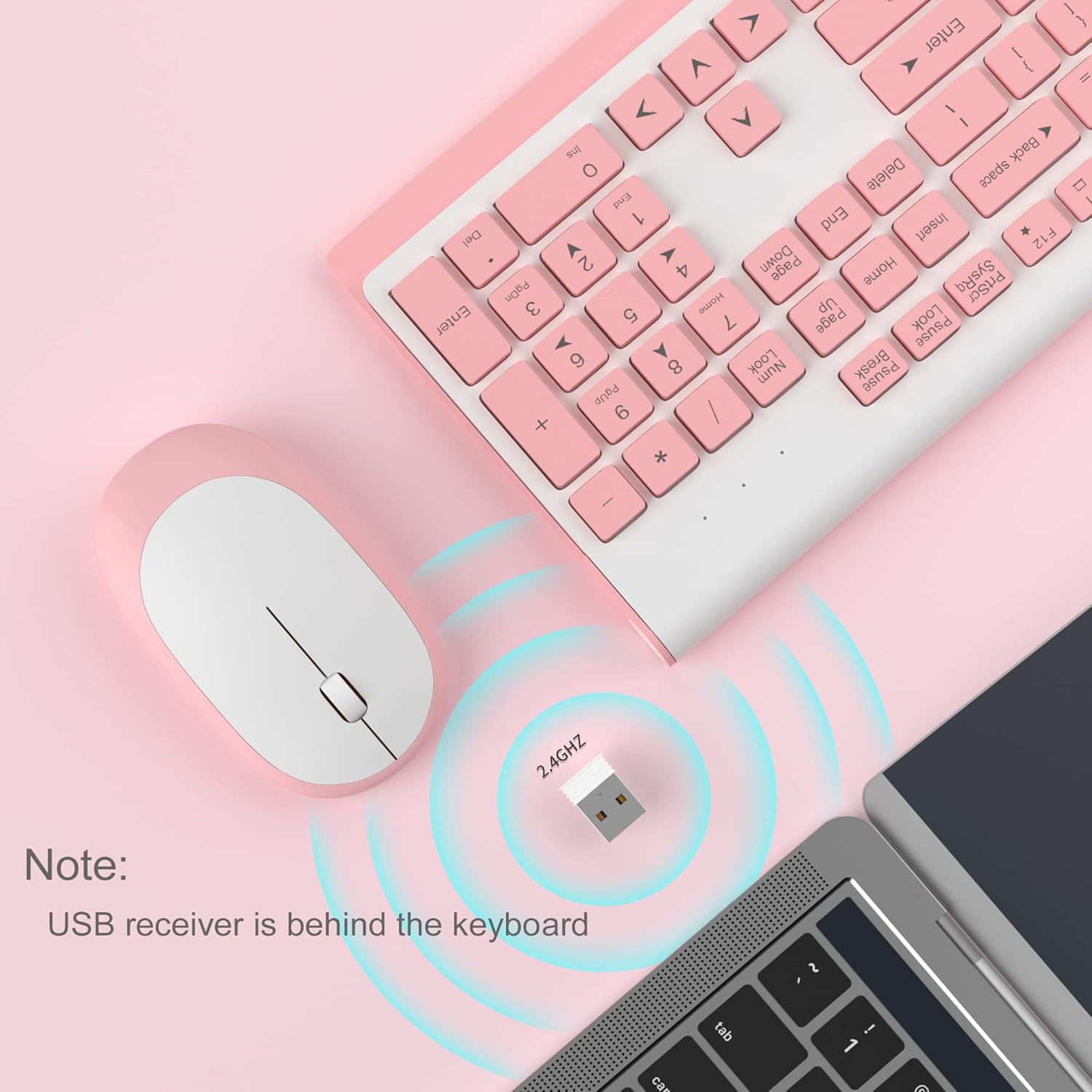
Image 3.2: USB receiver connection and storage location.

Image 3.3: 2.4G wireless connection diagram.
3.3. Włącz zasilanie
Ensure the power switches on both the keyboard and mouse are in the 'ON' position. The devices should now be ready for use.
4. Instrukcja obsługi
4.1. Funkcje klawiatury
The V650 keyboard features a standard 104-key layout, including a full number pad for data entry and dedicated arrow keys. The keys are designed for quiet and responsive typing.
Skróty multimedialne
The keyboard includes 12 multimedia shortcuts accessible by pressing the Fn key in combination with the F1-F12 function keys. These shortcuts allow quick access to common functions such as volume control, media playback, and more.

Image 4.1: Keyboard multimedia function key combinations.
| Połączenie | Funkcjonować |
|---|---|
| Fn+F1 | Multimedia |
| Fn+F2 | Tom - |
| Fn+F3 | Volume + |
| Fn+F4 | Niemy |
| Fn+F5 | Poprzedni utwór |
| Fn+F6 | Następny utwór |
| Fn+F7 | Odtwórz/Pauza |
| Fn+F8 | Zatrzymywać się |
| Fn+F9 | Strona główna |
| Fn+F10 | |
| Fn+F11 | Mój komputer |
| Fn+F12 | Ulubione |
4.2. Funkcje myszy
The wireless mouse offers precise 1200 DPI tracking and quiet clicks. It features standard left and right click buttons and a scroll wheel for navigation.

Image 4.2: Mouse features: 1200 DPI and quiet operation.
4.3. Automatyczny tryb uśpienia
To conserve battery life, both the keyboard and mouse will enter an automatic sleep mode after a period of inactivity. To wake them up, simply press any key on the keyboard or move the mouse.
5. Konserwacja i pielęgnacja
- Czyszczenie: Do czyszczenia powierzchni klawiatury i myszy używaj miękkiej, suchej ściereczki. W przypadku uporczywych zabrudzeń, delikatnie przetrzyj powierzchnię.amp cloth can be used, but ensure no liquid enters the devices. Avoid harsh chemicals or abrasive cleaners.
- Wymiana baterii: Replace batteries when performance degrades or devices stop responding. Always use new batteries of the specified type (AAA for keyboard, AA for mouse) and dispose of old batteries responsibly.
- Składowanie: When not in use for extended periods, turn off the devices to save battery life. Store the USB receiver in its dedicated slot on the keyboard to prevent loss.
- Środowisko: Unikaj wystawiania urządzeń na działanie ekstremalnych temperatur, bezpośredniego światła słonecznego i nadmiernej wilgoci.
6. Rozwiązywanie Problemów
If you encounter issues with your MageGee V650 combo, please refer to the following common solutions:
- No Connection / Lag:
- Ensure both the keyboard and mouse are powered on and have fresh batteries.
- Sprawdź, czy odbiornik USB jest prawidłowo podłączony do działającego portu USB w komputerze.
- Spróbuj podłączyć odbiornik USB do innego portu USB.
- Move the keyboard and mouse closer to the USB receiver to ensure they are within the 10-meter operating range.
- Unikaj umieszczania odbiornika w pobliżu innych urządzeń bezprzewodowych lub dużych metalowych obiektów, które mogą powodować zakłócenia.
- Keys Not Responding / Stuck Keys:
- Sprawdź poziom naładowania baterii i w razie potrzeby wymień.
- Gently clean around the affected keys to remove any debris that might be causing them to stick.
- Re-establish the connection by unplugging and re-plugging the USB receiver.
- Mouse Not Working / Cursor Jumps:
- Ensure the mouse has a fresh AA battery and is powered on.
- Wyczyść czujnik optyczny znajdujący się na spodzie myszy.
- Używaj myszki na odpowiedniej powierzchni (nie odblaskowej i nie przezroczystej).
- Re-establish the connection by unplugging and re-plugging the USB receiver.
- Letters Fading on Keys:
- This is typically a result of prolonged use and wear. While not a functional defect, it can affect visibility.
7. Specyfikacje produktu
| Funkcja | Szczegół |
|---|---|
| Model | V650 |
| Technologia łączności | 2.4G Wireless (Radio Frequency), USB Receiver |
| Układ klawiatury | Full Size, 104 Keys with Number Pad and 12 Multimedia Shortcuts |
| Typ klawiatury | Scissor-cross low profile, Quiet Keys |
| DPI myszy | 1200 DPI |
| Kompatybilne urządzenia | PC, Desktop, Laptop, Notebook |
| Systemy operacyjne | Windows XP / Vista / 7/8/10 |
| Wymiary klawiatury | 16.06 x 6.6 x 1.3 cala (ok. 40.8 x 16.8 x 3.3 cm) |
| Wymiary myszy | 4.25 x 2.4 x 1.18 cala (ok. 10.8 x 6.1 x 3 cm) |
| Waga przedmiotu | 1.63 funta (ok. 0.74 kg) |
| Bateria klawiatury | 2 baterie AAA |
| Bateria myszy | 1 bateria AA |
| Funkcja specjalna | Round Keycaps, Ultra-Thin Design, Automatic Sleep Mode |

Rysunek 7.1: Wymiary produktu.
8. Gwarancja i obsługa klienta
MageGee products are designed for reliability and performance. For any warranty inquiries, technical support, or assistance with your product, please contact MageGee customer support through the retailer where you purchased the item or visit the official MageGee store online.
Więcej informacji i danych kontaktowych znajdziesz na stronie Sklep MageGee na Amazonie.


