1. Wprowadzenie
This manual provides instructions for the proper setup, operation, and maintenance of your Lumens DC136 Portable USB Document Camera. Please read this manual thoroughly before using the device to ensure optimal performance and longevity.

Figure 1: Lumens DC136 Portable USB Document Camera with its flexible gooseneck fully extended, showcasing the camera head and base unit.
2. Informacje dotyczące bezpieczeństwa
Aby zapobiec uszkodzeniu urządzenia lub obrażeniom ciała, należy przestrzegać następujących środków ostrożności:
- Nie wystawiaj urządzenia na działanie wody ani nadmiernej wilgoci.
- Unikaj umieszczania urządzenia w pobliżu źródeł ciepła.
- Do połączenia należy używać wyłącznie dołączonego kabla USB.
- Nie próbuj samodzielnie demontować ani naprawiać urządzenia. Skontaktuj się z wykwalifikowanym personelem serwisowym.
- Keep the lens clean and free from dust.
3. Zawartość opakowania
Sprawdź, czy w opakowaniu znajdują się wszystkie elementy:
- Lumens DC136 Document Camera Unit
- Kabel USB 3.0
- Szybki przewodnik (jeśli dotyczy)
4. Konfiguracja
4.1 Konfiguracja fizyczna
- Rozpakuj urządzenie: Carefully remove the DC136 from its packaging.
- Ustaw kamerę: Place the document camera on a stable, flat surface. The flexible gooseneck allows for various positioning options.
- Podłącz kabel USB: Insert one end of the supplied USB 3.0 cable into the USB port on the back of the DC136 base.
- Połącz z komputerem: Connect the other end of the USB cable to an available USB 3.0 port on your computer. The device is plug-and-play and typically does not require additional drivers.
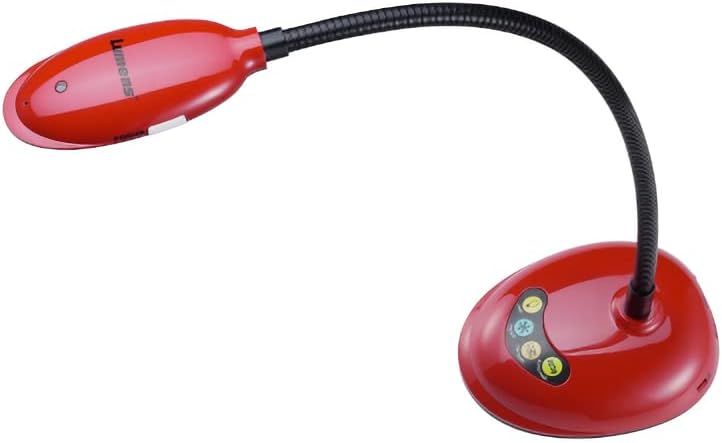
Figure 2: The Lumens DC136 Document Camera positioned with its gooseneck slightly bent, demonstrating its flexibility for various viewkąty.

Rysunek 3: Zbliżenie view of the USB 3.0 port located on the rear of the Lumens DC136 document camera base, indicating the connection point.
4.2 Instalacja oprogramowania (opcjonalnie)
While the DC136 is a plug-and-play device, Lumens may offer proprietary software for enhanced features. Refer to the Lumens website for the latest software downloads and installation instructions.
5. Instrukcja obsługi
5.1 Włączanie/wyłączanie
The DC136 powers on automatically when connected to a computer via USB. Disconnect the USB cable to power off the device.
5.2 Adjusting the Camera
- Regulacja szyi typu „gęsia szyja”: The flexible gooseneck allows you to position the camera head to capture documents, objects, or even use it as a webkamera
- Automatyczne ustawianie ostrości: The camera features hands-free auto-focus. For optimal clarity, ensure the object is within the camera's focal range.
- LED L.amp: Wbudowana dioda LED lamp provides additional illumination for objects.
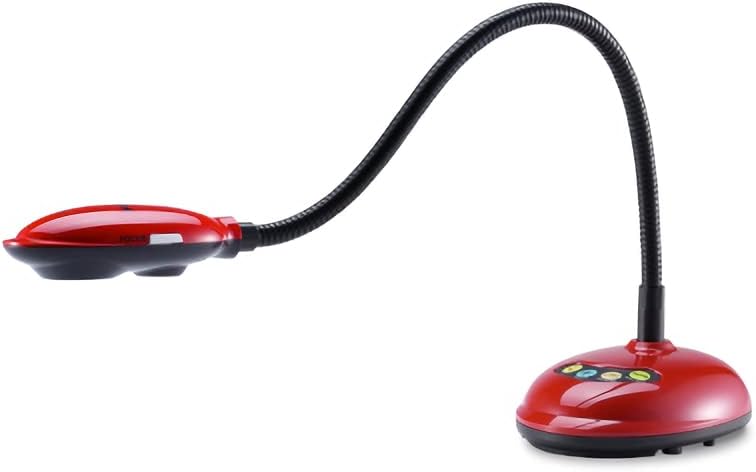
Figure 4: The Lumens DC136 Document Camera with its gooseneck folded into a compact position, illustrating its portability and storage convenience.
5.3 Using with Software
The DC136 is compatible with most video conferencing software, interactive whiteboards, and presentation applications that support USB cameras. Select "Lumens DC136" as your video input device within the software settings.
- Obrót obrazu: Use software controls to rotate the image 0°, 180°, flip, or mirror as needed.
- Brzęczenie: Utilize the 16x digital zoom via software for closer inspection of details.
- Nagrywanie wideo/audio: If supported by your software, you can record video and audio using the built-in microphone.
6. Konserwacja
- Czyszczenie obiektywu: Use a soft, lint-free cloth specifically designed for optical lenses to gently wipe the camera lens. Do not use abrasive cleaners.
- Czyszczenie ciała: Przetrzyj korpus aparatu miękką, suchą ściereczką. W przypadku uporczywych zabrudzeń, delikatnie przetrzyjamp Można użyć ściereczki, a następnie wytrzeć do sucha.
- Składowanie: When not in use, store the camera in a clean, dry place, preferably in its original packaging or a protective case.
7. Rozwiązywanie Problemów
| Problem | Możliwa przyczyna | Rozwiązanie |
|---|---|---|
| Brak wyświetlonego obrazu. | Kabel USB nie jest prawidłowo podłączony. Wybrano nieprawidłową kamerę w oprogramowaniu. | Ensure USB cable is securely connected to both the camera and computer. Select "Lumens DC136" as the video input in your application. |
| Obraz jest rozmazany. | Object out of focus range. Obiektyw jest brudny. | Adjust the gooseneck to bring the object into focus. Oczyść obiektyw aparatu miękką, niestrzępiącą się szmatką. |
| Niska jakość obrazu. | Niewystarczające oświetlenie. Ustawienia oprogramowania. | Turn on the built-in LED lamp or add external lighting. Check resolution settings in your software; ensure 4K or 1080p is selected if supported. |
| Urządzenie nie zostało rozpoznane przez komputer. | Wadliwy port lub kabel USB. Operating system issue. | Spróbuj użyć innego portu USB lub kabla. Uruchom ponownie komputer. Sprawdź stan sterownika w Menedżerze urządzeń. |
8. Specyfikacje
| Funkcja | Szczegół |
|---|---|
| Transduktor | 1/3" 13MP CMOS |
| Łączna liczba pikseli | 13.48 mln |
| Rozdzielczość wyjściowa | 4K(2160p), 1600x1200, 1080p, 720p, XGA, 960x540, 640x480, 640x360 |
| Szybkość klatek | 30fps for 2160p; 60fps for 1080p / 720p |
| Total Zoom | 16x |
| Zoom cyfrowy | 16x (via Software) |
| Mechanical Zoom | 7x |
| Close-up Distance | 2.4" (60 mm) |
| Shooting Area Max | 16.8" x 12.6" (428 mm x 321 mm) |
| Lamp | PROWADZONY |
| Typ ramienia | Joint-free Gooseneck |
| Interfejs wyjściowy | USB 3.0 (kompatybilny z USB2.0) |
| Kontrola | USB |
| Wbudowany mikrofon | Tak |
| Automatyczne strojenie | Yes, One Button for Optimization Image |
| Tryb skupienia | Automatyczny/ręczny |
| Obrót obrazu | 0° / 180° / Flip / Mirror |
| Video / Audio Recording | Yes (via Software) |
| Funkcja zamrażania | Tak |
| Mocowanie VESA | Tak, 75 mm x 75 mm |
| Dołączone akcesoria | Kabel USB 3.0 |
| Pobór mocy | 2.25 W (maksymalnie) |
| Waga | 2.65 funtów |
| Wymiary (złożony) | 4.2" x 11" x 5.4" |
| Wymiary (otwarte) | 4.2" x 15" x 13.8" |
9. Informacje o gwarancji
Lumens products typically come with a limited warranty. For detailed warranty terms and conditions, including duration and coverage, please refer to the warranty card included with your product or visit the official Lumens webZachowaj dowód zakupu na wypadek roszczeń gwarancyjnych.
10. Obsługa klienta
If you encounter issues not covered in this manual or require further assistance, please contact Lumens customer support:
- Webstrona: Odwiedź oficjalne Lumeny webwitryna z odpowiedziami na często zadawane pytania, możliwością pobrania oprogramowania i informacjami kontaktowymi dotyczącymi pomocy technicznej.
- E-mail/Telefon: Refer to the contact details provided on the Lumens webstronie lub w dokumentacji produktu.


