1. Wprowadzenie
This manual provides detailed instructions for the installation, operation, and maintenance of your PANTUM P3018DW Wireless Duplex Laser Printer. Please read this manual thoroughly before using the printer to ensure proper and safe operation. Keep this manual for future reference.
2. Informacje dotyczące bezpieczeństwa
Podczas korzystania z tego produktu należy zawsze przestrzegać podstawowych zasad bezpieczeństwa, aby zmniejszyć ryzyko pożaru, porażenia prądem elektrycznym i obrażeń ciała.
- Do not place the printer on an unstable cart, stand, or table.
- Do not block or cover the slots and openings in the printer.
- Use only the type of power source indicated on the printer's label.
- Unplug the printer from the wall outlet before cleaning.
- Nie próbuj samodzielnie naprawiać drukarki. Wszelkie prace serwisowe zleć wykwalifikowanemu personelowi.
3. Zawartość opakowania
Sprawdź, czy w pakiecie znajdują się wszystkie elementy:
- PANTUM P3018DW Laser Printer
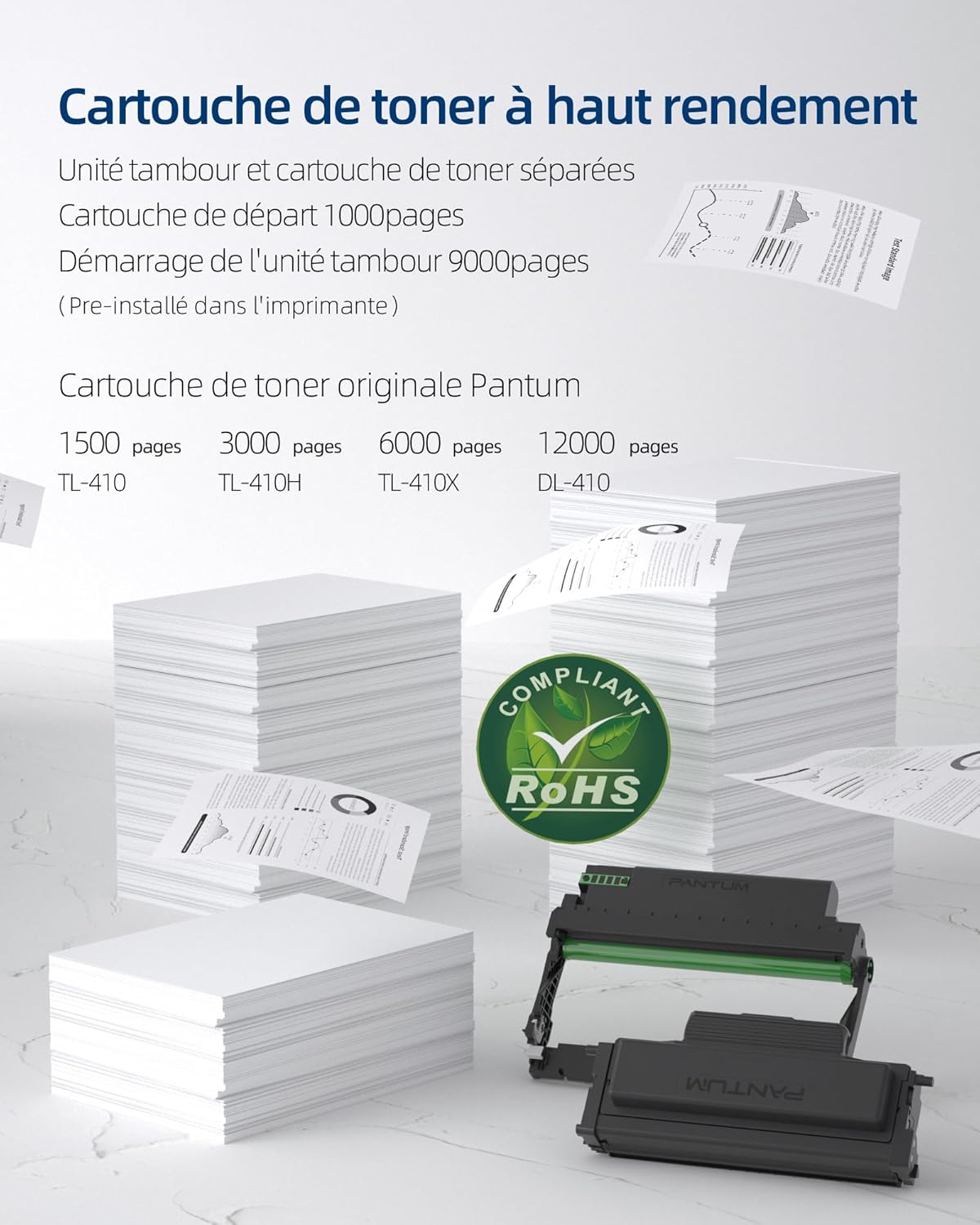
- Starter Toner Cartridge (1000 pages yield)
- Starter Drum Unit (9000 pages yield)
- Kabel USB
- Przewód zasilający
- Instrukcja obsługi (ten dokument)
4. Koniec produktuview
The PANTUM P3018DW is a monochrome laser printer designed for efficient printing with automatic duplex capability and wireless connectivity.


5. Konfiguracja
5.1 Rozpakowanie
- Wyjmij drukarkę z opakowania.
- Usuń wszystkie taśmy ochronne i materiały opakowaniowe z zewnętrznej i wewnętrznej części drukarki.
5.2 Instalacja wkładu z tonerem i bębna
The PANTUM P3018DW uses a separate toner cartridge and drum unit system.
- Otwórz przednią pokrywę drukarki.
- Carefully insert the drum unit into the printer until it clicks into place.
- Unpack the toner cartridge and gently shake it horizontally several times.
- Insert the toner cartridge into the drum unit until it locks securely.
- Zamknij przednią pokrywę.
5.3 Połączenie zasilania
- Podłącz przewód zasilający do drukarki, a następnie do uziemionego gniazdka elektrycznego.
- Naciśnij przycisk zasilania, aby włączyć drukarkę.
5.4 Instalacja sterownika
The PANTUM P3018DW features a one-step driver installation process.
- Podłącz drukarkę do komputera za pomocą dostarczonego kabla USB.
- The operating system should automatically detect the printer and initiate driver installation. Follow the on-screen prompts.
- Alternatively, download the latest drivers from the official PANTUM webstrona.
5.5 Konfiguracja Wi-Fi
The printer supports easy Wi-Fi configuration for convenient wireless printing.

- Ensure your printer is powered on.
- Access the printer's control panel or use the PANTUM mobile application for Wi-Fi setup.
- Follow the instructions to connect the printer to your wireless network.
- For Wi-Fi Direct printing, connect your device directly to the printer's Wi-Fi hotspot (SSID and password typically found on a label or the printer's display).
6. Instrukcja obsługi
6.1 Ładowanie papieru
- Otwórz tacę papieru.
- Dopasuj prowadnice papieru do rozmiaru ładowanego papieru.
- Load paper into the tray, ensuring it is flat and not exceeding the maximum fill line. The maximum sheet capacity is 250 sheets.
- Zamknij podajnik papieru.
6.2 Drukowanie
The PANTUM P3018DW offers fast monochrome printing at up to 30 pages per minute (A4) or 32 pages per minute (Letter), with a first print out time of less than 7.8 seconds.

Standard Printing
- Na komputerze lub urządzeniu mobilnym otwórz dokument, który chcesz wydrukować.
- Wybierz opcję „Drukuj” z menu aplikacji.
- Choose the PANTUM P3018DW from the list of available printers.
- W razie potrzeby dostosuj ustawienia drukowania (np. liczbę kopii, rozmiar papieru).
- Kliknij „Drukuj”.
Automatyczne drukowanie dwustronne
The printer supports automatic two-sided printing.

- When printing, select the 'Print on both sides' or 'Duplex Printing' option in your printer settings.
- The printer will automatically flip the paper to print on both sides.
Mobile Printing (PANTUM APP)
Print directly from your smartphone or tablet using the PANTUM APP.


- Download and install the PANTUM APP from your device's app store.
- Ensure your mobile device is connected to the same Wi-Fi network as the printer, or directly to the printer's Wi-Fi hotspot.
- Open the PANTUM APP and select the document or image you wish to print.
- Follow the app's instructions to send the print job to the printer.
7. Konserwacja
7.1 Wymiana wkładu z tonerem i bębna
When the toner is low or the drum unit reaches its end of life, the printer will indicate a replacement is needed. Refer to section 5.2 for installation steps.
Compatible Toner Cartridges:
- TL-410 (1,500 pages)
- TL-410H (3,000 pages)
- TL-410X (6,000 pages)
Compatible Drum Unit:
- DL-410 (12,000 pages)
7.2 Czyszczenie drukarki
Regularne czyszczenie pomaga zachować jakość druku i wydłuża żywotność drukarki.
- Wyłącz drukarkę i odłącz ją od gniazdka zasilania.
- Użyj miękkiej, niestrzępiącej się szmatki dampened with water to wipe the exterior of the printer.
- Nie należy używać środków czyszczących o właściwościach ściernych ani rozpuszczalników.
- For internal cleaning, consult the detailed cleaning instructions on the PANTUM webwitrynę lub skontaktuj się z pomocą techniczną.
8. Rozwiązywanie Problemów
This section provides solutions to common printer issues.
8.1 Drukarka nie odpowiada
- Sprawdź, czy drukarka jest włączona i prawidłowo podłączona do gniazdka elektrycznego.
- Check the USB cable connection to the computer or verify Wi-Fi connectivity.
- Uruchom ponownie drukarkę i komputer/urządzenie mobilne.
- Check the printer's control panel for any error messages.
8.2 Słaba jakość wydruku
- Sprawdź poziom tonera w pojemniku i wymień go, jeśli jest niski.
- Ensure the drum unit is properly installed and not damaged.
- Clean the printer's internal components as per maintenance guidelines.
- Use recommended paper types and ensure they are not damp lub curlwyd.
8.3 Zacięcia papieru
- Wyłącz drukarkę i odłącz ją od zasilania.
- Carefully open all covers and remove any jammed paper, pulling in the direction of the paper path.
- Ensure paper is loaded correctly in the tray and not overfilled.
- Należy używać papieru spełniającego wymagania techniczne drukarki.
9. Specyfikacje
| Funkcja | Specyfikacja |
|---|---|
| Nazwa modelu | P3018DW |
| Technologia druku | Laser |
| Wyjście druku | Monochromia |
| Maksymalna prędkość drukowania (monochromatyczna) | 30 PPM (A4) / 32 PPM (Letter) |
| Czas wydruku pierwszego wydruku | < 7.8 sekund |
| Maksymalna rozdzielczość druku | 1200 dpi |
| Drukowanie dwustronne | Automatyczny |
| Łączność | USB, Wi-Fi |
| Kompatybilne urządzenia | Laptop, PC, smartfon, tablet |
| Kompatybilne systemy operacyjne | Android, Chrome OS (and others via driver) |
| Maksymalny rozmiar nośnika | 8.5 x 11 cala (A4) |
| Rozmiar arkusza | A4 |
| Maksymalna pojemność arkuszy | 250 arkuszy |
| Wymiary (gł. x szer. x wys.) | Wymiary: 40.8 cm x 43.3 cm x 29.5 cm |
| Waga przedmiotu | 6.8 kilograma |
| Cechy specjalne | Automatic Duplexing, Automatic Sleep Mode, Two-line LCD Control Panel, NFC Touch Print, Silent Printing, Ethernet Network, Optional High-Capacity Cartridges, Low Paper Jam Design |
10. Gwarancja i wsparcie
10.1 Informacje o gwarancji
The PANTUM P3018DW printer comes with a standard one-year warranty against manufacturing defects from the date of purchase. Please retain your proof of purchase for warranty claims.
10.2 Obsługa klienta
For technical assistance, troubleshooting, or warranty inquiries, please visit the official PANTUM website or contact PANTUM Online Customer Service. Support resources, including driver downloads and FAQs, are available online.


