Wstęp
The Muzen Cyber Cube-Pro Bluetooth Speaker is a portable audio device designed for versatile use. It features Bluetooth 5.0 technology for seamless connectivity, an RGB LED light with cyberpunk themes that syncs with music, and a built-in fidget spinner for stress relief. Constructed with a rugged metal housing, it offers IPX5 waterproof and dustproof protection, making it suitable for both indoor and outdoor environments. The speaker includes a built-in 1000mAh high-capacity battery for extended playtime and charges via a Type-C cable.
Zawartość opakowania
Sprawdź, czy w przesyłce znajdują się wszystkie elementy wymienione poniżej:
- Muzen Cyber Cube-Pro Bluetooth Speaker
- Kabel do ładowania USB typu C.
- Instrukcja obsługi
- (Optional) Lanyard (may need to be purchased separately)

Image: The Muzen Cyber Cube-Pro speaker shown with its packaging, highlighting the compact design.
Produkt ponadview i sterowanie
Familiarize yourself with the various parts and controls of your Muzen Cyber Cube-Pro speaker.

Image: A detailed diagram illustrating the various control points on the Muzen Cyber Cube-Pro speaker, including the volume knob, light effects control, power switch/reset Bluetooth, track switch, Type-C charging port, and fidget spinner.
- Pokrętło głośności: Obróć, aby dostosować głośność dźwięku.
- Sterowanie efektami świetlnymi: Button to cycle through RGB LED light themes.
- Power Switch/Reset Bluetooth: Toggle switch for power on/off. Press and hold to reset Bluetooth connection.
- Przełącznik toru: Rotate to skip tracks. Press to play/pause.
- Port ładowania typu C: Znajduje się pod osłoną ochronną i służy do ładowania urządzenia.
- Fidget Spinner: Integrated into the speaker grille for tactile interaction.
Organizować coś
Ładowanie głośnika
Before initial use, fully charge your speaker. Use the provided USB Type-C cable to connect the speaker to a compatible USB power source (e.g., wall adapter, computer USB port).
- Open the protective cover on the side of the speaker to reveal the Type-C charging port.
- Insert the USB Type-C cable into the speaker's port and the other end into a power source.
- The LED indicator will show charging status (e.g., flashing red for charging, solid green for fully charged).
- Pełne naładowanie trwa zazwyczaj około 1–2 godzin.
Parowanie Bluetooth
Aby sparować głośnik z urządzeniem obsługującym technologię Bluetooth, wykonaj następujące czynności:
- Sprawdź, czy głośnik jest naładowany i wyłączony.
- Rotate the power switch to the "ON" position. The speaker will emit an audible tone, and the Bluetooth indicator light will flash rapidly, indicating it's in pairing mode.
- On your mobile device, navigate to the Bluetooth settings and enable Bluetooth.
- Szukaj available devices. "Muzen Wild Mini" should appear in the list.
- Select "Muzen Wild Mini" to connect. Once successfully paired, the speaker will emit another tone, and the Bluetooth indicator light will become solid.
- If pairing fails, turn off the speaker, disable Bluetooth on your device, and repeat the steps.

Image: The Muzen Cyber Cube-Pro speaker wirelessly connected to a smartphone, demonstrating its Bluetooth 5.0 compatibility for fast and easy connection.
Instrukcja obsługi
Włączanie/wyłączanie zasilania
- Włączanie: Rotate the power switch clockwise to the "ON" position.
- Wyłączone: Rotate the power switch counter-clockwise to the "OFF" position.
Kontrola głośności
- Zwiększ głośność: Obróć pokrętło głośności zgodnie z ruchem wskazówek zegara.
- Zmniejsz głośność: Obróć pokrętło głośności w kierunku przeciwnym do ruchu wskazówek zegara.
Kontrola toru
- Następny utwór: Rotate the track switch clockwise.
- Poprzedni utwór: Rotate the track switch counter-clockwise.
- Odtwórz/Pauza: Short press the track switch.
RGB LED Light Control
The RGB LED light features cyberpunk themes that pulse and shine to the beat of your music. Use the dedicated light effects control button to cycle through different color-changing themes.

Image: The Muzen Cyber Cube-Pro speaker displaying its vibrant RGB LED lights, which change colors and pulse with the music, enhancing the atmosphere.
Obsługa latarki
The speaker includes a built-in flashlight with multiple modes:
- Włącz/Wyłącz: Long press the power switch to activate or deactivate the flashlight.
- Tryby cyklu: Short press the power switch to cycle between Strong, Weak, and SOS modes.
Cechy
- Światło LED RGB: Cyberpunk-themed RGB LED light that pulses and shines to the beat of your music, offering different color-changing themes.
- Fidget Spinner: Designed from a spacecraft idea, it helps release nervous energy and reduce anxiety.
- Wysoka kompatybilność: Bluetooth 5.0 technology for wireless connection to all Bluetooth-enabled devices with fast connection and a range of up to 32 feet.
- Rugged Portable Speaker: IPX5 waterproof and dustproof with a built-in flashlight. Its rugged metal housing protects it during outdoor adventures.
- Długi czas odtwarzania: Built-in 1000mAh high-capacity battery provides extended music playtime on a single charge.

Image: The Muzen Cyber Cube-Pro speaker featuring its unique fidget spinner design, which can be used for stress relief.
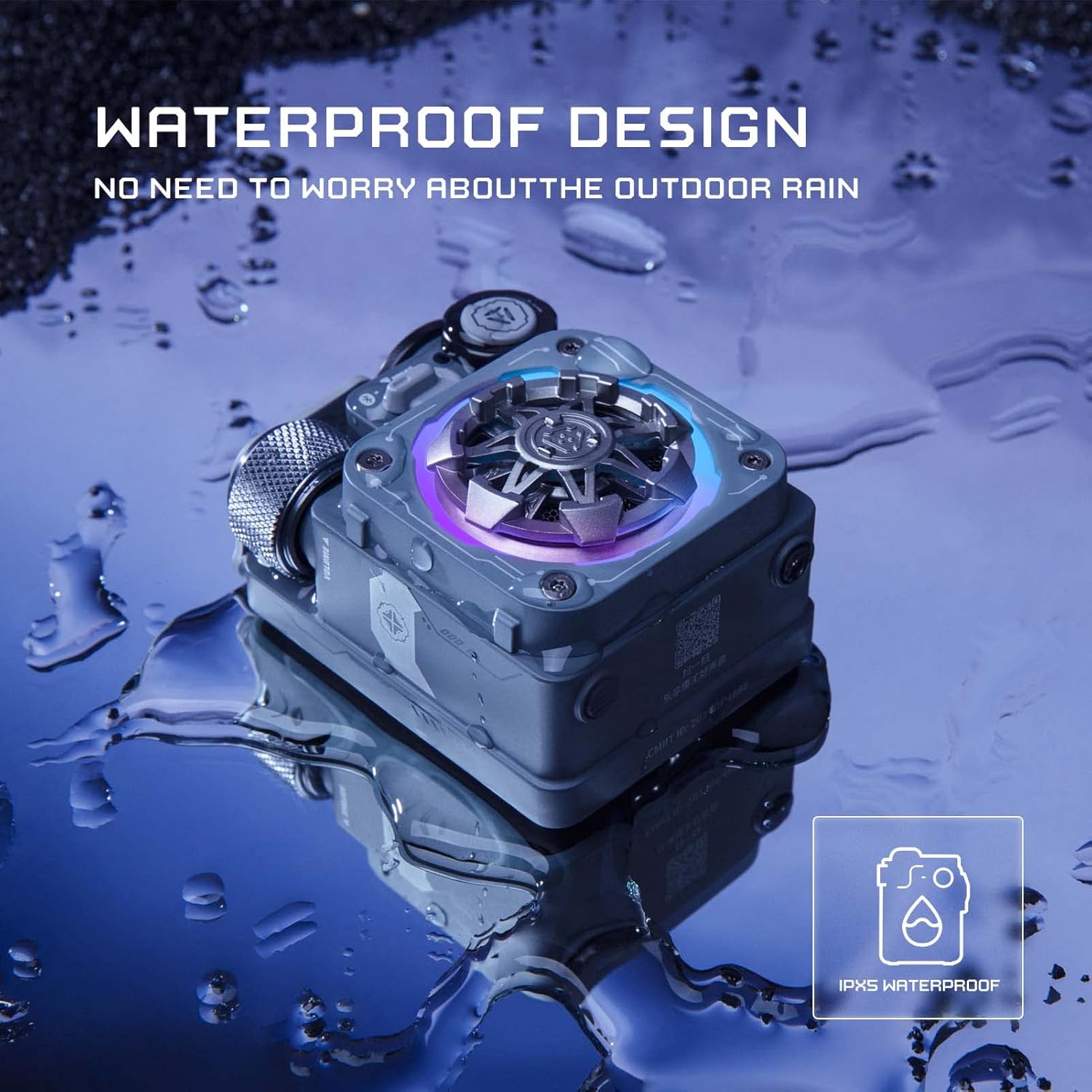
Image: The Muzen Cyber Cube-Pro speaker submerged in water, illustrating its IPX5 waterproof design, suitable for outdoor use without worry about rain or splashes.
Konserwacja
To ensure the longevity and optimal performance of your Muzen Cyber Cube-Pro speaker, follow these maintenance guidelines:
- Czyszczenie: Do czyszczenia głośnika używaj miękkiej, suchej ściereczki. Unikaj stosowania silnych środków chemicznych i materiałów ściernych.
- Składowanie: Przechowuj głośnik w chłodnym, suchym miejscu, z dala od bezpośredniego światła słonecznego i ekstremalnych temperatur.
- Wodoodporność: Ensure the Type-C charging port cover is securely closed to maintain IPX5 water resistance. Do not submerge the speaker for extended periods or expose it to high-pressure water jets.
- Pielęgnacja baterii: For optimal battery life, avoid fully discharging the battery frequently. Charge the speaker regularly, even if not in use for long periods.
Rozwiązywanie problemów
If you encounter any issues with your Muzen Cyber Cube-Pro speaker, refer to the following common troubleshooting steps:
- Głośnik się nie włącza: Upewnij się, że bateria jest naładowana. Podłącz głośnik do źródła zasilania za pomocą kabla typu C.
- Nie można sparować przez Bluetooth:
- Make sure the speaker is in pairing mode (rapidly flashing Bluetooth indicator).
- Ensure Bluetooth is enabled on your device and it's within 32 feet of the speaker.
- Try resetting the speaker's Bluetooth by pressing and holding the power switch.
- Usuń urządzenie z listy Bluetooth w telefonie i spróbuj sparować je ponownie.
- Brak dźwięku lub niski poziom głośności:
- Sprawdź poziom głośności głośnika i podłączonego urządzenia.
- Sprawdź, czy głośnik jest prawidłowo sparowany i podłączony.
- Latarka nie działa: Ensure the speaker is powered on and the battery is not critically low.
Specyfikacje
| Funkcja | Szczegół |
|---|---|
| Nazwa modelu | Cyber Cube-Pro |
| Numer modelu przedmiotu | MW-PVXLI |
| Tworzywo | Metal |
| Technologia łączności | Bluetooth 5.0 |
| Technologia komunikacji bezprzewodowej | Bluetooth |
| Maksymalny zasięg | 32 stóp (9.75 metrów) |
| Maksymalna moc wyjściowa głośnika | 5 watów |
| Pojemność baterii | 1000 mAh litowo-jonowy |
| Waga przedmiotu | 10.6 uncji (300 grama) |
| Poziom wodoodporności | Wodoodporność IPX5 |
| Metoda kontroli | Tactile Buttons/Knobs |
| Styl | Cyberpunk |

Image: The Muzen Cyber Cube-Pro speaker with its dimensions labeled: H: 2.40 inches, W: 1.65 inches, L: 3.03 inches.
Gwarancja i wsparcie
The Muzen Cyber Cube-Pro Bluetooth Speaker comes with a Limited Warranty. For detailed information regarding warranty coverage, terms, and conditions, please refer to the warranty card included in your product packaging or contact Muzen customer support.
- Rodzaj gwarancji: Ograniczony
- Producent: Muzena