Wstęp
The Audio Pro A28 Wireless Bookshelf Speakers are designed to deliver a superior audio experience for both music and home entertainment. Featuring WiFi, Bluetooth 4.2, multiroom capabilities, and compatibility with AirPlay 2, Google Cast, and Spotify Connect, these speakers offer versatile connectivity and exceptional sound quality. This manual provides detailed instructions for setting up, operating, maintaining, and troubleshooting your A28 speakers to ensure optimal performance.
- Excellent TV-Compatibility: Offers astonishing music and TV sound experience with a wider soundstage than traditional soundbars.
- Experience Virtual Surround: Finetune bass/treble and add virtual surround effect via the app for an immersive movie-watching experience.
- Streaming wielostrefowy: Seamlessly group and play music across multiple Audio Pro multiroom speakers in your network.
- Łatwa konfiguracja telewizora: Connect via HDMI ARC for convenient control with your TV remote.
- Dostępne ustawienia wstępne: Utilize 5 presets for quick access to radio stations or playlists.
Organizować coś
Zawartość opakowania
Zanim zaczniesz, upewnij się, że w przesyłce znajdują się wszystkie elementy:
- Audio Pro A28 Bookshelf Speakers (Left and Right)
- Zdalne sterowanie
- Kabel zasilający
- Speaker Cable (for connecting left and right speakers)
Umiejscowienie fizyczne
For optimal sound performance, place the speakers on a stable, flat surface such as a bookshelf or speaker stands. Ensure there is adequate space around each speaker for proper ventilation and sound dispersion. Position the speakers equidistant from your primary listening position to create a balanced stereo image.

Znajomości
Follow these steps to connect your Audio Pro A28 speakers:
- Connect the Speakers: Use the provided speaker cable to connect the left and right speakers. Ensure the positive (+) and negative (-) terminals on both speakers are matched correctly.
- Podłączenie zasilania: Connect the power cable to the main (left) speaker and plug it into a wall outlet.
- Wejścia audio:
- Łuk HDMI: For TV connection, use an HDMI cable to connect the speaker's ARC input to your TV's HDMI ARC port. This allows your TV remote to control the speaker volume.
- Optyczny: For digital audio sources, connect an optical cable from your device to the speaker's Optical input.
- RCA: For analog audio sources, connect an RCA cable from your device to the speaker's RCA input.

Operacyjny
Włączanie/wyłączanie
Once connected to power, the speakers will enter standby mode. Press the power button on the remote control or the main speaker to turn them on. To turn off, press the power button again.
Użycie pilota zdalnego sterowania
The included remote control allows you to manage various functions of your A28 speakers, including volume, input selection, and playback controls.
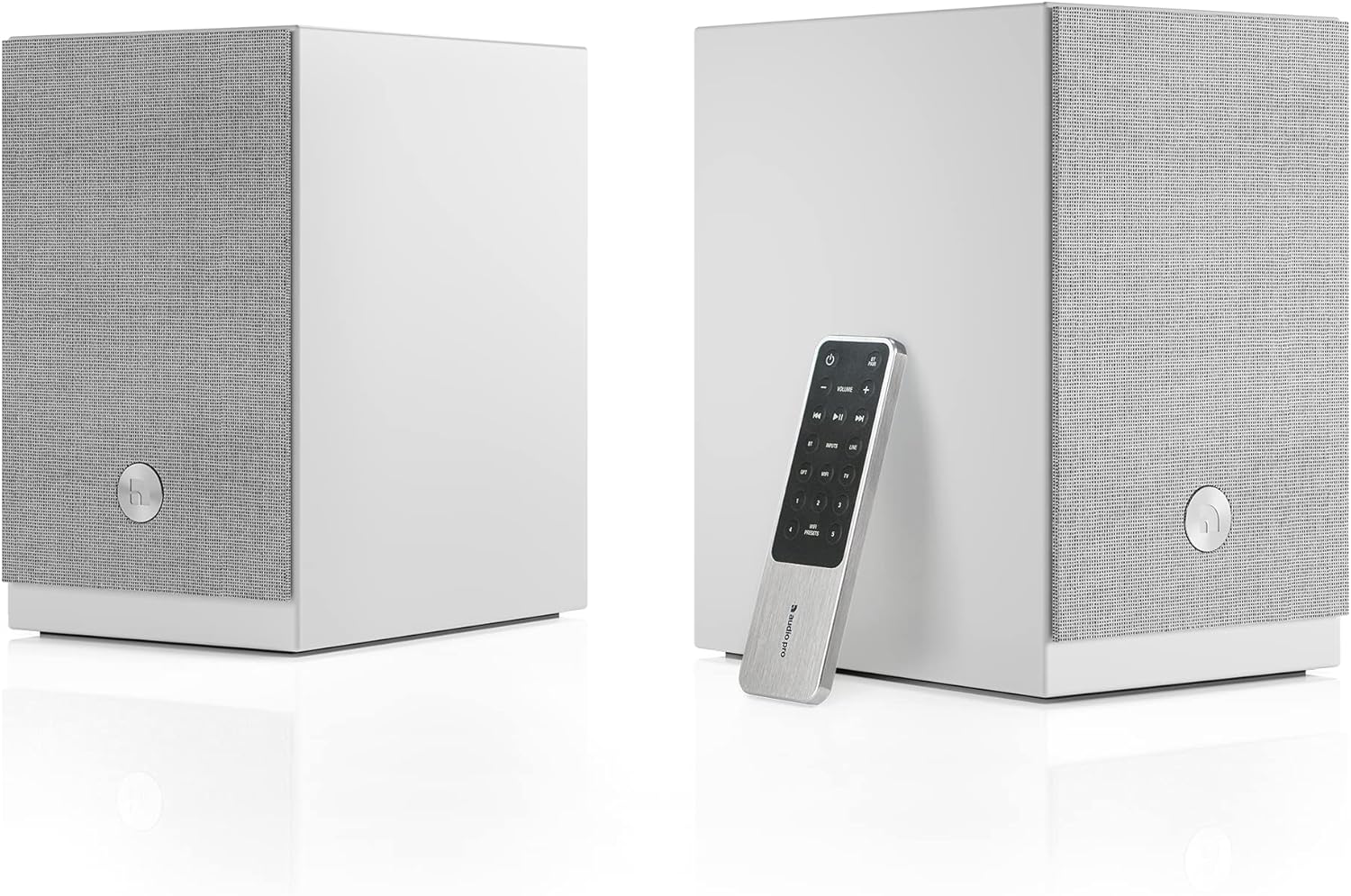
Kontrola aplikacji
Download the Audio Pro app on your smartphone or tablet for advanced control over your speakers. The app allows you to:
- Select audio inputs.
- Dostosuj ustawienia basów i sopranów.
- Activate and finetune the virtual surround effect.
- Manage multiroom groups.
- Access streaming services.
Wybór wejścia
Switch between connected audio sources (HDMI ARC, Optical, RCA, Bluetooth, WiFi) using the input selection buttons on the remote control or through the Audio Pro app.
Łączność bezprzewodowa
The A28 speakers support various wireless streaming options:
- Bluetooth: Pair your device via Bluetooth for direct wireless audio streaming.
- Wi-Fi: Connect the speakers to your home WiFi network for high-quality audio streaming and multiroom functionality.
- Zabawa powietrzna 2: Przesyłaj strumieniowo dźwięk z urządzeń Apple.
- Google Cast: Przesyłaj dźwięk z kompatybilnych aplikacji i urządzeń.
- Połączenie ze Spotify: Directly control music playback from the Spotify app.
Korzystanie z Google Cast
You can send audio to your A28 speakers using Google Cast from various devices and applications. Look for the Google Cast symbol within your audio apps, Chromebooks, or Google Chrome browser on PC/Mac. You can also cast any audio from your Android device to any Google Cast speaker.
Przesyłanie strumieniowe w wielu pomieszczeniach
The A28 speakers can be integrated into an Audio Pro multiroom system. Use the Audio Pro app to group multiple speakers together to play the same music in different rooms, or play different music on individual speakers.
Wirtualne otoczenie
Enhance your movie-watching experience by enabling the virtual surround effect. This feature is available for the HDMI ARC input and can be finetuned in 3 different steps via the Audio Pro app to suit your preferences and room acoustics.
Ustawienia wstępne
The A28 speakers offer 5 programmable presets. Use these to quickly access your favorite radio stations or playlists directly from the remote control or the app.
Konserwacja
Proper care and maintenance will ensure the longevity and performance of your Audio Pro A28 speakers.
- Czyszczenie: Use a soft, dry cloth to wipe down the speaker cabinets. Avoid using abrasive cleaners or solvents, as they may damage the finish. The matte white finish is designed to be easy to clean.
- Kratki: The magnetic speaker grilles can be easily removed for cleaning or if you prefer the aesthetic without them. Clean grilles with a soft brush or lint roller.
- Umieszczenie: Unikaj umieszczania głośników w bezpośrednim świetle słonecznym, w pobliżu źródeł ciepła lub w miejscach o dużej wilgotności.
- Wentylacja: Ensure proper airflow around the speakers to prevent overheating.
Rozwiązywanie problemów
If you encounter issues with your Audio Pro A28 speakers, refer to the following common troubleshooting steps:
| Problem | Możliwa przyczyna | Rozwiązanie |
|---|---|---|
| Brak dźwięku z głośników | Power not connected; incorrect input selected; volume too low; speaker cable loose. | Check power connection; verify correct input is selected (e.g., HDMI ARC, Optical); increase volume; ensure speaker cable between left and right units is securely connected. |
| Problemy z parowaniem Bluetooth | Głośniki nie są w trybie parowania; urządzenie znajduje się za daleko; występują zakłócenia. | Ensure speakers are in Bluetooth pairing mode; move device closer to speakers; minimize interference from other wireless devices. |
| WiFi connectivity problems | Incorrect WiFi password; weak signal; network issues. | Verify WiFi password in the Audio Pro app; ensure speakers are within WiFi range; restart your router and speakers. |
| No sound from TV via HDMI ARC | TV ARC not enabled; incorrect TV audio output settings; speaker not selected as output. | Ensure HDMI ARC is enabled on your TV; check TV audio settings to output sound to external speakers (PCM format is generally recommended, as the A28 may not decode Dolby Digital); select the HDMI ARC input on the speakers. |
| Pilot nie działa | Dead batteries; obstructed path; remote not paired (if applicable). | Replace batteries; ensure no obstructions between remote and speaker; refer to the app for remote pairing instructions if necessary. |
If the problem persists, try resetting the speakers to factory settings (refer to the full manual or Audio Pro app for specific instructions) or contact Audio Pro customer support.
Specyfikacje
Key technical specifications for the Audio Pro A28 Wireless Bookshelf Speakers:
- Nazwa modelu: Audio Pro A28 Wireless Bookshelf Speakers - White
- Typ głośnika: Półka na książki
- Dodatek specjalny: Dźwięk wielopokojowy
- Zalecane zastosowanie: Music, Movies, Watching
- Zgodne urządzenia: Smartfon, tablet, laptop, komputer stacjonarny
- Rodzaj kontrolera: Remote Control, App
- Konfiguracja kanałów dźwięku przestrzennego: 4.2
- Kolor: Biały
- Wymiary produktu: 14" gł. x 14" szer. x 17" wys.
- Waga przedmiotu: 17.77 funta (8.08 kilograma)
- Technologia komunikacji bezprzewodowej: Bluetooth, WiFi
- Rozmiar głośnika: 4.7 cali (średnica głośnika niskotonowego)
- Źródło zasilania: Elektryczny przewodowy
- Maksymalna moc wyjściowa głośnika: 25 watów
- Technologia łączności: Optical, HDMI ARC, RCA, Bluetooth, Wi-Fi
- Tryb wyjścia audio: Dźwięk przestrzenny, stereo
- Typ montażu: Mocowanie do półki
Gwarancja
The Audio Pro A28 Wireless Bookshelf Speakers come with a limited warranty. Please retain your proof of purchase for warranty claims. For specific details regarding the warranty period and coverage, refer to the warranty card included with your product or visit the official Audio Pro webstrona.
Wsparcie
For further assistance, technical support, or to explore additional Audio Pro products, please visit the official Audio Pro website or contact their customer service department. Contact information can typically be found on the Audio Pro webmiejscu lub w opakowaniu produktu.
Audio Pro Official Webstrona: www.audiopro.com


