1. Wprowadzenie
The MAONO PM500 is a professional XLR condenser microphone designed for high-quality audio capture. Featuring a 34mm large diaphragm and a cardioid pickup pattern, it is optimized for various applications including podcasting, recording, streaming, vocals, voice-overs, music, and ASMR. This manual provides essential information for setting up, operating, and maintaining your PM500 microphone.
2. Zawartość opakowania
Sprawdź, czy w przesyłce znajdują się wszystkie elementy wymienione poniżej:
- XLR Condenser Microphone (PM500) x 1
- Metal Desktop Stand x 1
- Mocowanie wstrząsowe x 1
- Metal Pop Filter x 1
- XLR to XLR Cable x 1
- Instrukcja obsługi x 1

Image: All components included in the MAONO PM500 microphone set.
3. Konfiguracja
Follow these steps to set up your MAONO PM500 microphone:
- Assemble the Desktop Stand: Attach the microphone stand pole to the heavy metal base.
- Zamontuj uchwyt amortyzujący: Screw the shock mount onto the top of the desktop stand.
- Zamontuj mikrofon: Carefully insert the MAONO PM500 microphone into the shock mount and secure it by tightening the screw from the bottom.
- Załóż filtr pop: Clip the metal pop filter onto the shock mount, positioning it directly in front of the microphone capsule.
- Podłącz kabel XLR: Plug one end of the provided XLR to XLR cable into the microphone's XLR port and the other end into your audio mixer, 48V phantom power supply, or audio interface.
- Włączanie: Ensure your audio interface or phantom power supply is turned on and providing 48V phantom power to the microphone.
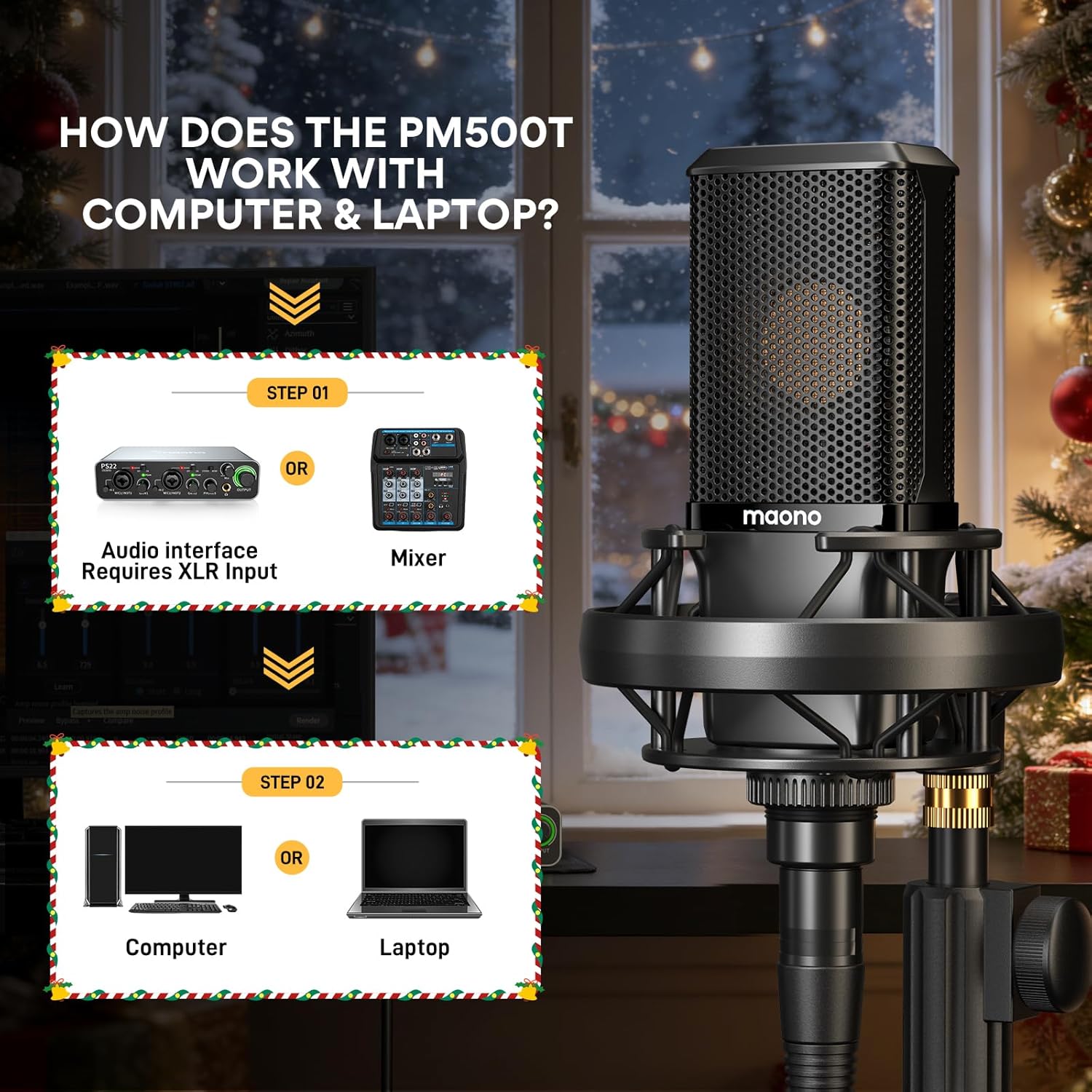
Image: Connection diagram for the MAONO PM500 microphone with an audio interface/mixer and computer.

Image: The MAONO PM500 microphone fully assembled and connected for use.
Przewodnik po konfiguracji wideo
Video: This video demonstrates the assembly process of the MAONO PM500 Studio Microphone, including attaching the microphone to the shock mount and stand.
4. Instrukcja obsługi
The MAONO PM500 is designed for optimal performance when used correctly. Here are some guidelines:
- Umiejscowienie mikrofonu: Position the microphone directly in front of the sound source, typically 6 to 12 inches away, for the best sound capture. The cardioid pattern is most sensitive to sounds coming from the front.
- Moc fantomowa: Always ensure your audio interface or mixer is supplying 48V phantom power to the microphone. The PM500 requires this external power source to function.
- Regulacja wzmocnienia: Adjust the gain on your audio interface or mixer to achieve an appropriate recording level. Avoid clipping (distortion) by keeping the input level below the peak.
- Użycie filtra pop: Utilize the included metal pop filter to minimize plosive sounds (harsh 'p' and 'b' sounds) and protect the microphone capsule from moisture.
- Monitorowanie: If your audio interface supports it, use direct monitoring to hear your audio in real-time without latency.
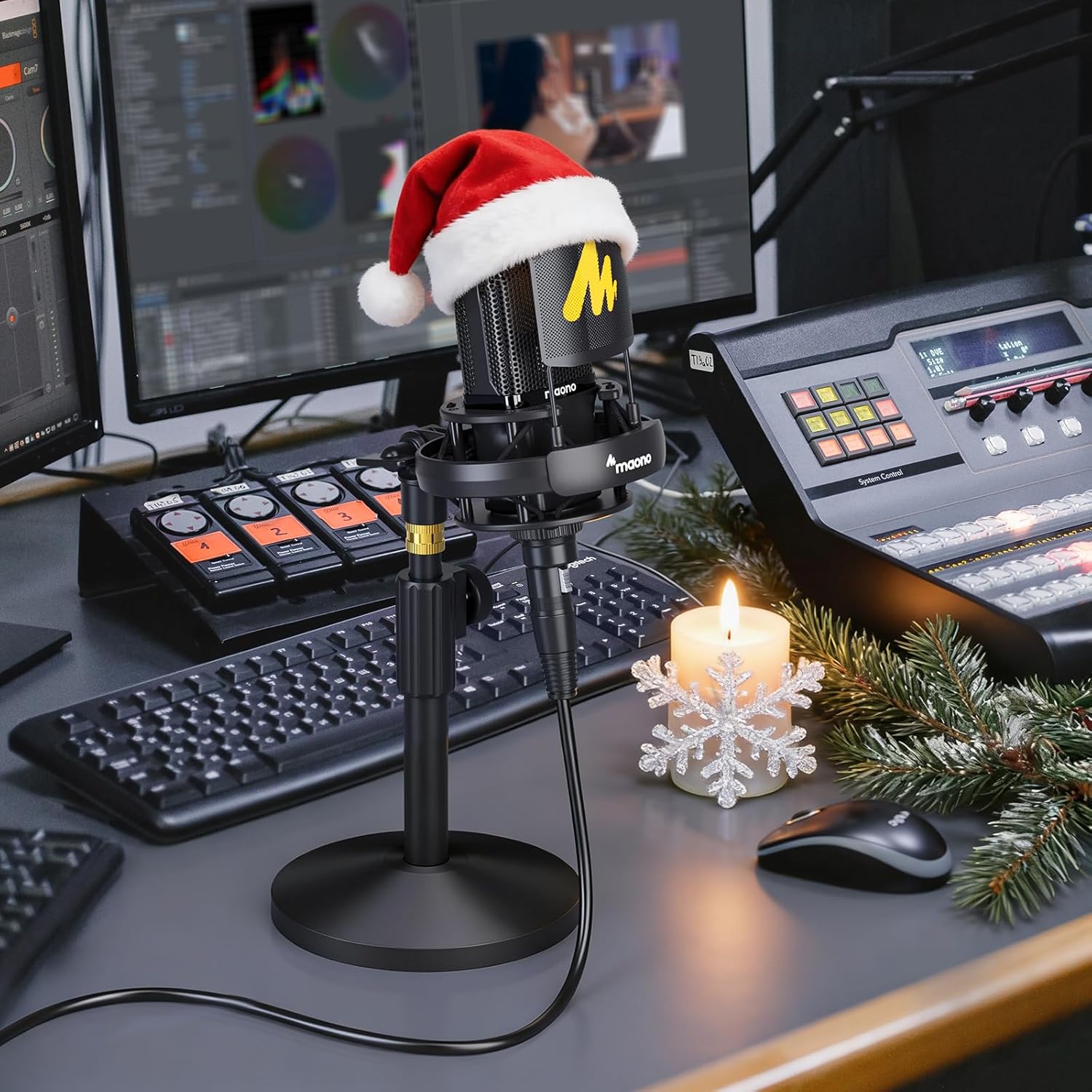
Image: Proper microphone usage for recording or streaming.
Przewodniki wideo dotyczące operacji
Video: This video provides an introduction to the use and sound quality of the MAONO PM500 studio microphone.
Video: This video introduces the materials of the XLR microphone and includes a sound quality test for the PM500.
Video: This video demonstrates recording guitar sound using the MAONO PM500T XLR Microphone.
5. Główne cechy
- Studio Grade Sound: The PM500 features a custom-designed 34mm large diaphragm gold condenser capsule, offering a dynamic range of 20Hz - 20kHz. It ensures incredibly clean recordings with low noise, high sensitivity, and excellent SPL handling, suitable for professional music creation, instrument recording, vocals, and podcasts.
- Wzór kardioidalny: The cardioid pickup pattern provides excellent off-axis sound suppression, reducing noise from the sides and rear. This ensures accurate capture of sound details, delivering a silky top end, detailed midrange, and warm bass, ideal for various instruments and vocals.
- External Power Source Required: This microphone uses an XLR connection and requires 48V phantom power, typically supplied by an audio mixer or interface. This setup ensures a clear, rich, and stable sound.
- High Specification Circuitry: The circuit design incorporates premium components from top-tier manufacturers and a custom-made permalloy audio signal transformer. This results in low self-noise and exceptional sound capturing, restoring recording sound with clarity.
- Premium Metal Structure: The microphone body is constructed from zinc alloy with multi-layer coatings, providing high corrosion resistance and protecting the mechanical structure for purer audio signals and better sound quality.
- Dołączone akcesoria: The kit includes a metal pop filter, shock mount, and desktop stand, which protect the microphone and isolate it from physical vibrations, facilitating professional content creation.

Image: The 34mm large diaphragm of the MAONO PM500, designed for high-resolution sound.

Image: Comparison highlighting the larger capsule and superior sound characteristics of the PM500.

Image: Internal acoustics chip processing for precise sound capture.

Image: All-metal construction and XLR connection for enhanced durability and sound quality.
6. Specyfikacje
| Funkcja | Szczegół |
|---|---|
| Współczynnik kształtu mikrofonu | Duża membrana |
| Źródło zasilania | Zasilanie fantomowe 48 V. |
| Tworzywo | Metal |
| Stosunek sygnału do szumu | 80dB |
| Platforma sprzętowa | Komputer stacjonarny/Laptop |
| Liczba kanałów | 1 |
| Odpowiedź częstotliwościowa | 20 Hz - 20 kHz |
| Waga przedmiotu | 3.72 funta |
| Wymiary opakowania | 15.55 x 7.44 x 4.17 cala |
| Numer modelu przedmiotu | PM500 |
| Kolor | Czarny |
| Zalecane zastosowania | Śpiewanie, streaming |
| Technologia łączności | XLR |
| Typ złącza | XLR |
| Wzór biegunowy | Jednokierunkowy (kardioidalny) |
7. Rozwiązywanie Problemów
If you encounter issues with your MAONO PM500 microphone, please refer to the following common solutions:
- Brak dźwięku:
- Ensure 48V phantom power is enabled on your audio interface or mixer.
- Check all XLR cable connections to ensure they are secure and correctly plugged in.
- Verify that the input gain on your audio interface is turned up sufficiently.
- Confirm that the correct audio input device is selected in your computer's sound settings or recording software.
- Niska głośność lub słaby sygnał:
- Increase the gain on your audio interface.
- Ensure the microphone is positioned close enough to the sound source (ideally 6-12 inches).
- Check for any impedance mismatches if using additional audio equipment.
- Zniekształcony dźwięk:
- Reduce the input gain on your audio interface to prevent clipping.
- Upewnij się, że mikrofon nie znajduje się zbyt blisko źródła dźwięku, ponieważ może to powodować przesterowanie.
- Check the XLR cable for damage or faulty connections.
- Nadmierny hałas w tle:
- The cardioid pattern helps reduce off-axis noise, but ensure your recording environment is as quiet as possible.
- Position the microphone to face the desired sound source directly, minimizing pickup from other directions.
- Ensure the shock mount is properly installed to reduce vibrations from the desk or stand.
8. Konserwacja
To ensure the longevity and optimal performance of your MAONO PM500 microphone, follow these maintenance tips:
- Czyszczenie: Gently wipe the microphone body with a soft, dry cloth. Avoid using harsh chemicals or abrasive materials. For the mesh grille, use a soft brush to remove dust.
- Składowanie: Gdy mikrofon nie jest używany, należy go przechowywać w czystym i suchym miejscu, najlepiej w oryginalnym opakowaniu lub futerale ochronnym, aby zapobiec gromadzeniu się kurzu i uszkodzeniom fizycznym.
- Zachowaj ostrożność: Avoid dropping or subjecting the microphone to strong impacts, as this can damage the sensitive internal components.
- Pielęgnacja kabli: Always grasp the XLR connector when plugging or unplugging the cable, rather than pulling on the cable itself, to prevent damage to the connectors or wiring.
9. Gwarancja i wsparcie
The MAONO PM500 XLR Condenser Microphone comes with a 12-miesięczny serwis gwarancyjny od daty zakupu. Niniejsza gwarancja obejmuje wady produkcyjne i zapewnia, że produkt jest wolny od wad materiałowych i wykonawczych przy normalnym użytkowaniu.
For technical support, warranty claims, or any questions regarding your MAONO PM500 microphone, please contact MAONO customer service through the official MAONO website or your retailer's support channels. Please have your purchase receipt and product model number (PM500) ready when contacting support.
Aby uzyskać dodatkowe zasoby i informacje o produkcie, odwiedź oficjalną stronę Sklep MAONO.


