Wstęp
Thank you for choosing the Final ZE3000 True Wireless Earbuds. This manual provides essential information for the proper setup, operation, and maintenance of your earbuds to ensure an optimal audio experience. Please read this manual thoroughly before use.
Co jest w pudełku
- Final ZE3000 True Wireless Earbuds (Left and Right)
- Etui ładujące
- Kabel ładujący USB-C
- Instrukcja obsługi (ten dokument)
- Końcówki douszne (różne rozmiary)

Image: Final ZE3000 True Wireless Earbuds and their charging case, displayed in black.
Produkt ponadview
The Final ZE3000 earbuds are designed for high-fidelity sound reproduction with a focus on comfort and stable wireless connectivity. Each earbud features a touch control panel and an LED indicator.

Obraz: Zbliżenie view of the Final ZE3000 earbuds, highlighting their unique geometric design and audiophile-level quality.

Image: The Final ZE3000 charging case, showcasing its premium SHIBO textured finish.
Organizować coś
1. Ładowanie słuchawek i etui
Before first use, fully charge the earbuds and charging case. Connect the supplied USB-C cable to the charging port on the case and a USB power source. The LED indicator on the case will show charging status. A full charge takes approximately 1.5 hours.

Image: Final ZE3000 earbuds placed inside their charging case.
2. Parowanie z urządzeniem
- Open the charging case. The earbuds will automatically enter pairing mode, and the LED indicators on the earbuds will flash.
- Włącz Bluetooth na swoim urządzeniu (smartfonie, tablecie itp.).
- Szukaj available Bluetooth devices and select "ZE3000" from the list.
- Once connected, the LED indicators on the earbuds will stop flashing.
The ZE3000 uses Bluetooth 5.2 for a stable connection up to 10 meters.

Image: A smartphone screen showing the 'ZE3000' listed as an available Bluetooth device for pairing.
3. Zakładanie słuchawek dousznych
Proper fit is crucial for sound quality and comfort. Choose the eartips that provide the best seal and comfort for your ears. Gently insert the earbuds into your ear canals and twist slightly until they feel secure.
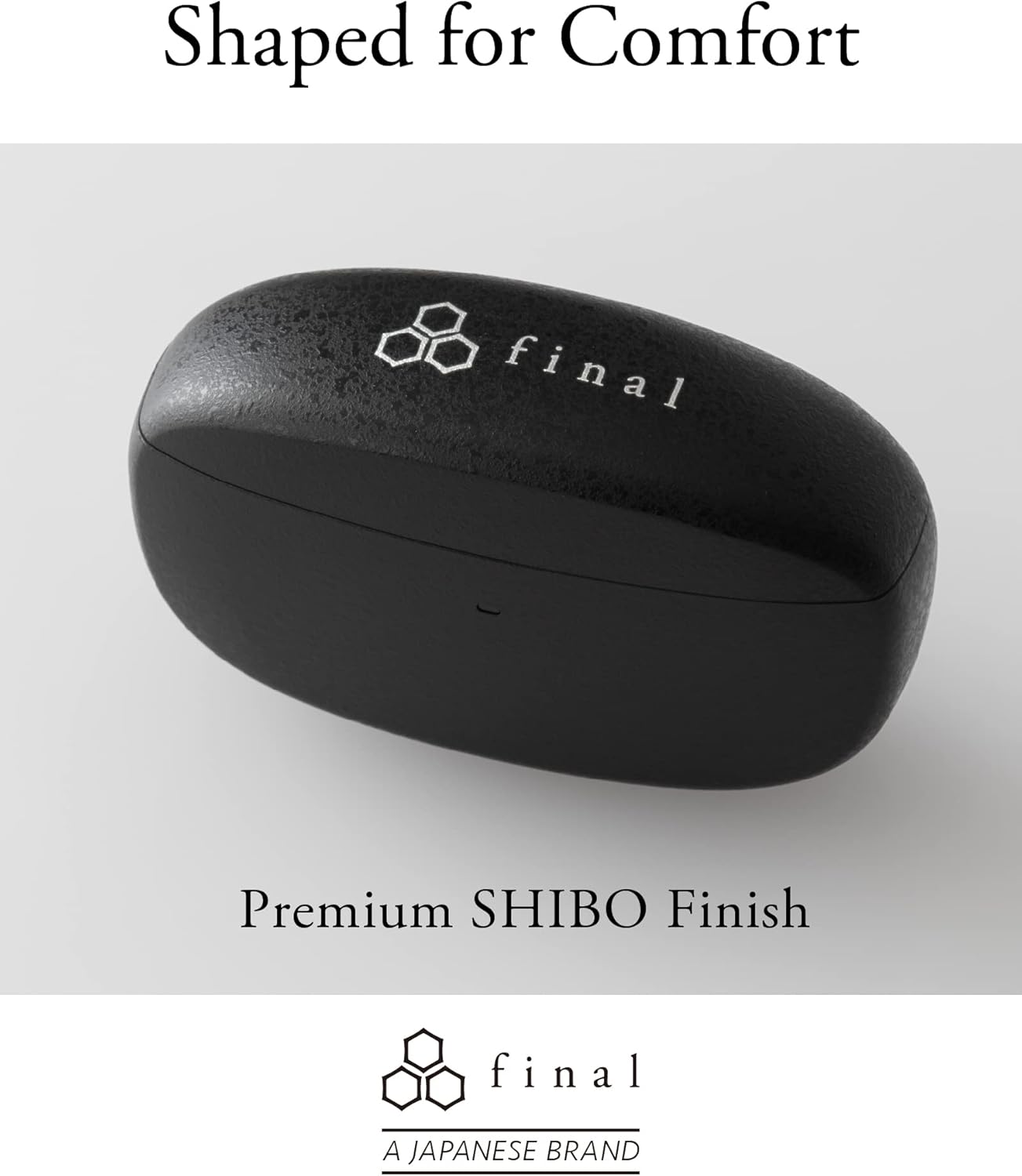
Image: A person demonstrating the correct way to wear the Final ZE3000 earbuds for a secure and comfortable fit.
Instrukcja obsługi
Sterowanie dotykowe
The ZE3000 earbuds feature intuitive touch controls on the outer surface of each earbud.

Image: Diagram illustrating the location of the touch control panel, microphone, and LED indicator on the earbud.
| Działanie | Funkcjonować |
|---|---|
| Pojedyncze dotknięcie (lewo/prawo) | Odtwarzaj/wstrzymuj muzykę, odbieraj/kończ połączenia |
| Podwójne dotknięcie (w prawo) | Następny utwór |
| Podwójne dotknięcie (lewo) | Poprzedni utwór |
| Trzykrotne dotknięcie (w prawo) | Zwiększ głośność |
| Trzykrotne dotknięcie (lewo) | Zmniejsz głośność |
| Długie naciśnięcie (w lewo/w prawo) | Aktywuj asystenta głosowego |
Włączanie/wyłączanie zasilania
- Włączanie: Otwórz etui ładujące, a słuchawki automatycznie włączą się i połączą z ostatnio sparowanym urządzeniem.
- Wyłączone: Włóż słuchawki douszne z powrotem do etui ładującego i zamknij pokrywę. Słuchawki automatycznie się wyłączą i rozpoczną ładowanie.
Konserwacja
Czyszczenie
Regularnie czyść słuchawki douszne i etui ładujące, aby zachować wydajność i higienę.
- Do czyszczenia słuchawek i etui ładującego używaj miękkiej, suchej i niepozostawiającej włókien ściereczki.
- Zdejmij nakładki douszne i umyj je łagodnym mydłem i wodą, a następnie dokładnie wysusz przed ponownym założeniem.
- Delikatnie wyczyść styki ładowania zarówno słuchawek, jak i etui suchym wacikiem.
Składowanie
Gdy nie używasz słuchawek, przechowuj je w etui ładującym, aby je chronić i mieć pewność, że pozostaną naładowane.
Wodoodporność (IPX4)
The Final ZE3000 earbuds are IPX4 water-resistant, meaning they are protected against splashing water from any direction. They are not designed for submersion in water. Avoid exposing them to heavy rain, showering, or swimming.
Rozwiązywanie problemów
- Brak dźwięku/problemy z połączeniem:
- Sprawdź, czy słuchawki są naładowane.
- Sprawdź, czy w Twoim urządzeniu włączony jest Bluetooth i czy wybrane są słuchawki douszne.
- Spróbuj rozłączyć i ponownie sparować słuchawki z urządzeniem.
- Upewnij się, że do słuchawek nie są podłączone żadne inne urządzenia.
- Jedna słuchawka douszna nie działa:
- Umieść obie słuchawki z powrotem w etui, zamknij pokrywę, odczekaj kilka sekund, a następnie ponownie otwórz.
- Check charging contacts for debris.
- Brak reakcji sterowania dotykowego:
- Upewnij się, że Twoje palce są czyste i suche.
- Try restarting the earbuds by placing them in the case and closing the lid.
Specyfikacje
| Funkcja | Szczegół |
|---|---|
| Numer modelu | ZE3000 |
| Technologia łączności | Bluetooth 5.2 |
| Komunikacja bezprzewodowa | Bluetooth |
| Typ sterownika audio | Dynamiczny sterownik |
| Zakres częstotliwości | 20 Hz - 20 000 Hz |
| Czas pracy baterii (słuchawki douszne) | Do 7 godzin |
| Całkowity czas odtwarzania (z etui) | Do 35 godzin |
| Czas ładowania | Około 1.5 godzin |
| Typ sterowania | Sterowanie dotykowe |
| Poziom wodoodporności | IPX4 (odporność na wodę) |
| Zasięg Bluetooth | 10 metrów |
| Waga przedmiotu | 42 gramy (łącznie) |
| Wymiary produktu | 1.38 x 2.76 x 0.98 cala |
Wsparcie
For further assistance or inquiries, please visit the official Final store or contact customer support.


