Wstęp
Thank you for choosing the Sonero S-RCS102 Wireless Socket Set. This manual provides important information regarding the safe and efficient use of your new wireless sockets. Please read these instructions carefully before installation and operation, and retain them for future reference.
Informacje dotyczące bezpieczeństwa
- Ensure the total load of connected devices does not exceed the maximum wattage określone (2300 W).
- Nie zanurzaj urządzenia w wodzie ani nie wystawiaj go na działanie nadmiernej wilgoci.
- Nie otwieraj ani nie próbuj samodzielnie naprawiać urządzenia. Wszelkie naprawy zlecaj wykwalifikowanemu personelowi.
- Produkt przeznaczony jest wyłącznie do użytku wewnątrz pomieszczeń.
- Przechowywać w miejscu niedostępnym dla dzieci.
- Always unplug the device from the wall socket before cleaning.
Zawartość opakowania
The Sonero S-RCS102 Wireless Socket Set includes:
- 2 x Sonero S-RCS102 Wireless Sockets
- 1 x Pilot zdalnego sterowania
- 1 x Battery for Remote Control (Type: CR2032, typically pre-installed or included)
- 1 x Instrukcja obsługi (ten dokument)
Produkt ponadview
The Sonero S-RCS102 wireless socket allows you to remotely control electrical appliances. Each socket features high contact protection for safety. The remote control can operate individual sockets or all connected sockets simultaneously.

Image: Sonero S-RCS102 wireless socket and its remote control, showing their respective dimensions. The socket measures approximately 48.9 mm in diameter and 70.3 mm in height. The remote control measures approximately 35.8 mm in width and 92.6 mm in height. The remote has buttons labeled A, B, C, D, ALL, ON, and OFF.
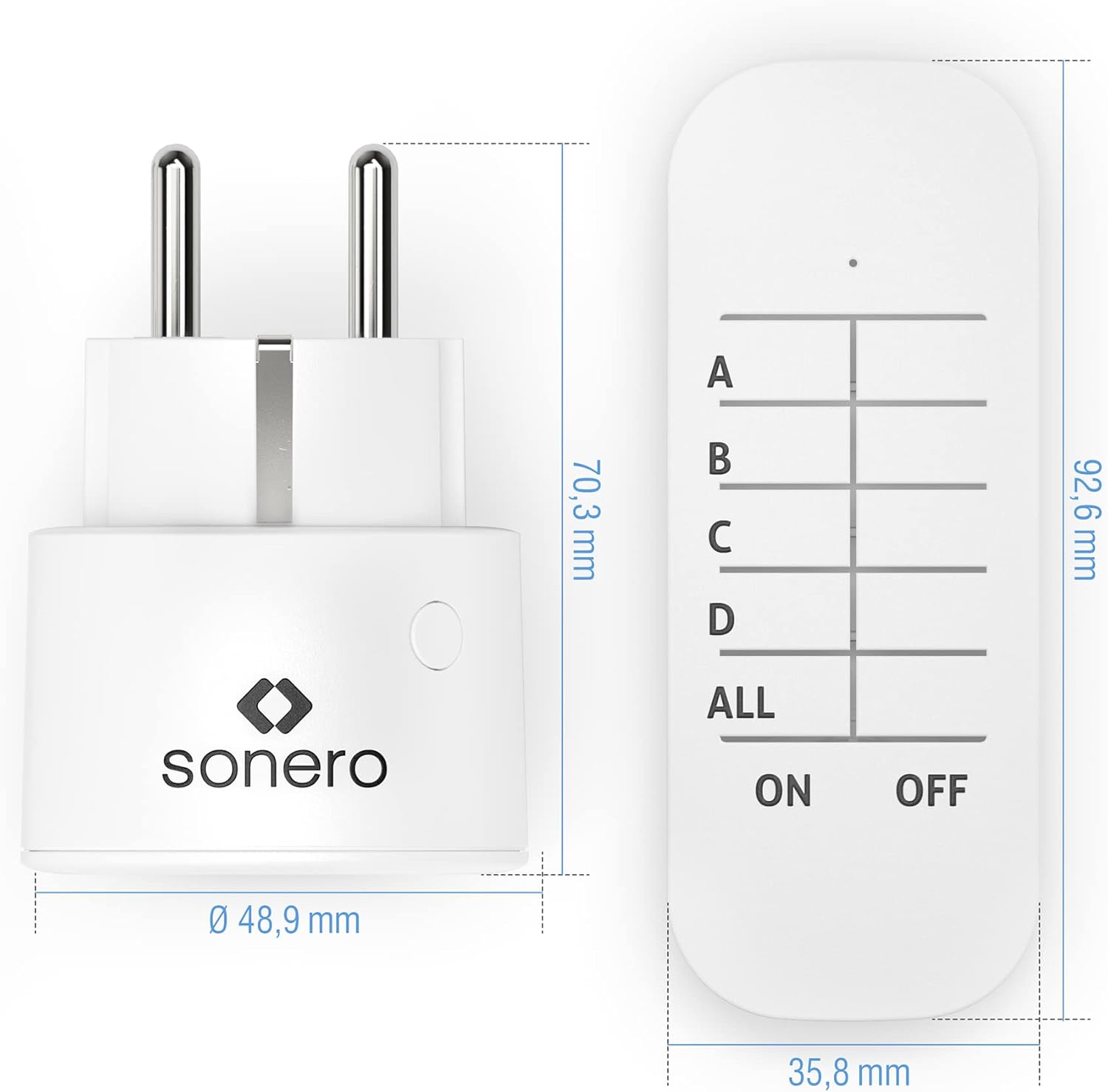
Obraz: Przód view of the Sonero S-RCS102 wireless socket, highlighting its compact design and the Sonero logo.
Organizować coś
- Zainstaluj baterię pilota: If not already installed, open the battery compartment on the back of the remote control and insert the CR2032 battery with the correct polarity.
- Podłącz do gniazdka: Insert a Sonero S-RCS102 wireless socket into a standard wall outlet. The LED indicator on the socket may flash briefly.
- Pairing the Socket with Remote:
- Press and hold the small pairing button on the side of the wireless socket for approximately 3-5 seconds until the LED indicator starts flashing rapidly.
- While the LED is flashing, press the desired "ON" button (A, B, C, or D) on the remote control.
- The LED on the socket should stop flashing and remain solid for a moment, indicating successful pairing.
- Repeat this process for each wireless socket and assign them to different channels (A, B, C, D) on the remote control as desired.
- Podłącz urządzenie: Plug the appliance you wish to control into the wireless socket.

Image: A Sonero S-RCS102 wireless socket plugged into a wall outlet, with a black power cord from an appliance connected to it. This demonstrates a typical installation scenario.
Instrukcja obsługi
Once paired, operating the wireless sockets is straightforward:
- Turn ON a specific socket: Press the corresponding "ON" button (A, B, C, or D) on the remote control.
- Turn OFF a specific socket: Press the corresponding "OFF" button (A, B, C, or D) on the remote control.
- Turn ON all paired sockets: Press the "ALL ON" button on the remote control.
- Turn OFF all paired sockets: Press the "ALL OFF" button on the remote control.
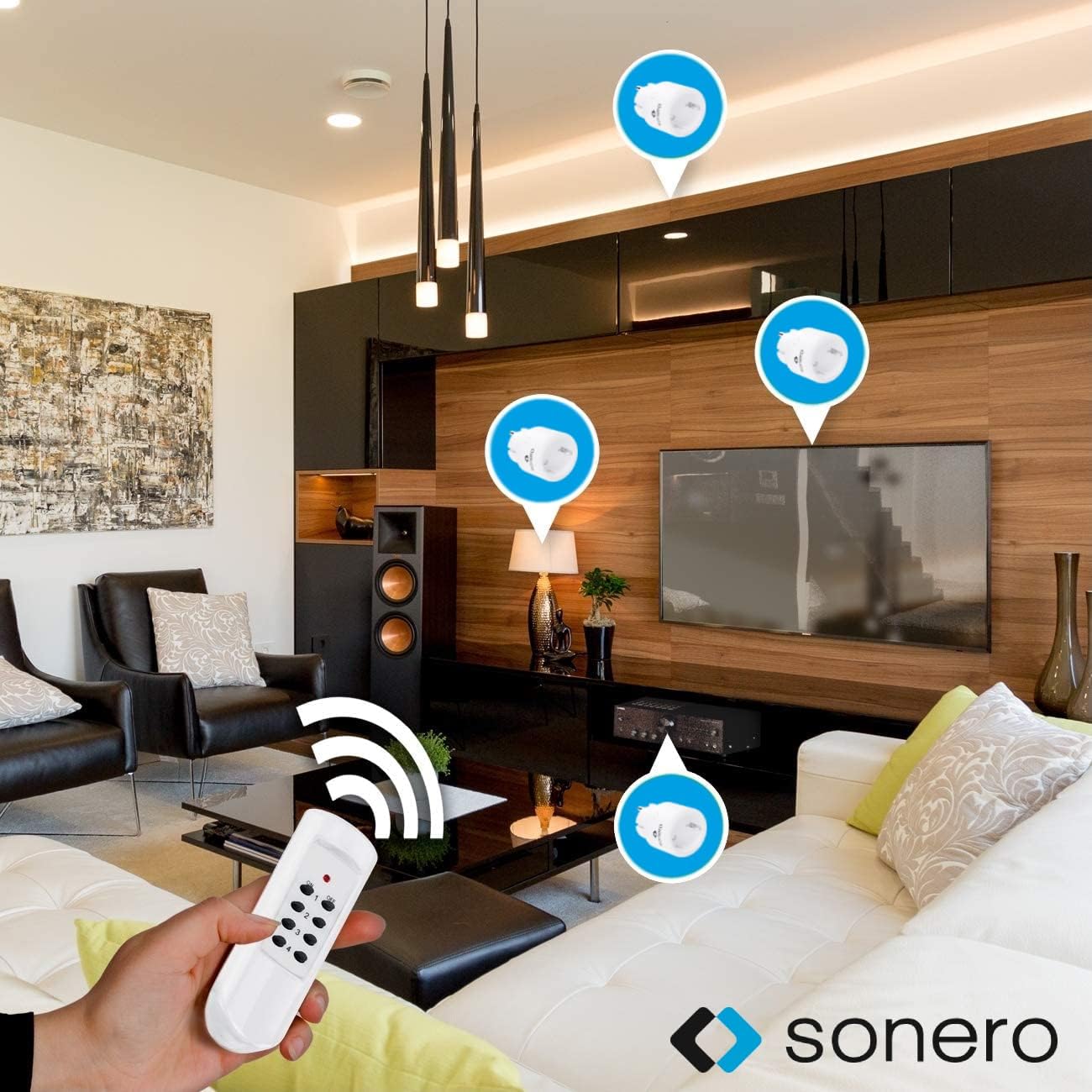
Image: A hand holding the remote control, with signal waves emanating from it, indicating control over multiple Sonero wireless sockets placed around a living room. This illustrates the remote operation of the devices.
Konserwacja
- Czyszczenie: Disconnect the wireless socket from the power outlet before cleaning. Use a dry, soft cloth to wipe the surface. Do not use liquid cleaners or abrasive materials.
- Wymiana baterii: When the remote control's range decreases or it stops responding, replace the CR2032 battery. Ensure correct polarity when inserting the new battery.
- Składowanie: Przechowuj urządzenia w chłodnym, suchym miejscu, z dala od bezpośredniego światła słonecznego i ekstremalnych temperatur, jeśli nie używasz ich przez dłuższy czas.
Rozwiązywanie problemów
| Problem | Możliwa przyczyna | Rozwiązanie |
|---|---|---|
| Socket does not respond to remote. |
|
|
| Appliance connected to socket does not turn on. |
|
|
| Zasięg pilota jest słaby. |
|
|
Specyfikacje
- Model: S-RCS102
- Marka: Sonero
- Tomtage: 230 wolty
- Maks. Wattage: 2300 waty
- Maksymalny prąd: 10 Ampjesteś
- Cechy: Wireless, High Contact Protection
- Bateria pilota zdalnego sterowania: 1 x CR2032 (w zestawie)
- Product Dimensions (Socket): Wymiary 9.7 x 5.3 x 6.8 cm
- Product Weight (Socket): 183 gramów
Informacje o gwarancji
Sonero products are designed and manufactured to the highest quality standards. This product is covered by a standard manufacturer's warranty. For specific warranty terms and conditions, please refer to the documentation provided with your purchase or visit the official Sonero webStrona. Zachowaj dowód zakupu na wypadek roszczeń gwarancyjnych.
Wsparcie
If you encounter any issues or have questions regarding your Sonero S-RCS102 Wireless Socket Set that are not addressed in this manual, please contact Sonero customer support. Contact details can typically be found on the product packaging or the official Sonero webstrona.
Webstrona: www.sonero.de (Byłyample, rzeczywisty URL może się różnić)


