1. Wprowadzenie
This manual provides essential information for setting up, operating, and maintaining your Razer Huntsman V2 Optical Gaming Keyboard. Designed for high-performance gaming, this keyboard features advanced optical switches, a high polling rate, and durable construction to enhance your gaming experience.
2. Zawartość opakowania
- Razer Huntsman V2 Optical Gaming Keyboard
- Ergonomiczna podpórka pod nadgarstki
- Important Product Information Guide (may vary with renewed products)
3. Koniec produktuview
Familiarize yourself with the key components and features of your Razer Huntsman V2 keyboard.
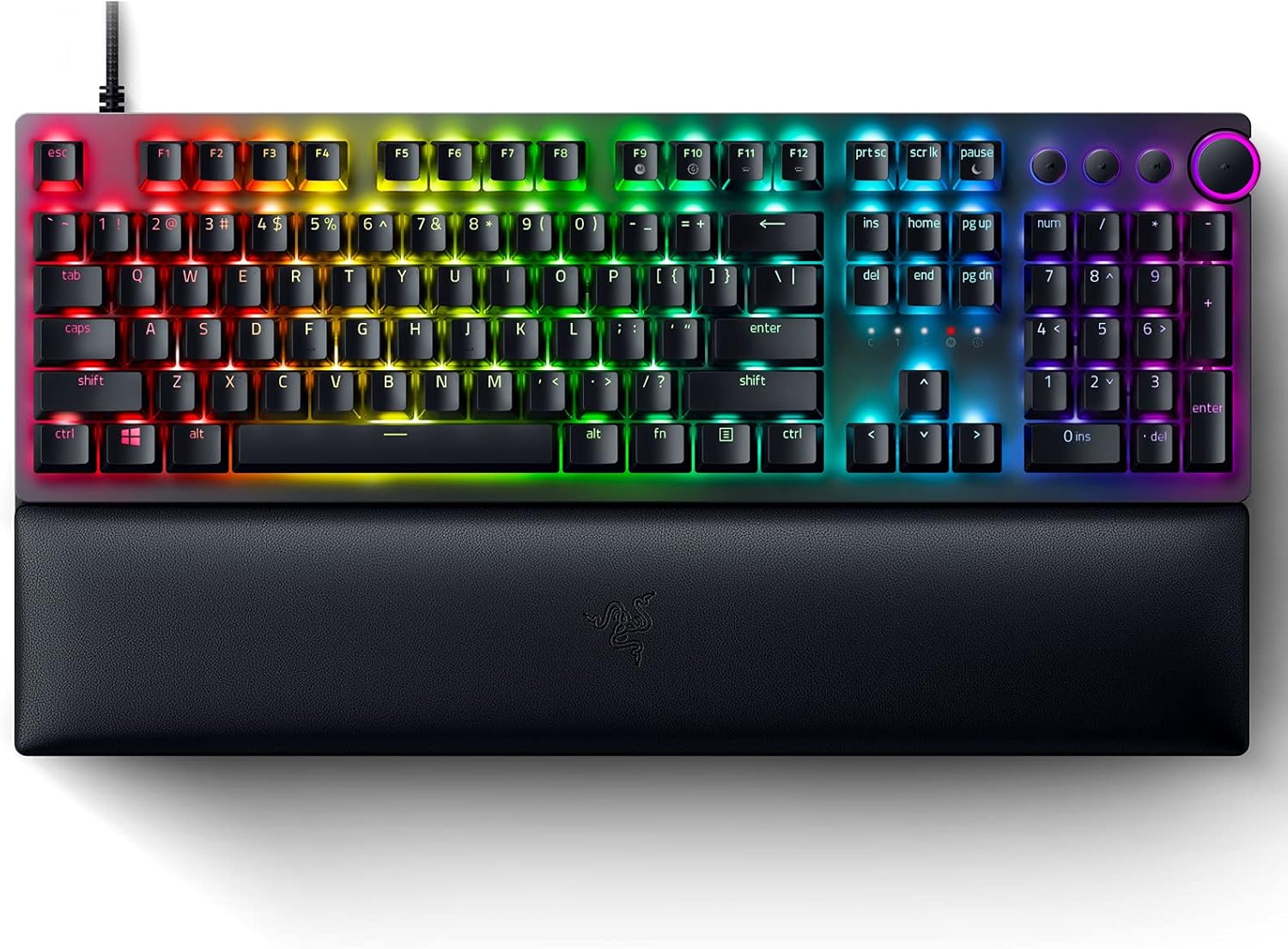
Rysunek 3.1: Razer Huntsman V2 Optical Gaming Keyboard. This image displays the full-sized keyboard with its integrated RGB lighting and the detachable ergonomic wrist rest.
3.1 Razer Linear Optical Switches Gen-2
The Huntsman V2 features Razer's second-generation Linear Optical Switches, designed for rapid actuation and durability. These switches incorporate sound dampeners for a quieter typing experience and offer a smooth, consistent keypress. They are also highly responsive, supporting up to a true 8000Hz polling rate for minimal input latency.

Rysunek 3.2: Razer Optical Switches. A detailed view of the optical switch mechanism, highlighting the speed and reliability of the design.
3.2 8000Hz Polling Rate
Experience near-zero input latency with the keyboard's 8000Hz polling rate. This feature allows the keyboard to report key presses to your computer up to 8000 times per second, ensuring every command is registered almost instantaneously.

Rysunek 3.3: True 8000Hz Polling Rate. This image visually represents the benefit of an 8000Hz polling rate for reduced latency.
3.3 Doubleshot PBT Keycaps
The keycaps are made from doubleshot PBT material, which is known for its durability and resistance to wear. The legends are molded into the keycap, preventing them from fading over time, and the textured finish provides a secure feel.

Rysunek 3.4: Doubleshot PBT Keycaps. A close-up view demonstrating the robust and textured surface of the keycaps.
3.4 Multi-function Digital Dial and Media Keys
Located on the upper right side of the keyboard, the multi-function digital dial and four dedicated media keys provide convenient control over your entertainment. These can be configured to adjust volume, skip tracks, pause/play media, and more.

Rysunek 3.5: Multi-function Digital Dial and Media Keys. This image highlights the dedicated controls for media management.
3.5 Ergonomiczna podpórka pod nadgarstki
The included ergonomic wrist rest attaches magnetically to the keyboard, providing comfortable support for your wrists during extended use. It helps alleviate pressure and reduce fatigue.

Rysunek 3.6: Ergonomic Wrist Rest. The keyboard is shown with its comfortable wrist rest, designed for extended gaming sessions.
3.6 Dźwięk Damppianka
The keyboard incorporates a layer of special foam inside its casing. This foam absorbs any pinging noises that might occur when keys are bottomed out, contributing to improved acoustics and a quieter typing experience.
4. Konfiguracja
- Podłącz klawiaturę: Plug the USB cable from the Razer Huntsman V2 keyboard into an available USB port on your computer.
- Zamontuj podpórkę pod nadgarstek: Align the ergonomic wrist rest with the front edge of the keyboard. It will magnetically snap into place.
- Zainstaluj oprogramowanie Razer Synapse: For full functionality, including customization of RGB lighting, key assignments, and macros, download and install the Razer Synapse software from the official Razer webStrona (www.razer.com/synapse). Postępuj zgodnie z instrukcjami wyświetlanymi na ekranie, aby przeprowadzić instalację.
- Instalacja sterownika: Your operating system will automatically install the necessary drivers upon connection. Allow a few moments for this process to complete.
5. Instrukcja obsługi
5.1 Basic Keyboard Functionality
The Razer Huntsman V2 functions as a standard keyboard immediately upon connection. All alphanumeric keys, function keys (F1-F12), and navigation keys operate as expected.
5.2 Using the Multi-function Digital Dial and Media Keys
- Digital Dial: By default, rotate the dial to adjust system volume. Pressing the dial typically mutes/unmutes audio.
- Klawisze multimedialne: The dedicated media keys (Play/Pause, Previous Track, Next Track) control media playback in compatible applications.
- Personalizacja: These controls can be reconfigured using Razer Synapse software to perform other functions, such as brightness adjustment or macro execution.
5.3 On-board Memory and Cloud Storage
The keyboard supports up to 5 on-board memory profiles, allowing you to save and activate custom settings without the need for software. Additionally, Razer Synapse enables cloud storage for a larger library of macros and settings, accessible from any computer with Synapse installed.
6. Customization with Razer Synapse
Razer Synapse is the unified configuration software that unlocks advanced features for your Huntsman V2 keyboard. With Synapse, you can:
- Dostosuj efekty świetlne i kolory RGB.
- Remap keys and assign macros.
- Twórz i zarządzaj wieloma profiledla różnych gier i aplikacji.
- Adjust the 8000Hz polling rate settings.
Ensure Razer Synapse is updated to the latest version for optimal performance and access to all features.
7. Konserwacja
7.1 Czyszczenie klawiatury
- Przed czyszczeniem odłącz klawiaturę od komputera.
- Delikatnie użyj miękkiej, niestrzępiącej się szmatki dampPrzetrzyj klawisze i obudowę wodą lub łagodnym środkiem czyszczącym.
- Do usuwania kurzu i zanieczyszczeń spomiędzy klawiszy należy użyć sprężonego powietrza.
- Avoid using harsh chemicals, abrasive cleaners, or solvents, as these can damage the keyboard's finish or components.
7.2 Cleaning the Wrist Rest
- Wipe the surface of the wrist rest with a soft, damp płótno.
- For stubborn stains, a small amount of mild soap can be used, followed by wiping with a clean, damp płótno.
- Allow the wrist rest to air dry completely before reattaching it to the keyboard.
8. Rozwiązywanie Problemów
- Klawiatura nie odpowiada:
- Sprawdź, czy kabel USB jest prawidłowo podłączony do klawiatury i komputera.
- Spróbuj podłączyć klawiaturę do innego portu USB.
- Uruchom ponownie komputer.
- Check if Razer Synapse is running and updated.
- Oświetlenie RGB nie działa/jest nieprawidłowe:
- Verify that Razer Synapse is installed and running.
- Sprawdź ustawienia oświetlenia w Razer Synapse.
- Ensure no other lighting software is conflicting with Synapse.
- Klucze nie są rejestrowane:
- Clean the affected key area with compressed air to remove any debris.
- Test the key in a different application or on another computer to rule out software issues.
- If using a renewed product, refer to the seller's return/exchange policy if a key is consistently unresponsive.
- Multi-function Dial or Media Keys Not Working:
- Ensure Razer Synapse is running and check the key assignments for these controls.
- Verify that no other software is overriding media key functions.
Aby uzyskać dalszą pomoc, odwiedź oficjalną stronę pomocy technicznej firmy Razer webwitryny lub skontaktuj się z obsługą klienta.
9. Specyfikacje
| Marka | Razer |
| Model | Łowca V2 |
| Typ przełącznika | Razer Linear Optical Switches Gen-2 |
| Współczynnik sondowania | Do 8000 Hz |
| Klawisze | Podwójny strzał PBT |
| Łączność | USB |
| Cechy specjalne | Ergonomic Wrist Rest, Multi-function Digital Dial, Dedicated Media Keys, Sound Dampening Foam, Hybrid On-board Memory |
| Podświetlenie | RGB (Razer Chroma RGB) |
| Wymiary produktu | 17.53 x 5.52 x 1.71 inches (Keyboard only) |
| Waga przedmiotu | 2.88 funta |
10. Gwarancja i wsparcie
For information regarding warranty coverage, technical support, and frequently asked questions, please visit the official Razer Support webstrona:
If your product was purchased as "renewed," please also refer to the specific warranty and return policies provided by the seller or platform from which it was acquired.


