1. Koniec produktuview
The AXAGON EE25-SLC is an external enclosure designed for 2.5-inch SATA SSDs and HDDs. It provides a convenient way to connect your internal drives to a computer via USB-C, utilizing USB 3.0 / SATA III technology for fast data transfer.
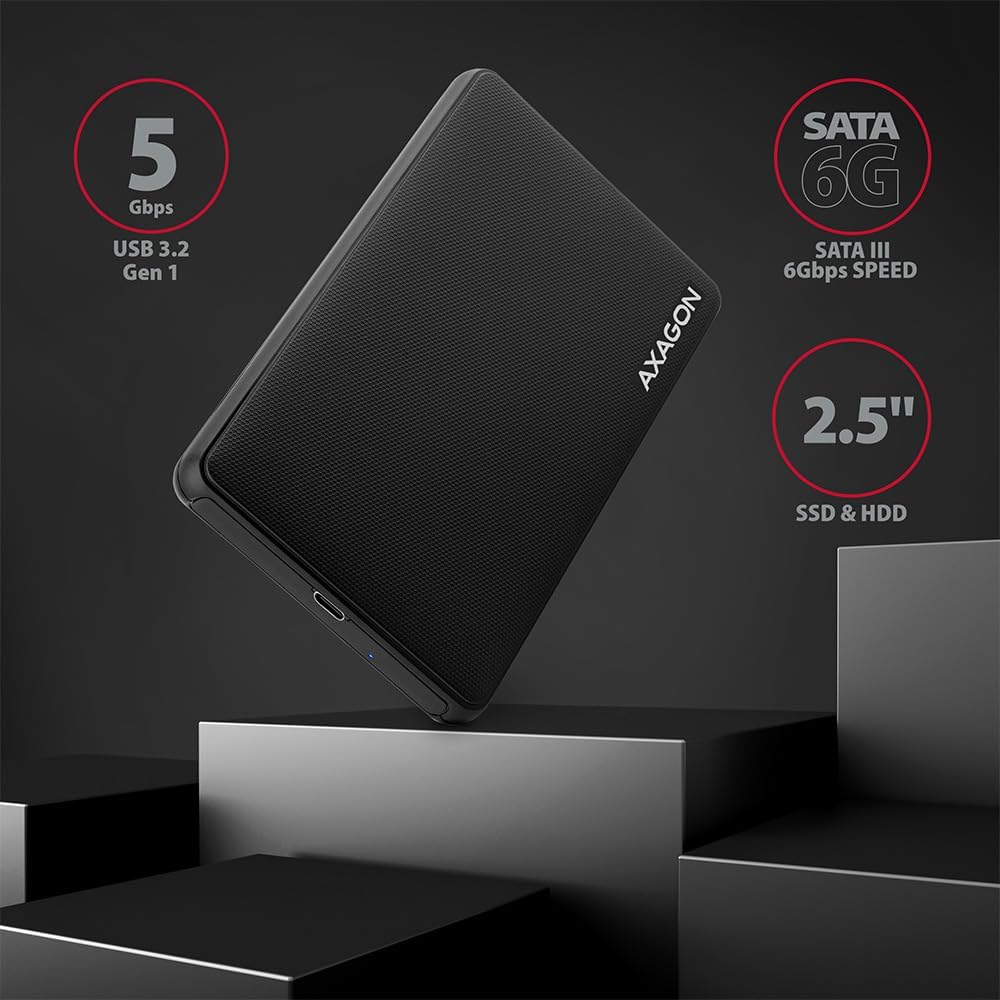
Obraz: Ponadview of the AXAGON EE25-SLC enclosure highlighting its key features and compatibility.
2. Konfiguracja i instalacja
2.1 Zawartość opakowania
- AXAGON EE25-SLC External Enclosure
- Kabel USB-C do USB-A
- Instrukcja obsługi
2.2 Drive Installation (Screwless)
- Gently slide open the enclosure cover. The design is screwless for easy access.
- Insert your 2.5-inch SATA SSD or HDD into the enclosure, ensuring the SATA connector on the drive aligns correctly with the enclosure's connector.
- Slide the enclosure cover back until it clicks securely into place.

Image: Step-by-step illustration of the screwless drive installation process.
2.3 Podłączanie do komputera
- Connect one end of the provided USB-C to USB-A cable to the USB-C port on the AXAGON EE25-SLC enclosure.
- Connect the other end of the cable (USB-A) to an available USB 3.0 (or higher) port on your computer.
- The enclosure is Plug & Play, meaning it should be automatically recognized by your operating system without requiring additional drivers.

Image: The enclosure connected to a laptop, demonstrating its ease of use.
3. Działanie
3.1 Przesyłanie danych
Once connected, your operating system will detect the drive. You can then access, copy, and transfer files to and from the drive as you would with any other external storage device. The enclosure supports USB 3.0 speeds up to 5 Gbps.
3.2 wskaźnik LED
A blue LED indicator on the enclosure signifies power and data activity. It will light up when connected and blink during data transfer.
3.3 Funkcje zaawansowane
- Wsparcie UASP: The enclosure supports USB Attached SCSI Protocol (UASP), which enhances data transfer performance, especially with SSDs, by allowing multiple commands to be processed simultaneously.
- Wsparcie TRIM: For SSDs, TRIM command support helps maintain the performance and longevity of the drive by allowing the operating system to inform the SSD which data blocks are no longer in use and can be wiped internally.
- HDD Auto Spindown: To conserve power and extend the life of mechanical hard drives, the enclosure features an automatic spindown function for HDDs when idle for a period.

Image: Features such as UASP and TRIM support for optimized drive performance.
4. Konserwacja
4.1 Czyszczenie
To clean the enclosure, use a soft, dry cloth. Avoid using liquid cleaners or solvents, as these can damage the surface or internal components.
4.2 Safe Handling
- Avoid dropping the enclosure or subjecting it to strong impacts.
- Do not expose the enclosure to extreme temperatures or humidity.
- Aby zapobiec uszkodzeniu danych, zawsze bezpiecznie wyjmij dysk z systemu operacyjnego przed odłączeniem kabla USB.
5. Rozwiązywanie Problemów
5.1 Napęd nie został wykryty
- Ensure the drive is correctly seated within the enclosure. Re-open and re-insert the drive if necessary.
- Spróbuj podłączyć obudowę do innego portu USB w komputerze.
- Test the enclosure with a different USB cable if available.
- Verify the drive itself is functional by testing it in another enclosure or directly connecting it to a computer if possible.
- Check your computer's Disk Management (Windows) or Disk Utility (macOS) to see if the drive is recognized but unformatted or unallocated.
5.2 Niska prędkość przesyłania danych
- Ensure the enclosure is connected to a USB 3.0 (or higher) port on your computer. USB 2.0 ports will result in significantly slower speeds.
- Sprawdź, czy system operacyjny i sterowniki są aktualne.
- The performance of the drive itself (SSD vs. HDD, drive health) will affect transfer speeds.
- Duża liczba małych files transfer slower than a single large file o tym samym całkowitym rozmiarze.
5.3 LED Indicator Not Lighting Up
- Upewnij się, że kabel USB jest solidnie podłączony do obudowy i komputera.
- Spróbuj użyć innego portu USB lub kabla.
- Confirm the drive is properly installed inside the enclosure.
6. Specyfikacje
| Funkcja | Specyfikacja |
|---|---|
| Numer modelu | EE25-SLC |
| Kompatybilne urządzenia | Laptop |
| Współczynnik kształtu dysku twardego | 2.5 cali |
| Maksymalna liczba obsługiwanych urządzeń | 1 |
| Szybkość przesyłu danych | 5 gigabitów na sekundę (USB 3.0) |
| Interfejs sprzętowy | USB 3.0, USB Type C (on enclosure) |
| Kolor | Czarny |
| Tworzywo | Copper (internal components), Plastic (enclosure) |
| Platforma sprzętowa | Uniwersalny |

Obraz: Szczegółowy view of the enclosure's USB-C port and design elements.
7. Gwarancja i wsparcie
For warranty information and technical support, please refer to the official AXAGON webOdwiedź witrynę lub skontaktuj się ze sprzedawcą. Zachowaj paragon zakupu na wypadek reklamacji.


