Ważne zabezpieczenia
Please read all instructions carefully before operating this humidifier. Failure to follow these instructions may result in electric shock, fire, or serious injury.
- Nawilżacz należy zawsze umieszczać na stabilnej, płaskiej i równej powierzchni.
- Trzymaj przewód zasilający z dala od nagrzanych powierzchni.
- Nie należy używać nawilżacza, jeśli w zbiorniku nie ma wody.
- Do not add essential oils directly into the water tank; use the designated essential oil cup.
- Przed napełnianiem, czyszczeniem lub przenoszeniem nawilżacza należy go odłączyć od zasilania.
- Przechowywać w miejscu niedostępnym dla dzieci i zwierząt domowych.
Produkt ponadview
The Honeywell Dual Comfort Cool + Warm Mist Humidifier (HWC775B) is designed to provide comforting moisture to your environment, offering both cool and warm mist options. It features Fusion Mist technology for optimal warm mist temperature and is suitable for large rooms.

Figure 1: Honeywell Dual Comfort Cool + Warm Mist Humidifier HWC775B
Kluczowe komponenty:

Figure 2: Humidifier Components Diagram
- 2-Way Mist Outlet: Individually adjustable nozzles for directional mist control.
- Kubek z olejkami eterycznymi: For adding essential oils (not included) to enhance comfort.
- Easy Grip Tank Handle: For convenient carrying and refilling.
- Mist Temperature Control: Buttons to select between cool mist and warm mist.
- Ustawienia wyjściowe: Three levels for mist intensity.
- Reset Light: Indicator for maintenance or low water.
- Praca bez filtra: No filters to replace.
Organizować coś
1. Rozpakowanie i rozmieszczenie:
Remove all packaging materials. Place the humidifier on a firm, level, water-resistant surface at least 12 inches (30 cm) from walls and 3 feet (0.9 m) from heat sources.
2. Napełnianie zbiornika na wodę:
- Upewnij się, że nawilżacz jest odłączony od zasilania.
- Lift the water tank from the base using the easy-grip handle.
- Odkręć korek zbiornika znajdujący się na jego spodzie.
- Fill the tank with cool, clean water. Distilled water is recommended to minimize mineral buildup.
- Dokładnie zakręć korek wlewu paliwa.
- Umieść napełniony zbiornik na wodę z powrotem na podstawie nawilżacza, upewniając się, że jest prawidłowo osadzony.

Figure 3: Detached Water Tank
Video 1: Honeywell HWC775/778 Dual Comfort Humidifier - Features. This video demonstrates the humidifier's features, including how to remove and fill the water tank, and highlights the dual mist options and essential oil cup.
Instrukcja obsługi
1. Włączanie/wyłączanie:
Plug the humidifier into a 120V AC electrical outlet. Press the power button (U) na panelu sterowania, aby włączyć lub wyłączyć urządzenie.

Rysunek 4: Panel sterowania
2. Selecting Mist Type and Intensity:
The humidifier offers both cool and warm mist options with three intensity settings for each.
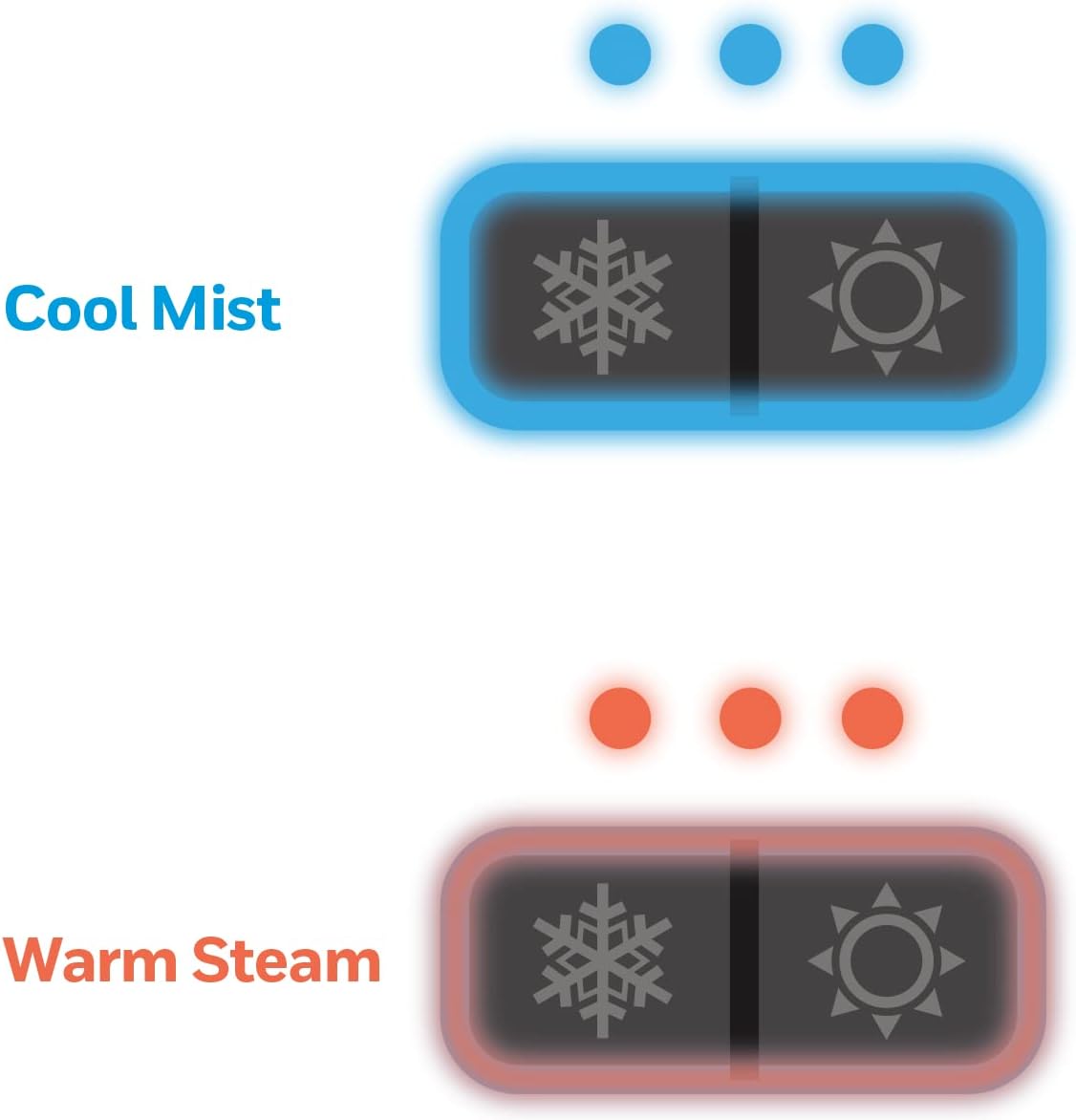
Figure 5: Mist Type and Intensity Settings
- Cool Mist: Press the snowflake button (*) to activate cool mist. Press repeatedly to cycle through low, medium, and high mist output levels.
- Ciepła mgła: Press the sun button (O) to activate warm mist. Press repeatedly to cycle through low, medium, and high mist output levels. Allow approximately 5 minutes for the warm mist to heat up.
3. Adjusting Mist Direction:
The humidifier features a 2-direction mist outlet. You can manually rotate each nozzle independently to direct the mist where desired.

Figure 6: Dual-Direction Mist Outlet
4. Using the Essential Oil Cup:
To add fragrance to your environment, add a few drops of your preferred essential oil (not included) into the designated essential oil cup located on top of the unit. Do not add essential oils directly into the water tank.
Konserwacja
Regular cleaning is essential to ensure optimal performance and prevent mineral buildup. The wide tank opening facilitates easy cleaning.
Codzienna konserwacja:
- Wylej pozostałą wodę ze zbiornika i podstawy.
- Wypłucz zbiornik i podstawę czystą wodą.
- Przed ponownym złożeniem lub przechowywaniem należy pozostawić wszystkie części do wyschnięcia na powietrzu.
Czyszczenie tygodniowe (lub częściej, w zależności od twardości wody):
- Odłącz nawilżacz od zasilania i wyjmij zbiornik na wodę.
- Pour 2 cups of undiluted white vinegar into the water tank and swish to coat all interior surfaces. Let it stand for 20 minutes.
- Clean the nebulizer and heating element (for warm mist) in the base unit using a soft brush or cloth. The humidifier includes a small cleaning brush for hard-to-reach areas.
- Dokładnie wypłucz zbiornik i podstawę czystą wodą, aż zapach octu zniknie.
- Nie zanurzaj podstawy w wodzie.
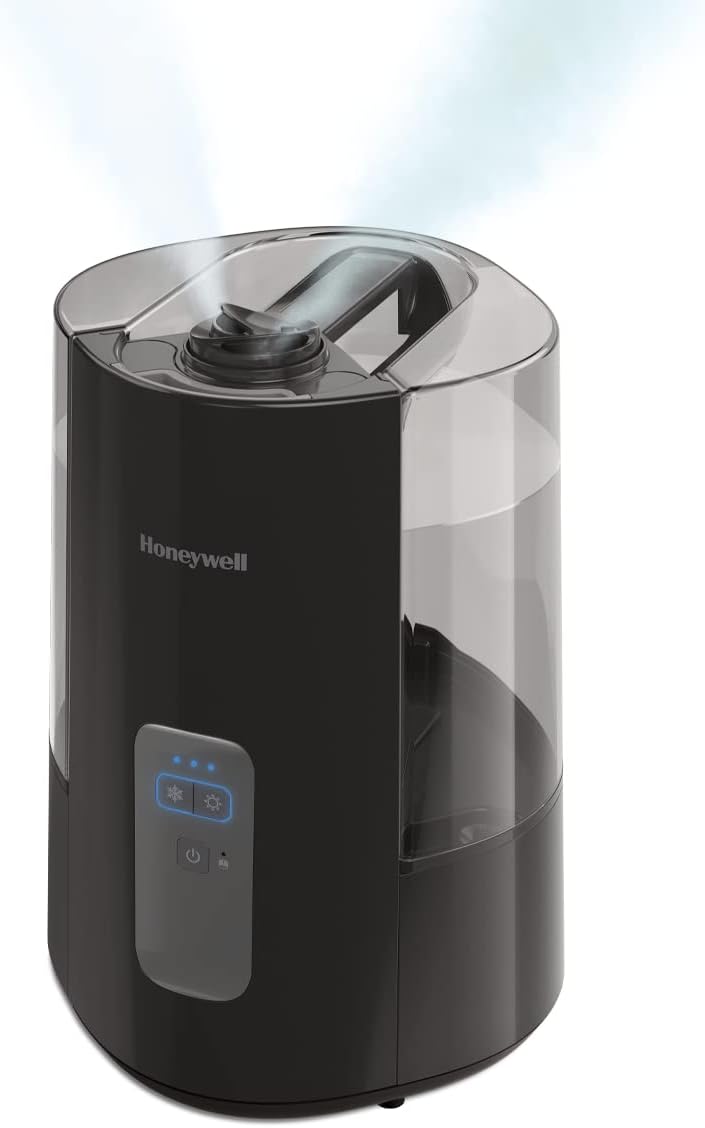
Figure 7: Humidifier Base for Cleaning
Rozwiązywanie problemów
| Problem | Możliwa przyczyna | Rozwiązanie |
|---|---|---|
| Brak mgły lub jej mała ilość | Low water level; mineral buildup on nebulizer/heating element; unit not properly assembled. | Refill water tank; clean nebulizer/heating element as per maintenance instructions; ensure tank is correctly seated. |
| Red Reset Light is on | Low water level or unit needs cleaning. | Refill water tank; perform weekly cleaning. |
| Niezwykły hałas | Unit not on a level surface; water tank not seated correctly; mineral buildup. | Place on a level surface; re-seat water tank; clean unit. |
| Wyciek wody z urządzenia | Tank cap not tightened; tank not seated correctly; unit damaged. | Ensure tank cap is tight; re-seat water tank; if damage is suspected, contact customer support. |
Jeśli po wykonaniu tych czynności problem nadal występuje, zapoznaj się z sekcją Gwarancja i wsparcie techniczne, aby uzyskać dalszą pomoc.
Specyfikacje
| Funkcja | Szczegół |
|---|---|
| Marka | Miód |
| Nazwa modelu | Dual Comfort Cool + Warm Mist |
| Numer modelu | HWC775B |
| Kolor | Czarny |
| Funkcja specjalna | Dyfuzor zapachowy |
| Tryb działania | Manual or Semi-manual |
| Wymiary produktu | 14.65" gł. x 10.12" szer. x 14.65" wys. |
| Waga przedmiotu | 5.6 funtów |
| Typ pokoju | Sypialnia, Salon, Biuro |
| Cotage | 250 watów |
| Pojemność | 1.5 galony |
| UPC | 328785002362 |
Gwarancja i wsparcie
This Honeywell Dual Comfort Cool + Warm Mist Humidifier (HWC775B) comes with a 2-letnia gwarancja od daty zakupu.
For warranty claims, technical support, or any questions regarding your humidifier, please refer to the contact information provided in your product packaging or visit the official Honeywell webstrona.