1. Wprowadzenie
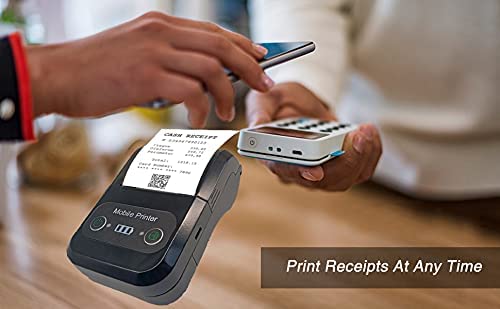
The Milestone MPT-II is a compact and portable 58mm thermal printer designed for various business applications, including retail, restaurants, and mobile logistics. It offers high-speed, clear printing and features Bluetooth connectivity for seamless integration with Android and iOS devices. Its lightweight design and long-lasting battery make it ideal for on-the-go printing needs.

2. Główne cechy
- Drukowanie Bluetooth: Supports Android and iOS devices for wireless printing.
- Ruchliwość: Light and compact design allows for printing anywhere, anytime.
- Niskie koszty operacyjne: Direct thermal printing eliminates the need for ink ribbons or cartridges, requiring only thermal paper.
- Długa żywotność baterii: Built-in 7.4V/2500mAh rechargeable lithium battery provides up to 4 hours of continuous printing.
- Versatile Interface: Equipped with both USB and Bluetooth connectivity.
- ESC/POS Compatible: Supports standard ESC/POS print commands for broad software compatibility.

3. Konfiguracja początkowa
3.1 Rozpakowanie i zawartość
Carefully unpack the printer and verify all components are present:
- 1 x Milestone MPT-II Thermal Printer
- 1 x kabel USB
- 1 x USB Adaptor
- 1 x rolka papieru
- 1 x Instrukcja obsługi (ten dokument)
3.2 Ładowanie drukarki
- Connect the USB cable to the printer's charging port.
- Plug the USB adaptor into a standard power outlet.
- The charging indicator light will illuminate. Charge the printer fully before first use (approximately 2.5-3 hours for continuous printing).
3.3 Ładowanie papieru termicznego
- Open the paper compartment cover by gently pushing the latch.
- Insert the thermal paper roll with the printing side facing outwards (as shown in Figure 2). Ensure the roll is seated correctly.
- Pull a small length of paper out beyond the cutting edge.
- Zamknij pokrywę komory papieru, aż zatrzaśnie się na swoim miejscu.
4. Instrukcja obsługi
4.1 Włączanie/wyłączanie
- Włączanie: Naciśnij i przytrzymaj przycisk zasilania, aż zaświeci się kontrolka.
- Aby wyłączyć: Naciśnij i przytrzymaj przycisk zasilania, aż kontrolka zgaśnie.
4.2 Połączenie Bluetooth
The MPT-II printer supports Bluetooth connectivity for mobile devices.
- Upewnij się, że drukarka jest włączona i znajduje się w zasięgu urządzenia mobilnego.
- On your mobile device (Android/iOS), go to Bluetooth settings and turn Bluetooth on.
- Szukaj available devices. The printer will appear as "MPT-II".
- Select "MPT-II" to pair. If prompted for a password, enter 1234 or 0000.
- Po sparowaniu drukarka jest gotowa do użycia ze zgodnymi aplikacjami.
4.3 Korzystanie z aplikacji
For mobile printing, you will need a compatible application. Milestone recommends downloading RAWBT Printer App or MYXPrint App from the Google Play Store. For iOS, search for compatible thermal printer apps in the App Store.
- Open your chosen printing application.
- Navigate to the printer settings within the app.
- Select the "MPT-II" printer from the list of available Bluetooth devices.
- You can now send print commands from the application.

4.4 Połączenie USB (dla komputera)
The printer can also be connected to a PC via USB. You may need to install a printer driver, which is typically available from the manufacturer's website or included on a CD with the product (if applicable).
5. Konserwacja
5.1 Czyszczenie drukarki
To ensure optimal performance and print quality, regularly clean the printer:
- Głowica drukująca: Delikatnie przetrzyj wacikiemampDelikatnie przetrzyj głowicę drukującą termiczną alkoholem izopropylowym. Pozostaw do całkowitego wyschnięcia przed użyciem.
- Ścieżka papieru: Use a soft, dry cloth or a small brush to remove any paper dust or debris from the paper path.
- Zewnętrzny: Przetrzyj zewnętrzną część drukarki miękką, miękką szmatką.amp płótno. Unikaj stosowania ostrych środków chemicznych lub ściernych środków czyszczących.
5.2 Pielęgnacja baterii
- Całkowicie naładuj baterię przed pierwszym użyciem.
- Unikaj częstego całkowitego rozładowywania baterii.
- If storing the printer for an extended period, charge it to about 50% and recharge every few months to prevent battery degradation.
6. Rozwiązywanie Problemów
| Problem | Możliwa przyczyna | Rozwiązanie |
|---|---|---|
| Drukarka się nie włącza. | Bateria jest słaba lub rozładowana. | Charge the printer using the provided USB cable and adaptor. |
| Nie można nawiązać połączenia przez Bluetooth. | Bluetooth is off on device; incorrect pairing password; printer not discoverable. | Ensure Bluetooth is enabled on your device. Re-attempt pairing with password 1234 or 0000. Restart both printer and device. |
| No print output or blank paper. | Paper loaded incorrectly; out of paper; print head dirty. | Check paper orientation (printing side out). Replace paper roll if empty. Clean the thermal print head (refer to Maintenance section). |
| Słaba jakość wydruku (wyblakły, z liniami). | Print head dirty; low battery; poor quality thermal paper. | Clean the print head. Charge the printer fully. Use high-quality thermal paper. |
| Printer beeps continuously. | Paper alarm (out of paper or paper jam); low battery reminder. | Check and replace paper roll or clear jam. Charge the printer. |
7. Specyfikacje techniczne
| Funkcja | Specyfikacja |
|---|---|
| Metoda drukowania | Druk termiczny liniowy |
| Szerokość drukowania | Paper width 58mm, effective width 58mm |
| Gęstość druku | 576 punktów/linii |
| Rezolucja | 8 dots/mm, 203 DPI |
| Prędkość drukowania | 70mm/s (Max Print speed Monochrome: 50 ppm) |
| Printer Core Life | 50KM (25% print density or less than 100 million pulses) |
| Printable Content | English, numbers, symbols, characters, pictures, 1D/2D barcode, multi-languages |
| Interfejs transmisji danych | USB/Bluetooth |
| Zasilacz | Machine charging 9V-1.5A |
| Bateria | Built-in rechargeable 2600mAh lithium-ion battery (7.4V/2500mAh) |
| Continuous Printing Time | 2.5-3 godzin |
| Zestaw instrukcji | Kompatybilny z ESC / POS |
| Cięcie papieru | Manually tear |
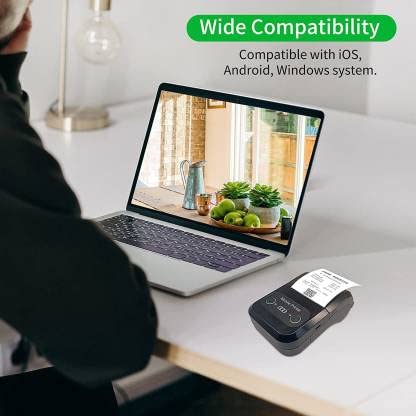
| Zgodność z systemem operacyjnym | Android, iOS, Windows |
| Wymiary produktu | 15D x 12W x 6H centymetrów |
| Waga przedmiotu | 310 gram |
| Zawarte komponenty | 1 x Thermal Printer, 1 x USB Cable, 1 x USB Adaptor, 1 x Paper Roll, 1 x User Manual |
8. Gwarancja i wsparcie
This product comes with a 10-day warranty as per the purchase terms. For any technical assistance, troubleshooting beyond this manual, or warranty claims, please contact your retailer or the manufacturer's customer support. Refer to your purchase documentation for specific contact details.
Producent: Kamień milowy
Importer: SB RETAILS, SECTOR 28, PRADHIKARAN, PUNE-44, +918888881631


