1. Wprowadzenie
Thank you for choosing the Ctronics 2K 4MP PTZ Security Camera. This manual provides detailed instructions for setting up, operating, and maintaining your camera. Please read this manual thoroughly before use to ensure proper functionality and safety.
2. Koniec produktuview
The Ctronics 2K 4MP PTZ Security Camera is designed for outdoor surveillance, offering high-resolution video, pan-tilt-zoom capabilities, human detection, auto-tracking, and two-way audio. It is IP66 rated for weather resistance.

Figure 2.1: Ctronics 2K 4MP PTZ Security Camera (Front View)
This image displays the main unit of the Ctronics 2K 4MP PTZ Security Camera, featuring its white dome-shaped body, dual antennas for enhanced connectivity, and the camera lens surrounded by multiple LED lights for night vision. The Ctronics logo is visible on the front.
3. Zawartość opakowania
Ensure all items are present and in good condition. If any items are missing or damaged, please contact customer support.
- Ctronics 2K 4MP PTZ Security Camera
- Zasilacz
- Śruby montażowe i kotwy
- Zestaw wodoodporny do kabla sieciowego
- Szybki przewodnik

Figure 3.1: Camera and Packaging
This image shows the Ctronics camera alongside its retail packaging, indicating the product's branding and presentation.
4. Przewodnik konfiguracji
4.1 Włączanie kamery
- Podłącz zasilacz do portu zasilania aparatu.
- Podłącz zasilacz do standardowego gniazdka elektrycznego.
- The camera will perform a self-test, indicated by its movement and the status indicator light.
- Wait for the camera to complete its initialization process. This may take a few minutes.
4.2 Instalacja aplikacji
Download the "Ctronics Pro" app from your mobile device's app store (iOS or Android). Alternatively, you can use the HiP2P Client for desktop operating systems.
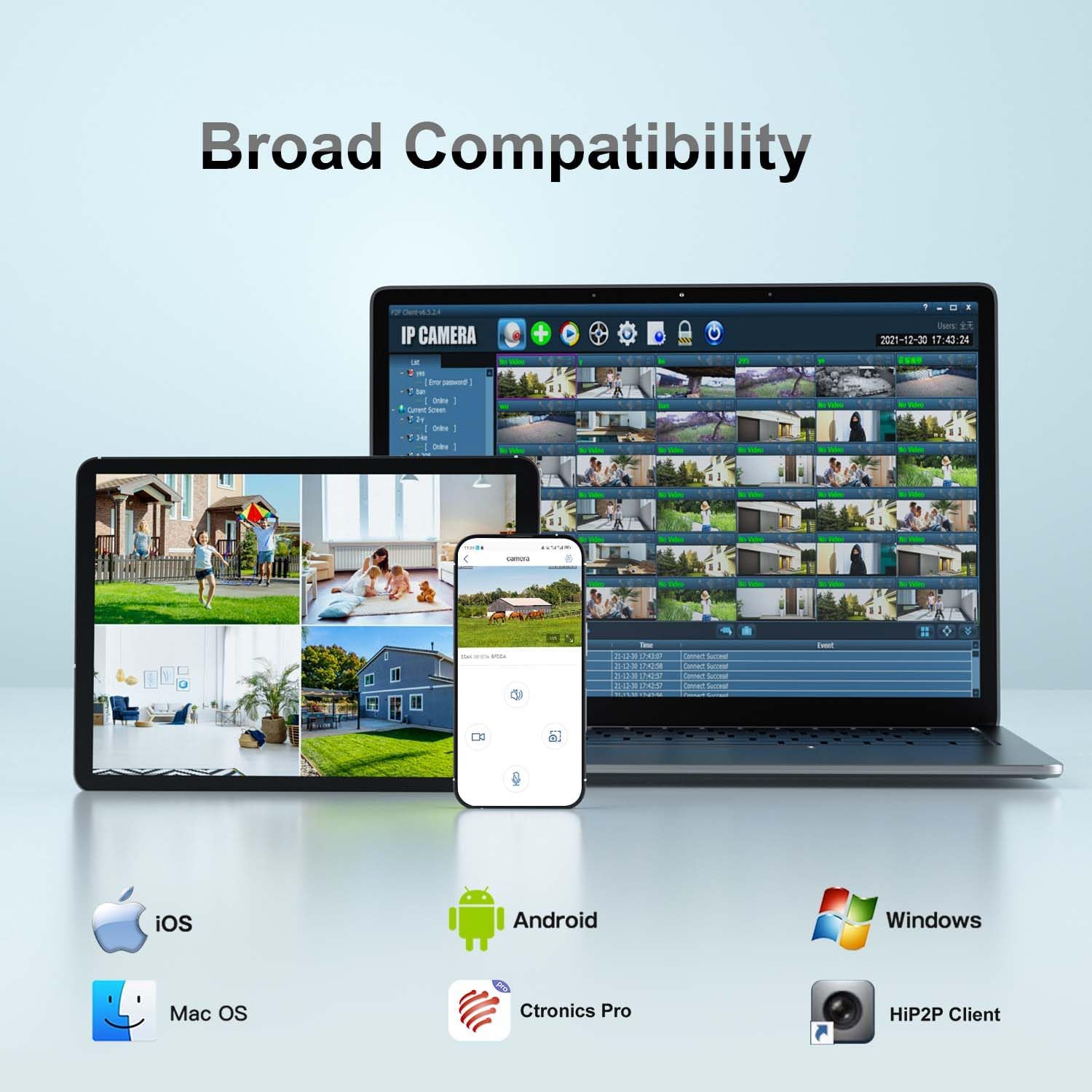
Figure 4.1: Broad Compatibility
This image illustrates the broad compatibility of the Ctronics camera with various operating systems and applications, including iOS, Android, Mac OS, Windows, Ctronics Pro app, and HiP2P Client, showcasing the flexibility in accessing and managing the camera.
4.3 Połączenie Wi-Fi
Follow these steps to connect your camera to your Wi-Fi network using the Ctronics Pro app:
- Open the Ctronics Pro app and tap "Add Camera".
- Select "Wireless Installation" or "Search Camera from LAN" if the camera is connected via Ethernet for initial setup.
- Follow the on-screen prompts to enter your Wi-Fi network details (SSID and password).
- The camera will confirm successful connection with an audible prompt.
Video 4.1: WIFI Connection Video for 380 2K Security Camera
This video demonstrates the step-by-step process of connecting the Ctronics 380 2K Security Camera to a Wi-Fi network using the mobile application. It covers powering the camera, accessing the app settings, and entering Wi-Fi credentials for a successful connection.
5. Obsługa aparatu
5.1 Sterowanie PTZ (panorama, pochylenie, zoom)
The camera supports Pan 355° and Tilt 90° for comprehensive coverage. Use the controls within the Ctronics Pro app to remotely adjust the camera's viewkąt.
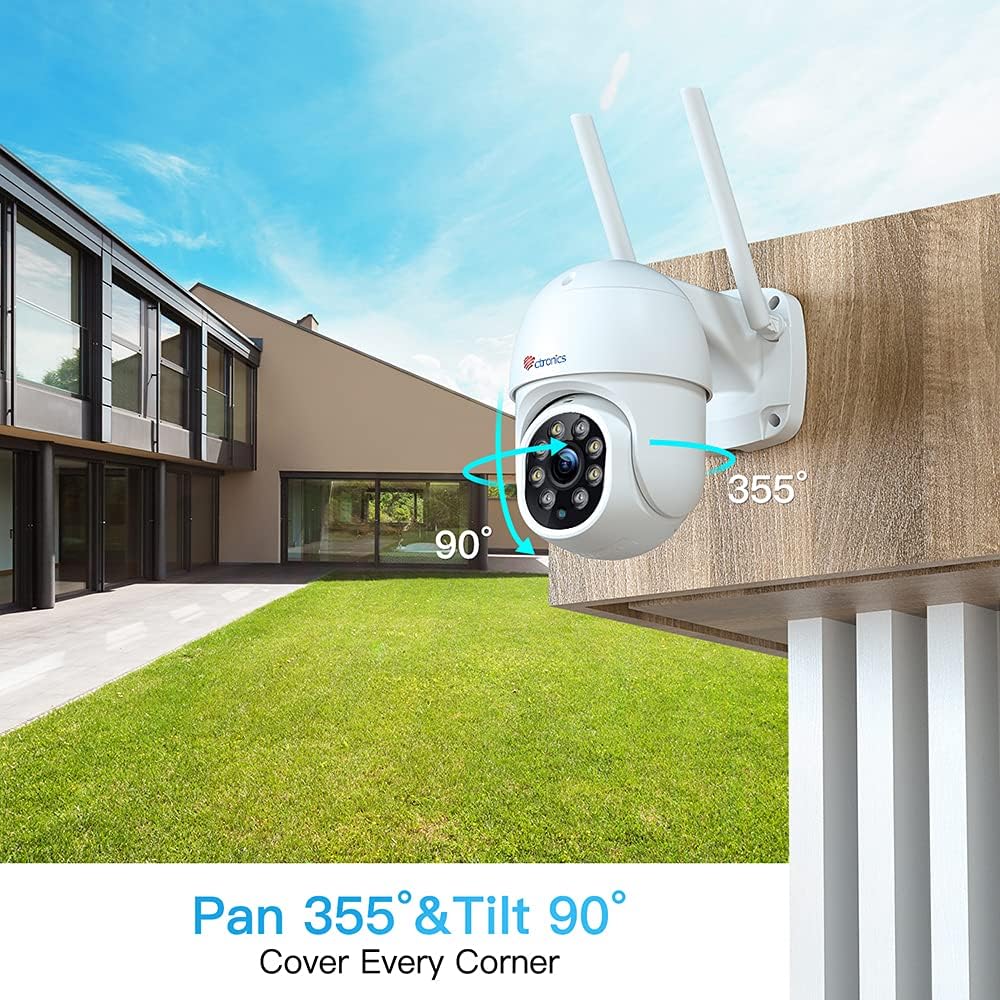
Figure 5.1: Pan 355° & Tilt 90°
This image illustrates the camera's pan and tilt capabilities, showing its wide range of motion (355 degrees horizontally and 90 degrees vertically) to cover a large area.
5.2 Wykrywanie ludzi i automatyczne śledzenie
Enable human detection in the app settings to receive alerts when a human figure is detected. The auto-tracking feature allows the camera to automatically follow detected human movement within its field of view.

Figure 5.2: Human Detection & Auto Tracking
This image demonstrates the camera's human detection and auto-tracking features, showing an on-screen alert for a detected visitor and the camera's ability to follow human movement.
5.3 Dźwięk dwukierunkowy
Utilize the built-in microphone and speaker for two-way communication. This feature allows you to listen to the camera's surroundings and speak through the camera from your mobile device.
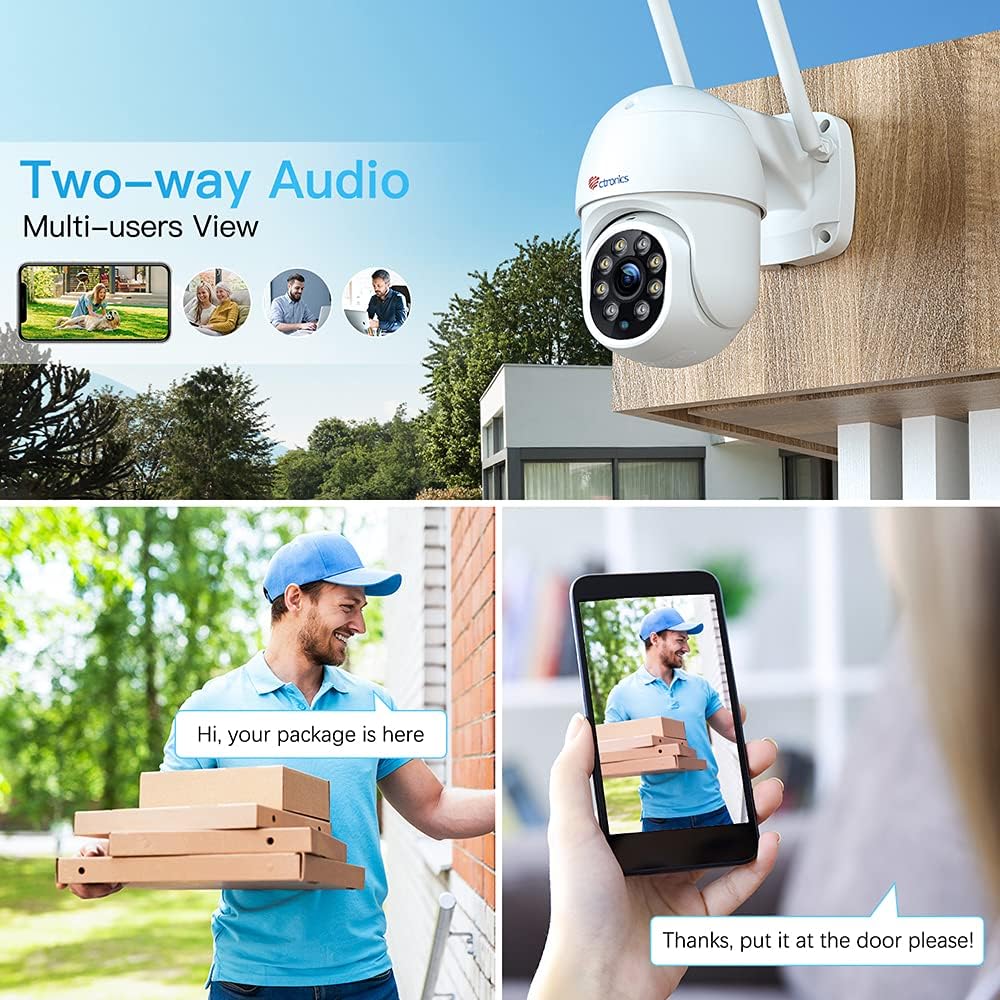
Rysunek 5.3: Dźwięk dwukierunkowy
This image illustrates the two-way audio functionality, showing a person speaking into their phone and another person receiving the audio through the camera, enabling real-time communication.
5.4 Widzenie nocne
The camera features color night vision for clear surveillance even in low-light conditions. The integrated LEDs provide illumination for enhanced visibility.

Rysunek 5.4: Rozdzielczość 2.5K 4MP HD
This image highlights the camera's 2.5K 4MP HD resolution (2560x1440P), emphasizing the clarity and brightness of the videos and pictures captured by the device, even in varying light conditions.
5.5 Local Storage (SD Card)
The camera supports local storage via a MicroSD card (not included). Insert the card into the designated slot to record video footage bezpośrednio na urządzeniu.
6. Wytyczne dotyczące instalacji
The Ctronics PTZ camera is designed for outdoor use with an IP66 weatherproof rating. Choose a mounting location that provides optimal viewing coverage and a stable surface.
- Zaznacz punkty wiercenia korzystając z dołączonego szablonu montażowego.
- W razie potrzeby wywierć otwory i włóż kotwy ścienne.
- Secure the camera base to the mounting surface using the screws.
- Ensure all cable connections are properly sealed using the waterproof kit to prevent water ingress.

Rysunek 6.1: Stopień ochrony przed warunkami atmosferycznymi IP66
This image shows the Ctronics camera mounted outdoors, being exposed to rain, highlighting its IP66 weatherproof rating and suitability for various environmental conditions.
7. Konserwacja
- Aby zapewnić doskonałą jakość obrazu, należy regularnie czyścić obiektyw aparatu miękką, suchą ściereczką.
- Sprawdzaj okresowo połączenia kabli pod kątem oznak zużycia lub uszkodzeń.
- Ensure the camera's firmware is up to date through the Ctronics Pro app for optimal performance and security.
- Avoid using harsh chemicals or abrasive cleaners on the camera's surface.
8. Rozwiązywanie Problemów
| Problem | Możliwa przyczyna | Rozwiązanie |
|---|---|---|
| Kamera nieaktywna | No power; Wi-Fi signal weak/disconnected; Network issues. | Check power supply; Relocate camera closer to router; Restart router and camera. |
| Niska jakość obrazu | Dirty lens; Low network bandwidth; Insufficient lighting. | Clean lens; Check internet speed; Ensure adequate lighting for night vision. |
| Wykrywanie ruchu nie działa | Detection settings incorrect; Obstructions in view. | Adjust sensitivity in app; Clear obstructions from camera's field of view. |
| Nie można połączyć się z siecią Wi-Fi | Incorrect password; Out of range; 5GHz network. | Verify Wi-Fi password; Move camera closer to router; Ensure 2.4GHz network is used. |
9. Specyfikacje
| Funkcja | Szczegół |
|---|---|
| Numer modelu | CTIPC-380C-4MP |
| Rozdzielczość przechwytywania wideo | 2K (2560×1440P), 4MP |
| Technologia łączności | Bezprzewodowa (2.4G WiFi) |
| Zakres obrotu/pochylenia | Pan 355 °, pochylenie 90 ° |
| Cechy specjalne | Night Vision, PTZ Technology, Motion Sensor, Human Detection, Auto Tracking, 2-Way Audio, Custom Sound Alarm |
| Zastosowanie wewnątrz/na zewnątrz | Plenerowy |
| Międzynarodowa Ocena Ochrony | IP66 |
| Źródło zasilania | AC/DC (12 Volts, 12 Watt-hours) |
| Pozycja Wymiary (dł. x szer. x wys.) | 3.54 x 5.91 x 11.81 cala |
| Waga przedmiotu | 1.54 funta |
| Kompatybilne urządzenia | iOS (and Android, Windows, Mac OS via app/client) |
10. Gwarancja i wsparcie
Ctronics products typically come with a limited warranty. Please refer to the warranty card included in your package or visit the official Ctronics webStrona zawiera szczegółowe informacje o gwarancji.
For technical support, troubleshooting assistance, or any inquiries, please contact Ctronics customer service. Contact details can usually be found on the product packaging or the official Ctronics webstrona.


