1. Wprowadzenie
The Hama MW-650 is a versatile 6-button optical wireless mouse designed for multi-device use. It offers flexible connectivity options via a 2.4 GHz USB-A receiver and Bluetooth, allowing seamless switching between up to three devices. The optical sensor provides precise cursor control, and adjustable DPI settings cater to various user preferences. This manual provides detailed instructions for setup, operation, maintenance, and troubleshooting to ensure optimal performance of your device.
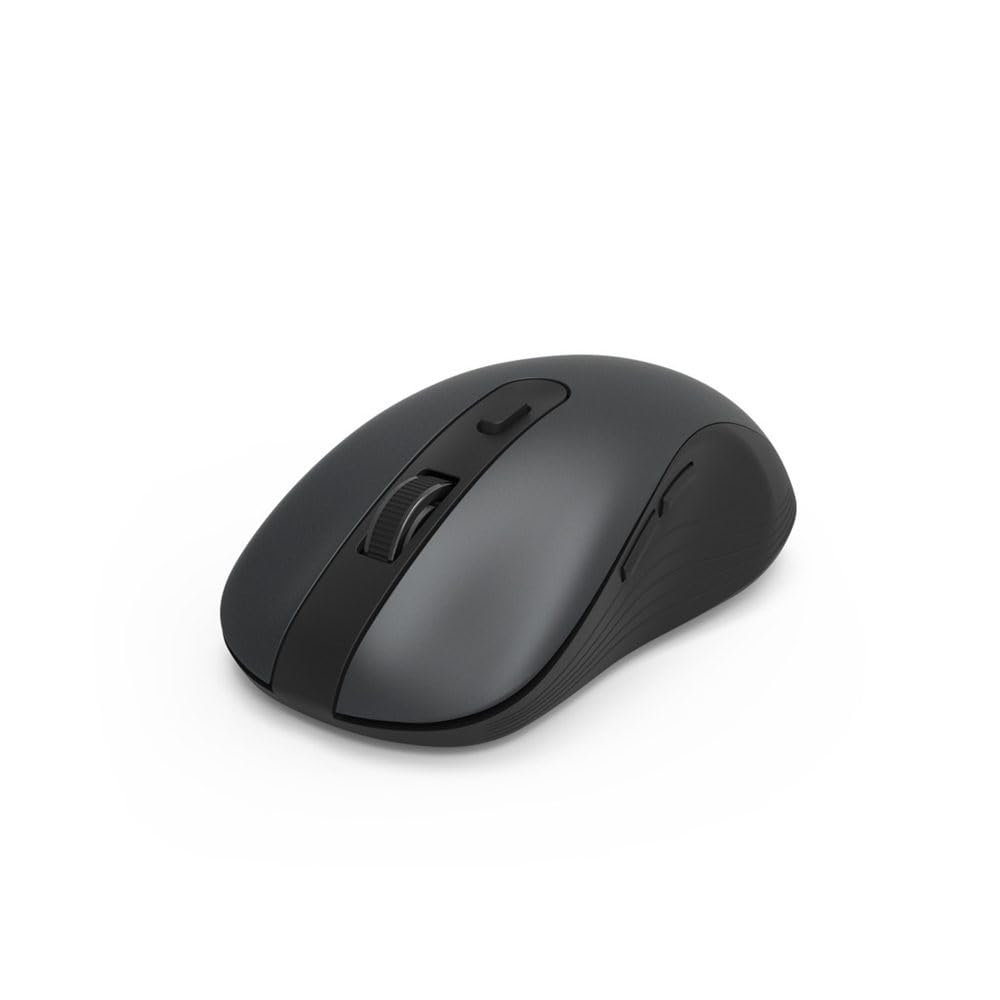
Image 1.1: Hama MW-650 Wireless Mouse (Top View)
2. Zawartość opakowania
Proszę sprawdzić, czy w paczce znajdują się następujące elementy:
- 1 x Hama MW-650 6-Button Optical Wireless Mouse
- 1 x odbiornik USB-A
- 2 baterie AA Mignon
- 1 x Instrukcja obsługi (ten dokument)

Image 2.1: Hama MW-650 Product Packaging
3. Konfiguracja
3.1. Instalacja baterii
- Znajdź komorę baterii na spodzie myszy.
- Otwórz pokrywę komory baterii.
- Włóż dwie baterie AA Mignon, zwracając uwagę na prawidłową biegunowość (+/-).
- Dokładnie zamknij pokrywę komory baterii.
3.2. Włączanie/wyłączanie zasilania
On the underside of the mouse, slide the ON/OFF switch to the 'ON' position to power on the mouse. Slide it to 'OFF' when not in use to conserve battery life.

Image 3.1: Underside of Hama MW-650 Mouse with ON/OFF Switch and Receiver
3.3. Opcje łączności
The Hama MW-650 mouse supports two wireless connection methods: 2.4 GHz via USB-A receiver and Bluetooth.
3.3.1. 2.4 GHz USB-A Receiver Connection
- Remove the USB-A receiver from its storage slot on the underside of the mouse.
- Plug the USB-A receiver into an available USB-A port on your computer or laptop.
- System operacyjny powinien automatycznie wykryć i zainstalować niezbędne sterowniki.
- The mouse will connect automatically. The LED indicator for BT1/BT2 will not be lit when using the USB receiver.
3.3.2. Połączenie Bluetooth
The mouse can connect to two separate Bluetooth devices (BT1 and BT2).
- Upewnij się, że mysz jest włączona.
- Press the 'BT1' or 'BT2' button on the underside of the mouse to select the desired Bluetooth channel. The corresponding LED will flash slowly.
- To enter pairing mode, press and hold the selected 'BT1' or 'BT2' button for approximately 3 seconds until the LED flashes rapidly.
- Na swoim urządzeniu (komputerze, laptopie, tablecie, smartfonie) włącz Bluetooth i wyszukaj nowe urządzenia.
- Select "Hama MW-650" from the list of available devices to pair.
- Once successfully paired, the LED will stop flashing and remain steadily lit for a few seconds before turning off.
4. Instrukcja obsługi
4.1. Podstawowe funkcje myszy
The Hama MW-650 features 6 buttons and a scroll wheel:
- Lewy przycisk myszy: Primary function, typically for selecting items or opening links.
- Przycisk prawego przycisku myszy: Funkcja drugorzędna, zwykle związana z menu kontekstowymi.
- Kółko przewijania: For scrolling up and down documents or web stron. Można go również nacisnąć, aby uzyskać funkcję kliknięcia środkowym przyciskiem.
- Przycisk DPI: Znajduje się za kółkiem przewijania i służy do regulacji czułości kursora.
- Przyciski do przodu/do tyłu: Located on the side of the mouse, typically used for navigating web strony lub foldery.
4.2. Przełączanie między urządzeniami
The MW-650 mouse allows you to switch between three connected devices (one via USB receiver, two via Bluetooth).
- To switch to a Bluetooth-connected device, press the 'BT1' or 'BT2' button on the underside of the mouse. The corresponding LED will light up briefly.
- To switch to the device connected via the USB receiver, press the 'USB' button (or the button without a BT label) on the underside of the mouse.

Image 4.1: Multi-Device Connectivity Example

Image 4.2: Multi-Device Setup with Monitor
4.3. DPI Sensitivity Adjustment
The mouse offers adjustable DPI (Dots Per Inch) settings to control cursor speed and sensitivity. Press the DPI button located behind the scroll wheel to cycle through the available sensitivities:
- 800 DPI
- 1200 DPI (domyślna)
- 1600 DPI
- 2000 DPI
- 2400 DPI
Each press of the DPI button will change the sensitivity, allowing you to find the setting that best suits your task or preference.
5. Zarządzanie energią
The Hama MW-650 mouse is designed with intelligent power management features to conserve battery life:
- Automatyczny tryb czuwania: The mouse will automatically enter a standby mode after a period of inactivity. To wake it up, simply move the mouse or click any button.
- Przełącznik włączania/wyłączania: For extended periods of non-use, slide the ON/OFF switch on the underside of the mouse to the 'OFF' position to completely power down the device and maximize battery life.
6. Pielęgnacja i konserwacja
6.1. Czyszczenie
Aby zachować wydajność i wygląd myszy:
- Ensure the mouse is powered off before cleaning.
- Do czyszczenia powierzchni myszy należy używać miękkiej, suchej i niepozostawiającej włókien ściereczki.
- W przypadku uporczywych zabrudzeń, delikatnieampPrzetrzyj ściereczkę wodą lub delikatnym środkiem czyszczącym. Unikaj stosowania silnych środków chemicznych i materiałów ściernych.
- Clean the optical sensor area on the underside of the mouse periodically with a cotton swab to ensure accurate tracking.
6.2. Wymiana baterii
Gdy wydajność myszy spada lub przestaje ona reagować, może to oznaczać, że nadszedł czas na wymianę baterii.
- Power off the mouse using the ON/OFF switch.
- Otwórz komorę baterii na spodzie.
- Remove the old AA batteries and dispose of them according to local regulations.
- Insert new AA Mignon batteries, observing correct polarity.
- Zamknij komorę baterii.
7. Rozwiązywanie Problemów
If you encounter issues with your Hama MW-650 mouse, please refer to the following common solutions:
| Problem | Możliwe rozwiązanie |
|---|---|
| Mouse does not respond. |
|
| Ruch kursora jest chaotyczny lub powolny. |
|
| Nie można przełączać się między urządzeniami. |
|
| Parowanie Bluetooth nie powiodło się. |
|
8. Specyfikacje techniczne
| Numer modelu | 00182617 (MW-650) |
| Technologia łączności | 2.4GHz RF (USB-A Receiver), Bluetooth 5.0 |
| Technologia wykrywania ruchu | Optyczny |
| Czułość DPI | 800 / 1200 / 1600 / 2000 / 2400 DPI (adjustable) |
| Liczba przycisków | 6 (including scroll wheel) |
| Współczynnik kształtu | Prawa ręka |
| Źródło zasilania | 2 baterie AA Mignon (w zestawie) |
| Żywotność baterii | Do 288 dni (w zależności od użytkowania) |
| Kompatybilne systemy operacyjne | Windows 11/10/8/7, Android 4.3 or higher, macOS 10.10 or higher, iOS 13 or higher |
| Wymiary produktu (dł. x szer. x wys.) | 11.3 x 6.3 x 4 cm (4.41 x 2.48 x 1.57 cala) |
| Waga przedmiotu | 3.62 uncji |
| Kolor | Czarny |
9. Gwarancja i wsparcie
Aby uzyskać informacje dotyczące gwarancji i pomocy technicznej, zapoznaj się z oficjalną stroną internetową firmy Hama webOdwiedź stronę internetową lub skontaktuj się bezpośrednio z działem obsługi klienta. Zachowaj dowód zakupu na wypadek roszczeń gwarancyjnych.
- Producent: Hama GmbH & Co KG
- Webstrona: www.hama.pl