MARKLIFE Label Maker Machine User Manual
Model: P50 | Marka: MARKLIFE
Produkt ponadview
The MARKLIFE P50 Label Maker is a mini portable Bluetooth thermal label printer designed for various labeling needs in homes, offices, and small businesses. It utilizes thermal printing technology, eliminating the need for ink or toner, and supports black and white printing.
Główne cechy obejmują:
- Szerokie zastosowanie: Supports label widths from 0.59'' to 2.24'', suitable for address, clothing, price, cable, jewelry, and ingredient labels.
- Bezprzewodowe i przenośne: Lightweight design with Bluetooth 4.0 connectivity for convenient, smooth, and fast printing from smartphones (Android & iOS) within 33 feet.
- Smart Printing Features: Offers voice and image recognition, barcode generation from scans, PDF batch printing, and the ability to print photos on labels. USB connection and online software are available for Windows PC.
- Etykiety trwałe: Labels are designed to be tear-proof, watertight, and oil-proof, ensuring longevity.
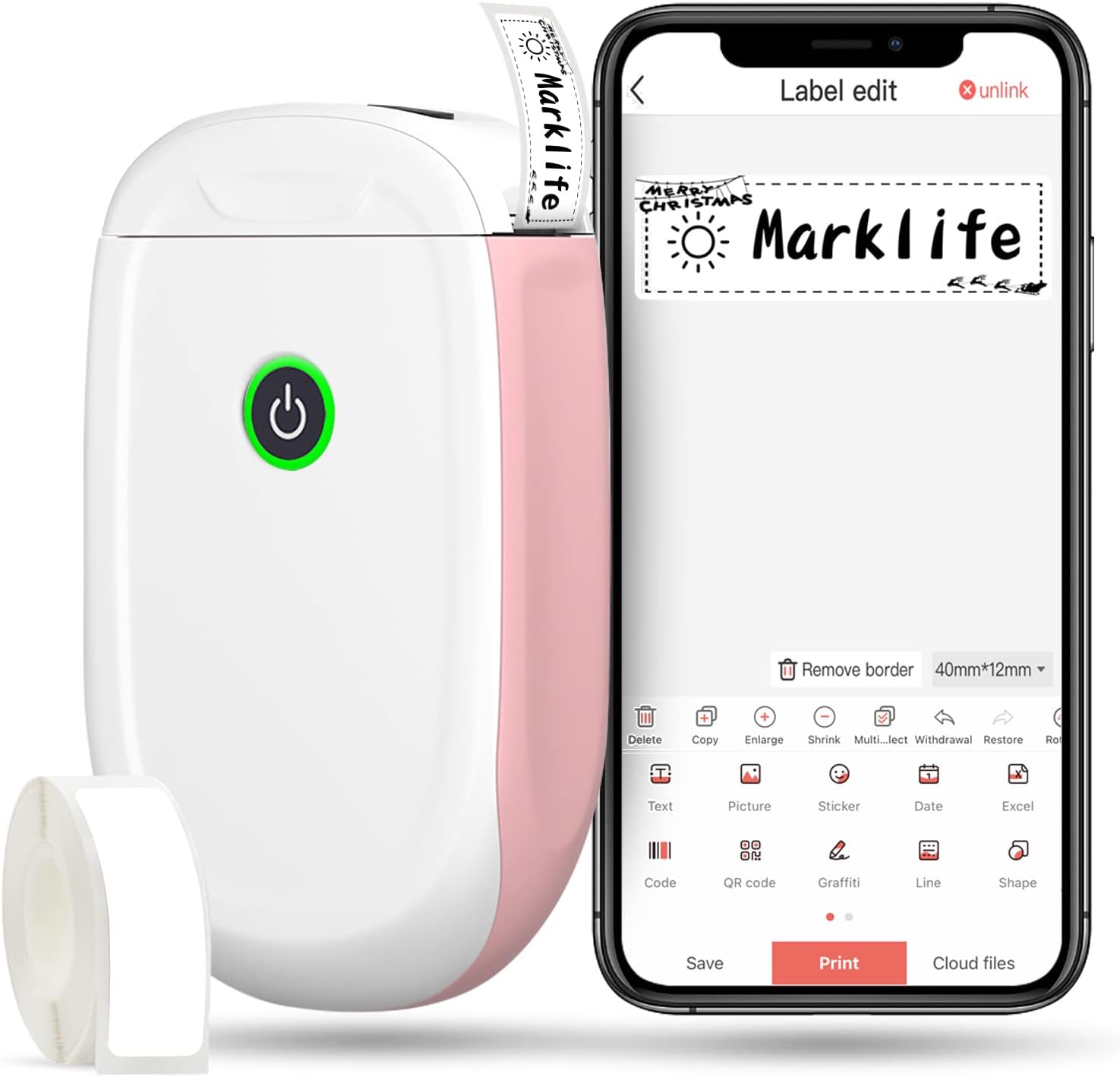
Figure 1: MARKLIFE P50 Label Maker and companion app.
Przewodnik po konfiguracji
Follow these steps to set up your MARKLIFE P50 Label Maker:
- Load Label Paper: Open the cover and insert the label roll with the printing side facing up. Close the cover securely.
- Pobierz aplikację: Szukaj "Marklife" in your smartphone's app store (available for Android and iOS) and install it.
- Włącz Bluetooth: Włącz Bluetooth w swoim smartfonie.
- Połącz z urządzeniem: Open the Marklife app, turn on the labeler, and connect to the device via Bluetooth. The device name will typically start with "P11" or "P50".

Figure 2: Quick setup guide for the Marklife P50.
Video 1: Demonstrates the setup and basic usage of the Marklife P11 (similar to P50) label maker, including loading paper, connecting via Bluetooth, and printing a label.
Instrukcja obsługi
Once connected, you can begin creating and printing labels:
- Choose a Template: In the Marklife app, select from various pre-designed templates or start a new blank label.
- Edit Label Content: Double-click on the label area to input text. You can customize font, size, alignment, and add elements like images, icons, dates, or barcodes.
- Przedview i Drukuj: Przed drukiem, wstępnieview your label to ensure it looks as desired. Then, tap the "Print" button to send the design to the label maker.
- Zaawansowane funkcje:
- Kod kreskowy/kod QR: Generate barcodes or QR codes directly from the app. Example barcode: 46745875478655
- Image Recognition (OCR): Use your phone's camera as an OCR scanner within the app to convert text from images into editable label content.
- Drukowanie wsadowe: Print multiple labels from a PDF or a list for efficiency.
- Personalizacja: Access over 600 combinations of templates, 9 languages, 600+ symbols, 27+ frames, and 15+ fonts.

Figure 3: Customize your own labels with various design elements.

Figure 4: Many designing items available in the app.
Konserwacja
To ensure the longevity and optimal performance of your MARKLIFE P50 Label Maker, follow these maintenance guidelines:
- Czyszczenie: Regularnie przecieraj zewnętrzną część urządzenia miękką, suchą ściereczką. Do głowicy drukującej użyj wacika bawełnianego delikatnie przecierając.ampened with rubbing alcohol, ensuring the device is off and disconnected from power. Allow it to dry completely before use.
- Składowanie: Przechowuj drukarkę etykiet w chłodnym i suchym miejscu, z dala od bezpośredniego światła słonecznego i ekstremalnych temperatur.
- Pielęgnacja rolki etykiet: Nieużywane rolki etykiet należy przechowywać w oryginalnym opakowaniu, aby chronić je przed kurzem i wilgocią.
- Pielęgnacja baterii: Aby zapewnić optymalną żywotność baterii, ładuj urządzenie regularnie, nawet jeśli nie jest często używane. Unikaj całkowitego rozładowywania baterii przez dłuższy czas.

Figure 5: Thermal printing technology requires no ink, simplifying maintenance.

Figure 6: Labels are designed for durability and resistance to water and oil.
Rozwiązywanie problemów
If you encounter issues with your MARKLIFE P50 Label Maker, try the following solutions:
| Problem | Możliwa przyczyna | Rozwiązanie |
|---|---|---|
| Urządzenie nie włącza się. | Niski poziom naładowania baterii. | Naładuj urządzenie za pomocą dostarczonego kabla USB. |
| Nie można nawiązać połączenia przez Bluetooth. | Bluetooth is off on phone/device, or device is out of range. | Ensure Bluetooth is enabled on your phone and the label maker is within 33 feet. Restart both devices. |
| Słaba jakość druku lub puste etykiety. | Incorrect label paper loading, dirty print head, or low battery. | Re-load label paper correctly. Clean the print head. Charge the device. |
| Aplikacja ulega awarii lub zawiesza się. | Software glitch or outdated app version. | Restart the app. Check for app updates in your app store. Reinstall the app if necessary. |
| Etykiety nie są podawane prawidłowo. | Paper jam or incorrect paper type. | Open the cover and clear any jammed paper. Ensure you are using compatible Marklife label rolls. |
Specyfikacje
| Funkcja | Szczegół |
|---|---|
| Nazwa modelu | P50 |
| Marka | MARKLIFE |
| Technologia druku | Termiczny |
| Technologia łączności | Bluetooth |
| Wyjście drukarki | Monochrome (Black ink) |
| Maksymalna prędkość drukowania (monochromatyczna) | 30 stron na milion |
| Maksymalny rozmiar nośnika | 3 x 5 cali |
| Zakres szerokości etykiety | 0.59'' - 2.24'' |
| Waga przedmiotu | 9.6 uncji (272 grama) |
| Wymiary produktu | 3.14 x 5.5 x 1.18 cala (ok. 7.5 x 13.6 x 2.8 cm) |
| Kompatybilne urządzenia | Android & iOS mobile devices, Windows PC (via USB) |
| Zawarte komponenty | Label Maker, Label Tape |
Aplikacje
The MARKLIFE P50 Label Maker is versatile and can be used in various scenarios:
- Organizacja domu: Labeling spice jars, storage containers, baby items, and personal belongings.
- Do użytku biurowego: Organizowanie files, marking cables, labeling office tools, and creating name tags. Byłyample barcode: 6953124066961
- Małe przedsiębiorstwa: Tworzenie ceny tags, product labels, barcode labels, and shipping labels for retail, clothing, and jewelry.
- Użycie osobiste: Labeling gifts, creating custom stickers, and marking food expiration dates.
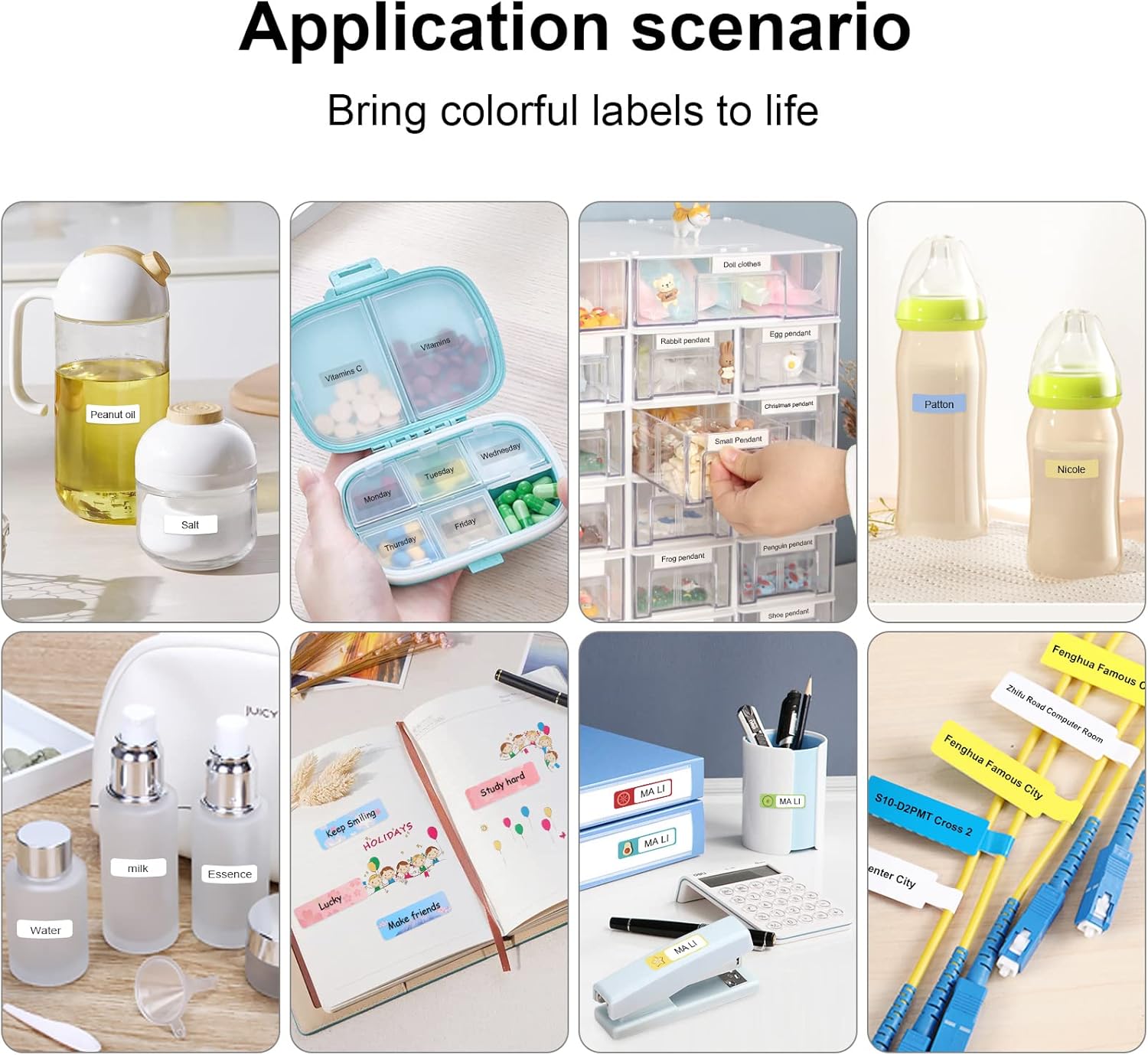
Figure 7: Diverse application scenarios for home and personal use.
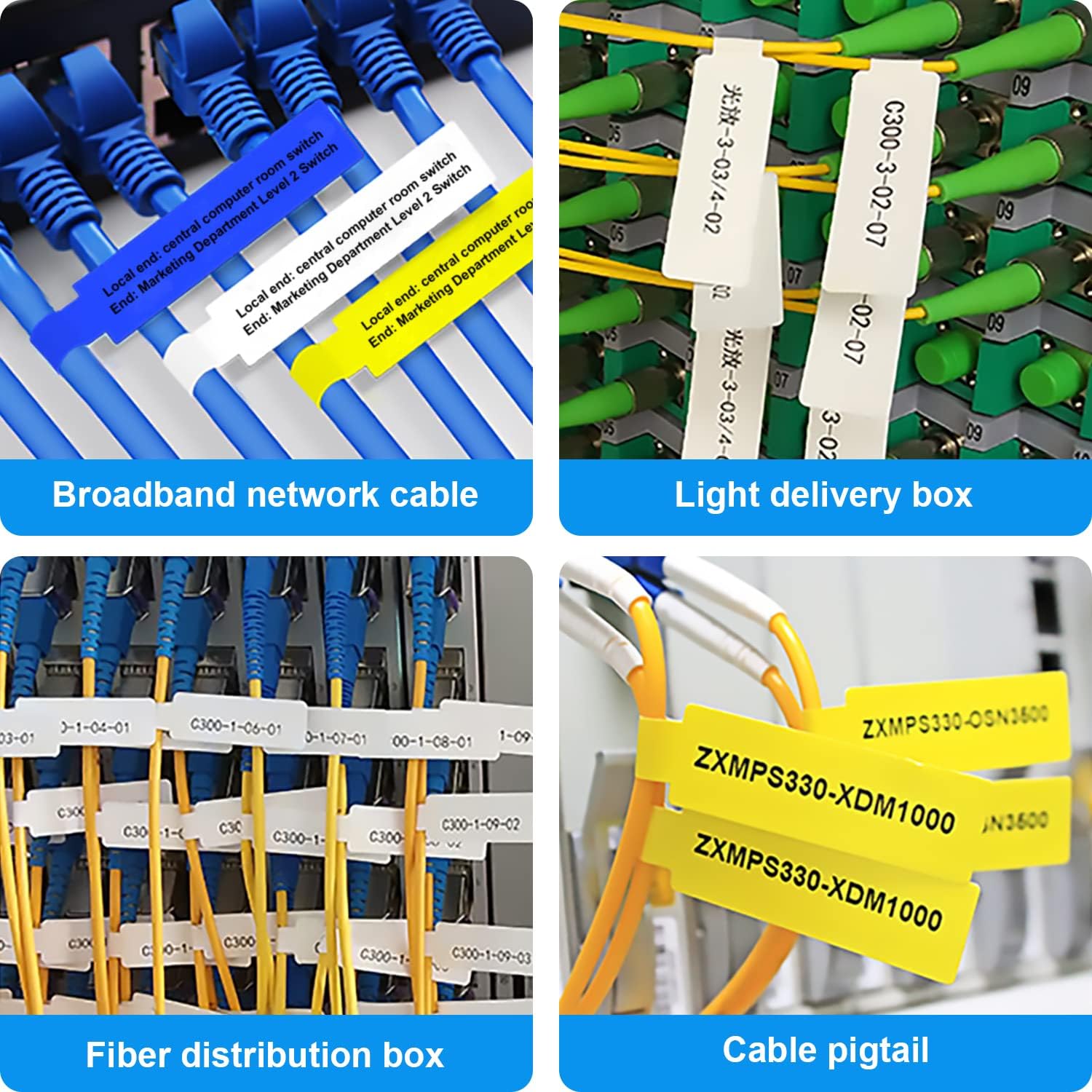
Figure 8: Labeling solutions for various types of cables and wiring.

Figure 9: Practical applications for office organization.

Figure 10: Creative uses for gift labeling.
Gwarancja i wsparcie
MARKLIFE products are designed for reliability and performance. For specific warranty information and support, please refer to the warranty card included with your product or visit the official MARKLIFE website. For common inquiries, please consult the troubleshooting section of this manual or the FAQ section within the Marklife app.
You can also visit the official MARKLIFE store on Amazon for more information and product updates: Sklep MARKLIFE.


