Wstęp
Welcome to the user manual for your new HP Desktop 320k Wired Keyboard. This manual provides essential information on setting up, operating, maintaining, and troubleshooting your keyboard to ensure optimal performance and longevity. Please read these instructions carefully before using your device.
Organizować coś
Follow these steps to connect your HP Desktop 320k Wired Keyboard to your computer:
- Rozpakuj klawiaturę: Ostrożnie wyjmij klawiaturę z opakowania. Upewnij się, że wszystkie elementy są obecne.
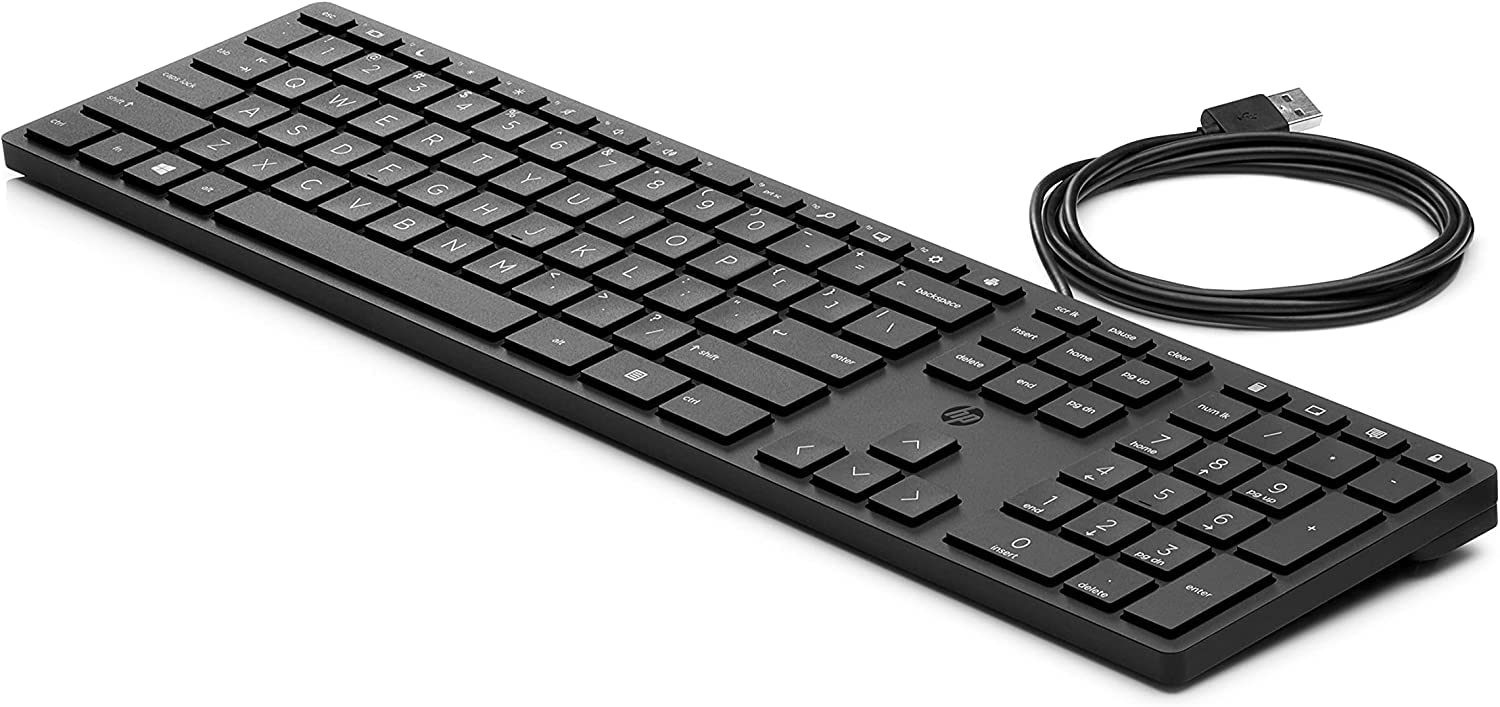
- Zidentyfikuj złącze USB: Znajdź złącze USB-A na końcu kabla klawiatury.
- Connect to Your PC: Plug the USB-A connector into an available USB port on your PC. The keyboard is designed for plug-and-play functionality, meaning it should be recognized automatically by your operating system without additional driver installation.
- Sprawdź połączenie: Once connected, your operating system should indicate that a new device has been detected and is ready for use. Test the keyboard by typing in a text editor or browser.
Operacyjny
The HP Desktop 320k Wired Keyboard is designed for everyday use, offering a comfortable and reliable typing experience.
- Standardowe pisanie: Use the keyboard for all standard typing tasks, including document creation, email, and web przeglądanie.
- Ergonomiczna konstrukcja: The keyboard features an ergonomic design to promote a natural wrist position and reduce strain during extended use.
- Klucze mechaniczne: Benefit from the tactile feedback and durability of mechanical keys, providing a responsive typing experience.
- Klawisze funkcyjne: Utilize the function keys (F1-F12) for various shortcuts and commands, often in combination with the 'Fn' key if present, depending on your operating system and software.
- Klawiatura numeryczna: The integrated numeric keypad allows for efficient data entry and calculations.
Konserwacja
Proper care and maintenance will help extend the life of your HP Desktop 320k Wired Keyboard:
- Czyszczenie powierzchni: Użyj miękkiej, niestrzępiącej się ściereczki, lekko wyczyśćampened with water or a mild cleaning solution to wipe down the keyboard surface. Avoid harsh chemicals or abrasive materials.
- Cleaning Between Keys: Use compressed air to remove dust, crumbs, and debris from between the keys. For stubborn dirt, a small brush or cotton swab can be used.
- Unikaj rozlania cieczy: Keep liquids away from the keyboard to prevent damage to internal components. In case of a spill, immediately disconnect the keyboard from your PC and allow it to dry completely before reconnecting.
- Składowanie: Jeśli klawiatura nie będzie używana przez dłuższy czas, należy ją przechowywać w czystym i suchym miejscu, chroniąc przed ekstremalnymi temperaturami.
Rozwiązywanie problemów
If you encounter issues with your HP Desktop 320k Wired Keyboard, try the following troubleshooting steps:
- Klawiatura nie odpowiada:
- Ensure the USB cable is securely plugged into both the keyboard and the PC.
- Try plugging the keyboard into a different USB port on your PC.
- Uruchom ponownie komputer.
- Test the keyboard on another computer, if possible, to determine if the issue is with the keyboard or the PC.
- Klawisze nie działają:
- Check for any physical obstructions or debris under the non-functional keys. Use compressed air to clear them.
- Ensure no software or operating system settings are interfering with key input.
- Incorrect Characters Appearing:
- Verify that your operating system's keyboard language settings match the layout of your physical keyboard (e.g., Italian layout).
Jeśli wykonanie tych czynności nie rozwiąże problemu, zapoznaj się z sekcją Gwarancja i wsparcie techniczne, aby uzyskać dalszą pomoc.
Specyfikacje
| Funkcja | Opis |
|---|---|
| Marka | HP |
| Model | 320 tys. |
| Numer części | 9SR37A6 |
| Technologia łączności | Przewodowy (USB-A) |
| Opis klawiatury | Mechaniczny |
| Funkcja specjalna | Ergonomiczna konstrukcja |
| Kompatybilne urządzenia | PC |
| Tworzywo | Politereftalan butylenu |
| Źródło zasilania | Kabel elektryczny |
| Kolor | Czarny |
Gwarancja i wsparcie
Your HP Desktop 320k Wired Keyboard comes with a standard manufacturer's warranty. For specific details regarding warranty coverage, duration, and terms, please refer to the warranty card included with your product or visit the official HP support webstrona.
For technical support, troubleshooting assistance beyond this manual, or to inquire about warranty claims, please contact HP Customer Support through their official website or designated support channels. Have your product model and serial number ready when contacting support.
Oficjalne wsparcie HP: www.hp.com/support