1. Wprowadzenie i koniecview
The Fitbit Charge 5 is an advanced health and fitness tracker designed to connect the dots between your activity, sleep, and stress. It helps you make informed decisions for your body, mind, and overall health. This manual provides essential information for setting up, operating, maintaining, and troubleshooting your device.

The Fitbit Charge 5, an advanced health and fitness tracker.
Główne cechy obejmują:
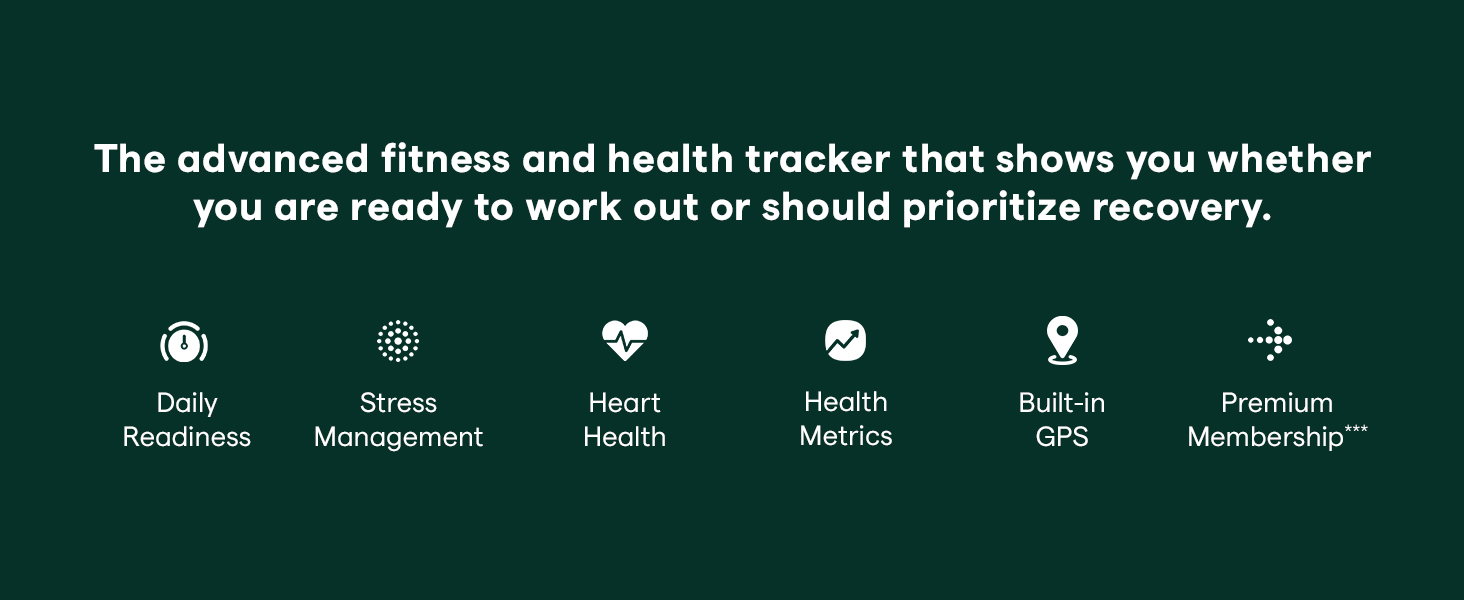
- Wynik gotowości dziennej: Optimizes your workout routine by indicating if you're ready to exercise or need recovery.
- Wynik zarządzania stresem: Measures your body's response to stress using an on-wrist EDA sensor.
- Heart Health Monitoring: Provides high & low heart rate notifications and supports a compatible ECG app.
- Health Metrics Dashboard: Tracks SpO2, heart rate variability, skin temperature variation, and more.
- Wbudowany GPS: Tracks real-time pace & distance during outdoor activities without needing your phone.
- Vibrant Color Touchscreen: Offers a bright and clear display for easy viewing of stats.
- Długa żywotność baterii: Up to 7 days of battery life, varying with use.
- 24/7 Heart Rate Tracking & Active Zone Minutes: Optimizes calorie burn and workout intensity.
- Monitorowanie snu: Provides a daily Sleep Score and insights into sleep quality.
2. Konfiguracja i pierwsze użycie
2.1 Rozpakowywanie i ładowanie
Upon unboxing your Fitbit Charge 5, ensure all components are present: the device, the included bands (small and large), and the charging cable.

The Fitbit Charge 5 tracker with its default band.
Aby naładować urządzenie:
- Connect the charging cable to a USB port on your computer or a UL-certified USB wall charger.
- Align the pins on the charger with the port on the back of your Charge 5. The charger is magnetic and will snap into place.
- A battery icon will appear on the screen to indicate charging progress. Charge the device to 100% before initial use.

Tył view of the Fitbit Charge 5, highlighting the charging pins and optical sensors.
2.2 Pobieranie aplikacji i parowanie urządzeń
The Fitbit Charge 5 requires the Fitbit app for full functionality and data synchronization. The app is compatible with Apple iOS 15 or higher and Android OS 9 or higher.
- Pobierz aplikację Fitbit ze sklepu Apple App Store (dla urządzeń z systemem iOS) lub Google Play Store (dla urządzeń z systemem Android).
- Open the Fitbit app and create a new account or log in to an existing one.
- Follow the on-screen instructions in the app to pair your Charge 5. Ensure Bluetooth is enabled on your smartphone or tablet.
- During pairing, the app will guide you through setting up your profile i preferencje.
3. Funkcje i działanie
The Fitbit Charge 5 offers a range of features to help you monitor and improve your health and fitness. Navigate the device using its color touchscreen by swiping up, down, left, and right.
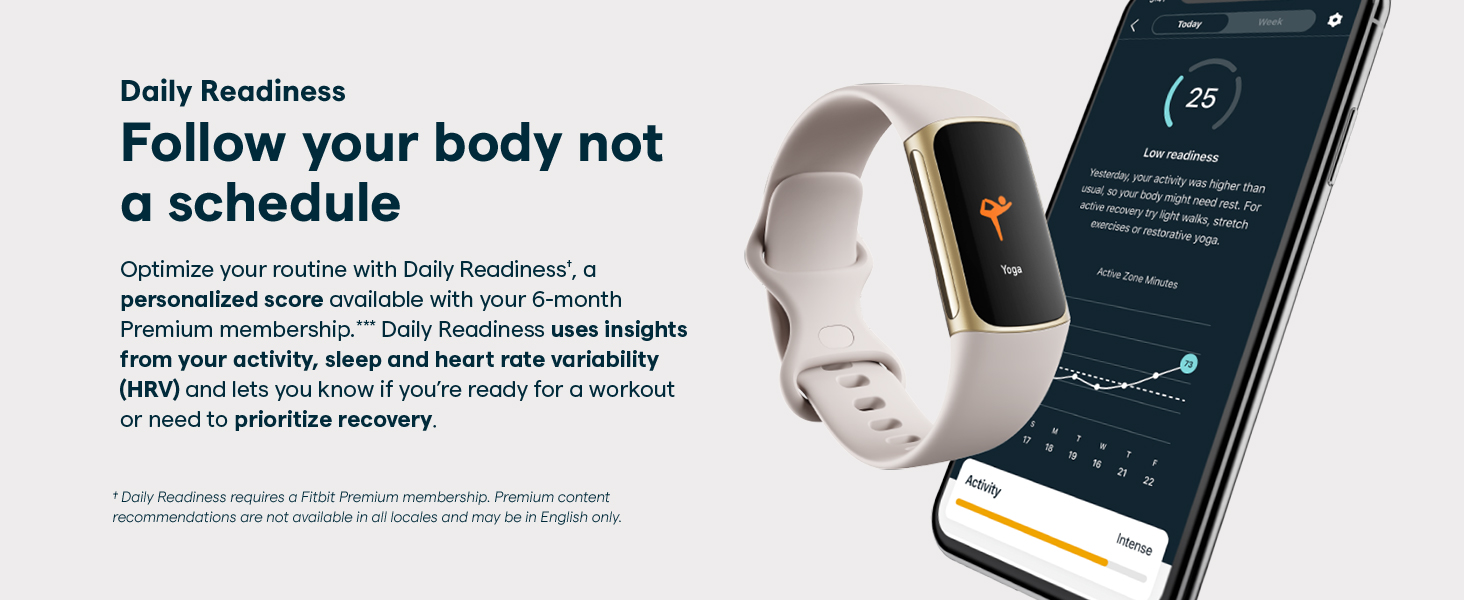
3.1 Daily Readiness Score
This feature provides a personalized score indicating your body's readiness for exercise or need for recovery. It's based on your activity, sleep, and heart rate variability (HRV). A higher score suggests you're ready for a challenging workout, while a lower score recommends focusing on recovery.
The Daily Readiness Score helps optimize your routine.
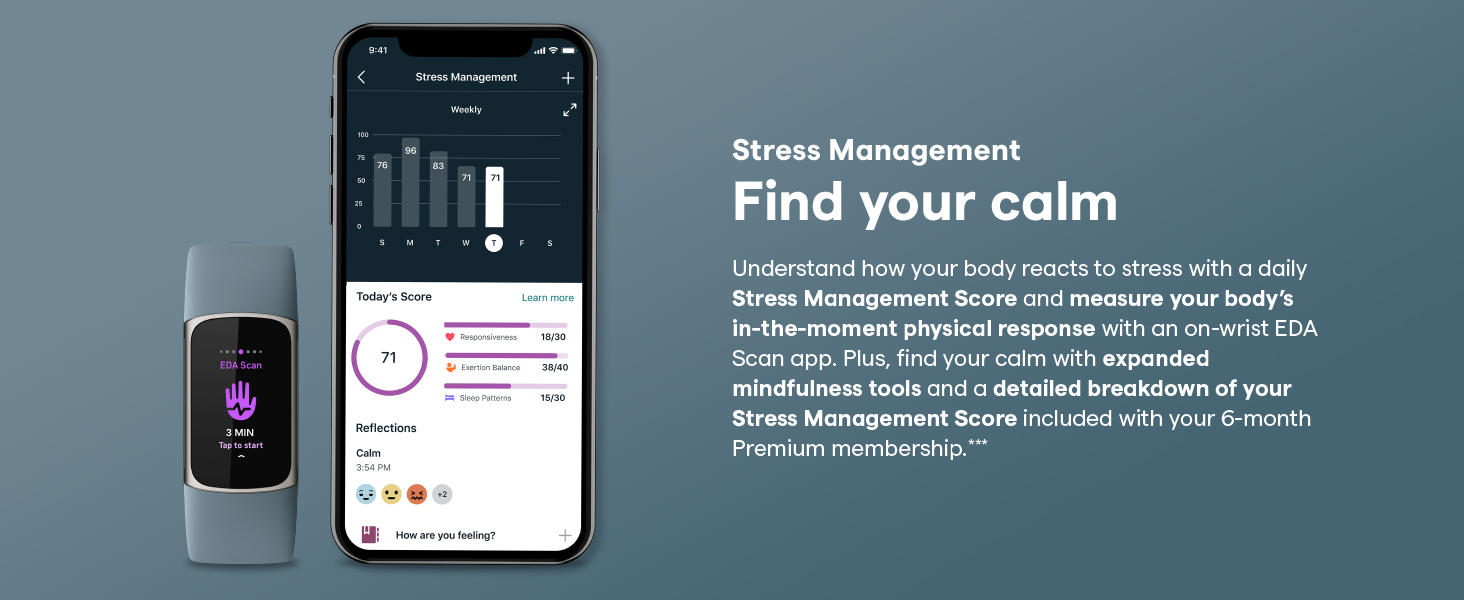
3.2 Stress Management
The on-wrist electrodermal activity (EDA) sensor measures your body's physical response to stress. The device provides a daily Stress Management Score and offers guided mindfulness sessions to help improve your stress levels.
Track and manage stress with the EDA sensor and app.
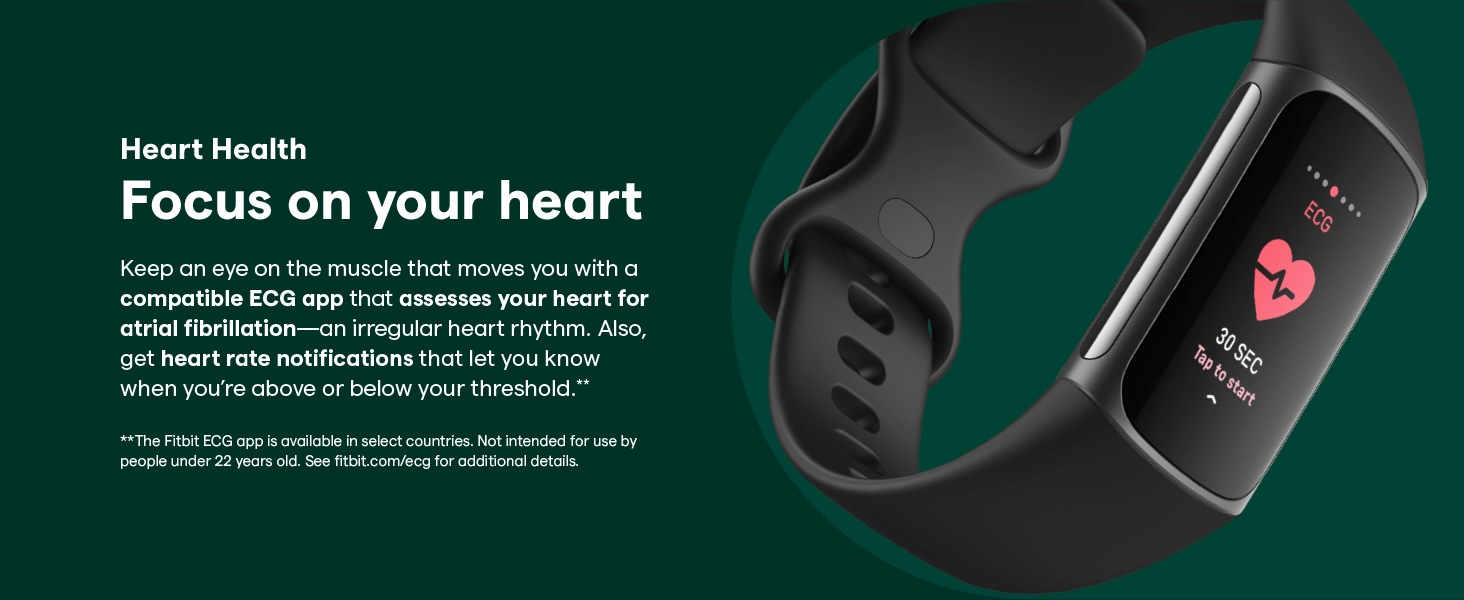
3.3 Heart Health Monitoring
The Charge 5 continuously tracks your heart rate and provides notifications for high or low heart rates. It also features a compatible ECG app (available in select countries, not for users under 22) to assess your heart for atrial fibrillation.
Monitor your heart health with continuous tracking and ECG app.
3.4 Health Metrics Dashboard
Access a comprehensive dashboard in the Fitbit app to track various health metrics, including SpO2 (blood oxygen saturation), heart rate variability, and skin temperature variation. This data helps identify important changes in your wellness trends over time.
The Health Metrics dashboard provides insights into various wellness trends.
3.5 Wbudowany GPS
For outdoor activities like runs, hikes, and rides, the built-in GPS allows you to track your real-time pace and distance without carrying your phone. After your workout, view a map of your route and intensity zones in the Fitbit app.

Track outdoor activities with built-in GPS and view routes in the app.
3.6 Monitorowanie snu
The Charge 5 provides a daily Sleep Score and detailed graphs of your time spent in light, deep, and REM sleep. This helps you understand your sleep quality and identify areas for improvement to wake up feeling more energized.
3.7 Notifications and Payments
Stay connected with call, text, and calendar notifications directly on your wrist when your phone is nearby. The Charge 5 also supports Fitbit Pay for contactless payments (check regional availability).
3.8 Alarms and Timers
Set silent alarms that vibrate on your wrist to wake you gently or remind you of tasks. Utilize the built-in timers and stopwatch for various activities and workouts.
4. Konserwacja
Proper care of your Fitbit Charge 5 ensures its longevity and optimal performance.
- Czyszczenie: Regularly clean the band and tracker. For silicone bands, use a soap-free cleanser and rinse thoroughly. For the tracker, gently wipe with a soft, lint-free cloth.
- Wysuszenie: Always dry your Charge 5 thoroughly after it gets wet, especially after swimming or showering, to prevent skin irritation and maintain device integrity.
- Unikaj silnych środków chemicznych: Do not use abrasive cleaners, alcohol, or harsh chemicals, as these can damage the device and band.
- Składowanie: Store your Charge 5 in a cool, dry place when not in use.
5. Rozwiązywanie Problemów
If you encounter issues with your Fitbit Charge 5, try the following common troubleshooting steps:
- Urządzenie nie odpowiada: If the device is unresponsive, connect it to the charging cable and plug it into a power source. Press the button on the charging cable three times within eight seconds, pausing for one second between presses. The Fitbit logo should appear on the screen, indicating a restart.
- Problemy z synchronizacją: Ensure Bluetooth is enabled on your phone, the Fitbit app is open, and your Charge 5 is within range. Try restarting both your device and your phone.
- Niedokładne odczyty: Ensure the device is worn snugly but comfortably on your wrist, about a finger's width above your wrist bone. Clean the sensors on the back of the device.
- Spust baterii: Features like always-on display, frequent notifications, and continuous GPS use can impact battery life. Adjust settings in the Fitbit app to optimize battery performance.
For more detailed troubleshooting, refer to the official Fitbit support resources or the user guide available online.
6. Specyfikacje
| Funkcja | Szczegół |
|---|---|
| Numer modelu | FB421BKBK |
| Wymiary produktu | 1.45 x 0.9 x 0.44 cala |
| Waga przedmiotu | 1.02 uncji (29 grama) |
| Rozmiar wyświetlacza ekranu | 1.04 cala (widoczna przekątna ekranu: 2" / 3 cm) |
| Zgodność z systemem operacyjnym | Android (OS 9 or higher), iOS (iOS 15 or higher) |
| Technologia łączności | Built-in GPS, Bluetooth |
| Typ baterii | 1 bateria litowo-jonowa (w zestawie) |
| Żywotność baterii | Up to 7 days (varies with use and other factors) |
| Cechy specjalne | Stress Tracking, Heart Rate Monitor, Sleep Monitor, ECG, Distance Tracker, Touchscreen, Calorie Tracker, Daily Workout Memory |
| Producent | Fitbit Inc |
| Pierwsza dostępna data | 26 sierpnia 2021 r. |
7. Gwarancja i wsparcie
For warranty information, product support, and additional resources, please visit the official Fitbit support website. You can also find the full user guide and instructions for use (IFU) in PDF format via the following link:
Fitbit Charge 5 User Guide (PDF)
Fitbit provides ongoing support and updates for its devices. Ensure your device's firmware and the Fitbit app are always up to date for the best experience.


