1. Wprowadzenie
Thank you for choosing the MOOKA UHM-JS02 Cool Mist Humidifier. This 2-in-1 device functions as both a humidifier and an essential oil diffuser, designed to improve air quality and comfort in your home. It features a 4-liter capacity, top-fill design, adjustable mist output, quiet ultrasonic operation, automatic shut-off, and a night light function. Please read this manual thoroughly before use to ensure proper operation and maintenance.

Image 1.1: MOOKA UHM-JS02 Cool Mist Humidifier. This image displays the humidifier from a slight angle, showcasing its sleek white cylindrical design with a blue illuminated water level indicator and the control panel on top.
2. Instrukcje bezpieczeństwa
- Nawilżacz należy zawsze umieszczać na stabilnej, płaskiej i wodoodpornej powierzchni, w odległości co najmniej 15 cm od ścian i urządzeń.
- Do not place the humidifier directly on carpet or rugs.
- Nie zanurzaj jednostki głównej w wodzie ani innych płynach.
- Używaj wyłącznie czystej, chłodnej wody z kranu lub wody destylowanej. Nie używaj gorącej wody.
- Przechowywać w miejscu niedostępnym dla dzieci i zwierząt domowych.
- Przed napełnianiem, czyszczeniem lub przenoszeniem nawilżacza należy go odłączyć od zasilania.
- Nie dodawaj olejków eterycznych bezpośrednio do zbiornika na wodę; wykorzystaj przeznaczoną do tego celu tackę.
- Jeśli nawilżacz jest uszkodzony, nie należy go używać. Skontaktuj się z obsługą klienta.
- Sprawdź, czy przewód zasilający nie jest uszkodzony lub ściśnięty.

Image 2.1: Important Safety Warning. This image shows two panels: one with a red 'X' over a humidifier part submerged in water, and another with a red 'X' over a hand holding the main unit upside down. This illustrates what not to do during cleaning or handling.
3. Zawartość opakowania
Proszę sprawdzić, czy w paczce znajdują się następujące elementy:
- MOOKA UHM-JS02 Humidifier Main Unit
- Instrukcja obsługi
4. Składniki produktu
Familiarize yourself with the different parts of your humidifier:
- Mist Nozzle / Top Cover
- Control Panel (Power, Mist Level, Night Light)
- Zbiornik na wodę (pojemność 4 l)
- Wskaźnik poziomu wody
- Taca na olejki eteryczne
- Base Unit (contains ultrasonic transducer)
- Port przewodu zasilającego
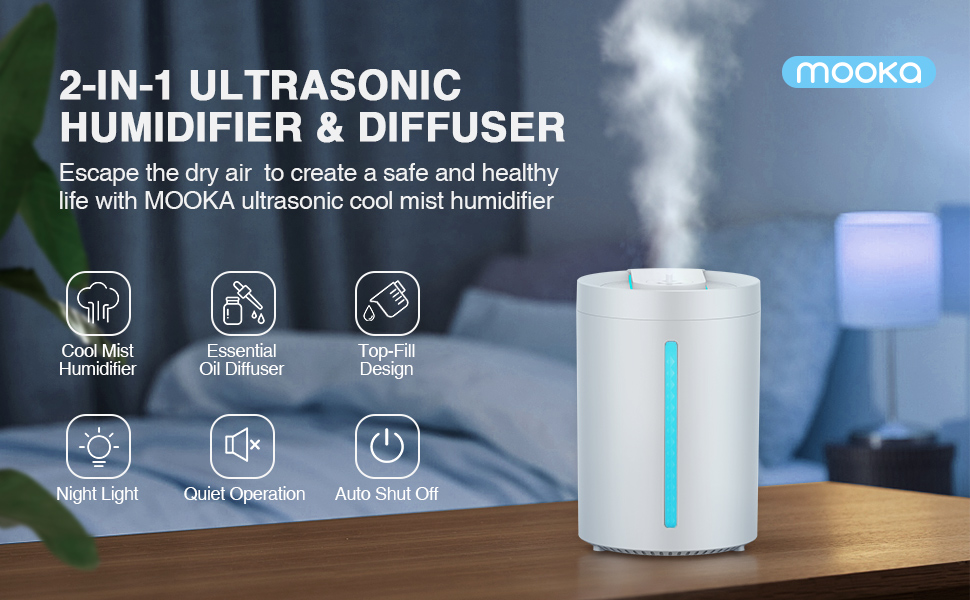
Obraz 4.1: Koniecview of MOOKA Humidifier Features. This image highlights key features such as Cool Mist Humidifier, Essential Oil Diffuser, Top-Fill Design, Night Light, Quiet Operation, and Auto Shut Off, with an illustration of the humidifier in a bedroom setting.
5. Konfiguracja
5.1 Umieszczenie
Place the humidifier on a flat, stable surface. Ensure it is not placed directly on the floor or near heat sources.
5.2 Napełnianie zbiornika na wodę
The MOOKA UHM-JS02 features a convenient top-fill design.
- Zdejmij górną pokrywę nawilżacza.
- Wlej czystą, chłodną wodę z kranu lub wodę destylowaną bezpośrednio do zbiornika na wodę. Nie przekraczaj linii maksymalnego napełnienia.
- Załóż dokładnie górną pokrywę.

Image 5.1: Top-Fill Design. This image demonstrates the ease of filling the humidifier by pouring water directly into the open top of the unit. It also shows the internal structure and how to clean the tank.

Image 5.2: Incorrect Water Filling. This image shows a red 'no' symbol over the mist outlet, indicating that water should not be poured into this opening when refilling the tank.
5.3 Adding Essential Oils
To use the essential oil diffuser function:
- Locate the essential oil tray, usually a small compartment on the side or top of the unit.
- Add a few drops of your preferred essential oil onto the aroma pad in the tray.
- Close the essential oil tray securely.
Notatka: Do not add essential oils directly into the water tank, as this can damage the unit and void the warranty.

Image 5.3: Essential Oil Diffuser Function. This image illustrates how to add essential oils to the dedicated tray, showing both the tray being pulled out and drops being added, as well as an alternative method of adding oil directly into the water tank (which is generally not recommended for this model, refer to specific instructions).

Image 5.4: Correct Essential Oil Application. This image specifically shows a hand adding drops of essential oil into the designated oil tray, which is the recommended method.
6. Instrukcja obsługi
6.1 Włączanie/wyłączanie zasilania
Plug the power cord into a suitable electrical outlet. The humidifier will enter standby mode. Press the power button on the control panel to turn the unit on or off.
6.2 Regulacja wydajności mgły
The humidifier offers adjustable mist levels:
- Press the mist level button (often indicated by a mist icon or 'H/M/L') to cycle through Low, Medium, and High mist settings.
- An intermittent mist setting (e.g., 18-second evaporation) may also be available for maintaining humidity.

Image 6.1: Adjustable Mist Levels. This image displays three humidifiers, each demonstrating a different mist output level: Low (L), Medium (M), and High (H), with corresponding mist heights and evaporation rates.
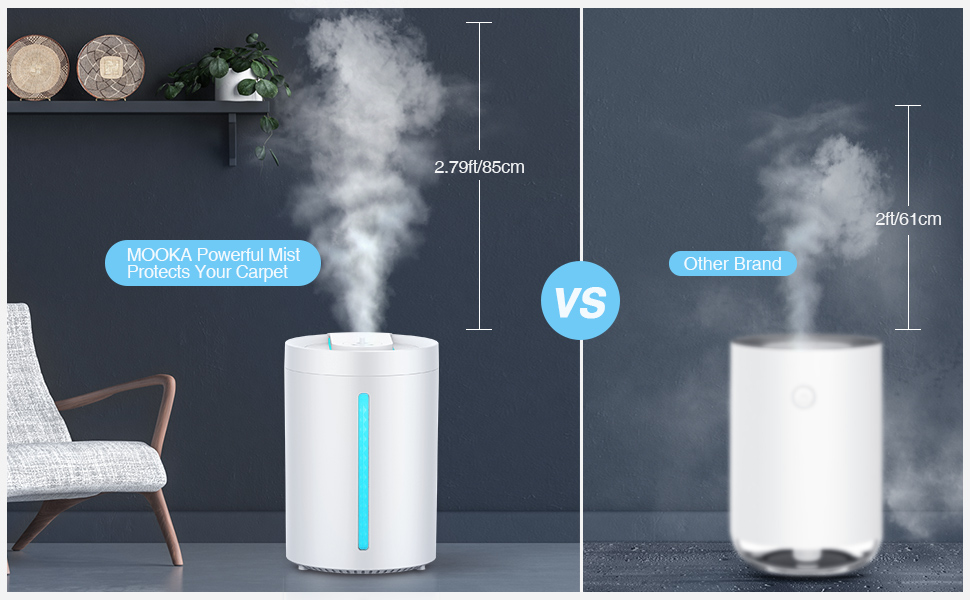
Image 6.2: Mist Height Comparison. This image compares the mist height of the MOOKA humidifier (2.79ft/85cm) against another brand, highlighting the MOOKA's powerful mist output.
6.3 Funkcja lampki nocnej
Press and hold the power button for approximately 3 seconds to turn the LED night light on or off. This feature provides a soft glow for nighttime use.
6.4 Automatyczne wyłączanie
The humidifier is equipped with an automatic shut-off feature that activates when the water level is too low, ensuring safety and preventing damage to the unit.

Image 6.3: Ideal Humidifier for Your Family. This image showcases the humidifier's features: Auto Shut Off, Whisper Quiet operation, and the option to turn Lights Off, with a child sleeping peacefully in the background.

Image 6.4: Undisturbed Night with Restful Sleep. This image emphasizes the humidifier's quiet operation (less than 24dB), auto shut-off, and aromatherapy features, contributing to a peaceful sleep environment.
6.5 Demonstracja wideo
Video 6.5: MOOKA Cool Mist Humidifier Overview. This video provides a visual guide to the humidifier's features, assembly, water filling, essential oil addition, and operation, demonstrating its ease of use and quiet performance.
7. Konserwacja
Regularne czyszczenie jest niezbędne dla optymalnej wydajności i higieny.
7.1 Codzienna konserwacja
- Odłącz nawilżacz od zasilania.
- Opróżnij zbiornik z pozostałej wody.
- Wipe the water tank and base with a clean, dry cloth.
7.2 Cotygodniowe czyszczenie
- Unplug the humidifier and disassemble the top unit from the water tank.
- Wyczyść zbiornik na wodę miękką szczotką i łagodnym detergentem. Dokładnie wypłucz.
- Gently wipe the ultrasonic transducer (located in the base) with a soft cloth. Do not scrub or use abrasive materials.
- Clean the essential oil tray with a damp płótno.
- Pozwól wszystkim częściom całkowicie wyschnąć przed ponownym montażem.

Image 7.1: Cleaning the Water Tank. This image shows a hand wiping the inside of the humidifier's water tank with a cloth, demonstrating the ease of access for cleaning due to the top-fill design.

Image 7.2: Removing Top Unit. This image illustrates how to remove the top operational unit from the water tank by sliding it upwards, facilitating thorough cleaning.

Image 7.3: Releasing Clips. This image provides a closer view of the clips on the side of the top unit, showing how to press them to release the unit from the tank for cleaning.

Image 7.4: Reinserting Top Unit. This image shows the process of carefully lowering the top operational unit back into the water tank after cleaning, ensuring proper alignment.
8. Rozwiązywanie Problemów
| Problem | Możliwa przyczyna | Rozwiązanie |
|---|---|---|
| Brak mgły lub jej mała ilość | Niski poziom wody Ultrasonic transducer dirty Zablokowana dysza mgły | Uzupełnij zbiornik na wodę Wyczyść przetwornik Check and clear mist nozzle |
| Niezwykły zapach | Stagnant wody Zbiornik na brudną wodę | Opróżnij i napełnij świeżą wodą Clean water tank thoroughly |
| Wyciek wody | Top cover not secured Jednostka umieszczona na nierównej powierzchni | Ensure top cover is properly seated Umieścić na płaskiej, stabilnej powierzchni |
| Urządzenie nie włącza się | Brak zasilania Aktywowano automatyczne wyłączanie | Sprawdź podłączenie zasilania Refill water tank if empty |
9. Specyfikacje
| Funkcja | Szczegół |
|---|---|
| Model | UHM-JS02 |
| Marka | MOOKA |
| Pojemność | 4 litra (1.05 galona) |
| Tryb działania | Ultradźwiękowa chłodna mgiełka |
| Maksymalna wydajność mgły | 380 ml/godz. |
| Continuous Use (Min Mist) | Do 24 godzin |
| Obszar zasięgu | Up to 484 sq.ft (40 m²) |
| Poziom hałasu | Mniej niż 24dB |
| Cechy specjalne | Auto Shut Off, Night Light, Essential Oil Diffuser, Top Fill Design |
| Tomtage | 120 wolty |
| Waga przedmiotu | 2.94 funta |
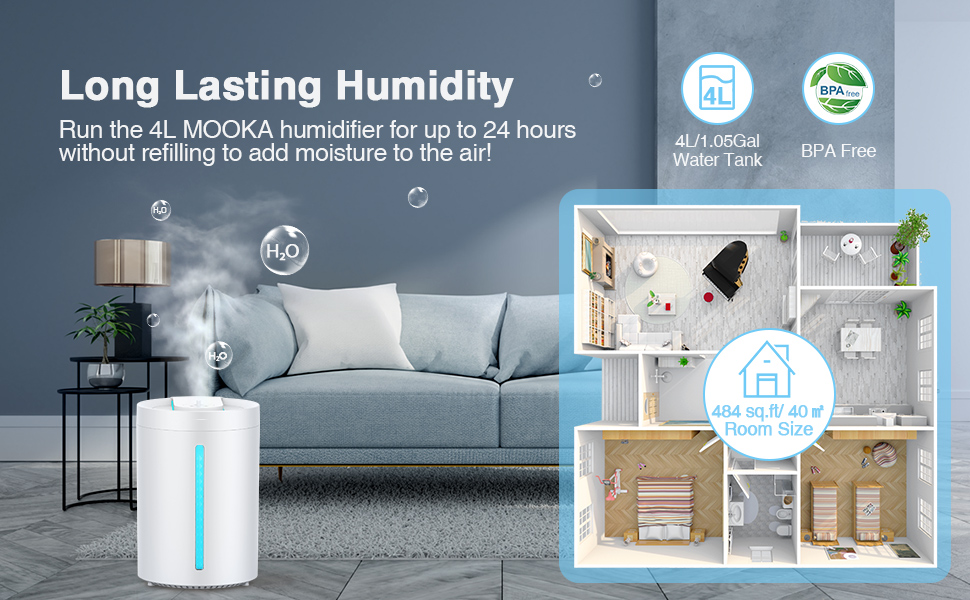
Image 9.1: Long Lasting Humidity. This image highlights the 4L/1.05Gal water tank capacity, providing up to 24 hours of continuous use, and indicates suitability for rooms up to 484 sq.ft / 40 m².
10. Gwarancja i wsparcie
MOOKA products are designed for reliability and performance. For warranty information or technical support, please refer to the contact details provided on the product packaging or visit the official MOOKA website. Please have your model number (UHM-JS02) and purchase information ready when contacting support.