1. Wprowadzenie
Produkt ponadview
The CALEX Smart Aroma Diffuser is a versatile device designed to enhance your home environment. It functions as an aroma diffuser, humidifier, air purifier, and ambient light source. With WiFi connectivity, you can control its features, including fragrance diffusion, humidification, and RGB lighting, directly from the free Calex application on your smartphone. This manual provides comprehensive instructions for safe and effective use of your device.
Główne cechy:
- Smart App Control (Calex App)
- Łączność WiFi
- Dyfuzja aromatu
- Nawilżanie
- Oczyszczanie powietrza
- Customizable RGB Ambient Lighting (100+ options)
- Programmable Timers and Scenarios
2. Ostrzeżenia dotyczące bezpieczeństwa
Please read all safety warnings carefully before using the device.
- Unikaj bezpośredniego kontaktu nierozcieńczonych olejków eterycznych ze skórą.
- Przechowuj urządzenie i olejki eteryczne poza zasięgiem dzieci i zwierząt domowych.
- Należy zapewnić odpowiednią wentylację w pomieszczeniu, w którym używany jest dyfuzor.
- Unplug the device from the power outlet when not in use or during maintenance.
- Nie przekraczać linii maksymalnego poziomu napełnienia wodą.
- Używaj wyłącznie czystej wody z kranu lub wody destylowanej.
- Do not tilt or move the device when it is operating or contains water.
- Nie zanurzaj urządzenia w wodzie ani innym płynie.
- Nie blokuj wylotu mgły.
3. Koniec produktuview
Familiarize yourself with the components of your CALEX Smart Aroma Diffuser.

Obraz 3.1: Przód view of the CALEX Smart Aroma Diffuser, showing the wood-grain base, translucent top, and control buttons (ON/OFF, +, -, LIGHT).

Image 3.2: The CALEX Smart Aroma Diffuser in operation, emitting a fine mist, placed on a stack of magazines next to a vase of flowers.
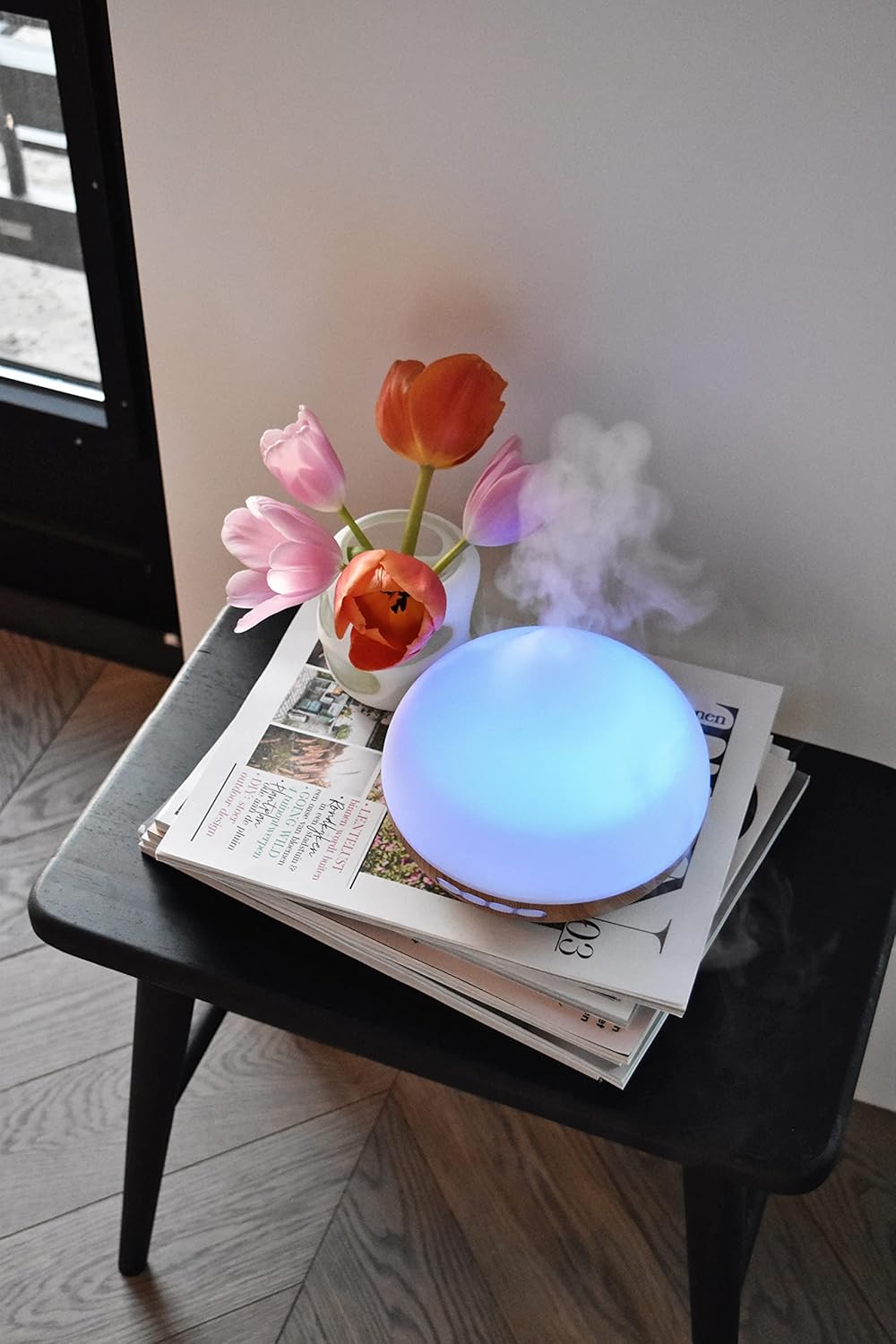
Image 3.3: The CALEX Smart Aroma Diffuser displaying a blue ambient light, placed on a table with flowers and magazines.

Image 3.4: The CALEX Smart Aroma Diffuser displaying a warm yellow ambient light, emitting mist, placed on a table with flowers and magazines.
4. Instrukcje konfiguracji
- Rozpakuj dyfuzor: Ostrożnie wyjąć wszystkie elementy z opakowania.
- Umieść dyfuzor: Position the diffuser on a flat, stable, and water-resistant surface.
- Podłącz zasilanie: Plug the power adapter into the diffuser's power input, then plug the adapter into a standard electrical outlet.
- Napełnij wodą: Remove the top cover. Fill the water tank with clean tap water or distilled water up to the indicated maximum fill line (300 ml capacity). Do not overfill.
- Dodaj olejek eteryczny (opcjonalnie): Add a few drops of your preferred essential oil or fragrance to the water.
- Wymień pokrywę: Załóż ponownie górną pokrywę na dyfuzor.
- Pobierz aplikację Calex: Pobierz bezpłatną aplikację Calex ze sklepu z aplikacjami na swoim smartfonie (dostępną dla systemów iOS i Android).
- Połącz się z Wi-Fi: Follow the in-app instructions to connect your diffuser to your home WiFi network. This typically involves putting the diffuser into pairing mode (refer to app for specific steps) and selecting your WiFi network.
5. Obsługa dyfuzora
5.1 Podstawowa obsługa
- Włączanie/wyłączanie: Press the "ON/OFF" button on the diffuser or use the Calex app to turn the device on or off.
- Kontrola mgły: Use the "+" and "-" buttons on the diffuser to adjust the mist intensity (if applicable) or control via the app.
- Sterowanie oświetleniem: Press the "LIGHT" button on the diffuser to cycle through light colors or turn the light off. For full RGB control and advanced options, use the Calex app.
5.2 Inteligentna kontrola aplikacji
The Calex app provides extensive control over your smart aroma diffuser:
- Zdalne sterowanie: Operate the diffuser from anywhere with an internet connection.
- Ustawienia mgiełki: Adjust mist output levels and set continuous or intermittent diffusion modes.
- Oświetlenie RGB: Choose from over 100 color options, adjust brightness, and select dynamic lighting effects to match your mood or decor.
- Timery i harmonogramy: Set specific times for the diffuser to turn on/off, change light settings, or adjust mist output. Create personalized scenarios for different routines (e.g., "Wake Up," "Relax," "Sleep").
- Sterowanie głosowe: Integrate with smart home assistants like Amazon Alexa or Google Assistant for hands-free control (e.g., "Alexa, turn on the diffuser light").

Image 5.1: Screenshot of the Calex app displaying color and brightness controls for the smart diffuser's RGB lighting.

Image 5.2: Screenshot of the Calex app's main screen, showing the "My Home" section where connected smart devices are managed.
6. Konserwacja i pielęgnacja
Regularne czyszczenie zapewnia optymalną wydajność i wydłuża żywotność dyfuzora.
- Codzienna konserwacja:
- Opróżnij zbiornik z pozostałej wody.
- Wytrzyj wnętrze zbiornika na wodę czystą, miękką szmatką.
- Przed każdym użyciem należy uzupełnić świeżą wodę.
- Cotygodniowe sprzątanie:
- Odłącz dyfuzor od gniazdka elektrycznego.
- Remove the top cover and empty the water tank.
- Add a small amount of white vinegar (about 10 ml) to the water tank and let it sit for 10-15 minutes to loosen mineral buildup.
- Gently wipe the inside of the tank and the ultrasonic disc with a soft brush or cotton swab. Avoid scrubbing forcefully.
- Rinse the tank thoroughly with clean water, ensuring no vinegar residue remains.
- Przetrzyj zewnętrzną część dyfuzora miękką szmatką.amp płótno.
- Przed ponownym złożeniem lub przechowywaniem należy odczekać, aż wszystkie części całkowicie wyschną na powietrzu.
- Składowanie: If storing the diffuser for an extended period, ensure it is clean and completely dry. Store it in a cool, dry place away from direct sunlight.
7. Rozwiązywanie Problemów
If you encounter issues with your CALEX Smart Aroma Diffuser, refer to the following common problems and solutions:
| Problem | Możliwa przyczyna | Rozwiązanie |
|---|---|---|
| Brak mgły lub jej mała ilość | Low water level; Water tank dirty; Ultrasonic disc blocked; Diffuser tilted. | Add water to the tank; Clean the water tank and ultrasonic disc; Ensure diffuser is on a flat surface. |
| Urządzenie nie włącza się | Not plugged in; Power adapter faulty; No power from outlet. | Sprawdź połączenie zasilania; Spróbuj użyć innego gniazdka; Skontaktuj się z pomocą techniczną, jeśli adapter jest uszkodzony. |
| Problemy z połączeniem aplikacji | Incorrect WiFi password; Diffuser too far from router; Router issues; App not updated. | Verify WiFi password; Move diffuser closer to router; Restart router; Update Calex app. |
| Light not working correctly | App settings; Internal fault. | Check light settings in the Calex app; Restart the diffuser. |
8. Specyfikacje produktu
| Funkcja | Specyfikacja |
|---|---|
| Marka | CALEKS |
| Numer modelu | 429262 |
| Kolor | White/Wood look |
| Wymiary produktu (dł. x szer. x wys.) | Wymiary 14 x 16.8 x 14 cm |
| Waga przedmiotu | 305 gramów |
| Pojemność | 300 mililitrów |
| Moc | 10 watów |
| Tomtage | 240 wolty |
| Tworzywo | Reeds (wood-look base) |
| Funkcja automatycznego wyłączania | Tak |
| Cechy specjalne | Aroma Diffuser, Humidifier, Timer |
| Obszar zasięgu | Około 10 metrów kwadratowych |
9. Gwarancja i wsparcie
For warranty information and customer support, please refer to the documentation included with your purchase or visit the official CALEX webZachowaj dowód zakupu na wypadek roszczeń gwarancyjnych.
Zasoby internetowe: