1. Wprowadzenie
This manual provides essential information for the setup, operation, maintenance, and troubleshooting of your Audio Pro Addon C10 MKII Wireless Speaker. Please read these instructions carefully before use to ensure optimal performance and longevity of your device.
2. Konfiguracja
2.1. Rozpakowanie i komponenty
Carefully unpack your Audio Pro Addon C10 MKII speaker. Ensure all components are present:
- Audio Pro C10 Speaker
- 2 Kable zasilające
- Szybki przewodnik
2.2. Umieszczenie fizyczne
Place the speaker on a stable, flat surface. For optimal sound dispersion, avoid placing it directly against a wall or in a corner, which can overemphasize bass. The speaker is designed for indoor/outdoor use but is not waterproof.

Przód view of the Audio Pro Addon C10 MKII wireless speaker in black, showcasing its minimalist design with two tweeters and a central woofer.
2.3. Podłączenie zasilania
Connect one of the provided power cables to the speaker's power input and then to a suitable wall outlet. The speaker is powered by corded electric.
2.4. Konfiguracja początkowa i łączność
The Addon C10 MKII supports multiple connectivity options including Bluetooth, WiFi, AirPlay 2, Chromecast, and Spotify Connect. For initial setup and advanced features, it is recommended to use the Audio Pro Control app.

An image highlighting key features of the Addon C10 MKII speaker, including its tweeter and woofer sizes, multiroom capability, easy presets, and compatibility with WiFi, Spotify, Apple AirPlay, and Bluetooth.
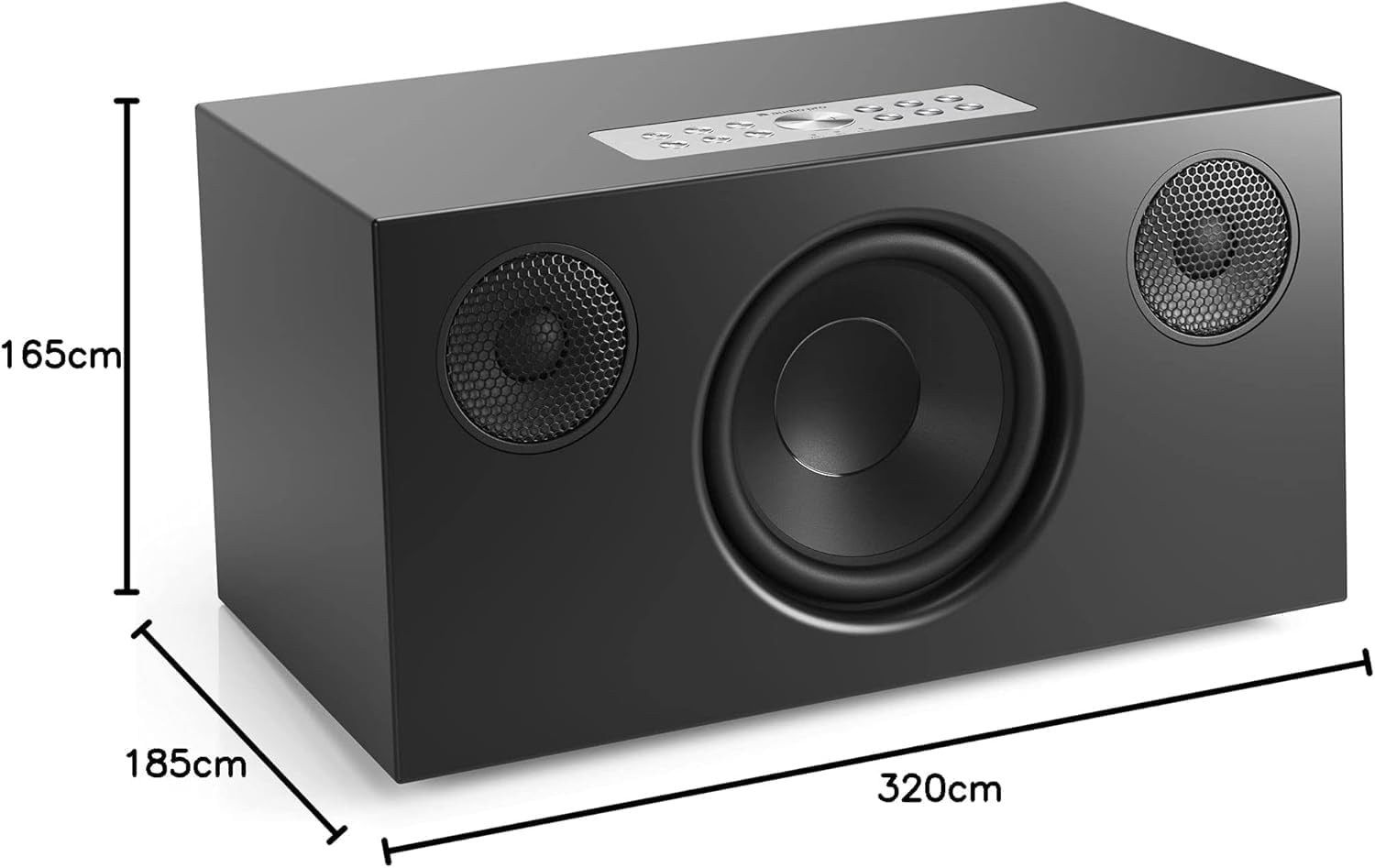
A visual representation of the Audio Pro Addon C10 MKII speaker with its dimensions indicated: 165cm height, 320cm width, and 185cm depth.

The rear panel of the Audio Pro Addon C10 MKII speaker, showing various input options including WiFi, Bluetooth, and Line In, along with power and other ports.
2.4.1. Google Cast Setup
This video demonstrates how to use Google Cast to stream audio to your Audio Pro speaker from various devices like smartphones, Chromebooks, and computers.
2.4.2. AirPlay Setup
This video illustrates the process of streaming audio to your Audio Pro speaker using Apple AirPlay from an iPhone, including how to select the speaker from the control center.
2.4.3. WiFi vs. Bluetooth
This video compares WiFi and Bluetooth connectivity for Audio Pro speakers, highlighting how WiFi unlocks advanced features like multi-room audio and presets.
3. Instrukcja obsługi
3.1. Sterowanie
The speaker can be controlled via physical buttons on its top panel or through the Audio Pro Control app.

A smartphone displaying the Audio Pro Control app, illustrating how users can manage speakers and settings for a multi-room audio experience.
3.2. Ustawienia wstępne
The speaker features six preset buttons for quick access to your favorite music or radio stations.

A close-up of the top control panel of the Audio Pro Addon C10 MKII speaker, featuring six numbered preset buttons for quick access to saved music or radio stations.
3.2.1. Zapisywanie ustawień wstępnych
Instructions on how to save presets directly on your Audio Pro speaker by pressing and holding a preset button for 3 seconds while audio is streaming.
3.2.2. Playing Presets
This video explains how to access and play saved presets on your Audio Pro speaker using either the physical buttons on the speaker or remote, or through the Audio Pro app.
3.3. Spotify Połącz
This video demonstrates three additional functionalities available when using Spotify Connect with your Audio Pro speaker, including remote control from multiple devices, group sessions, and saving playlists as presets.
3.3.1. How to use Spotify Connect
This video provides a step-by-step guide on how to effectively use Spotify Connect with your Audio Pro speaker for seamless music streaming.
3.4. Connecting a Turntable
A video demonstrating how to connect a turntable to your Audio Pro speaker using cables or Bluetooth, noting the requirement for a built-in or external RIIA amplifier for cable connections.
4. Konserwacja
4.1. Czyszczenie
To clean the speaker, use a soft, dry cloth. Avoid using abrasive cleaners or solvents, as these can damage the finish. The removable fabric cover can be gently dusted.
4.2. Aktualizacje oprogramowania
Ensure your speaker's firmware is up to date by checking the Audio Pro Control app regularly. Updates can improve performance and add new features.
5. Rozwiązywanie Problemów
5.1. Brak zasilania
- Verify the power cable is securely connected to both the speaker and a working power outlet.
- Sprawdź, czy gniazdko elektryczne działa prawidłowo, podłączając do niego inne urządzenie.
5.2. Brak dźwięku
- Ensure the speaker is powered on and the volume is not muted or set too low.
- Check the audio source connection (Bluetooth, WiFi, Line In) and ensure it is active and playing audio.
- Jeśli używasz technologii Bluetooth, upewnij się, że głośnik jest sparowany i połączony z właściwym urządzeniem.
- If using WiFi, check your network connection and the Audio Pro app settings.
5.3. Problemy z łącznością
- For Bluetooth, ensure the speaker is in pairing mode and within range of your device.
- For WiFi, ensure your router is working correctly and the speaker is within range. Restarting both the speaker and router can often resolve issues.
- Refer to the Audio Pro Control app for detailed network diagnostics and setup assistance.
6. Specyfikacje
| Funkcja | Szczegół |
|---|---|
| Nazwa modelu | Audio Pro Addon C10 MKII |
| Marka | Dźwięk Pro |
| Typ montażu | Uchwyt na blat |
| Tworzywo | Metal, Plastik |
| Typ głośnika | Wireless Multiroom |
| Funkcja specjalna | Bluetooth |
| Zalecane zastosowania | Wewnątrz/na zewnątrz |
| Kompatybilne urządzenia | Smartfon, tablet, komputer stacjonarny, laptop |
| Średnica subwoofera | 5.25 cali |
| Wymiary produktu | 5" gł. x 12.6" szer. x 7.28" wys. |
| Waga przedmiotu | 4 kilogramów (8.8 funty) |
| jest wodoodporny | FAŁSZ |
| Metoda kontroli | Głos |
| Technologia komunikacji bezprzewodowej | Bluetooth, WiFi |
| Maksymalna moc wyjściowa głośnika | 80 watów |
| Odpowiedź częstotliwościowa | 22000 Hz |
| Technologia łączności | Bluetooth |
| Tryb wyjścia audio | Stereofoniczny |
7. Gwarancja i wsparcie
7.1. Informacje o gwarancji
The Audio Pro Addon C10 MKII Wireless Speaker comes with a Limited Warranty. Please refer to the warranty card included in your packaging for specific terms and conditions.
7.2. Obsługa klienta
For further assistance, technical support, or warranty claims, please visit the official Audio Pro webna stronie lub skontaktuj się z działem obsługi klienta. Dodatkowe zasoby i odpowiedzi na często zadawane pytania znajdziesz również na stronie Audio Pro Store.


