1. Wprowadzenie
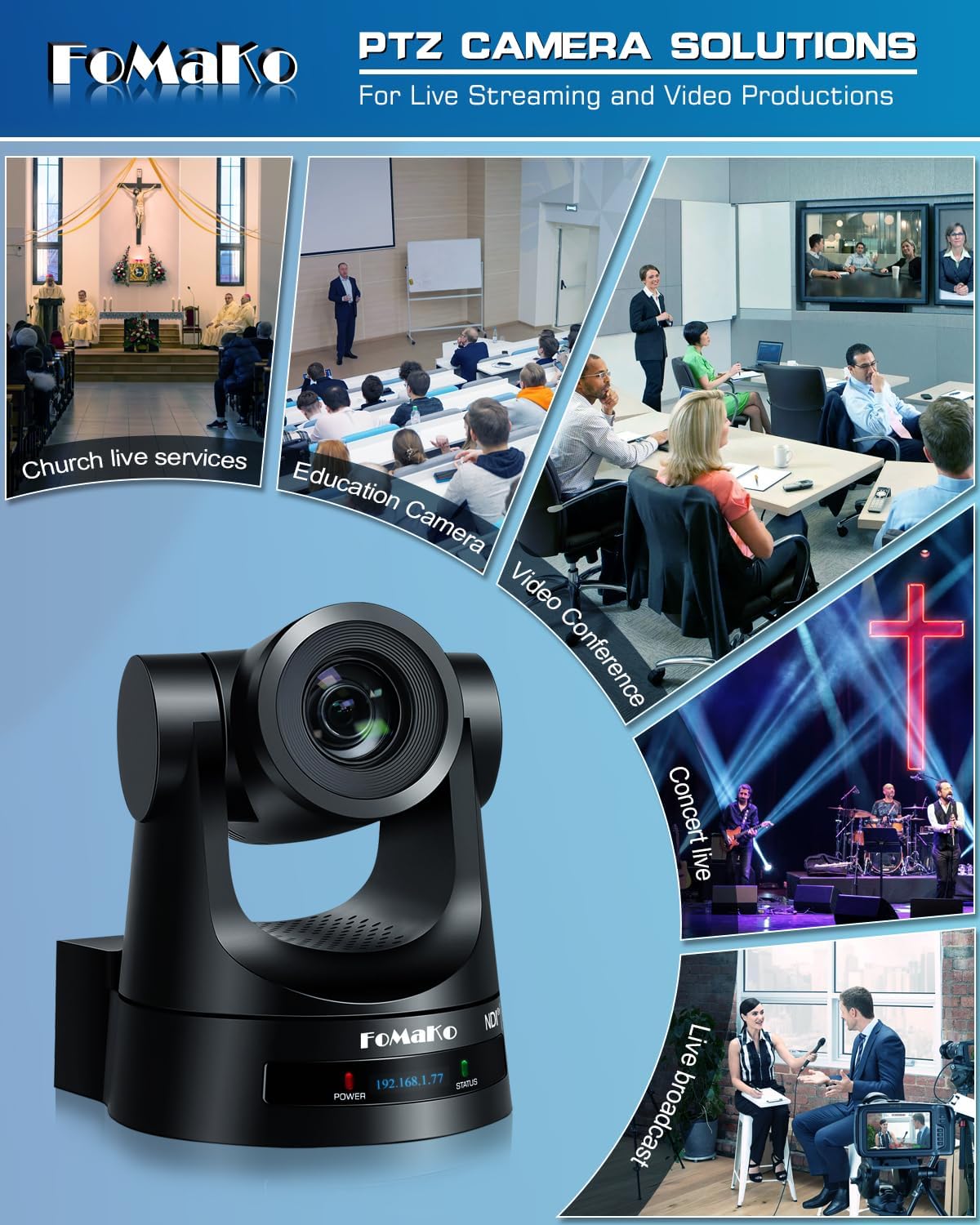
This manual provides detailed instructions for the installation, operation, and maintenance of your FoMaKo NDI PTZ Camera KN20A Pro. This camera features AI auto-tracking, 20x optical zoom, and multiple output interfaces including HDMI, 3G-SDI, IP, NDI, and USB3.0. It is designed for professional video production and live streaming in various environments such as churches, educational institutions, and event venues.
2. Co znajduje się w pudełku
Sprawdź, czy w opakowaniu znajdują się wszystkie elementy:
- FoMaKo AI Tracking NDI PTZ Camera (20x optical zoom)
- Pilot na podczerwień
- Uchwyt ścienny
- Wspornik sufitowy
- Kabel USB
- Zasilacz (12 V 2 A)
- Instrukcja obsługi (ten dokument)

Image 2.1: FoMaKo NDI PTZ Camera KN20A Pro and its standard accessories.
3. Funkcje produktu powyżejview
- Official NDI 6 & NDI HX3 Certification: Ensures stable and high-quality video transmission, even with limited bandwidth.
- 20-krotny zoom optyczny: Provides clear, detailed images from a distance.
- Advanced AI Auto-Tracking (Gen 3): Offers customizable tracking modes, sensitivity, and target switching.
- Multiple Video Output Interfaces: Simultaneous 3G-SDI, HDMI, LAN/Ethernet, and USB3.0 for versatile connectivity.
- Obsługa zasilania przez Ethernet (PoE): Ułatwia instalację, dostarczając zasilanie i dane za pomocą jednego kabla Ethernet.
- Efficient Video Encoding: Supports H.264/H.265 for fluent motion video under various bandwidth conditions.
- Wydajność przy słabym oświetleniu: High SNR CMOS combined with 2D & 3D noise reduction for clear images in challenging lighting.
- Precise Gear Transmission Structure: Ensures accurate preset positioning and enhanced durability compared to belt-driven systems.
- Wiele metod sterowania: Includes IR remote, dedicated PTZ controller, web interface, OBS/vMix PTZ plugins, and StreamDeck compatibility.

Image 3.1: Visual representation of the camera's core features.
4. Konfiguracja
4.1 Fizyczna instalacja
The FoMaKo NDI PTZ Camera supports three primary installation methods:
- Mocowanie ścienne: Securely attach the camera to a vertical surface using the provided wall mount bracket.
- Mocowanie do statywu: Mount the camera on a standard tripod for portable or temporary setups.
- Montaż sufitowy: Install the camera inverted on a ceiling using the provided ceiling bracket. The camera automatically adjusts its image and control orientation when mounted upside down.

Obraz 4.1: Examples of camera installation methods.
4.2 Połączenia
Connect the camera to your system using the appropriate ports on the rear panel:
- Wyjście 3G-SDI: For professional video transmission over coaxial cable.
- Wyjście HDMI: For direct connection to displays or video switchers.
- Wyjście USB3.0: For direct connection to a computer for live streaming or recording.
- LAN/Ethernet Port: For IP streaming (NDI, RTSP, RTMP, SRT), control (VISCA over IP), and PoE power.
- RS232/RS485: For serial control using a PTZ controller.
- Wyrysować: Wejście audio 3.5 mm.
- 12V DC: Power input if not using PoE.
Rysunek 4.2: Złącza na panelu tylnym.
4.3 Konfiguracja sieci
For IP-based control and streaming, configure the camera's network settings. This can typically be done via the camera's web interface or on-screen display (OSD) menu.
- DHCP: Enable DHCP for automatic IP address assignment or disable it to set a static IP.
- IP Address, Subnet Mask, Gateway: Manually configure these settings if DHCP is disabled.
Uzyskaj dostęp do kamery web interfejs, wprowadzając jego adres IP do pliku web browser. The default IP address is often printed on the camera or can be found using an NDI discovery tool.

Image 4.3: Network settings interface.
5. Instrukcja obsługi
5.1 Podstawowe sterowanie
The camera can be controlled using the IR remote, a dedicated PTZ controller, or the web interfejs.
- Obrót/pochylenie/zoom: Use the joystick on a PTZ controller or directional buttons on the IR remote/web interfejs do regulacji kamery view.
- Regulacja prędkości: Pan, tilt, and zoom speeds can be adjusted to achieve smooth camera movements. Preset speed is also adjustable.
- Centrum: The camera features fast auto-focus. Manual focus adjustment is also available.
5.2 Automatyczne śledzenie AI
The third-generation AI auto-tracking system allows the camera to automatically follow a designated subject.
- Aktywacja: Press the F2 button on the IR remote control to activate automatic tracking.
- Target Switching: Press the F4 button on the IR remote to switch between detected tracking targets.
- Personalizacja: Adjust tracking modes, sensitivity, figure size, AI-track speed, horizontal tracking only, character position, and lost target action via the camera's settings menu or web interfejs.

Image 5.1: AI Tracking Gen 3 settings and capabilities.
5.3 Ustawienia wstępne
The camera supports up to 255 preset positions, allowing quick recall of specific camera angles and zoom levels. Ten presets can be accessed directly via the IR remote control.
- Ustawienia wstępne: Ustaw kamerę w żądanym miejscu view, then use the remote or controller to save the preset. Refer to the detailed manual for specific steps.
- Przywoływanie ustawień wstępnych: Use the preset buttons on the remote or controller to move the camera to a saved position.
6. Konserwacja
To ensure optimal performance and longevity of your FoMaKo NDI PTZ Camera, follow these maintenance guidelines:
- Czyszczenie: Do czyszczenia korpusu aparatu używaj miękkiej, suchej ściereczki. Do czyszczenia obiektywu użyj specjalnej ściereczki i płynu do czyszczenia obiektywów. Unikaj materiałów ściernych i silnych środków chemicznych.
- Środowisko: Operate and store the camera in a clean, dry environment, away from extreme temperatures, humidity, and direct sunlight.
- Aktualizacje oprogramowania układowego: Periodically check the FoMaKo webwitryna z aktualizacjami oprogramowania sprzętowego, dzięki której możesz mieć pewność, że Twój aparat ma najnowsze funkcje i udoskonalenia wydajności.
- Zarządzanie kablami: Ensure all cables are securely connected and not under strain to prevent damage to ports or cables.
7. Rozwiązywanie Problemów
Jeśli masz problemy z aparatem, zapoznaj się z poniższymi typowymi procedurami rozwiązywania problemów:
- Brak zasilania: Ensure the power adapter is correctly connected or that your PoE switch is providing power if using PoE. Check power indicators on the camera.
- Brak wyjścia wideo: Verify all video cables (HDMI, SDI, USB, Ethernet) are securely connected. Check input selections on your display or switcher. Ensure the camera is powered on.
- Brak połączenia sieciowego: Confirm Ethernet cable connection. Check network settings (IP address, subnet mask, gateway) in the camera's web interface. Ensure the camera and controlling device are on the same network segment.
- Sterowanie PTZ nie odpowiada: Check remote control batteries. Ensure the camera is receiving IR signals or that the network/serial control connection is active. Verify the correct camera ID is selected on the controller.
- Problemy z automatycznym śledzeniem: Ensure AI auto-tracking is enabled (F2 on remote). Check tracking sensitivity and other settings in the menu. Ensure the subject is clearly visible and within the camera's tracking range.
- Problemy z jakością obrazu: Check lighting conditions. Ensure lens is clean. Adjust exposure and white balance settings if necessary.
For more detailed troubleshooting or issues not covered here, please refer to the full user manual PDF available online or contact FoMaKo customer support.
8. Specyfikacje
| Funkcja | Specyfikacja |
|---|---|
| Nazwa marki | FoMaKo |
| Numer modelu | KN20A |
| Waga przedmiotu | 2.64 funta |
| Wymiary produktu | 5.63 x 6.93 x 6.65 cala |
| Kolor | Czarny |
| Cechy specjalne | AI tracking NDI PTZ Camera |
| Zoom optyczny | 20x |
| Rozdzielczość przechwytywania wideo | 1080p |
| Tryby fotografowania | Automatyczny |
| Typ kontroli ekspozycji | Automatyczny |
| Łączność | 3G-SDI, HDMI, IP (NDI 6 & NDI HX3), USB3.0, RS232, RS485, PoE |
9. Gwarancja i wsparcie
FoMaKo is committed to providing excellent customer service and product reliability.
- Gwarancja: Produkt objęty jest 3-letnią ograniczoną gwarancją.
- Gwarancja zwrotu pieniędzy: A 30-Day No-Questions-Asked Money-Back Guarantee is provided for risk-free purchase.
- Szkolenia online: Free online training is available to help users get started easily.
- Pomoc eksperta: 24/7 expert assistance is available, with responses typically within 24 hours. Please include your Order ID when contacting support.
- Pomoc zdalna: Remote assistance for setup can be provided if necessary.
- Dożywotnie wsparcie techniczne: Enjoy lifetime customer technical support for your product.

Image 9.1: FoMaKo customer support and warranty information.


