1. Wprowadzenie
This manual provides comprehensive instructions for the assembly, operation, and maintenance of your METIYA Dual Monitor Stand. Please read this manual thoroughly before installation and retain it for future reference. This stand is designed to support two computer monitors in a vertical stacked configuration, offering adjustability for an ergonomic viewzdobywania doświadczenia.

Image 1.1: METIYA Dual Monitor Stand supporting two monitors in a vertical arrangement.
2. Informacje dotyczące bezpieczeństwa
Aby zapobiec obrażeniom ciała lub uszkodzeniu sprzętu, należy przestrzegać następujących środków ostrożności:
- Do not exceed the maximum weight capacity of 17.6 lbs (8 kg) per monitor.
- Upewnij się, że stojak jest umieszczony na stabilnej i równej powierzchni, aby zapobiec jego przewróceniu.
- Verify that the VESA mounting holes on your monitors are compatible (75x75mm or 100x100mm).
- Tighten all screws securely during assembly, but do not overtighten.
- Podczas instalacji należy trzymać dzieci i zwierzęta z daleka.
- Jeśli brakuje jakiejkolwiek części lub jest ona uszkodzona, należy natychmiast skontaktować się z działem obsługi klienta.
3. Zawartość opakowania
Before beginning installation, please check that all components are present:
- Wolnostojąca podstawa
- Główny Polak
- Upper VESA Monitor Arm
- Lower VESA Monitor Arm
- Klipsy do zarządzania kablami
- Zestaw narzędzi (śruby, podkładki, klucze imbusowe)
4. Konfiguracja i instalacja
Aby zmontować i zainstalować stojak na dwa monitory, wykonaj następujące czynności:
4.1. Assemble the Freestanding Base
- Attach the main pole to the freestanding base using the provided screws and Allen wrench. Ensure it is securely fastened.

Image 4.1: Illustration of the freestanding base and detachable VESA plate for quick installation.
4.2. Mocowanie płytek VESA do monitorów
- Ostrożnie połóż monitor ekranem do dołu na miękkiej i czystej powierzchni.
- Align the detachable VESA plate with the mounting holes on the back of your monitor (75x75mm or 100x100mm).
- Przymocuj płytkę VESA do monitora za pomocą odpowiednich śrub z zestawu montażowego. Nie dokręcaj zbyt mocno.
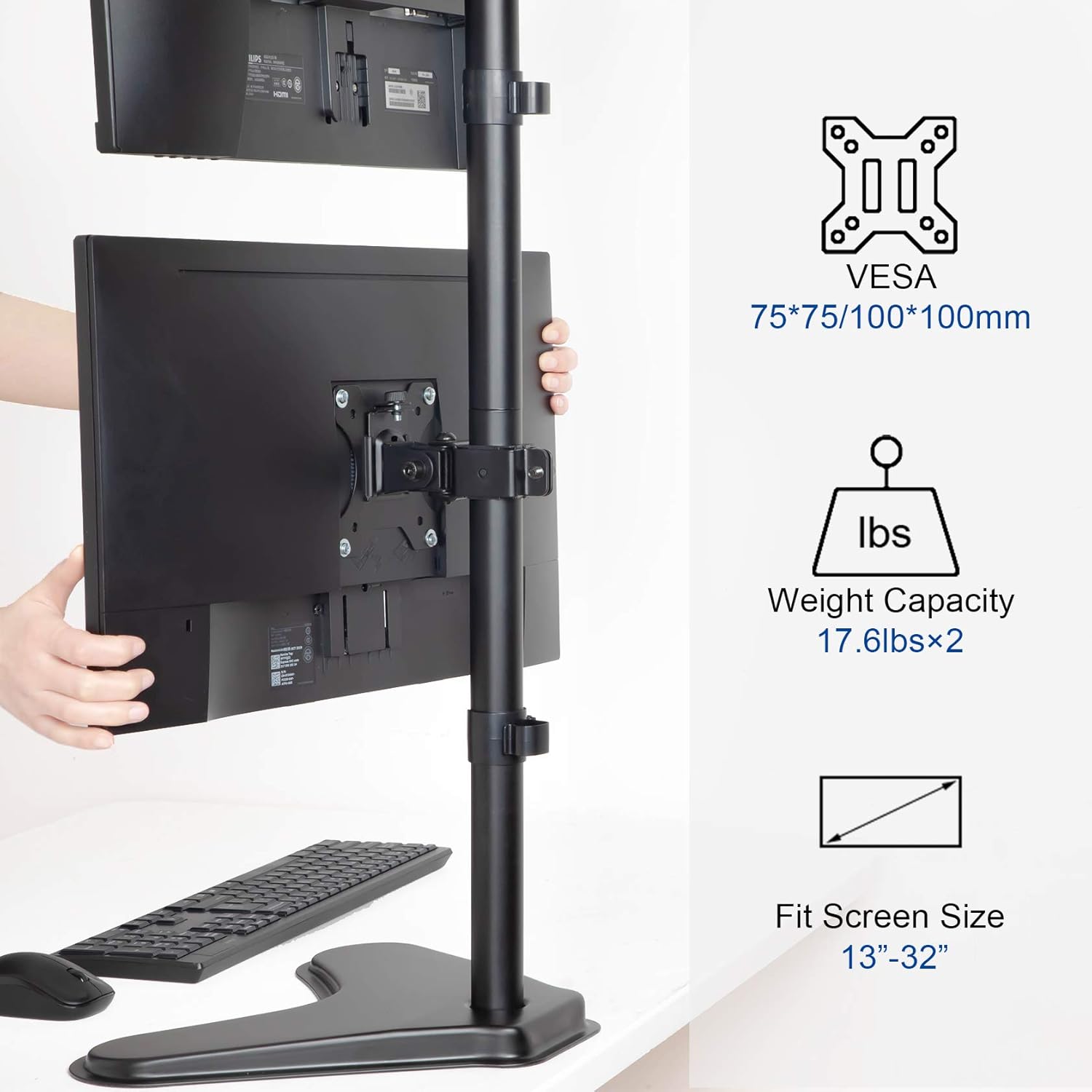
Image 4.2: VESA mounting standards (75x75mm, 100x100mm), weight capacity (17.6 lbs x 2), and compatible screen sizes (13"-32").
4.3. Mount Monitors to the Stand
- Slide the VESA monitor arms onto the main pole. Adjust their approximate height and secure them with the pole clamps.
- Carefully lift each monitor (with VESA plate attached) and slide it onto the corresponding monitor arm. Ensure the monitor is securely seated.
- Tighten the security screws on the monitor arms to prevent accidental dislodging.
4.4. Zarządzanie kablami
- Route your monitor cables through the integrated cable management clips on the main pole.
- Secure the clips to keep cables tidy and prevent tangling.
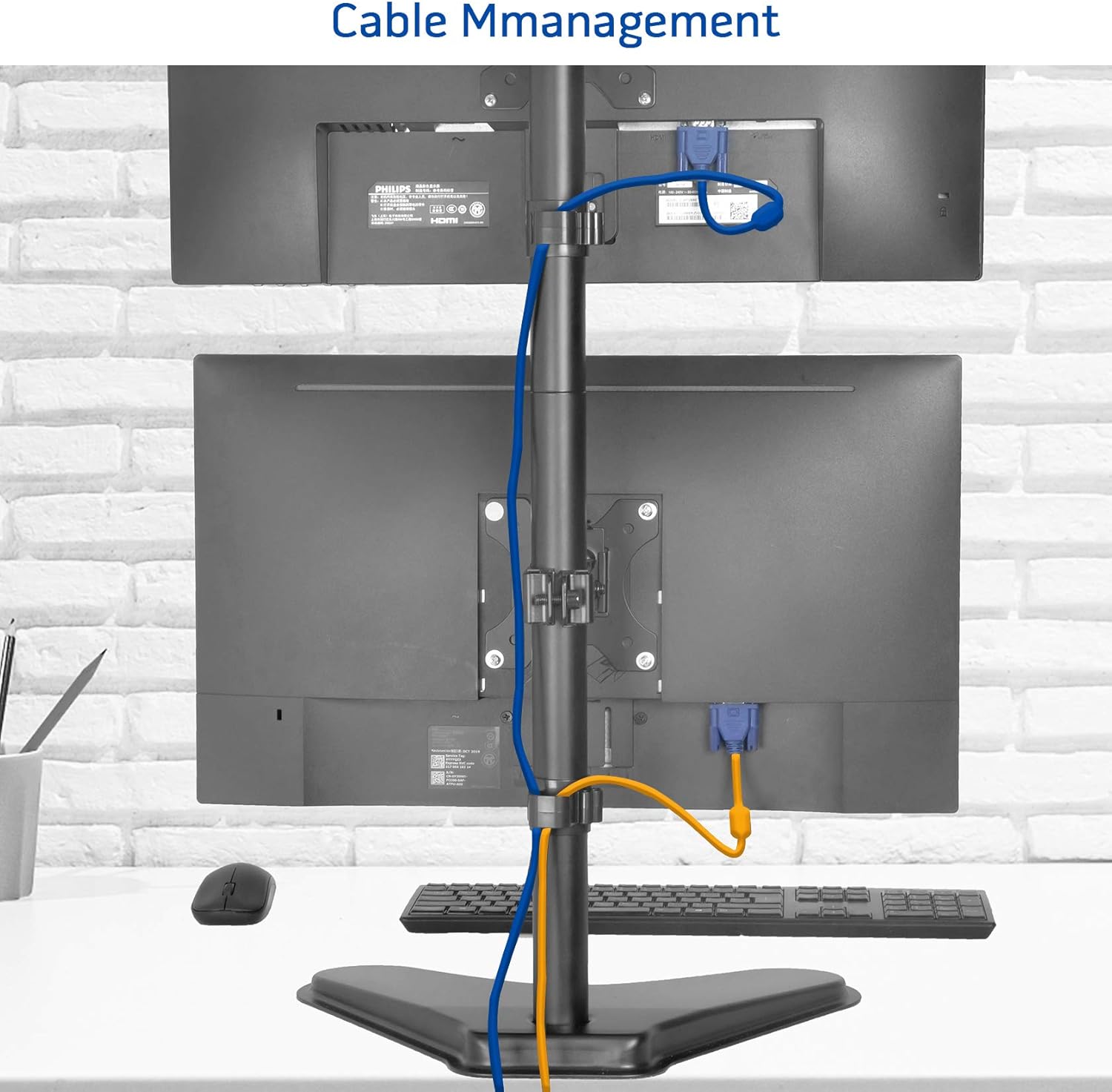
Obraz 4.3: Example of cable management using the integrated clips on the stand's pole.
5. Instrukcja obsługi
The METIYA Dual Monitor Stand offers various adjustment options for optimal viewkomfort:
5.1. Regulacja wysokości
- Poluzuj drążek klamp on the monitor arm.
- Slide the monitor arm up or down the main pole to the desired height.
- Dokręcić drążek klamp securely to fix the height.
5.2. Regulacja nachylenia
- Gently tilt the monitor screen up or down to achieve the desired viewing angle. The stand supports a tilt range of ±45 degrees.
5.3. Regulacja obrotu
- Rotate the monitor screen left or right to adjust the horizontal viewing angle. The stand supports a swivel range of ±45 degrees.
5.4. Regulacja obrotu
- Obróć monitor o 360 stopni, aby przełączać się między orientacją poziomą i pionową.

Image 5.1: Visual representation of the stand's height adjustment, 360° rotation, ±45° tilt, and ±45° swivel capabilities.
6. Konserwacja
To ensure the longevity and proper function of your monitor stand:
- Regularnie sprawdzaj wszystkie śruby i połączenia, aby mieć pewność, że są dobrze dokręcone.
- Wyczyść stojak miękką,amp szmatką. Unikaj środków czyszczących o działaniu ściernym i rozpuszczalników.
- Do not hang objects on the stand or apply excessive force to the monitors.
7. Rozwiązywanie Problemów
If you encounter issues with your monitor stand, refer to the following common solutions:
- Monitors are not stable or sag: Ensure all VESA plate screws and pole clamps are securely tightened. Verify that your monitors do not exceed the stand's weight capacity.
- Trudności w regulacji wysokości: Poluzuj drążek klamp sufficiently before attempting to adjust the height.
- Chwiejność stojaka: Ensure the freestanding base is on a flat, stable surface. Check that the main pole is firmly attached to the base.
8. Specyfikacje produktu
| Funkcja | Specyfikacja |
|---|---|
| Model | B08SHWM31C |
| Zgodność ze standardem VESA | 75x75mm, 100x100mm |
| Zgodność rozmiaru monitora | 13 do 32 cala |
| Weight Capacity (per monitor) | 17.6 funta (8 kg) |
| Zakres pochylenia | ±45 stopni |
| Zakres obrotu | ±45 stopni |
| Obrót | 360 stopnia |
| Maksymalna regulacja wysokości | Do 35.6 cali |
| Base Dimensions (Approx.) | 15.4" (szer.) x 11" (gł.) |
| Waga produktu | 8.23 funta |

Image 8.1: Key dimensions and VESA compatibility of the METIYA Dual Monitor Stand.
9. Informacje o gwarancji
This METIYA product is covered by a limited warranty against manufacturing defects. Please refer to the warranty card included with your purchase or contact customer support for specific terms and conditions.
10. Obsługa klienta
For assistance with assembly, troubleshooting, or warranty claims, please contact METIYA customer support through the retailer's platform or visit the official METIYA webwitryna do informacji kontaktowych.