1. Wprowadzenie
Thank you for choosing the KLARSTEIN VapoAir Opal Smart Humidifier. This device is designed to improve air quality and comfort in your home by adding moisture to dry air. It features smart control via an app, an ionizer, a large 5-liter water tank, and multiple mist levels. Please read this manual carefully before use to ensure proper operation and maintenance.
2. Instrukcje bezpieczeństwa
- Nawilżacz należy zawsze umieszczać na stabilnej, płaskiej, wodoodpornej powierzchni, z dala od bezpośredniego światła słonecznego i źródeł ciepła.
- Nie należy umieszczać nawilżacza w pobliżu mebli i urządzeń wrażliwych na wilgoć.
- Przechowywać urządzenie w miejscu niedostępnym dla dzieci i zwierząt domowych.
- Nie zanurzaj urządzenia w wodzie ani innych płynach.
- Przed napełnieniem, czyszczeniem lub przenoszeniem nawilżacza należy odłączyć go od gniazdka elektrycznego.
- Używaj wyłącznie czystej, chłodnej wody z kranu. Zalecana jest woda destylowana lub demineralizowana, aby zapobiec osadzaniu się minerałów.
- Do not add essential oils directly into the water tank; use the designated aroma diffuser tray.
- Jeśli przewód zasilający jest uszkodzony, musi zostać wymieniony przez producenta, jego przedstawiciela serwisowego lub podobnie wykwalifikowaną osobę, aby uniknąć niebezpieczeństwa.
- Nie blokuj wylotu mgły.
3. Zawartość opakowania
Proszę sprawdzić, czy w paczce znajdują się następujące elementy:
- KLARSTEIN VapoAir Opal Smart Humidifier
- Zdalne sterowanie
- Instrukcja obsługi
- Szczoteczka do czyszczenia (może być dołączona)
4. Koniec produktuview i komponenty
Familiarize yourself with the main parts of your humidifier:

Obraz: Przód view of the KLARSTEIN VapoAir Opal Smart Humidifier, showcasindzięki eleganckiemu wzornictwu i wyświetlaczowi LED.
- Wylot mgły: Where the mist is released into the air.
- Zbiornik na wodę: Removable tank for water storage.
- Jednostka podstawowa: Contains the ultrasonic transducer and heating element.
- Control Panel/LED Display: Touch-sensitive buttons and digital display for settings.
- Tacka do dyfuzora aromatów: Small tray for essential oils (located at the bottom/side).
- Przewód zasilający: Do podłączenia do gniazdka elektrycznego.

Image: The KLARSTEIN VapoAir Opal Smart Humidifier with its dimensions labeled: 23cm (depth), 18cm (width), 37cm (height).
5. Konfiguracja
5.1 Rozpakowanie
Carefully remove all packaging materials. Retain the packaging for future storage or transport.
5.2 Umieszczenie
Place the humidifier on a flat, stable surface at least 15 cm away from walls and furniture. Ensure the mist outlet is not directed towards any objects or walls.
5.3 Napełnianie zbiornika na wodę
- Upewnij się, że nawilżacz jest odłączony od zasilania.
- Carefully lift the water tank from the base unit.
- Invert the water tank and unscrew the cap at the bottom.
- Fill the tank with clean, cool tap water. Distilled or demineralized water is recommended to minimize mineral residue. Do not fill past the MAX line.
- Zakręć nakrętkę z powrotem.
- Place the filled water tank back onto the base unit, ensuring it is seated correctly. The auto-stop function will prevent operation if the tank is not properly placed or if water is absent.
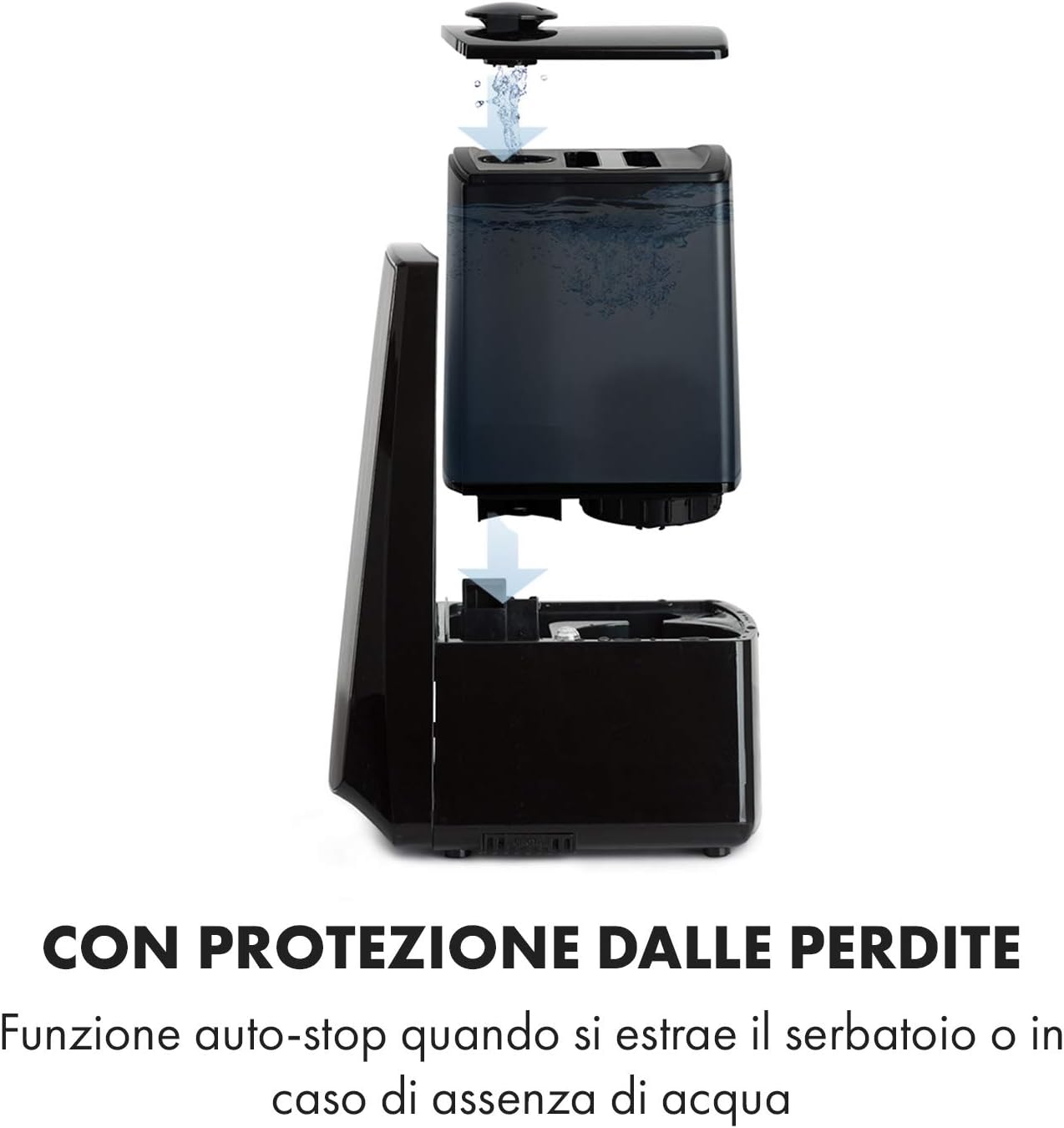
Image: Diagram illustrating the removal and refilling process of the water tank, highlighting the auto-stop feature when the tank is removed or empty.
5.4 Połączenie zasilania
Podłącz przewód zasilający do odpowiedniego gniazdka elektrycznego (230 V).
6. Instrukcja obsługi
6.1 Panel sterowania ponadview

Obraz: Zbliżenie view of the humidifier's LED display and touch controls, showing a hand interacting with the buttons.
The LED display shows current humidity, temperature, and selected settings. The touch buttons allow control over various functions.
6.2 Włączanie/wyłączanie zasilania
Naciśnij WŁ./WYŁ. przycisk na panelu sterowania lub pilocie, aby włączyć lub wyłączyć urządzenie.
6.3 Regulacja poziomu mgły
The humidifier offers 7 levels of mist output. Press the MGŁA button repeatedly to cycle through the mist intensity levels. The current level will be displayed on the screen.
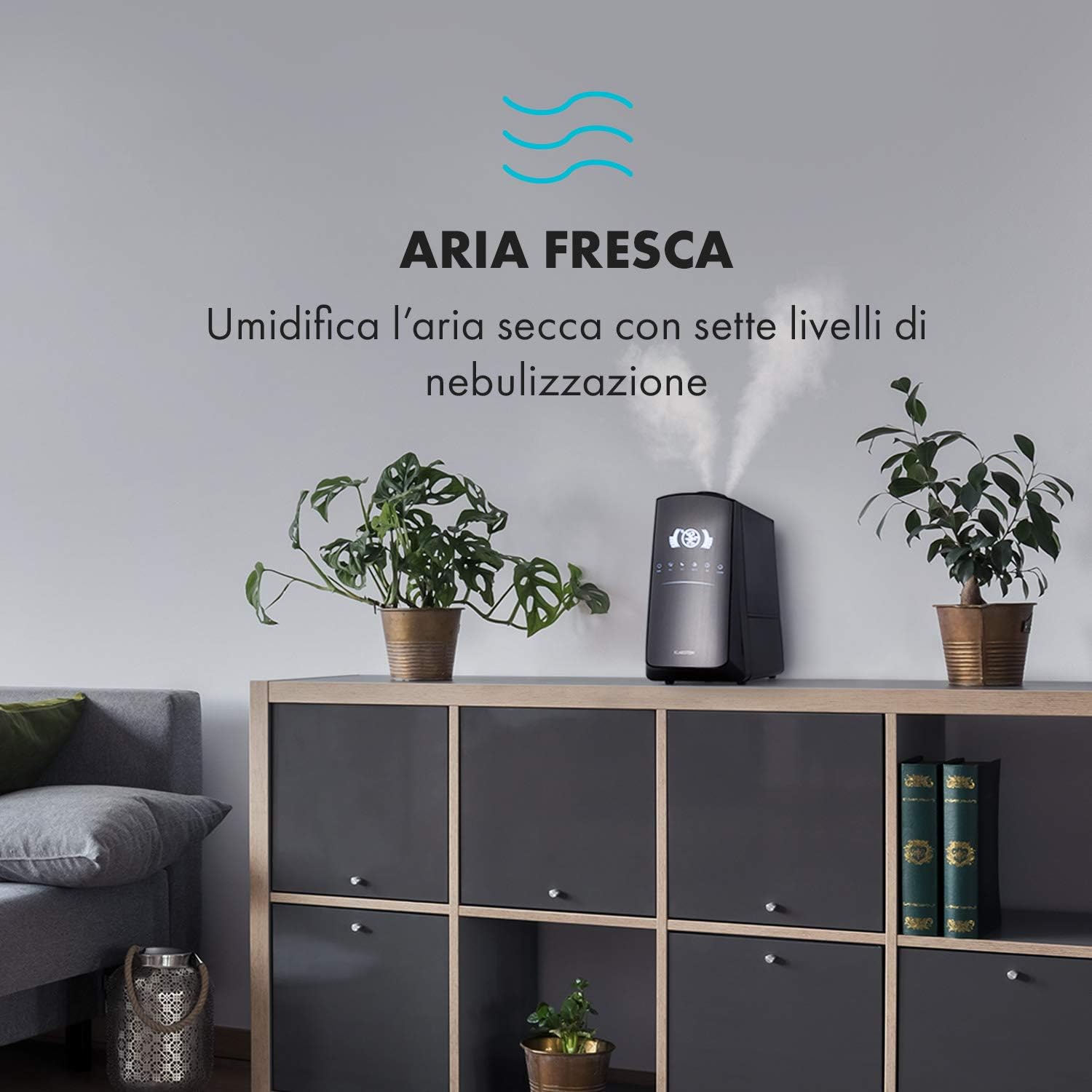
Image: The humidifier operating in a room, releasing mist to humidify the air.
6.4 Humidity Setting (Humidistat)
Naciśnij WILGOTNOŚĆ button to set your desired humidity level (e.g., 40% to 80% RH). The unit will automatically maintain this level, turning on and off as needed.
6.5 Warm/Cool Mist
Naciśnij CIEPŁO button to activate the warm mist function. Press again to switch back to cool mist. Warm mist can help raise room temperature slightly and is often preferred in colder climates.

Image: A close-up shot of the mist output, illustrating the option for either cool or warm mist.
6.6 Funkcja timera
Naciśnij REGULATOR CZASOWY button to set an operating duration from 1 to 12 hours. The unit will automatically turn off after the set time.
6.7 Funkcja jonizatora
Naciśnij ION button to activate the ionizer. This function releases negative ions to help purify the air by attracting dust and other particles.
6.8 Dyfuzor zapachowy
Pull out the aroma diffuser tray located at the bottom of the unit. Add a few drops of essential oil onto the sponge pad. Slide the tray back in. The mist will carry the aroma into the air.

Image: The integrated aroma diffuser tray, shown pulled out with an essential oil bottle and lemon slices nearby, indicating its use for adding scents.
6.9 tryb nocny
Naciśnij NOC button to dim the LED display and reduce operational noise for undisturbed sleep.

Image: The humidifier in a modern living space, illustrating its versatile functions like auto mode, heating, health, baby, night mode, and timer.
7. Kontrola aplikacji
The KLARSTEIN VapoAir Opal Smart Humidifier can be controlled via a dedicated smartphone application.

Image: A person using a smartphone with the Klarstein app open, showing controls for the humidifier's settings and current humidity levels.
7.1 Pobieranie aplikacji
Szukaj the 'Klarstein App Experience' in your smartphone's app store (available for Android and iOS).
7.2 Łączenie z Wi-Fi
- Ensure your humidifier is plugged in and turned on.
- Open the Klarstein App and follow the on-screen instructions to add a new device.
- The humidifier requires a Sieć Wi-Fi 2.4 GHz for connection. It is not compatible with 5 GHz networks. Ensure your router is configured to support 2.4 GHz or that your phone is connected to the 2.4 GHz band during setup.
- Once connected, you can control all humidifier functions remotely via the app.

Image: A smartphone displaying the Klarstein app interface, indicating smart home control via WiFi for Android and iOS devices.
8. Konserwacja i czyszczenie
Regularne czyszczenie jest niezbędne dla optymalnej wydajności i higieny.
8.1 Codzienna konserwacja
- Codziennie opróżniaj i płucz zbiornik na wodę.
- Wipe the inside of the water tank with a clean cloth.
8.2 Cotygodniowe czyszczenie
- Odłącz urządzenie przed czyszczeniem.
- Wyjmij zbiornik na wodę i opróżnij zbiornik oraz jednostkę bazową z resztek wody.
- Czyszczenie zbiornika na wodę: Fill the tank with a mixture of water and white vinegar (1:1 ratio). Let it sit for 30 minutes, then rinse thoroughly.
- Czyszczenie jednostki bazowej: Gently wipe the ultrasonic transducer (the small disc in the center of the base) with a soft brush or cloth to remove mineral deposits. Do not scrape or use abrasive cleaners. You can use a cotton swab dipped in vinegar for hard-to-reach areas.
- Tacka do dyfuzora aromatów: Remove and clean the sponge pad with mild soap and water. Allow it to dry completely before reinserting.
- Wipe all external surfaces with a soft, damp płótno.
8.3 Przechowywanie
Jeżeli nawilżacz powietrza nie będzie używany przez dłuższy czas, należy go dokładnie wyczyścić, upewnić się, że wszystkie części są suche, a następnie przechowywać w oryginalnym opakowaniu w chłodnym i suchym miejscu.
9. Rozwiązywanie Problemów
| Problem | Możliwa przyczyna | Rozwiązanie |
|---|---|---|
| Brak mgły lub jej mała ilość |
|
|
| Jednostka się nie włącza |
|
|
| Nieprzyjemny zapach |
|
|
| Biały pył wokół jednostki | Hard water with high mineral content | Używaj wody destylowanej lub demineralizowanej. Regularnie czyść urządzenie. |
| Problemy z połączeniem Wi-Fi |
|
|
10. Specyfikacje
| Funkcja | Specyfikacja |
|---|---|
| Marka | KLARSTEIN |
| Numer modelu | XJ3-VapoAirOpalSmart |
| Kolor | Czarny |
| Wymiary (dł. x szer. x wys.) | Wymiary 23 x 18 x 37 cm |
| Waga | 2.5 kilogramów |
| Moc | 110 watów |
| Tomtage | 230 wolty |
| Pojemność zbiornika na wodę | 5 litrów |
| Czas działania | Up to 2 hours (continuous, depending on mist level) |
| Cechy specjalne | Remote Control, Timer, App Control, Ionizer, LED Display, 7 Mist Levels, Warm/Cool Mist, Aroma Diffuser |
| Typ pokoju | Salon |
11. Gwarancja i wsparcie
Produkty KLARSTEIN objęte są gwarancją producenta. Szczegółowe informacje dotyczące gwarancji można znaleźć w karcie gwarancyjnej dołączonej do produktu lub na oficjalnej stronie KLARSTEIN. website. For technical support, spare parts, or service inquiries, please contact KLARSTEIN customer service through their official channels.
Proszę zachować dowód zakupu na potrzeby roszczeń gwarancyjnych.


