1. Wprowadzenie
This manual provides detailed instructions for the installation, operation, maintenance, and troubleshooting of your Palit GeForce RTX 3060 Ti Dual OC graphics card. Please read this manual thoroughly before installing and using the product to ensure proper functionality and to prevent damage.
The Palit GeForce RTX 3060 Ti Dual OC is a high-performance graphics card designed for gaming and demanding graphical applications. It features 8GB of GDDR6 memory, a dual-fan cooling system, and supports PCI Express 4.0.
2. Informacje dotyczące bezpieczeństwa
Aby zapobiec obrażeniom ciała i uszkodzeniom sprzętu, należy przestrzegać poniższych wskazówek bezpieczeństwa:
- Zawsze odłączaj zasilanie komputera przed instalacją lub usunięciem jakichkolwiek podzespołów.
- Wear an anti-static wrist strap or frequently touch a grounded metal object to discharge static electricity before handling the graphics card. Static discharge can damage electronic components.
- Handle the graphics card by its edges. Avoid touching the gold-plated PCI Express connector or other components on the board.
- Aby zapobiec przegrzaniu, zadbaj o to, aby obudowa komputera miała odpowiednią wentylację.
- Nie wystawiaj karty graficznej na działanie wilgoci i ekstremalnych temperatur.
- Keep the graphics card away from children.
3. Zawartość opakowania
Sprawdź, czy w opakowaniu produktu znajdują się wszystkie elementy:
- Palit GeForce RTX 3060 Ti Dual OC Graphics Card
- Krótki przewodnik instalacji (ten dokument)
- Driver CD (or instructions for online download)
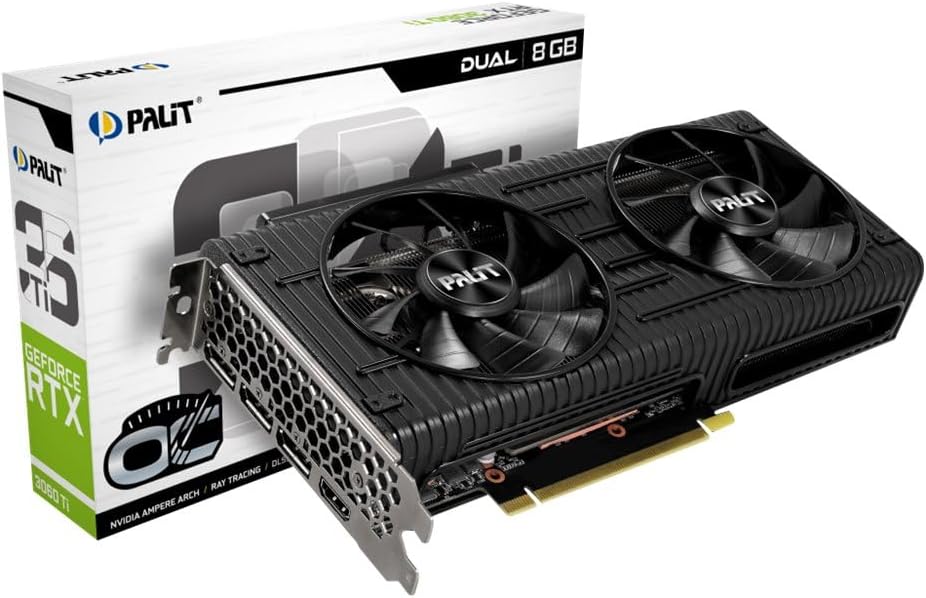
Image: The Palit GeForce RTX 3060 Ti Dual OC graphics card shown alongside its retail packaging.
4. Konfiguracja
4.1. Wymagania systemowe
Przed instalacją należy upewnić się, że system spełnia następujące minimalne wymagania:
- Płyta główna zgodna ze standardem PCI Express i jednym gniazdem graficznym x16.
- Zasilacz o mocy co najmniej 600 W z jednym 8-pinowym złączem zasilania PCIe.
- Microsoft Windows 10 64-bit or Linux 64-bit operating system.
- 8 GB pamięci systemowej (zalecane 16 GB).
- Połączenie internetowe w celu pobrania sterowników i aktualizacji.
4.2. Instalacja fizyczna
Follow these steps to install the graphics card into your computer:
- Wyłącz komputer i odłącz kabel zasilający od gniazdka ściennego.
- Otwórz obudowę komputera. Szczegółowe instrukcje znajdziesz w instrukcji obsługi obudowy komputera.
- Locate an available PCI Express x16 slot on your motherboard. Remove any expansion slot covers that block the slot.
- Carefully align the graphics card with the PCI Express x16 slot. Press down firmly until the card is securely seated in the slot.
- Secure the graphics card to the computer case with the screw from the expansion slot cover.
- Connect the 8-pin PCIe power connector from your power supply to the corresponding port on the graphics card. Ensure a secure connection.
- Zamknij obudowę komputera i podłącz ponownie kabel zasilający.

Obraz: widok z góry view of the Palit GeForce RTX 3060 Ti graphics card, highlighting its dual cooling fans and the heatsink assembly.
4.3. Instalacja sterownika
After physical installation, you must install the graphics drivers:
- Włącz komputer.
- If an internet connection is available, Windows may automatically install a basic display driver. For optimal performance, download the latest drivers from the official NVIDIA webStrona (www.nvidia.com/drivers) or the Palit webStrona (www.palit.com/download).
- Run the downloaded driver installer and follow the on-screen instructions.
- Po zakończeniu instalacji sterownika uruchom ponownie komputer.
5. Obsługa
5.1 Podłączanie wyświetlaczy
The Palit GeForce RTX 3060 Ti Dual OC graphics card features multiple display outputs:
- 3x DisplayPort
- 1x HDMI
Connect your monitor(s) to the available ports on the graphics card. Ensure your display cables are securely connected to both the graphics card and your monitor.

Obraz: kątowy view of the graphics card, highlighting the DisplayPort and HDMI output connectors on the rear I/O bracket.
5.2. Konfiguracja oprogramowania
After driver installation, you can access the NVIDIA Control Panel or Palit ThunderMaster utility for advanced settings. These tools allow you to:
- Adjust display resolutions and refresh rates.
- Configure multi-monitor setups.
- Optimize 3D settings for games and applications.
- Monitor GPU temperature and fan speed (ThunderMaster).
- Perform overclocking (ThunderMaster, use with caution).
6. Konserwacja
Właściwa konserwacja zapewnia długowieczność i wydajność Twojej karty graficznej:
- Czyszczenie: Periodically clean dust from the fans and heatsink using compressed air. Ensure the computer is powered off and unplugged before cleaning. Hold the fan blades gently to prevent them from spinning rapidly during cleaning, which can damage the bearings.
- Aktualizacje sterowników: Regularly check for and install the latest graphics drivers from NVIDIA to ensure optimal performance, stability, and access to new features.
- Monitorowanie temperatury: Use monitoring software (e.g., Palit ThunderMaster, MSI Afterburner) to keep an eye on GPU temperatures, especially during heavy loads. Ensure temperatures remain within safe operating limits.
7. Rozwiązywanie Problemów
Jeśli napotkasz problemy, zapoznaj się z poniższymi typowymi problemami i rozwiązaniami:
| Problem | Możliwe rozwiązanie |
|---|---|
| No display output after installation. |
|
| System crashes or freezes during use. |
|
| Poor performance in games or applications. |
|
| Wentylatory nie kręcą się. | Many modern graphics cards feature a 0dB fan mode, where fans only spin up when the GPU reaches a certain temperature (e.g., 50°C). This is normal behavior for silent operation under light loads. If fans do not spin under heavy load and temperatures are high, check power connections and driver installation. |
8. Specyfikacje techniczne
Key specifications for the Palit GeForce RTX 3060 Ti Dual OC graphics card:
| Funkcja | Specyfikacja |
|---|---|
| Koprocesor graficzny | NVIDIA GeForce RTX 3060 Ti |
| Graphics Ram Size | 8 GB pamięci GDDR6 |
| Zegar Boost | 1695MHz |
| Interfejs wyjścia wideo | 3x DisplayPort, 1x HDMI |
| Interfejs | PCI Express 4.0 |
| Wymiary produktu | 9.72 x 4.72 x 1.57 cala (24.7 x 12.0 x 4.0 cm) |
| Waga przedmiotu | 7 uncji (198 grama) |
| Numer modelu | NE6306TS19P2-190AD |
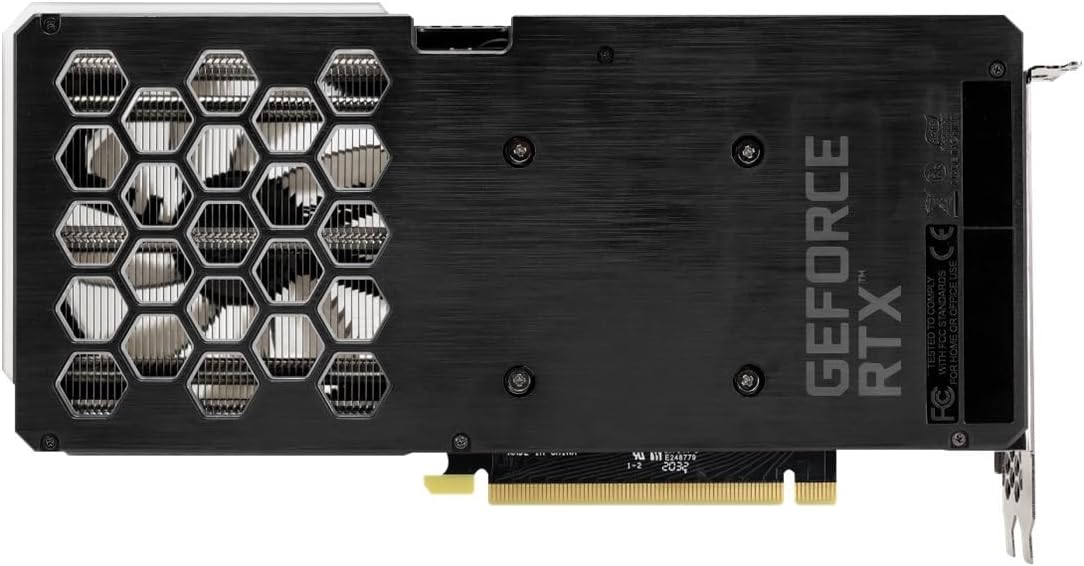
Image: The backplate of the Palit GeForce RTX 3060 Ti graphics card, showing its design and ventilation.
9. Gwarancja i wsparcie
9.1. Informacje o gwarancji
This Palit GeForce RTX 3060 Ti Dual OC graphics card is backed by Palit's 2-year manufacturer's warranty. This warranty covers defects in materials and workmanship under normal use. For full warranty terms and conditions, please refer to the official Palit website or contact Palit customer support.
9.2. Obsługa klienta
If you require technical assistance or have questions regarding your product, please visit the official Palit website for support resources, FAQs, and contact information:
- Palit Official Webstrona: www.palit.com
- Strona wsparcia: Poszukaj sekcji „Pomoc” lub „Skontaktuj się z nami” na webstrona.
When contacting support, please have your product model number (NE6306TS19P2-190AD) and purchase information readily available.


