1. Koniec produktuview
The Yaheetech Home Office Wood Computer Desk is a versatile and compact workstation designed for various uses, including studying, writing, and general office tasks. It features a spacious desktop, a convenient pull-out keyboard tray, a storage drawer, and integrated shelving with a hutch for organization.

Obraz 1.1: Koniecview of the Yaheetech Home Office Wood Computer Desk in white, showcasing its compact design with a hutch, keyboard tray, and side storage.
Its durable construction and thoughtful design make it an ideal solution for optimizing space in home offices, student rooms, or apartments.
2. Informacje dotyczące bezpieczeństwa
Ważna informacja dotycząca bezpieczeństwa:
- For your safety, please do not stand or sit on the desktop.
- Ensure all screws and fasteners are securely tightened during assembly to prevent instability.
- Podczas montażu małe części należy trzymać z dala od dzieci, aby uniknąć ryzyka zadławienia.
- Regularnie sprawdzaj wszystkie połączenia, aby mieć pewność, że są szczelne i bezpieczne.
A detailed Safety Information PDF is available for download from the product's Amazon page for further guidance.
3. Instalacja i montaż
Your Yaheetech Computer Desk is designed for straightforward assembly. All necessary tools are included. It is recommended that one person assembles the desk.
3.1. Instrukcja montażu w formie filmu
Video 3.1: Official installation guide for the Yaheetech Computer Desk. This video provides step-by-step visual instructions for assembling the desk components, including attaching drawer slides, assembling the drawer, and securing the hutch.
3.2. Wskazówki dotyczące ogólnego zgromadzenia
- Unpack all components and verify against the parts list provided in the physical manual. All parts are typically numbered for easy identification.
- Lay out all hardware and tools.
- Follow the numbered steps in the instruction manual carefully.
- Avoid overtightening screws, especially when working with MDF, to prevent cracking the wood.
- Ensure all connections are flush and stable before proceeding to the next step.
For detailed written instructions and diagrams, please refer to the Installation Manual (PDF) available on the product's Amazon page.
4. Instrukcja obsługi
The Yaheetech Computer Desk is designed for ease of use and efficient organization.
4.1. Tacka na klawiaturę
The pull-out keyboard tray provides a convenient space for your keyboard and mouse, keeping your main desktop clear. It operates on high-quality, smooth-sliding rails for effortless extension and retraction.

Image 4.1: The pull-out keyboard tray fully extended, showing its smooth operation.
4.2. Szuflada do przechowywania
The integrated storage drawer offers a discreet space for small office supplies, documents, or personal items. The drawer features smooth-sliding mechanisms and an oblate line-shaped handle for comfortable and safe use.
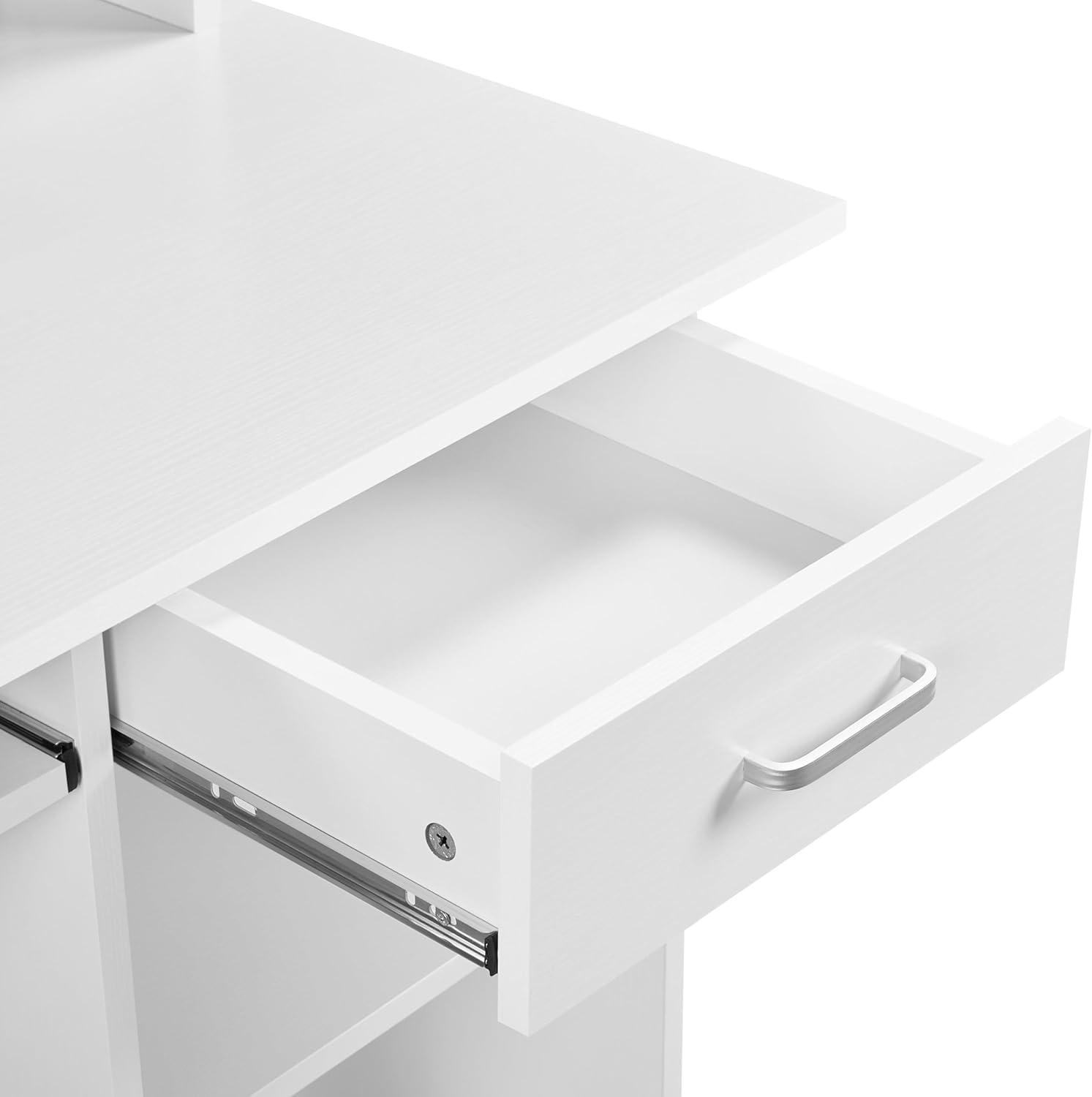
Image 4.2: The desk's single storage drawer, partially open, revealing its interior space.
4.3. Shelving and Hutch
The desk includes open shelving and a hutch design, providing ample space for books, decorative items, or a small printer. The lower shelf can be adjusted or removed to accommodate a PC tower, offering flexible storage solutions.
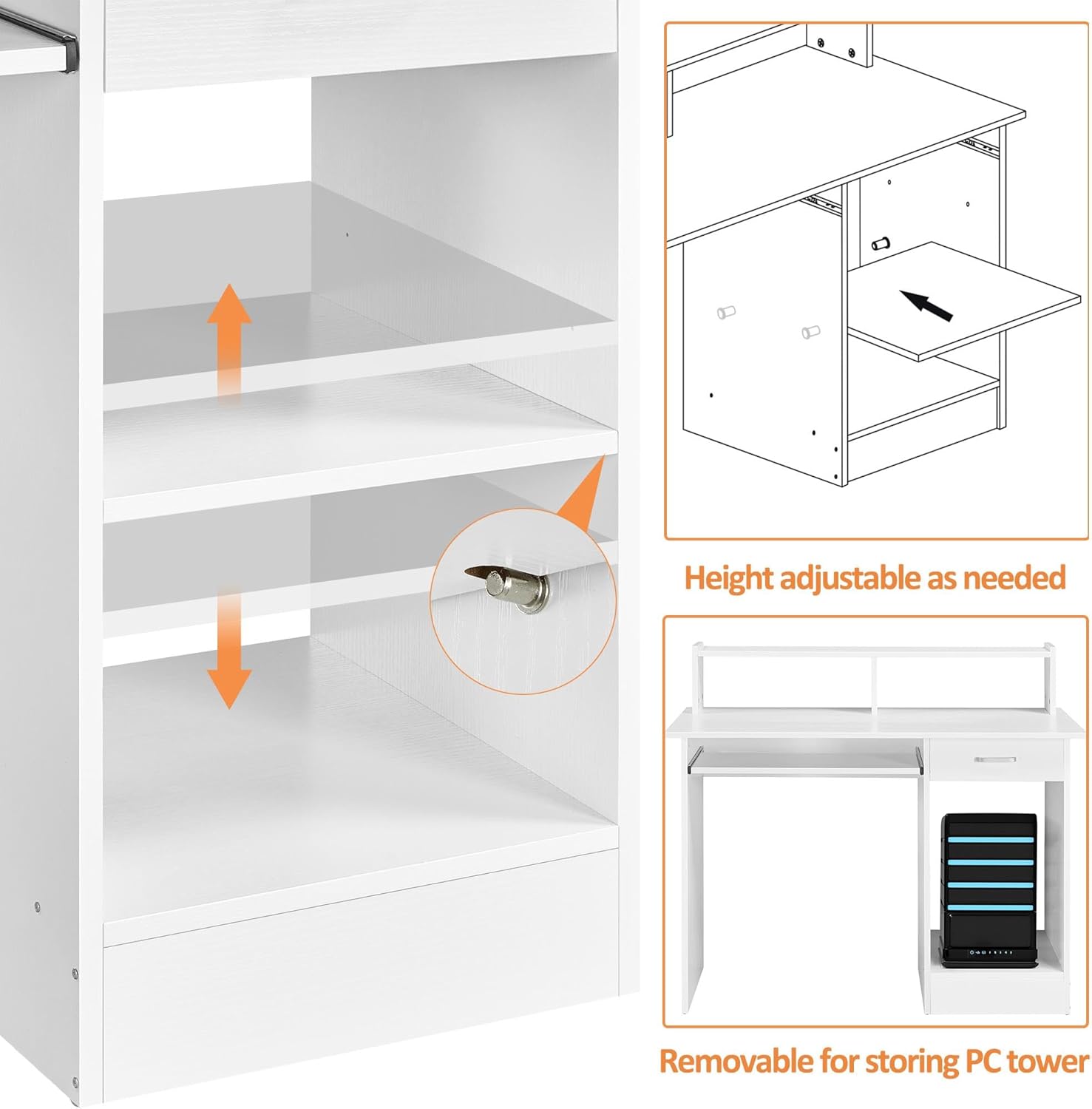
Image 4.3: The adjustable shelf on the side of the desk, designed to accommodate a PC tower or other items.
5. Konserwacja
To ensure the longevity and appearance of your Yaheetech Computer Desk, follow these simple maintenance guidelines:
- Czyszczenie: Wipe the veneered laminated desktop and other surfaces with a damp szmatką. Unikaj stosowania silnych środków chemicznych i ściernych środków czyszczących, które mogą uszkodzić wykończenie.
- Wycieki: The veneered surface is water-resistant. In case of spills, wipe them immediately with a dry cloth to prevent water damage.
- Ochrona: While the surface is scratch-resistant, using coasters for drinks and protective pads under heavy or sharp objects is recommended to maintain its pristine condition.
- Sprzęt komputerowy: Okresowo sprawdzaj dokręcenie wszystkich śrub i elementów mocujących. W razie potrzeby dokręć je, aby zachować stabilność.
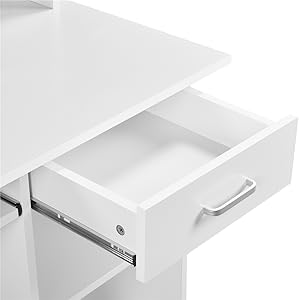
Image 5.1: Close-up of the desk surface showing its water-resistant properties, making it easy to clean spills.
6. Rozwiązywanie Problemów
If you encounter any issues with your Yaheetech Computer Desk, consider the following common troubleshooting steps:
| Problem | Możliwa przyczyna | Rozwiązanie |
|---|---|---|
| Biurko jest chwiejne lub niestabilne. | Luźne elementy złączne lub nierówny montaż. | Check and tighten all screws and bolts. Ensure the desk is on a level surface. |
| Drawer or keyboard tray sticks. | Misaligned slides or debris in the tracks. | Ensure slides are correctly installed and aligned. Clean tracks of any dust or debris. |
| Brak części podczas montażu. | Błąd w opakowaniu. | Contact Yaheetech customer support with your product model and a description of the missing parts. |
7. Specyfikacje
Detailed specifications for the Yaheetech Home Office Wood Computer Desk:
- Marka: Yaheetech
- Numer modelu: YT-00099536
- Kolor: Biały
- Tworzywo: Engineered Wood (CARB P2-compliant MDF) with Veneered Surface
- Wymiary produktu (gł. x szer. x wys.): 20" x 42" x 37"
- Waga przedmiotu: 58.2 funtów
- Maksymalna zalecana waga (blat stołu): 110.2 funtów (50 kg)
- Maximum Weight Recommendation (Drawer): 11 funtów
- Maximum Weight Recommendation (Compartment Board): 22 funtów
- Maximum Weight Recommendation (Keyboard Tray): 11 funtów
- Liczba szuflad: 1
- Liczba półek: 1 (regulowane)
- Wymagany montaż: Tak (zawiera wszystkie narzędzia montażowe)

Image 7.1: Dimensional diagram of the Yaheetech Computer Desk, providing detailed measurements.
8. Gwarancja i wsparcie
Firma Yaheetech stawia sobie za cel dostarczanie produktów najwyższej jakości i zadowolenie klienta.
8.1. Returns and Protection Plans
- Ten produkt można łatwo zwrócić w ciągu 30 dni.
- Optional protection plans are available for purchase, including 2-Year and 3-Year Protection Plans, and a monthly Complete Protect plan. Please refer to the product's purchase page for details on coverage and pricing.
8.2. Obsługa klienta
For any inquiries, assistance with assembly, or to report missing/damaged parts, please contact Yaheetech Customer Support. Contact information can typically be found on the product's packaging or the official Yaheetech store page on Amazon.


