Produkt ponadview
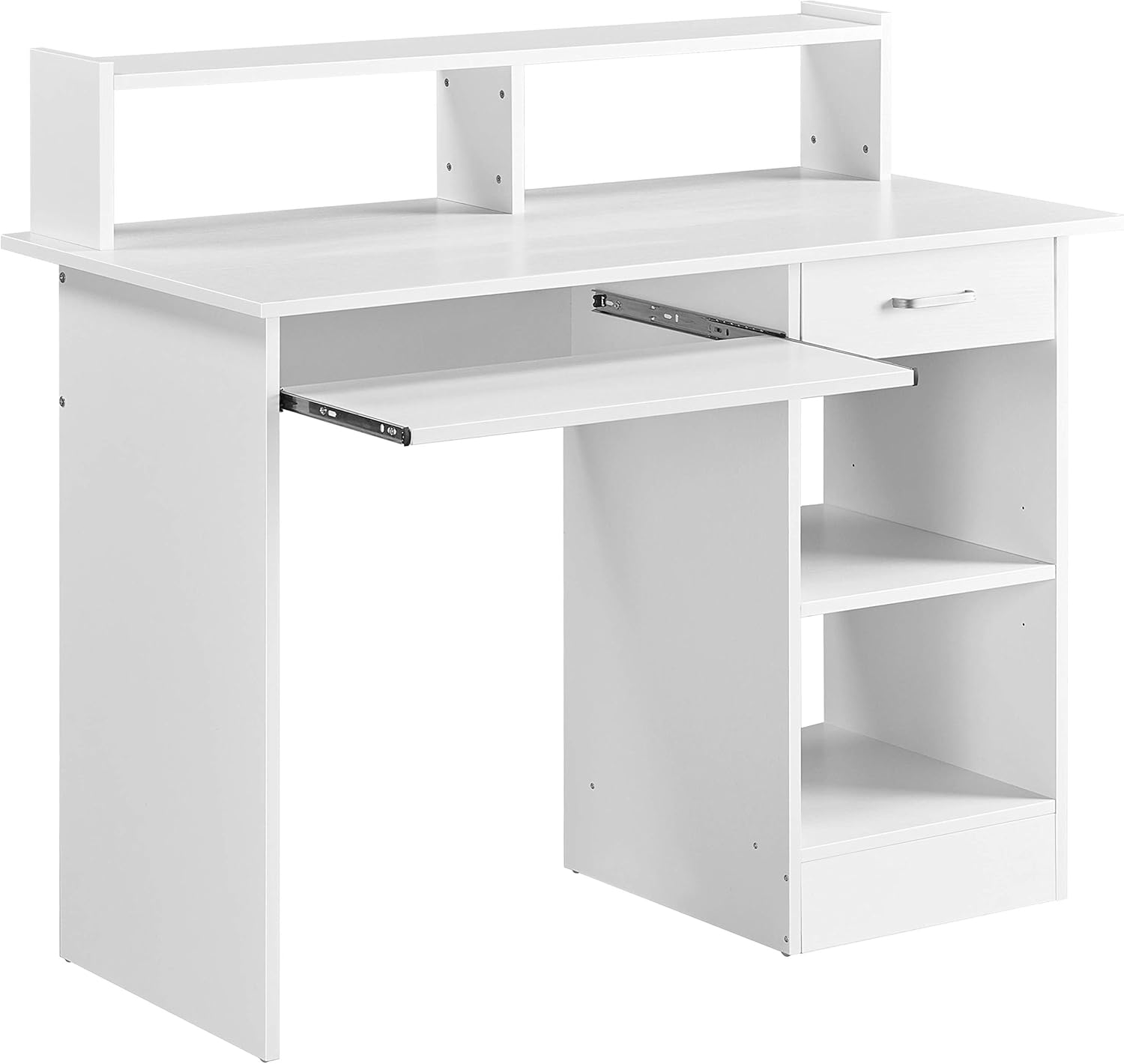
Opis obrazu: Zwrócony do przodu view of the white Yaheetech Desk with Keyboard Tray, showcasing its hutch, main desktop, pull-out keyboard tray, and side storage cabinet with a drawer and open shelves.

Opis obrazu: The white Yaheetech Desk integrated into a home office setup, featuring a laptop, monitor, and various office supplies on its surface and hutch. A white office chair is positioned in front of the desk.
This manual provides comprehensive instructions for the assembly, operation, and maintenance of your Yaheetech Desk with Keyboard Tray. This desk is designed to offer a compact and functional workstation for home office environments, featuring integrated storage solutions.
Informacje dotyczące bezpieczeństwa
Please read and adhere to the following safety guidelines to ensure safe use and prevent damage to the product or injury.
- Avoid standing or sitting on the table. The desk is designed for holding office equipment and supplies, not for supporting human weight.
- Observe maximum weight capacities: tabletop (50kg/110lb), drawer (5kg/11lb), compartment board (10kg/22lb), and keyboard tray (5kg/11lb). Exceeding these limits may cause structural failure.
- Ensure all screws and fasteners are securely tightened during assembly and periodically check for tightness to maintain stability.
- Keep small parts and assembly tools away from children to prevent choking hazards.
Główne cechy
- Practical Hutch Design: The versatile top shelf raises your monitor to a comfortable height and provides additional space for small items.
- Compact Home Workstation: Features a spacious working surface, a full-width top shelf, a smooth-sliding keyboard tray, a pull-out drawer, and a roomy open cabinet.
- AmpMiejsce do przechowywania: Includes a smooth-sliding drawer for essentials and an open cabinet with a height-adjustable shelf for customized storage.
- Wytrzymała konstrukcja: Made from MDF wood, designed for durability and stability.
- Small Space Friendly: With overall dimensions of 106cm x 50cm x 94cm (42"L x 20"W x 37"H), this desk is suitable for various room sizes.
Instrukcja montażu
This desk requires assembly. For optimal safety and ease of assembly, it is recommended that two people work together. Please ensure all parts are present before beginning.
The following steps outline the general assembly process. A detailed visual guide is available in the official installation video below.
- Prepare Drawer and Keyboard Tray Slides: Separate the inner and outer parts of the drawer and keyboard tray slides. Attach the appropriate sections to the corresponding wooden panels.
- Złóż szufladę: Connect the side panels of the drawer box using the provided fasteners. Insert the bottom panel and attach the drawer face with the handle.
- Złóż główną ramę biurka: Secure the side panels to the back panel and the bottom shelf of the right-side cabinet using the designated hardware.
- Dołącz pulpit główny: Carefully place and secure the main desktop surface onto the assembled frame.
- Zamontuj klatkę: Secure the hutch components to the top of the main desk surface using the provided screws.
- Insert Drawer and Keyboard Tray: Carefully slide the assembled drawer into its designated runners. Insert the keyboard tray into its slides.
- Montaż półki regulowanej: Place the adjustable shelf into the right-side cabinet at your desired height using the shelf pins.
Opis filmu: Official Yaheetech installation guide demonstrating the step-by-step assembly of a computer desk. The video shows how to attach drawer slides, assemble the drawer, construct the main desk frame, install the keyboard tray, and secure the hutch. While the desk shown in the video is black, the assembly process is identical for the white model.

Opis obrazu: Zbliżenie view of the desk's hutch, highlighting its elevated design for monitor placement and additional storage space.

Opis obrazu: Szczegółowy view of the desk's pull-out drawer, shown partially open, revealing its interior and the smooth-gliding mechanism.

Opis obrazu: A close-up of the desk's keyboard tray, extended to show its full length and the smooth-gliding rails.
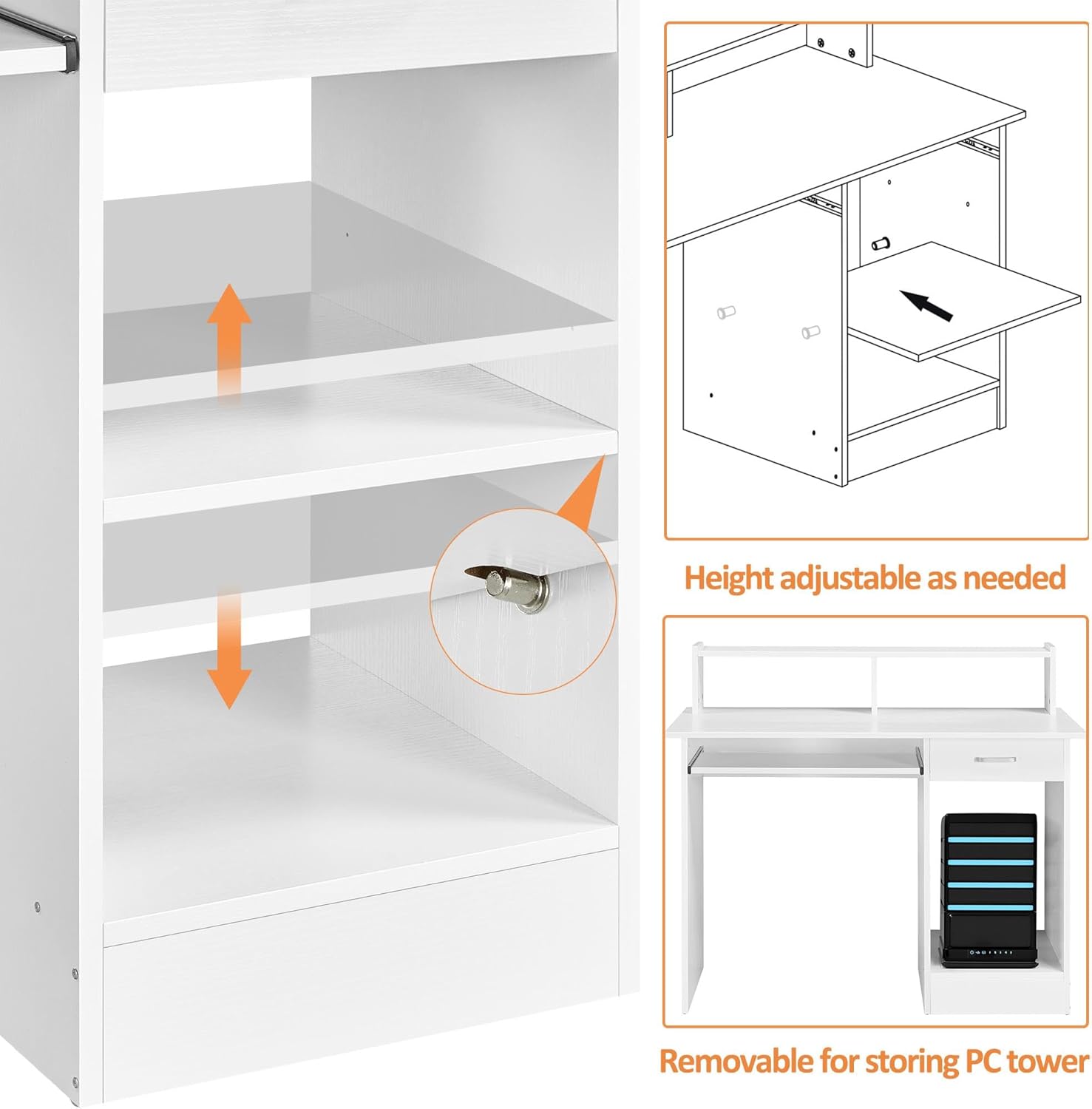
Opis obrazu: A diagram illustrating the adjustable shelf within the side cabinet, showing how it can be moved to accommodate different item heights, including a PC tower.
Instrukcja obsługi
- Półka na klawiaturę: To use, gently pull the tray forward to extend it. Push it back into the desk when not in use to save space.
- Szuflada: Use the integrated handle to smoothly open and close the storage drawer for easy access to your items.
- Regulowana półka: The shelf in the open cabinet can be repositioned to different heights. To adjust, remove the shelf, relocate the shelf pins to the desired holes, and reinsert the shelf.
Konserwacja i pielęgnacja
To ensure the longevity and appearance of your Yaheetech Desk, follow these simple maintenance guidelines:
- Czyszczenie: Przetrzyj powierzchnie biurek wodąamp cloth. For stubborn marks, use a mild soap solution and dry immediately with a clean cloth.
- Unikaj substancji chemicznych: Do not use harsh abrasive cleaners, solvents, or polishes that may damage the wooden finish.
- Ochrona: Use coasters under drinks and placemats under hot items to prevent stains and heat damage.
- Elementy złączne: Okresowo sprawdzaj wszystkie śruby i połączenia, aby upewnić się, że są dobrze dokręcone. Dokręć w razie potrzeby.
Rozwiązywanie problemów
- Chwiejne biurko: If the desk feels unstable, check that all cam locks and screws are fully tightened. Ensure the desk is on a level surface.
- Drawer or Keyboard Tray Sticking: Verify that the drawer slides are correctly installed and aligned. Ensure there are no obstructions in the tracks. A small amount of silicone lubricant can be applied to the slides if needed.
- Brakujące lub uszkodzone części: If you find any parts missing or damaged upon unboxing, please contact Yaheetech customer support immediately with your purchase details and the specific part numbers.
Specyfikacja produktu
| Funkcja | Specyfikacja |
|---|---|
| Marka | Yaheetech |
| Numer modelu | 689806372094 |
| Wymiary produktu (Gł. x Szer. x Wys.) | 42" x 20" x 37" (106 cm x 50 cm x 94 cm) |
| Kolor | Biały |
| Styl | Nowoczesny |
| Materiał bazowy | Metal |
| Najlepszy rodzaj materiału | Engineered Wood (CARB P2 MDF) |
| Rodzaj wykończenia | Wooden (White wooden finish) |
| Waga przedmiotu | 58.2 funtów |
| Maksymalna zalecana waga | 110 funtów (blat stołu) |
| Zawarte komponenty | Keyboard Tray, Hutch Shelf |
| Liczba szuflad | 1 |
| Liczba półek | 2 (including adjustable shelf) |
| Wymagany montaż | Tak |
| Zalecana liczba osób do montażu | 2 |
| Instrukcje pielęgnacji produktu | Wytrzyj Damp Płótno |
Gwarancja i wsparcie
This Yaheetech Desk with Keyboard Tray comes with a limited warranty. For detailed information regarding warranty coverage, terms, and conditions, please refer to the documentation included with your purchase or visit the official Yaheetech webstrona.
For any product-related inquiries, technical assistance, or to report missing/damaged parts, please contact Yaheetech customer support. Ensure you have your model number (689806372094) and proof of purchase available when contacting support.


