Wstęp
The Amazon Echo Show 5 (2nd Gen, 2021 release) is a smart display designed to simplify your daily routines and enhance your connected home experience. This certified refurbished device has been tested and certified to function like new, offering all the features of a new unit.
With Alexa built-in, you can manage your day, stay entertained, and connect with others using just your voice. The compact 5.5-inch screen provides visual feedback for alarms, timers, news, video calls, and more.

Image: The Echo Show 5 on a nightstand, illustrating its use as a smart display for time and daily information.
Organizować coś
Setting up your Echo Show 5 is a straightforward process. The device is designed for simple setup, allowing you to connect to your Wi-Fi network with ease.
Zawartość pudełka:
- Urządzenie Echo Show 5
- Glacier White power adapter (15W) with cable (4.9 ft.)
- Szybki przewodnik
Początkowe kroki konfiguracji:
- Włączać do kontaktu: Connect the power adapter to your Echo Show 5 and plug it into a wall outlet.
- Postępuj zgodnie z instrukcjami wyświetlanymi na ekranie: The device will power on and guide you through the initial setup process on its touch screen.
- Połącz się z Wi-Fi: Select your Wi-Fi network from the list and enter the password. The Echo Show 5 supports dual-band 802.11a/b/g/n/ac Wi-Fi networks.
- Zaloguj się do konta Amazon: Zaloguj się, używając danych swojego konta Amazon.
- Personalizuj ustawienia: Customize settings such as time zone, device name, and privacy preferences.
- Pobierz aplikację Alexa: For full functionality and advanced controls, download the Alexa app on your Fire OS, Android, or iOS device. The app is also accessible via a web przeglądarka.
Amazon's Wi-Fi simple setup technology helps streamline the connection process, making it easier to get your device up and running quickly.
Obsługa urządzenia Echo Show 5
The Echo Show 5 offers a wide range of functionalities, primarily controlled by voice commands to Alexa and through its interactive touch screen.
Pomoc dzienna:
- Alarmy i timery: Set alarms and timers with voice commands.
- Calendar & News: Check your calendar, get news updates, and view prognozy pogody.
- Rutyna: Create routines to automate actions, such as gradually turning on compatible lights in the morning.
Inteligentne sterowanie domem:
Manage compatible smart home devices using the interactive display, your voice, or motion detection.
- Wbudowany aparat fotograficzny: Use the 2 MP camera to look in on your home when you're away.
- Kontrola urządzenia: Control lights, cameras, and other smart devices.

Image: A man carrying a laundry basket, with an Echo Show 5 in the foreground, demonstrating how the device can be used to control smart home devices, possibly through motion detection.
Komunikacja:
- Połączenia wideo: Make video calls to friends and family who have the Alexa app or an Echo device with a screen using the 2 MP camera.
- Ogłoszenia: Send announcements to other compatible devices in your home.

Image: The Echo Show 5 displaying an active video call, highlighting its communication capabilities.
Rozrywka:
- Transmisja strumieniowa: Play TV shows and movies from services like Prime Video and Netflix on the 5.5-inch screen.
- Muzyka i dźwięk: Stream music from Amazon Music, Apple Music, Spotify, and others.
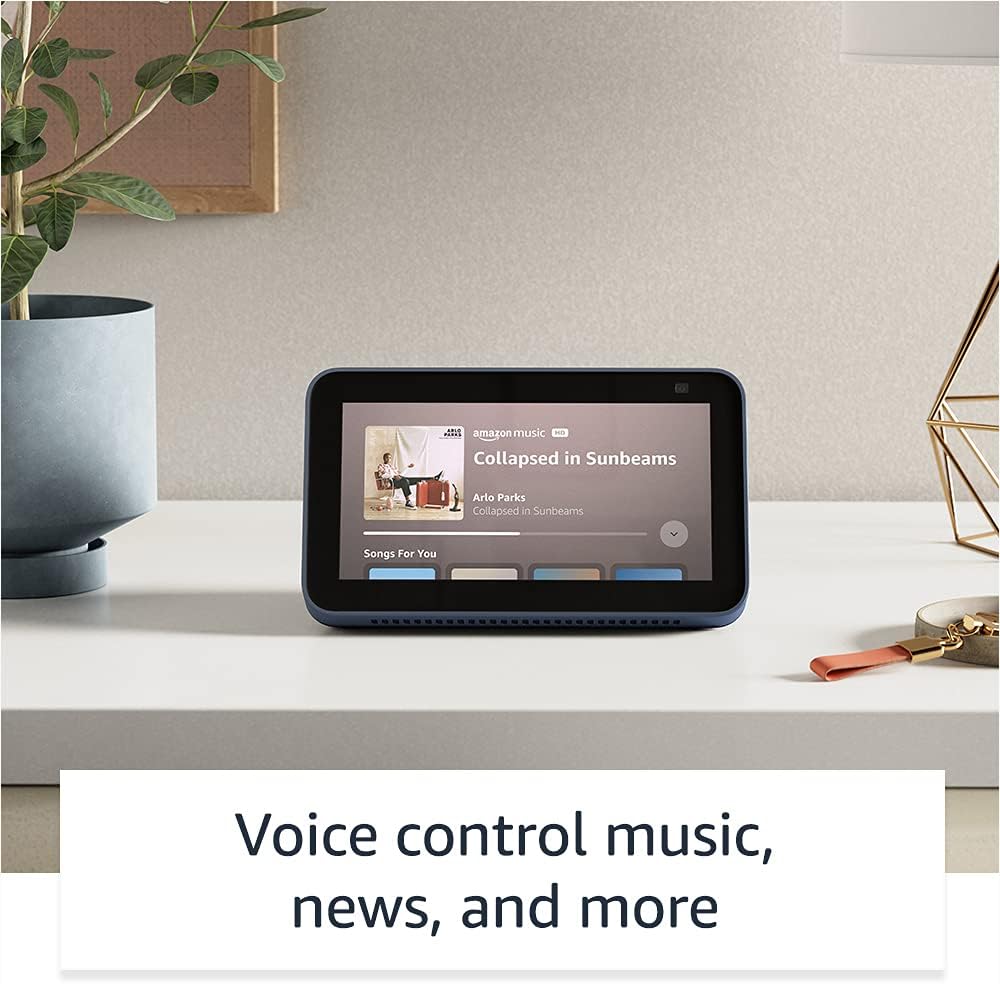
Image: The Echo Show 5 displaying a music playback screen, demonstrating its entertainment features.
Personalizacja:
- Cyfrowa ramka na zdjęcia: Use Amazon Photos to turn your home screen into a digital photo frame.

Image: The Echo Show 5 displaying a personal photo, illustrating its use as a digital photo frame.
Funkcje prywatności:
Echo Show 5 zostało zaprojektowane z myślą o zapewnieniu wielowarstwowej kontroli prywatności:
- Przycisk wyłączania mikrofonu/kamery: A physical button to electronically disconnect the microphones and camera.
- Wbudowana migawka aparatu: A physical shutter to cover the camera lens.
- Voice Recording Controls: Możliwość view i usuń nagrania głosowe.
- Technologia słowa budzenia: The device only begins listening after detecting your chosen wake word.
- Wskaźniki przesyłania strumieniowego: Visual indicators show when audio or video is being streamed to the cloud.

Obraz: Zbliżenie view of the Echo Show 5's top, highlighting the physical camera shutter button for privacy control.
Funkcje ułatwień dostępu:
Echo Show 5 oferuje różne funkcje ułatwień dostępu, które pozwalają spersonalizować Alexę do Twoich możliwości. Dostęp do nich jest możliwy za pośrednictwem Ustawienia → Dostępność na Twoim urządzeniu.
- Kliknij, aby przejść do Alexy: Możesz komunikować się z Alexą za pomocą dotyku, korzystając z kafelków na ekranie lub klawiatury.
- Słuchanie adaptacyjne: Daje więcej czasu na dokończenie mówienia zanim Alexa odpowie.
- Preferowana szybkość mówienia: Kontroluj szybkość, z jaką Alexa mówi.
- Napisy: Alexa Captioning, Call Captioning, and Closed Captioning provide text for supported content.
- Pokaż i opowiedz: Helps identify products for users who are blind or visually impaired.
- GłosView Czytnik ekranu: Enables access for blind or visually impaired users.
- Lupa ekranowa: Przybliżaj/oddalaj i przesuwaj ekran.
- Powiadom, gdy jesteś w pobliżu: Odtwarza dźwięki powiadomień w przypadku wykrycia urządzenia w pobliżu.
- Kindle – czytaj na głos: Alexa może czytać na głos książki z Twojego Kindle'a.
- Tekst w czasie rzeczywistym: Wpisuj tekst na żywo podczas połączenia wideo.
- Dodatkowe ustawienia dla funkcji Odwrócenie kolorów, Korekcja kolorów, Żądanie dźwięku i inne.
Konserwacja
The Certified Refurbished Echo Show 5 has undergone rigorous testing and certification to ensure it looks and works like new. Regular maintenance is minimal.
- Czyszczenie: Delikatnie przetrzyj ekran i zewnętrzną część urządzenia miękką, niepozostawiającą włókien ściereczką. Unikaj szorstkich środków czyszczących i sprayów.
- Aktualizacje oprogramowania: Ensure your device is connected to Wi-Fi to receive automatic software security updates, which are guaranteed for at least four years after the device is last available for purchase as a new unit.
Rozwiązywanie problemów
Jeśli napotkasz problemy z urządzeniem Echo Show 5, zastosuj się do poniższych ogólnych wskazówek dotyczących rozwiązywania problemów:
- Cykl zasilania: Unplug the device from the power outlet, wait for 30 seconds, and then plug it back in.
- Sprawdź połączenie Wi-Fi: Ensure your Wi-Fi network is active and the device is connected. You can check network status in the device settings.
- Verify Internet Connectivity: Confirm your internet service is working by testing other devices on the same network.
- Check Microphone/Camera: Ensure the mic/camera off button is not activated and the camera shutter is open if you are trying to use these features.
- Aplikacja Alexa: Use the Alexa app on your smartphone or tablet to manage device settings, check for updates, and access further support resources.
- Polecenia głosowe: Speak clearly and ensure you are within range of the device's microphones.
For more detailed troubleshooting or specific issues, refer to the help section within the Alexa app or visit the official Amazon support webstrona.
Specyfikacje
| Funkcja | Szczegół |
|---|---|
| Rozmiar | 5.8” x 3.4” x 2.9” (148 mm x 86 mm x 73 mm) |
| Waga | 14.5 uncji (410 gramów) |
| Wyświetlacz | 5.5-calowy ekran dotykowy |
| Kamera | Aparat 2 MP z wbudowaną migawką |
| Łączność WiFi | Dual-band wifi (802.11a/b/g/n/ac). Does not support ad-hoc networks. |
| Łączność Bluetooth | A2DP support for audio streaming; AVRCP for voice control of connected mobile devices. PIN-code speakers not supported. |
| Audio | Wbudowany głośnik pełnozakresowy 1.65” |
| Edytor | MediaTek MT 8163 |
| Generacja | Echo Show 5 (2nd Gen) - 2021 release |
| Język | Alexa mówi po angielsku i hiszpańsku |
Gwarancja i wsparcie
Your Certified Refurbished Echo Show 5 comes with the same limited warranty as a new device. For specific details regarding your warranty, please refer to the documentation included with your device or visit the official Amazon website for Certified Refurbished Amazon devices.
For customer support, troubleshooting, and to manage your device settings, utilize the Alexa app on your compatible smartphone or tablet. You can also find extensive support resources and FAQs on the Amazon support webstrona.
Aktualizacje zabezpieczeń oprogramowania: This device receives guaranteed software security updates until at least four years after the device is last available for purchase as a new unit on Amazon's webwitryny.
Powiązane dokumenty - Echo Show 5 (2. generacji, wydanie z 2021 r.)
 |
Szybki przewodnik po Amazon Echo Show 8 (2. generacja) Przewodnik po rozpoczęciu korzystania z urządzenia Amazon Echo Show 8 (2. generacja), obejmujący konfigurację, funkcje i kwestie prywatności. |
 |
Instrukcja obsługi Amazon Echo Show 8 (2. generacji) Kompleksowy podręcznik użytkownika Amazon Echo Show 8 (2. generacja) zawierający szczegółowe informacje na temat konfiguracji, funkcji prywatności, poleceń głosowych i wskazówek dotyczących korzystania z Alexy. |
 |
Wytyczne dotyczące korzystania z marki Amazon Echo i Alexa dla partnerów zewnętrznych Oficjalne wytyczne dla partnerów zewnętrznych dotyczące prawidłowego korzystania z zasobów marki Amazon Echo i Alexa, w tym logotypów, typografii, kolorów i reprezentacji w materiałach marketingowych. Zapewnienie spójności i integralności marki. |
 |
Szybki przewodnik po urządzeniu Amazon Echo Show 8 (2. generacja): konfiguracja i funkcje Dowiedz się, jak skonfigurować i używać Amazon Echo Show 8 (2. generacji). Ten przewodnik obejmuje funkcje urządzenia, ustawienia prywatności i podstawowe polecenia Alexy do codziennych zadań. |
 |
Szybki przewodnik po Amazon Echo Show 5 (2. generacja) A quick start guide for the Amazon Echo Show 5 (2nd Generation), covering setup, privacy features, and basic usage with Alexa. |
 |
Szybki przewodnik po Amazon Echo Show 5 (2. generacja) Rozpocznij korzystanie z Amazon Echo Show 5 (2. generacji). Ten przewodnik obejmuje konfigurację, funkcje urządzenia, kontrolę prywatności oraz korzystanie z Alexy do rozrywki, inteligentnego domu i komunikacji. |