Wstęp
Thank you for choosing the TMY Mini Movie Projector. This portable 1080P Full HD projector is designed to provide a versatile entertainment experience with built-in apps, advanced connectivity, and user-friendly features. Please read this manual carefully to ensure proper setup and optimal performance.
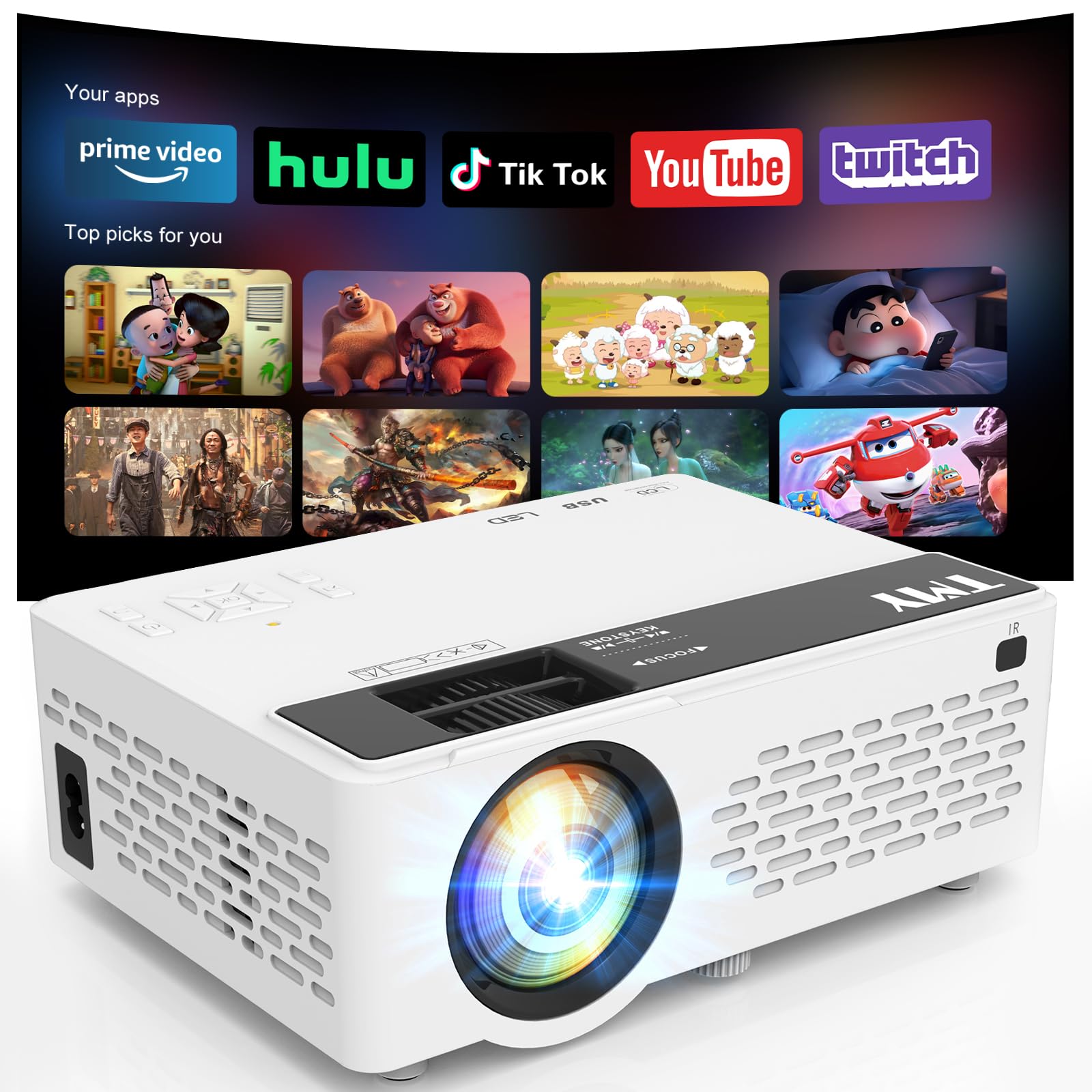
Image: The TMY Mini Movie Projector, its remote control, and power cable laid out on a wooden surface.
Główne cechy
- All-in-One Entertainment Hub: Pre-installed apps like Prime Video and YouTube for instant streaming.
- Upgraded 1080P HD Video: Enhanced LED light source with 50% increased brightness and Full HD support.
- WiFi 6 Lightning Connect: Faster speeds for connections and seamless wireless screen mirroring from iOS/Android devices.
- Dwukierunkowy Bluetooth 5.2: Connect to external Bluetooth speakers for immersive audio or use the projector as a Bluetooth speaker.
- Multi-Device HDMI/USB Ports: Versatile connectivity for gaming consoles, laptops, Fire Sticks, and other devices.
- 50%-100% Zoom Function: Adjust screen size without moving the projector.
- Funkcja automatycznego uśpienia: Ustaw timer automatycznego wyłączania.
Organizować coś
1. Rozpakowanie i wstępna inspekcja
Ostrożnie wyjmij wszystkie elementy z opakowania. Upewnij się, że wszystkie elementy wymienione w sekcji „Zawartość opakowania” są obecne i nieuszkodzone.
2. Podłączenie zasilania
Connect the power cord to the projector's power input and then to a power outlet. The power indicator light will illuminate.
3. Umieszczenie
Umieść projektor na stabilnej, płaskiej powierzchni. Aby uzyskać optymalną viewing, position the projector perpendicular to your projection surface (wall or screen). The projector can be placed on a table, shelf, or mounted on a tripod (not included).
4. Regulacja ostrości i zniekształcenia trapezowego
Turn on the projector. Adjust the focus ring on the lens until the projected image is clear and sharp. Use the keystone correction slider to adjust the image shape if it appears trapezoidal, ensuring a rectangular display.

Image: A visual guide illustrating various projection screen sizes (40" to 180") and the physical controls for focus and keystone correction on the projector.
5. Podłączanie urządzeń
Projektor obsługuje wiele źródeł sygnału wejściowego:
- HDMI: Connect gaming consoles, laptops, TV sticks, etc., using an HDMI cable.
- USB: Podłącz dysk USB, aby odtwarzać multimedia.
- Karta TF: Włóż kartę TF (MicroSD) w celu odtwarzania multimediów.
- Wi-Fi 6: Connect to your home network for built-in app access and wireless screen mirroring.
- Bluetooth 5.2: Pair with external Bluetooth speakers or use the projector as a Bluetooth speaker.

Image: An illustration detailing the multiple device connection options available on the TMY projector, including HDMI, USB, audio jack, and wireless connections like Android, iOS, tablet, Bluetooth 5.2, and WiFi 6.
Instrukcja obsługi
1. Włączanie/wyłączanie zasilania
Naciśnij przycisk zasilania na projektorze lub pilocie, aby włączyć lub wyłączyć urządzenie.
2. Nawigacja
Use the directional buttons and 'OK' button on the projector's control panel or the remote control to navigate through menus and select options.
3. Wybór źródła
From the home screen, select your desired input source (HDMI, USB, TF, or built-in apps) using the navigation buttons.
4. Korzystanie z wbudowanych aplikacji
Connect the projector to a WiFi 6 network. Navigate to the 'Apps' section on the home screen to access pre-installed applications like Prime Video and YouTube. Ensure a stable internet connection for smooth streaming.

Image: The TMY Mini Movie Projector projecting a screen filled with various app icons, including Prime Video, YouTube, Hulu, Britbox, Plex, and others, onto a wall.
5. Bezprzewodowe przesyłanie obrazu z ekranu
For iOS/Android devices, select the screen mirroring option from the projector's menu. Follow the on-screen instructions to connect your smartphone or tablet wirelessly.

Image: A living room setting at night, with two people on a couch playing a video game projected onto a large screen by the TMY projector, highlighting its Super Fast WiFi6 Mirroring capability.
6. Funkcja powiększania
Use the 50%-100% zoom function to adjust the size of the projected image without physically moving the projector. This feature is accessible via the projector's menu or remote control.

Image: A visual representation of the TMY projector's 50%-100% zoom function, showing how the projected image size can be adjusted without moving the device.
7. Ustawienia dźwięku
The projector has a built-in speaker. For enhanced audio, connect external Bluetooth speakers via the Bluetooth 5.2 feature. Alternatively, the projector can function as a standalone Bluetooth speaker for your phone.

Image: A nighttime outdoor scene with two people sitting on a blanket, one playing a guitar, and the TMY projector acting as a two-way Bluetooth speaker, connected to a smartphone.
8. Funkcja automatycznego uśpienia
To set a timer for automatic shutdown, navigate to the settings menu and select the 'Auto Sleep Function'. Choose your desired duration (e.g., 1H, 8H, 20H, 24H).

Image: A child sleeping peacefully in bed, with the TMY projector on a nearby nightstand, projecting an image onto the wall, demonstrating the Auto Sleep Function with timer options (1H, 8H, 20H, 24H).
Konserwacja
1. Czyszczenie
Regularly clean the projector lens with the provided cleaning kit or a soft, lint-free cloth. Avoid using abrasive cleaners. Keep the projector's ventilation openings clear of dust and debris to ensure proper cooling.
2. Przechowywanie
When not in use, cover the lens with the protective cap. Store the projector in a cool, dry place away from direct sunlight and extreme temperatures.

Image: An internal diagram of the TMY projector highlighting its dual fans and double cooling effect, indicating efficient heat dissipation for prolonged use.
Rozwiązywanie problemów
- Rozmazany obraz: Adjust the focus ring and keystone correction slider until the image is clear and rectangular.
- Brak dźwięku: Check the volume settings on the projector and your connected device. Ensure external Bluetooth speakers are properly paired if in use.
- Problemy z łącznością: For WiFi, ensure the projector is within range of your router and the password is correct. For Bluetooth, ensure the device is in pairing mode and within range. For HDMI/USB, ensure cables are securely connected.
- Niska jasność: Dla optymalnego viewing, use the projector in a dimly lit or dark room.
Specyfikacje
- Wymiary opakowania: 8.86 x 8.62 x 4.17 cala
- Waga przedmiotu: 2.51 funta
- ASIN: B0G3F3DDRN
- Rozdzielczość wyświetlacza: 1280x720
- Technologia łączności: 3.5mm Jack, HDMI, USB, Wi-Fi
- Cechy szczególne: Built-In Cooling System, Built-In Speaker, Lightweight, Built-in Apps
- Zalecane zastosowanie: Gry, kino domowe
- Producent: JFK
- Pierwsza dostępna: 22 listopada 2025 r.
Co jest w pudełku
- TMY Mini Movie Projector
- Zestaw do czyszczenia
- Kabel HDMI
- Przewód zasilający
- Instrukcja obsługi
- Karta gwarancyjna
Gwarancja i wsparcie
Informacje o gwarancji
The TMY Mini Movie Projector comes with a 3-year warranty. Please refer to the included Warranty Card for detailed terms and conditions.
Zasady zwrotu
Enjoy a 30-day return policy for your purchase. Please check the retailer's specific return guidelines.
Obsługa klienta
For any inquiries or technical assistance, TMY offers quick replies within 24 hours. Refer to the contact information provided on your Warranty Card or the official TMY webstronie, aby uzyskać szczegółowe informacje na temat pomocy technicznej.
Plany ochrony
Dostępne są do nabycia rozszerzone plany ochrony:
- 2-letni plan ochrony
- 3-letni plan ochrony
- Pełna ochrona: Jeden plan obejmuje wszystkie kwalifikujące się zakupy z przeszłości i z przyszłości (rozliczenie miesięczne)


