Produkt ponadview
The Weilisi 10-inch Ring Light is designed to provide optimal lighting for various applications, including photography, video recording, live streaming, makeup application, and more. It features a robust tripod stand, a flexible phone holder, and a wide range of customizable lighting options.

Rysunek 1: Koniecview of the Weilisi 10-inch Ring Light with its tripod stand and phone holder.
Główne cechy
- Rozbudowane tryby oświetlenia: Features warm light, white light, daylight, and 39 dynamic RGB color modes (red, yellow, green, sky blue, blue, purple).
- Precyzyjna kontrola: Stepless brightness adjustment from 1% to 100% for both conventional and dynamic color modes.
- Regulowany stojak trójnóg: Patented premium tripod extends from 19 inches up to 72 inches (62 inches for the stand itself), made from durable aluminum alloy and metal for stability.
- Elastyczny uchwyt na telefon: Accommodates smartphones up to 3.3 inches wide, with 360-degree rotation and 180-degree vertical rotation for optimal positioning.
- Zasilany przez USB: Conveniently powered via USB ports. Recommended 5V/3A adapter for optimal performance.
- Bezprzewodowy pilot zdalnego sterowania: Includes a smartphone remote control compatible with iOS and Android devices for remote photo and video capture.

Figure 2: Demonstrates the multi-light effects and the inline remote control for the ring light.
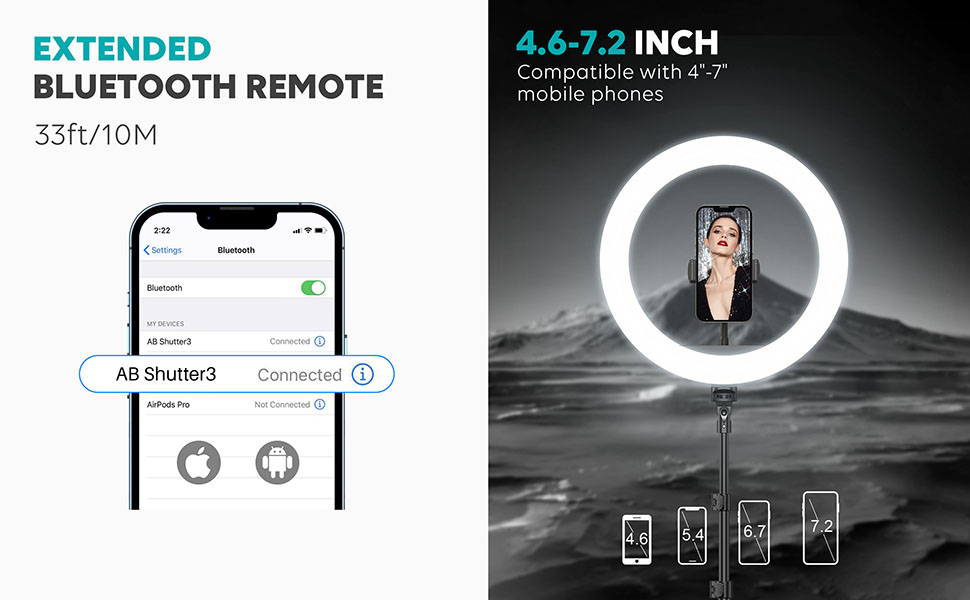
Figure 3: Illustrates the extended Bluetooth remote and phone compatibility with the ring light.
Przewodnik po konfiguracji
- Rozpakuj komponenty: Carefully remove all items from the packaging: ring light, tripod stand, phone holder, and remote control.
- Złóż statyw: Extend the tripod legs to a stable position. Adjust the height of the tripod stand by loosening the locking clips on the telescopic sections, extending to desired height (up to 72 inches), and then securely fastening the clips.
- Zamontuj pierścień świetlny: Mount the ring light onto the top of the tripod stand. Ensure it is securely tightened.
- Montaż uchwytu telefonu: Insert the flexible phone holder into the designated slot within the center of the ring light. Adjust its angle and orientation as needed.
- Podłącz zasilanie: Plug the USB cable from the ring light into a compatible USB power source. For optimal performance, use a 5V/3A adapter or wall outlet.

Figure 4: Shows the adjustable height of the tripod stand for the ring light.
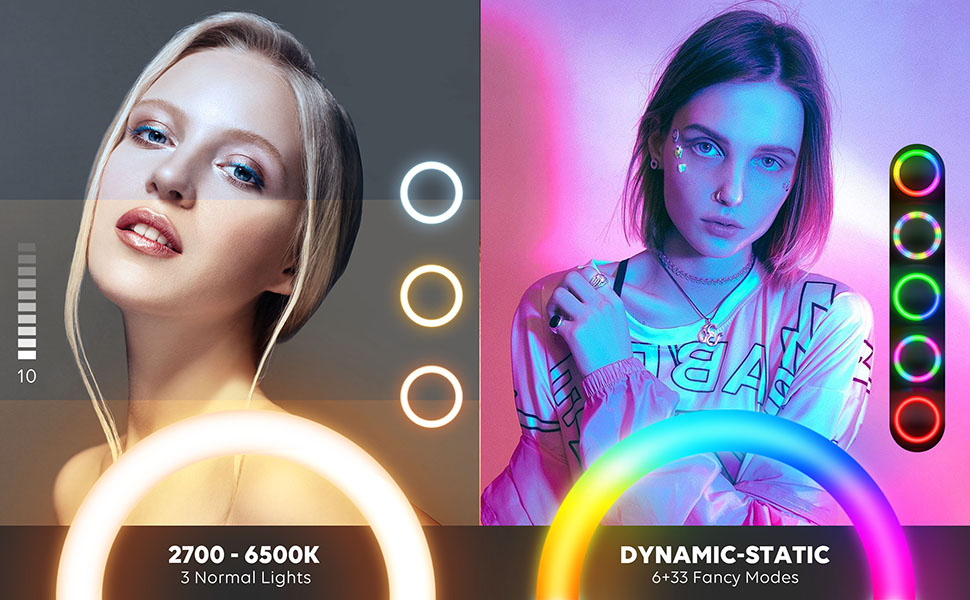
Figure 5: Demonstrates the flexibility and adjustability of the phone holder.
Instrukcja obsługi
- Włączanie/wyłączanie: Use the power button on the inline remote control to turn the ring light on or off.
- Dostosuj jasność: Use the 'Up' and 'Down' buttons on the remote to increase or decrease the brightness (1% to 100% stepless dimming).
- Zmień tryby kolorów: Press the 'Mode' button to cycle through the 3 normal color modes (warm, white, daylight).
- Activate RGB Modes: Press the 'RGB' button to switch to dynamic RGB color modes. There are 39 different dynamic, breathing, and illusory color modes available.
- Wireless Remote for Phone: Pair the included Bluetooth remote with your smartphone to remotely trigger photos or videos.

Figure 6: Displays the three primary color temperature modes: Warm, Nature, and Cold, with 10-level adjustment.

Figure 7: Highlights the 38 extra RGB dynamic modes for customized lighting effects.
Konserwacja
- Czyszczenie: Use a soft, dry cloth to wipe down the ring light and tripod. Avoid abrasive cleaners or solvents.
- Składowanie: When not in use, collapse the tripod and detach the ring light for compact storage. Store in a cool, dry place away from direct sunlight.
- Pielęgnacja kabli: Do not bend or crimp the power cable excessively. Always unplug by grasping the plug, not the cord.
Rozwiązywanie problemów
- Światło nie włącza się: Ensure the USB cable is securely connected to a powered USB port or a 5V/3A adapter. Try a different USB port or adapter.
- Pilot nie działa: Check if the Bluetooth remote's battery (1 CR2032 included) needs replacement. Ensure it is properly paired with your smartphone.
- Niestabilny statyw: Make sure the tripod legs are fully extended and the locking clips on the telescopic sections are securely fastened. Place on a flat, stable surface.
- Telefon nie mieści się w uchwycie: The phone holder can stretch up to 3.3 inches. Ensure your phone's width is within this limit.
Specyfikacje
| Funkcja | Specyfikacja |
|---|---|
| Wymiary produktu | 62 x 17.8 x 62 cala |
| Waga przedmiotu | 2.55 funta |
| Numer modelu | RL201W |
| Baterie | Wymagana 1 bateria CR2032 (w zestawie) |
| Technologia łączności | USB |
| Interfejs sprzętowy | USB |
| Maksymalna wysokość statywu | 72 cali |
| Phone Holder Max Stretch | 3.3 cali |
| Tryby kolorów | 3 Normal (Warm, White, Daylight) + 39 RGB Dynamic Modes |
| Regulacja jasności | Stepless, 1% to 100% |
Gwarancja i wsparcie
Weilisi offers a 12-month free after-sale replacement service for this product. If you encounter any issues or have questions regarding your ring light, please do not hesitate to contact our customer support team.
Skontaktuj się z pomocą techniczną: For assistance, please refer to the contact information provided on the product packaging or the official Weilisi webstrona.
