1. Wprowadzenie
The Danfoss Eco Programmable Radiator Thermostat (model 014G1115) is an electronic radiator thermostat designed to provide precise temperature control for individual rooms. It features Bluetooth connectivity, allowing users to manage heating settings directly from a smartphone via the free Danfoss Eco app. This device aims to enhance comfort and optimize energy consumption in your home.
Główne cechy obejmują:
- Smartphone control via Bluetooth (up to 10m range).
- Potential energy savings of up to 30%.
- Functions such as frost protection, open window detection, and temperature limits.
- Compact design with a low noise level (<30dB).
- Anti-seize function for enhanced reliability.
- Wide compatibility with various radiator valves using supplied adapters.

Image: The Danfoss Eco Programmable Radiator Thermostat, a white cylindrical device with a digital display.
2. Zawartość opakowania
Przed rozpoczęciem instalacji należy upewnić się, że wszystkie komponenty są obecne:
- Danfoss Eco Programmable Radiator Thermostat (014G1115)
- Various adapters for different valve types (e.g., M30, M28)
- Szybki przewodnik (nie jest zawarty w niniejszej instrukcji cyfrowej)

Image: Danfoss Eco Thermostat shown alongside its various white plastic adapters for different radiator valve connections.
3. Konfiguracja i instalacja
3.1 Instalacja baterii
- Zdejmij pokrywę baterii z termostatu.
- Insert two AA batteries, ensuring correct polarity.
- Załóż z powrotem pokrywę baterii.
The thermostat requires 2 AA batteries for operation. The expected battery life is up to 2 years.
3.2 Physical Installation on Radiator Valve
The Danfoss Eco thermostat is compatible with most radiator valves. Adapters are provided for common valve types (Danfoss RA, M30, RA/VL, RA/V, M28).
- Check Valve Pin Movement: Before installation, ensure the operating pin on your existing radiator valve moves freely. You should be able to push it in with your finger, and it should spring back to its original position. If it is stiff, apply a lubricant like WD40 and work the pin until it moves freely. A stuck pin will prevent the thermostat from functioning correctly.
- Remove Existing Thermostat Head: Unscrew and remove the old thermostat head from your radiator valve.
- Wybierz właściwy adapter: Identify the appropriate adapter for your radiator valve type.
- Mount Adapter (if necessary): If an adapter is required, securely attach it to the radiator valve.
- Attach Danfoss Eco Thermostat: Screw the Danfoss Eco thermostat onto the adapter or directly onto the valve if no adapter is needed. Ensure it is hand-tightened securely.
- Test Wireless Connection: It is recommended to test the wireless connection strength before finalizing the installation, especially if planning to control multiple units.
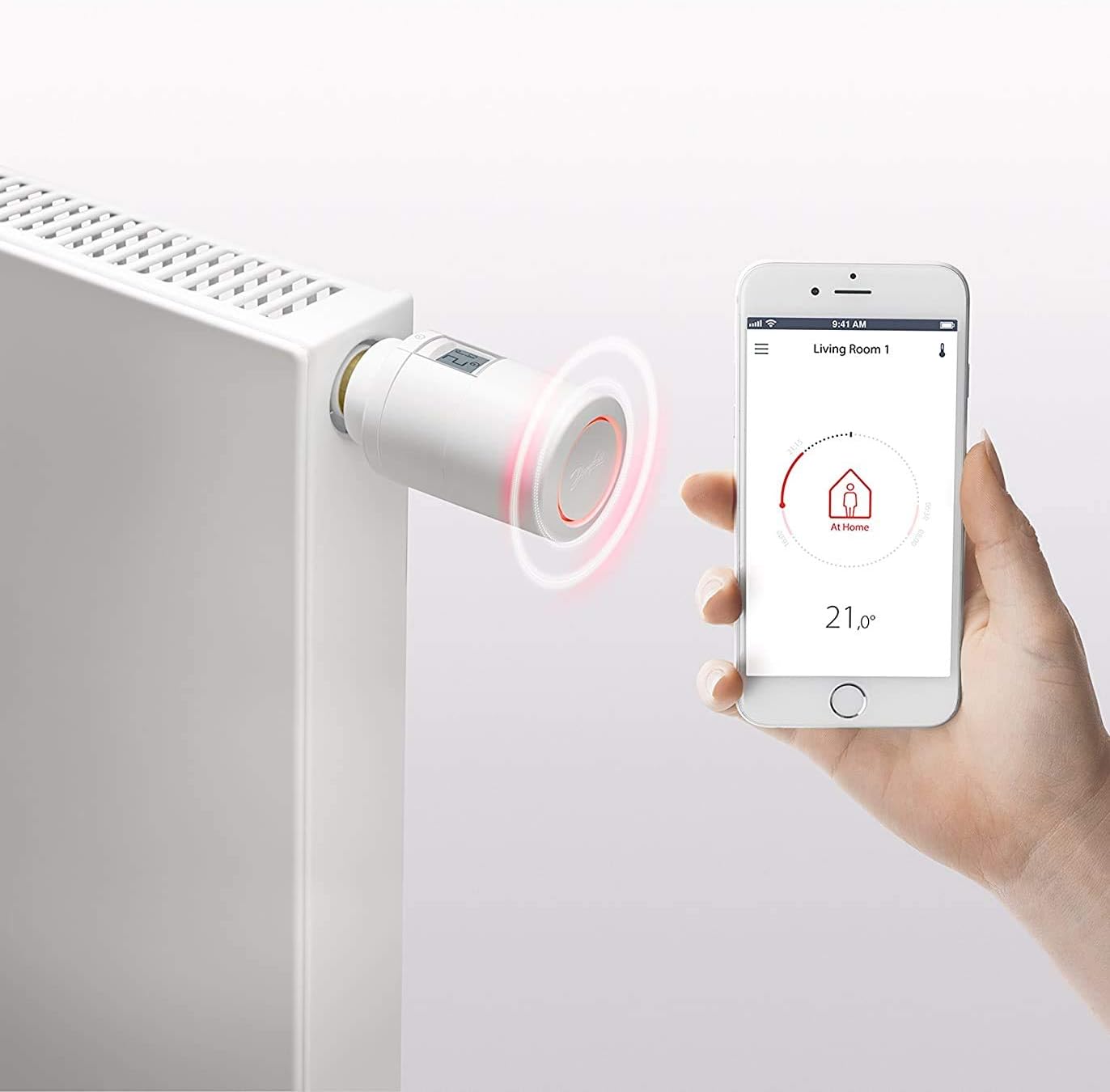
Image: Danfoss Eco Thermostat mounted on a white radiator, with a smartphone displaying the control app nearby.
3.3 Pobieranie i parowanie aplikacji
- Pobierz aplikację: Pobierz bezpłatnie Danfoss Eco app ze sklepu Apple App Store lub Google Play Store.
- Włącz Bluetooth: Upewnij się, że Bluetooth jest włączony w Twoim smartfonie.
- Łączenie w pary: Follow the in-app instructions to pair your Danfoss Eco thermostat with your smartphone. If pairing is slow, try pressing the button or rotating the manual temperature setting ring on the thermostat to wake it up.
4. Instrukcja obsługi
4.1 Podstawowa kontrola temperatury
- Regulacja ręczna: You can manually adjust the temperature directly on the thermostat by rotating the ring. The current temperature setting will be displayed on the screen.
- Kontrola aplikacji: Use the Danfoss Eco app on your smartphone to set the desired temperature. The app provides an intuitive interface for precise control.
The temperature setting range for the Danfoss Eco thermostat is typically between 4°C and 28°C.
4.2 Zaawansowane funkcje dostępne za pośrednictwem aplikacji
The Danfoss Eco app unlocks several advanced features:
- Harmonogram: Create custom heating schedules for different times of the day and days of the week to match your routine.
- Tryb ochrony przed mrozem: Automatically maintains a minimum temperature (e.g., 4°C) to prevent pipes from freezing.
- Wykrywanie otwartego okna: The thermostat can detect a sudden drop in temperature (indicating an open window) and temporarily pause heating to save energy.
- Min/Max Temperature Limits: Set minimum and maximum temperature boundaries to prevent excessive heating or cooling.
- Tryb wakacyjny: Set a specific lower temperature for an extended period when you are away, resuming normal schedule upon your return.
- Summer Time Function: Adjusts for daylight saving time automatically.

Image: A smartphone screen showing the Danfoss Eco app, illustrating the user interface for temperature control and scheduling.
5. Konserwacja
- Czyszczenie: Przetrzyj termostat miękką, suchą ściereczką. Nie używaj środków czyszczących o właściwościach ściernych ani rozpuszczalników.
- Wymiana baterii: Replace the AA batteries approximately every two years, or when the low battery indicator appears on the thermostat's display or in the app. Note that the app may not always provide an alert for failing batteries.
- Anti-Seize Function: The thermostat is equipped with an anti-seize function that periodically exercises the valve pin to prevent it from sticking. No user intervention is typically required for this function.
6. Rozwiązywanie Problemów
- Slow Bluetooth Connection: If the app connects slowly, try pressing the button or rotating the manual temperature setting ring on the thermostat. This can help wake the device and improve connection speed.
- Thermostat Not Controlling Temperature (E6 Error): An E6 error code typically indicates a motor jam. This can occur if the radiator valve pin is stuck. Refer to section 3.2 for instructions on checking and freeing the valve pin. If the issue persists, contact Danfoss support.
- Grzejnik nie grzeje/nie chłodzi tak, jak oczekiwano:
- Verify the thermostat's set temperature is appropriate.
- Sprawdź poziom naładowania baterii.
- Ensure the radiator valve pin moves freely (see section 3.2).
- Confirm no "Open Window Detection" or "Frost Protection" modes are active unexpectedly.
- No Low Battery Warning: Be aware that the app may not always provide an explicit alert for failing batteries. It is advisable to replace batteries proactively every two years or if the thermostat's performance becomes erratic.
7. Specyfikacje
| Funkcja | Szczegół |
|---|---|
| Numer modelu | 014G1115 |
| Marka | Danfoss |
| Wymiary produktu | 11.5 x 5.5 x 11.5 cm (w przybliżeniu) |
| Waga przedmiotu | 250 gramów |
| Źródło zasilania | Zasilany bateryjnie (2 baterie AA) |
| Tomtage | 1.5 wolty |
| Cotage | 1.2 watów |
| Technologia łączności | Bluetooth (up to 10m range) |
| Rodzaj kontroli temperatury | Smart/Remote (via mobile app) |
| Zakres ustawień temperatury | 4°C - 28°C |
| Żywotność baterii | Do 2 lat |
| Poziom hałasu | <30dB |
| Styl wyświetlania | Cyfrowy |
| Zawarte komponenty | Programmable radiator thermostat, various adapters |
8. Gwarancja i wsparcie
For warranty information, technical support, or further assistance, please refer to the official Danfoss website or contact Danfoss customer service directly. Details regarding specific warranty periods and support channels can typically be found on the manufacturer's product page or within the Danfoss Eco app.
You can visit the Danfoss webstrona, aby uzyskać więcej informacji: www.danfoss.pl


