Wstęp
This manual provides instructions for the setup, operation, and maintenance of your HP w200 HD Digital Webcam. Please read this manual thoroughly before using the device to ensure proper functionality and longevity.
The HP w200 webcam offers 720P HD video at 30 frames per second, a built-in microphone, and a wide-angle view, making it suitable for various video communication applications.
Zawartość opakowania
- HP w200 HD Digital Webkrzywka
Organizować coś
The HP w200 webcam features a plug-and-play design, requiring no additional driver installation for most operating systems.
Wymagania systemowe
- Operating Systems: Windows XP (SP2, SP3), Vista, 7, 8, 10; Mac OS X 10.6 or higher.
- Dostępny port USB.
Kroki instalacji
- Pozycjonowanie Webkrzywka:
Dołącz webcam to your monitor or place it on a flat surface using its adjustable clip. The clip allows for secure placement and angle adjustment.

Image: The HP w200 webcam demonstrating its 720-degree wide view angle, 270-degree swivel adjustment, and up-down adjustment capabilities. The webcam is shown mounted on a surface, highlighting its flexible design.
- Connecting to your Computer:
Podłącz webcam's USB cable into an available USB port on your computer. The device is plug-and-play, meaning your operating system should automatically detect and install the necessary drivers.
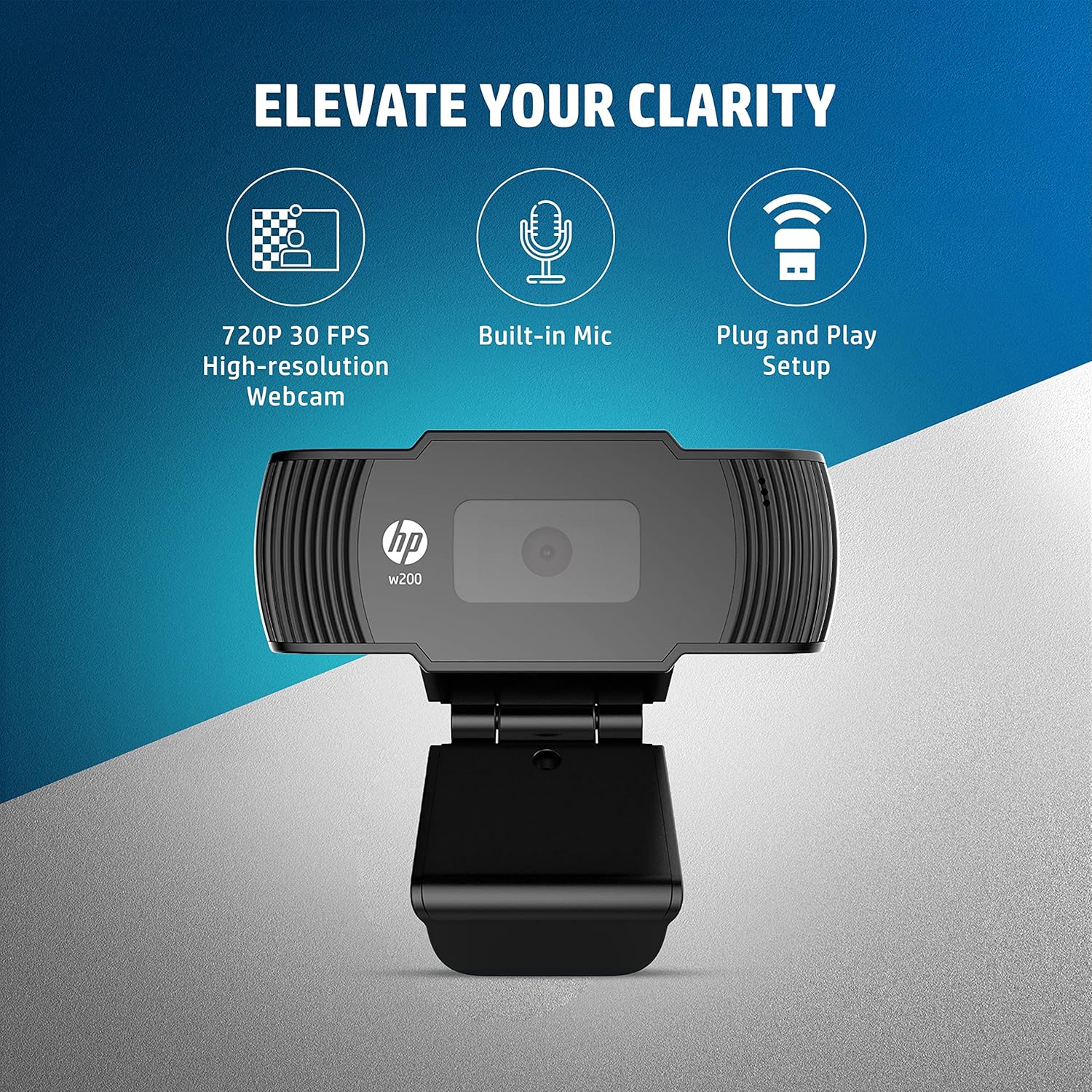
Image: A visual representation of the HP w200 webcam's key features: 720P 30 FPS high-resolution, built-in microphone, and plug-and-play setup. The image emphasizes the ease of use and core functionalities.
- Weryfikacja:
After connecting, open a video conferencing application (e.g., Zoom, Skype, Microsoft Teams) or your operating system's camera application to verify that the webcam is recognized and functioning correctly.
Instrukcja obsługi
The HP w200 webcam is designed for ease of use with various video communication platforms.
Korzystanie z Webcam for Video Calls
- Uruchom aplikację: Open your preferred video calling application (e.g., Zoom, Skype, Microsoft Teams, Facebook Messenger, YouTube, WhatsApp, Google Hangouts, Line, Viber, WeChat).
- Wybierz urządzenie: In the application's settings, navigate to the audio and video input options. Select "HP w200 Webcam" as your video device and "HP w200 Microphone" (or similar) as your audio input device.
- Dostosuj pozycję: Dostosuj webcam's position and angle using its 270-degree swivel and up-down adjustment to achieve the desired view.
- Start Communication: Begin your video call or recording. The webcam will provide 720P HD video at 30 frames per second.
Użycie mikrofonu
Ten webcam includes a single digital microphone for audio input. Ensure it is selected as the default microphone in your application settings for clear communication.
Konserwacja
To ensure optimal performance and longevity of your HP w200 webkrzywki, należy postępować zgodnie z poniższymi wskazówkami dotyczącymi konserwacji:
- Czyszczenie obiektywu: Delikatnie wytrzyj webWyczyść soczewkę kamery miękką, niepozostawiającą włókien ściereczką. Unikaj stosowania silnych środków chemicznych lub materiałów ściernych, które mogłyby zarysować soczewkę.
- Składowanie: Gdy nie jest używany, przechowuj webcam in a clean, dry environment away from extreme temperatures and direct sunlight.
- Pielęgnacja kabli: Aby zapobiec uszkodzeniom wewnętrznym, nie należy nadmiernie zginać ani skręcać kabla USB.
Rozwiązywanie problemów
| Problem | Możliwe rozwiązanie |
|---|---|
| Webkamera nie została wykryta przez komputer. |
|
| No video output in application. |
|
| No audio input from microphone. |
|
| Słaba jakość wideo. |
|
Specyfikacje
| Funkcja | Szczegół |
|---|---|
| Numer modelu | W200 |
| Rozdzielczość wideo | Max. 1280 x 720P |
| Szybkość klatek | Max. 30 FPS |
| Typ fokusu | Naprawił |
| Mikrofon | Single Digital Mic |
| Możliwość regulacji | Swivel 270°, Up-Down Adjustable Clip |
| Łączność | USB |
| Wymiary (dł. x szer. x wys.) | 1.14 x 3.15 x 0.94 cala (ok. 29 x 80 x 24 mm) |
| Waga | 3.81 uncji (około 108 gramów) |
| Kolor | Czarny |
| Technologia czujnika fotograficznego | CMOS |
| Format przechwytywania wideo | MP4 |

Image: The HP w200 webcam with its physical dimensions and weight indicated. The image shows the length as 80 mm, height as 32.9 mm, and weight as 108g, providing a clear understanding of its compact size.
Informacje o gwarancji
This HP w200 webkamera jest wyposażona w 1-letnia gwarancja producenta od daty zakupu. Prosimy zachować dowód zakupu na wypadek roszczeń gwarancyjnych. Gwarancja obejmuje wady materiałowe i wykonawcze powstałe w wyniku normalnego użytkowania.
Wsparcie
Aby uzyskać dalszą pomoc lub wsparcie techniczne, odwiedź oficjalną stronę pomocy technicznej HP website or contact HP customer service. Refer to your product packaging or the HP webodwiedź naszą witrynę, aby uzyskać szczegółowe dane kontaktowe w Twoim regionie.