1. Wprowadzenie
This manual provides instructions for the installation, configuration, operation, and maintenance of the Cisco Meraki C9120AXI-B Catalyst 9120AXI Wi-Fi 6 802.11ax Indoor Wireless Access Point. Please read this manual thoroughly before operating the device to ensure proper functionality and safety.
2. Koniec produktuview
The Cisco Meraki C9120AXI-B is an indoor wireless access point designed for high-performance Wi-Fi 6 (802.11ax) connectivity. It supports dual-band operation and features advanced technologies for efficient wireless communication.
2.1 Główne cechy
- Wi-Fi 6 (802.11ax) certification for enhanced speed and efficiency.
- Dual-Band operation for flexible network deployment.
- OFDMA and MU-MIMO technologies for improved multi-user performance.
- Integrated Bluetooth 5.0 LE for IoT applications.
- Multigigabit Ethernet support for high-speed wired connectivity.
- Internal antennas for a streamlined design.
2.2 Zawartość opakowania
Sprawdź, czy w przesyłce znajdują się następujące elementy:
- Cisco Meraki C9120AXI-B Wireless Access Point
- Uchwyt montażowy
- Dokumentacja (niniejszy podręcznik)
2.3 Układ urządzenia
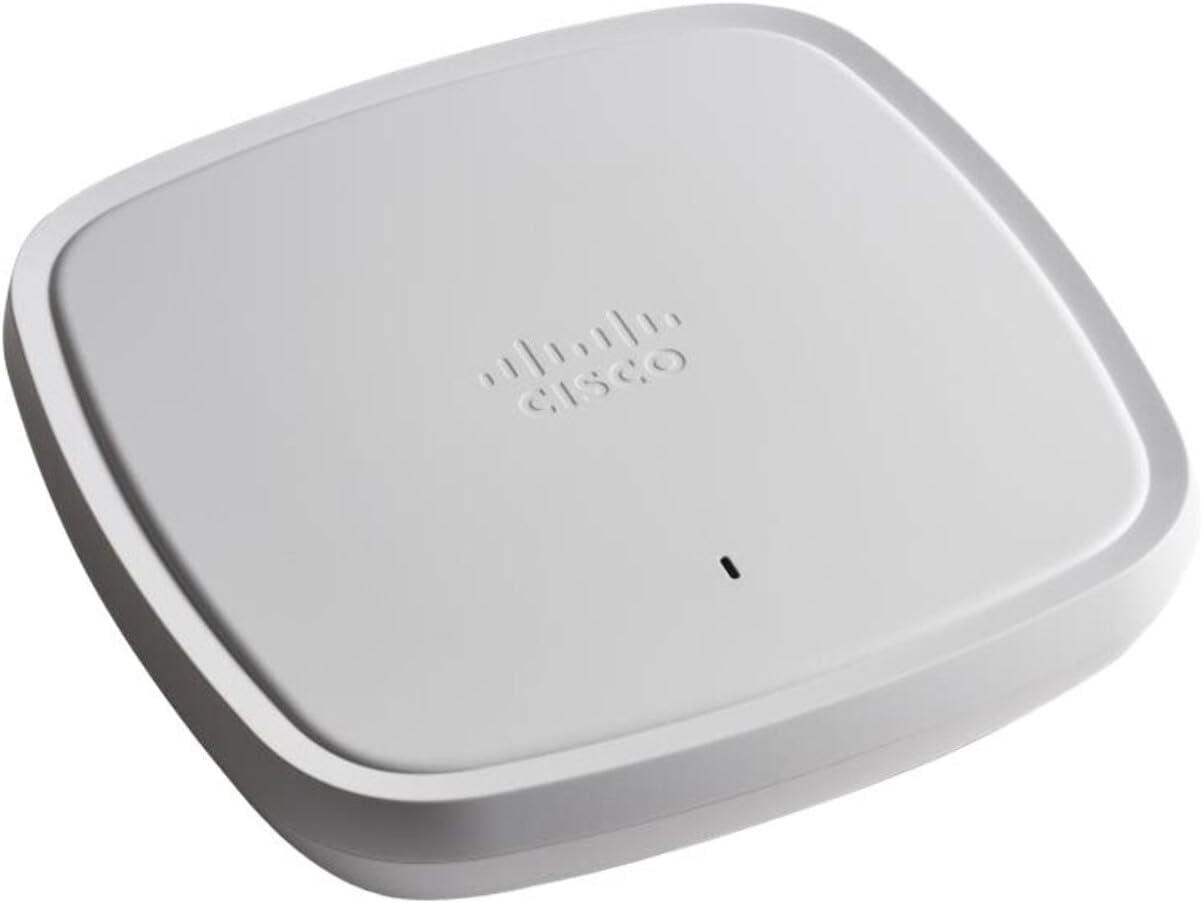
Rysunek 1: Przód view of the Cisco Meraki C9120AXI-B Wireless Access Point. The device is a white, square-shaped unit with rounded corners, featuring the Cisco Meraki logo and a small LED indicator on its top surface.
3. Konfiguracja
Follow these steps to properly set up your Cisco Meraki C9120AXI-B access point.
3.1 Montaż punktu dostępowego
- Identify a suitable location for installation, ensuring optimal Wi-Fi coverage and proximity to a power source and network connection.
- Attach the mounting bracket to a wall or ceiling using appropriate hardware (not included, except for the bracket itself).
- Align the access point with the mounting bracket and secure it by twisting or sliding until it clicks into place.
3.2 Podłączanie do sieci i zasilania
- Podłącz kabel Ethernet do przełącznika sieciowego (najlepiej obsługującego PoE) i portu Ethernet w punkcie dostępowym.
- If Power over Ethernet (PoE) is not available, connect a compatible power adapter (sold separately) to the access point's power input and then to an electrical outlet.
- Observe the LED indicator. It will cycle through various states during startup and indicate operational status.
3.3 Konfiguracja początkowa
The Cisco Meraki C9120AXI-B requires cloud-based management through the Meraki Dashboard. Refer to the Meraki documentation for detailed instructions on claiming the device and configuring your network settings.
- Access the Meraki Dashboard via a web przeglądarka.
- Add the access point to your network using its serial number.
- Configure SSIDs, security settings, and other network parameters as required.
4. Obsługa punktu dostępowego
Once configured, the access point operates automatically to provide wireless connectivity. The LED indicator provides visual feedback on its status.
4.1 Status wskaźnika LED
| Stan diody LED | Opis |
|---|---|
| Jednolity zielony | Device is online and operating normally. |
| Migające zielone | Urządzenie uruchamia się lub wykonuje aktualizację oprogramowania sprzętowego. |
| Lity bursztyn | Device is powered on but not connected to the Meraki cloud. |
| Migający bursztyn | Device is experiencing a network connectivity issue or is in a diagnostic state. |
4.2 Łączność bezprzewodowa
Client devices can connect to the Wi-Fi networks broadcast by the access point using the configured SSIDs and passwords. Ensure client devices support Wi-Fi 6 (802.11ax) for optimal performance, though backward compatibility with older standards is maintained.
5. Konserwacja
Regularna konserwacja pomaga zapewnić długowieczność i optymalną wydajność punktu dostępowego.
- Czyszczenie: Delikatnie przetrzyj zewnętrzną część urządzenia miękką, suchą ściereczką. Nie używaj płynnych ani aerozoli czyszczących.
- Aktualizacje oprogramowania układowego: Firmware updates are managed automatically through the Meraki cloud. Ensure your device has a stable internet connection to receive these updates.
- Warunki środowiskowe: Ensure the access point is operated within its specified temperature and humidity ranges to prevent damage. Avoid placing it near heat sources or in direct sunlight.
6. Rozwiązywanie Problemów
This section addresses common issues you might encounter with your access point.
6.1 No Power / LED Off
- Verify that the Ethernet cable is securely connected and the PoE source is active.
- If using a power adapter, ensure it is correctly plugged into both the access point and a working electrical outlet.
6.2 Solid Amber LED
- This indicates the device is powered but cannot connect to the Meraki cloud.
- Check your network connectivity and firewall settings to ensure the access point can reach the Meraki cloud servers.
- Confirm that the Ethernet cable is connected to a port with internet access.
6.3 Słaba wydajność Wi-Fi
- Upewnij się, że punkt dostępu znajduje się w centralnym miejscu i nie ma w nim żadnych przeszkód.
- Sprawdź, czy nie występują źródła zakłóceń (np. kuchenki mikrofalowe, telefony bezprzewodowe).
- Verify that your client devices support Wi-Fi 6 for optimal performance.
- Review your Meraki Dashboard settings for channel optimization and power levels.
6.4 Przywracanie ustawień fabrycznych
A factory reset will revert all settings to their default state and remove the device from your Meraki network. This should only be performed as a last resort or when instructed by support.
- With the device powered on, locate the reset button (typically a small pinhole).
- Use a paperclip or similar pointed object to press and hold the reset button for at least 10 seconds.
- Release the button. The device will reboot and perform a factory reset.
7. Specyfikacje
| Funkcja | Szczegół |
|---|---|
| Numer modelu | C9120AXI-B |
| standard bezprzewodowy | 802.11ax (WiFi 6) |
| Klasa pasma częstotliwości | Dwuzakresowy |
| Typ anteny | Wewnętrzny |
| Technologia łączności | Wireless, Ethernet (Multigigabit) |
| Funkcja specjalna | Wskaźnik LED |
| Wymiary (pakiet) | 10.47 x 9.8 x 3.5 cala |
| Waga przedmiotu | 4.3 funta |
| Zalecane zastosowania | Biznes, Dom |
8. Gwarancja i wsparcie
For warranty information and technical support, please refer to the official Cisco Meraki website or contact your authorized reseller. This product is often sold as "Renewed," which may come with specific Amazon Renewed Guarantee terms. Please consult your purchase documentation for details regarding your specific warranty coverage.
Zasoby internetowe: For the latest documentation, firmware, and support resources, visit the official Cisco Meraki support portal.


