Instrukcja obsługi elektronicznego zestawu perkusyjnego Donner DED-100
Model: DED-100
Wstęp
The Donner DED-100 Electronic Drum Set is designed to provide a realistic drumming experience for beginners and experienced players alike. Featuring mesh drumheads, silicone cymbals, and a robust sound module, this set offers a wide range of sounds and practice options. Its collapsible design ensures portability and space-saving storage.
This manual provides detailed instructions for the setup, operation, maintenance, and troubleshooting of your DED-100 Electronic Drum Set. Please read it thoroughly before use to ensure proper functionality and longevity of your instrument.
Organizować coś
Rozpakowywanie i sprawdzanie podzespołów
Carefully unpack all components from the packaging. Verify that all parts listed below are present and undamaged. If any parts are missing or damaged, please contact customer support.

Figure 1: Complete Configuration Diagram
The DED-100 set includes the following main components:
- Sound Module (1)
- Cymbals: Hi-Hat, Ride, Crash (2, 3, 4)
- Drums: Tom-toms (3 pcs), Snare Drum (5, 6)
- Hi-Hat Pedal (7)
- Kick Pedal (7)
- Pałki perkusyjne (8)
- Assembly Tools (9)
- Audio Cables (10)
Instrukcja montażu
Assembly of the DED-100 drum set involves fitting the frame components together and attaching the pads and cymbals. While straightforward, it requires careful attention to ensure stability. All necessary tools are included, and parts and cords are labeled for easier identification.
- Begin by assembling the main iron metal stand. Loosen screws as needed to fit the pipes together, then tighten securely.
- Attach the drum pads (snare and tom-toms) to the designated mounts on the frame. Ensure they are oriented correctly for comfortable playing.
- Mount the cymbals (hi-hat, ride, crash) onto their respective stands.
- Connect the sound module to the main frame. It is recommended to place the module on a lower bar under the tom-toms for easy access and to keep it out of the way.
- Connect each drum pad and cymbal to the sound module using the provided audio cables. Ensure each cable is connected to its corresponding input on the module.
- Place the kick pedal and hi-hat pedal on the floor in their playing positions and connect them to the module.
- Adjust the height and angle of the drum pads and cymbals to your preferred playing position. The stand is designed for stability and adjustability.

Figure 2: Assembled Drum Set
Łączność
The DED-100 module features a One Eighth Inch Jack for audio output, allowing connection to headphones for silent practice or to an amplifier/speaker system for performance. It also supports connection to MP3 players for play-along practice and has MIDI output capabilities for use with computer software.
Operating the Drum Set
Sound Module Overview
The redesigned DED-100 sound module features an LCD display and provides access to over 200 professional sounds, 20 demo songs, and 20 preset tones. Controls for volume, parameter adjustment, metronome, song selection, recording, and playback are intuitively laid out.

Figure 3: Sound Module Interface
Playing the Drums
The DED-100 features 8-inch all-mesh drumheads for a realistic feel and quiet practice. The 10-inch silicone cymbals offer stable and well-distributed tone response across their surface. The heavy-duty pedals are designed for durability and responsiveness.

Figure 4: Quiet Practice with Mesh Heads
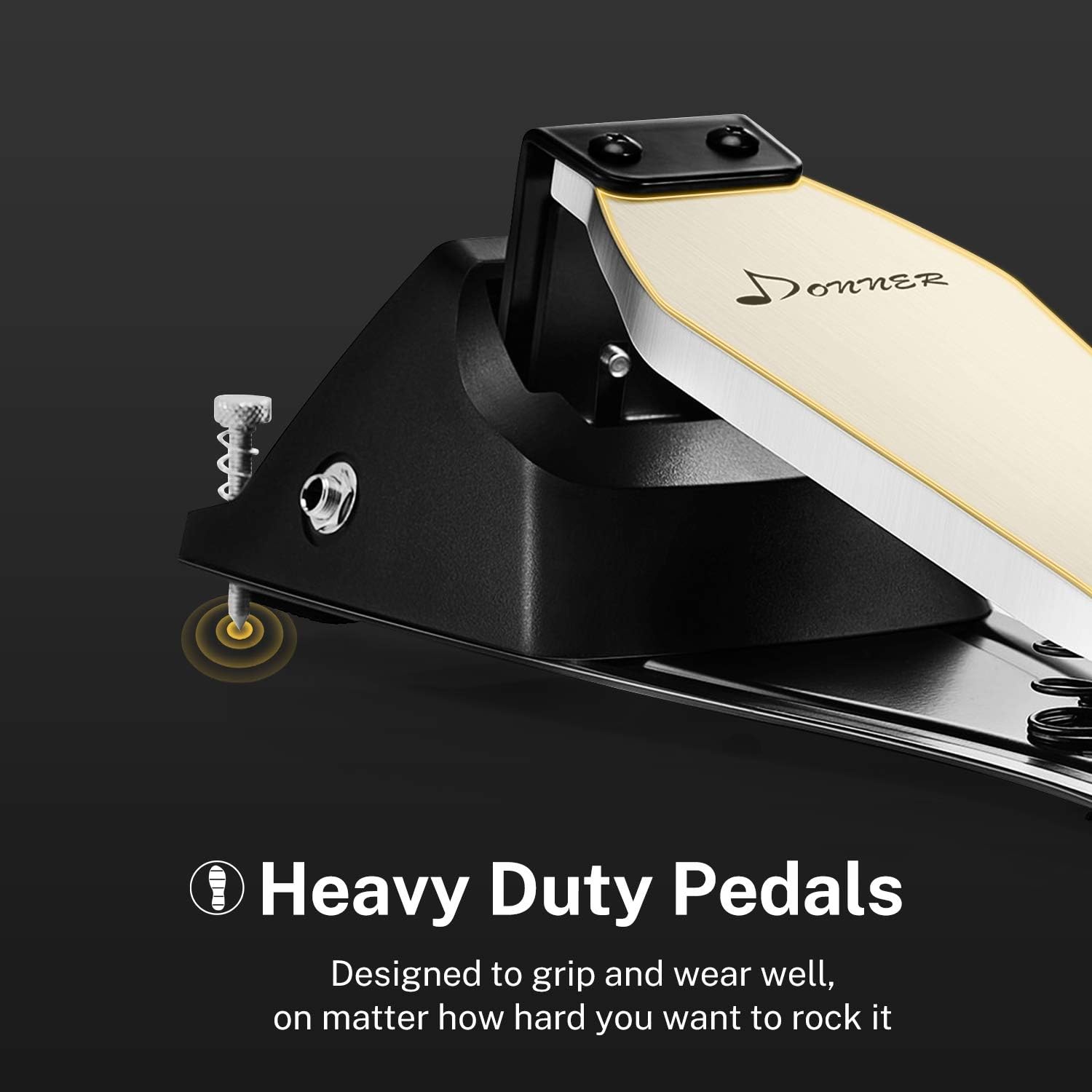
Figure 5: Heavy Duty Pedals
To begin playing:
- Power on the sound module.
- Select a drum kit from the preset tones or customize individual drum sounds.
- Ustaw głośność na wygodnym poziomie.
- Use the included drumsticks to strike the mesh pads and silicone cymbals. The mesh heads allow for tension adjustment using a drum key, similar to acoustic drums, to achieve a sharper or rounder sound.
- Utilize the metronome function for rhythm practice or select a demo song to play along with.
Tryby ćwiczeń
The DED-100 supports various practice methods:
- Tryb słuchawek: Connect headphones to the module's audio output jack for silent practice, ensuring you do not disturb others.
- Play-Along: Connect an MP3 player or other audio device to the module's input to play along with your favorite tracks.
- Łączność MIDI: The module features a MIDI output, allowing you to connect the drum set to a computer. This enables the use of virtual drum software (e.g., in a Digital Audio Workstation like GarageBand) for an expanded range of sounds and recording capabilities.
Konserwacja
Proper maintenance will extend the life and performance of your electronic drum set.
- Czyszczenie: Use a soft, dry cloth to wipe down the drum pads, cymbals, module, and frame. Avoid using abrasive cleaners or solvents, which can damage surfaces.
- Składowanie: When not in use, the DED-100 can be folded inward for compact storage, saving space. Store the set in a dry, temperate environment away from direct sunlight and extreme temperatures.
- Zarządzanie kablami: Ensure all cables are neatly routed and not kinked or strained to prevent damage.
- Napięcie główki siatki: Periodically check the tension of the mesh drumheads. Adjust with a drum key if needed to maintain desired feel and responsiveness.
- Pedal Care: Keep the kick and hi-hat pedals free of dust and debris. Ensure springs and moving parts operate smoothly.
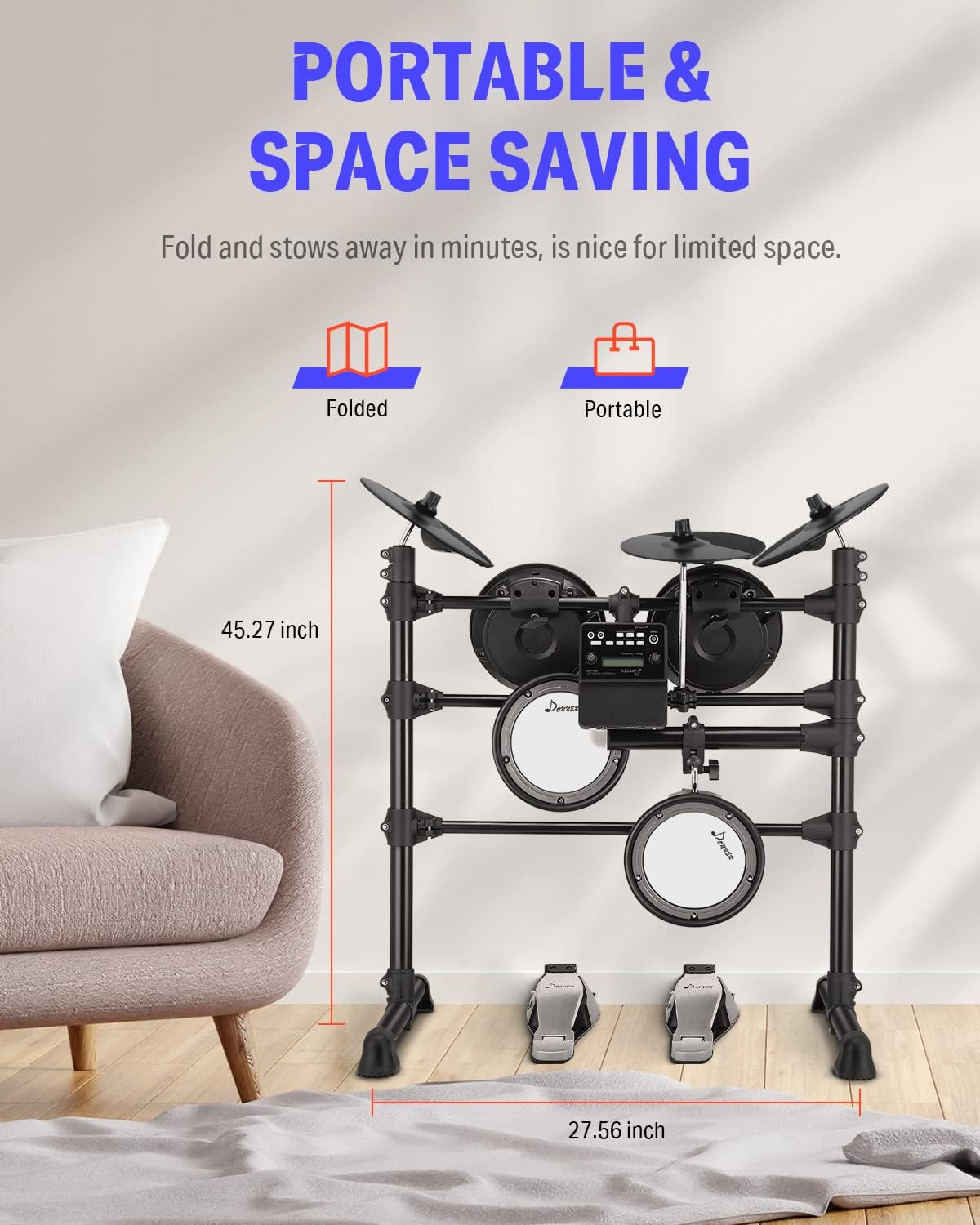
Figure 6: Portable and Space-Saving Design
Rozwiązywanie problemów
If you encounter issues with your DED-100 Electronic Drum Set, refer to the following common problems and solutions:
| Problem | Możliwa przyczyna | Rozwiązanie |
|---|---|---|
| No sound from pads/cymbals | Loose cable connection; module not powered on; volume too low. | Check all cable connections to the module. Ensure the module is powered on. Increase the master volume on the module. |
| Inconsistent or missed beats from kick/hi-hat pedal | Pedal sensor issue; improper placement; cable connection. | Ensure the pedal is placed firmly on a stable surface. Check the cable connection from the pedal to the module. If issues persist, contact customer support. |
| Zniekształcony dźwięk | Zbyt wysoki poziom głośności; uszkodzony kabel; zakłócenia zewnętrzne. | Reduce the volume. Try a different audio cable. Ensure no other electronic devices are causing interference. |
| Module not powering on | Zasilacz nie jest podłączony; problem z gniazdkiem elektrycznym. | Verify the power adapter is securely connected to the module and a working power outlet. |
Jeśli po wypróbowaniu tych rozwiązań problem nadal występuje, skontaktuj się z obsługą klienta Donner, aby uzyskać dalszą pomoc.
Specyfikacje
| Funkcja | Specyfikacja |
|---|---|
| Nazwa modelu | DED-100 |
| Marka | Donner |
| Materiał korpusu | Żelazo |
| Typ materiału | Żelazo, Metal |
| Rodzaj wykończenia | Namalowany |
| Kolor | Czarny |
| Waga przedmiotu | 35.2 funta |
| Wymiary produktu (dł. x szer. x wys.) | 29.33 x 24.41 x 7.09 cala |
| Typ złącza | One Eighth Inch Jack |
| Zawarte komponenty | Cymbal, Snare (full list includes Tom-toms, Kick Pedal, Hi-Hat Pedal, Sound Module, Drum Sticks, Audio Cables) |
| Sound Module Features | 200+ Timbre, 20 Demo Songs, 20 Preset Tones, LCD Display, MP3 Input, MIDI Output |
| Pady perkusyjne | 8-inch all mesh drumheads (3 Tom-toms, 1 Snare) |
| Żel | 10-inch silicone cymbals (Hi-Hat, Ride, Crash) |
Gwarancja i wsparcie
For information regarding product warranty, please refer to the warranty card included with your purchase or visit the official Donner website. For technical support, replacement parts, or any inquiries not covered in this manual, please contact Donner customer service. Keep your purchase receipt as proof of purchase for warranty claims.
Więcej informacji i zasobów pomocy znajdziesz na stronie Sklep Donner na Amazonie.


