1. Wprowadzenie
This manual provides detailed instructions for the installation, operation, and maintenance of your Denver SHC-150 WiFi/IP Indoor Security Camera. Please read this manual thoroughly before using the product to ensure proper functionality and safety. Keep this manual for future reference.

Obraz 1.1: Przód view of the Denver SHC-150 Indoor Security Camera.
2. Koniec produktuview
2.1 Główne cechy
- Indoor IP dome camera with infrared LEDs for night use.
- 1 Megapixel HD video camera at 12 frames per second.
- WiFi (WEP/WPA/WPA2) and LAN function.
- Compatible with Tuya IoT platform and Denver Smart Home app (iOS/Android).
- Motorized pan (355°) and tilt (90°).
- Integrated speaker and microphone for two-way audio.
- Infrared range up to 10 meters.
- Motion detection with manual access.
- Micro SD card slot for up to 128GB storage (memory card not included).
2.2 Komponenty kamery

Obraz 2.1: Diagram illustrating the main components of the SHC-150 camera.
The camera features a photoresistance sensor, IR LEDs, HD lens, microphone (MIC), and motorized pan/tilt mechanism on the front. The rear includes a reset hole, TF (Micro SD) card slot, speaker, antenna, and DC power port.
3. Konfiguracja
3.1 Zawartość pudełka
- Denver SHC-150 Security Camera
- Zasilacz
- Mounting Accessories (for wall mounting)
- Instrukcja obsługi
3.2 Fizyczna instalacja
The Denver SHC-150 camera is designed for indoor use and can be placed on a flat surface or mounted on a wall. Ensure the camera is positioned within range of your WiFi network and has a clear view obszaru, który chcesz monitorować.
- Wybierz odpowiednie miejsce na kamerę.
- If wall-mounting, use the provided mounting accessories to securely attach the camera.
- Connect the power adapter to the DC port on the camera and plug it into a power outlet. The camera will power on and initiate its startup sequence.
3.3 Instalacja i parowanie aplikacji
The SHC-150 camera operates with the Tuya IoT platform, compatible with the Denver Smart Home app.
- Pobierz Inteligentny dom w Denver aplikację ze sklepu App Store (iOS) lub Google Play Store (Android).
- Zarejestruj nowe konto lub zaloguj się, jeśli już je posiadasz.
- W aplikacji dotknij ikony „+”, aby dodać nowe urządzenie.
- Select "Security Camera" or search for "SHC-150".
- Follow the on-screen instructions to connect the camera to your WiFi network. This typically involves scanning a QR code displayed on your phone with the camera lens or entering your WiFi credentials.
- Once connected, the camera will appear in your device list within the app.
4. Instrukcja obsługi
4.1 Na żywo View i sterowanie obrotem/pochyleniem
Access the live video feed from your camera through the Denver Smart Home app. You can remotely control the camera's viewkąt.

Obraz 4.1: Remote control of camera pan and tilt via smartphone app.
- Z koncertu view screen in the app, use the directional controls to pan the camera horizontally up to 355 degrees and tilt it vertically up to 90 degrees.
4.2 Dźwięk dwukierunkowy
Kamera posiada wbudowany mikrofon i głośnik, co umożliwia dwustronną komunikację.
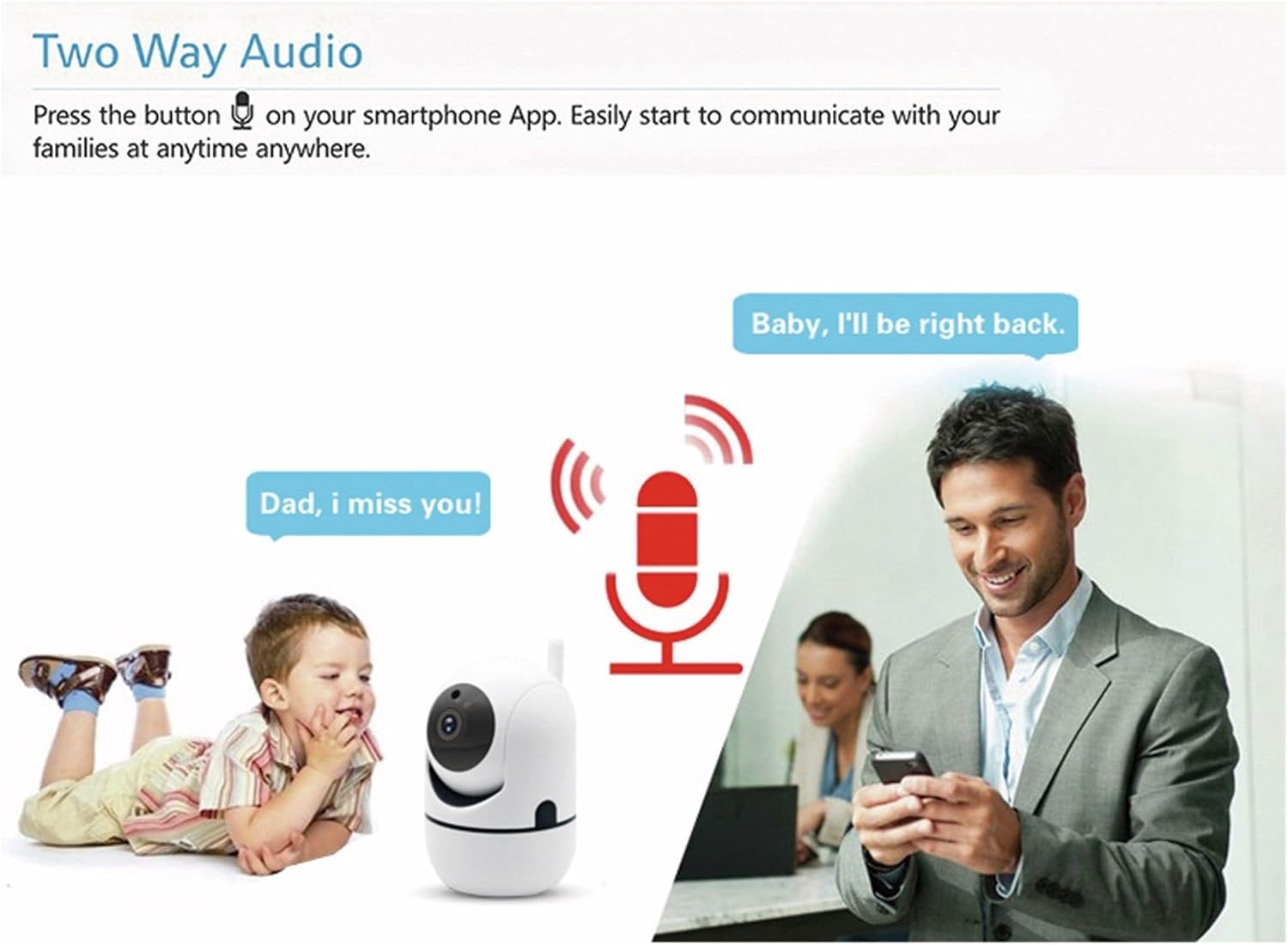
Obraz 4.2: Two-way audio allows communication through the camera.
- Kliknij ikonę mikrofonu na ekranie na żywo w aplikacji. view mówić przez głośnik kamery.
- Mikrofon kamery będzie wychwytywał dźwięki z otoczenia, które możesz usłyszeć na swoim smartfonie.
4.3 Wykrywanie ruchu
Kamera potrafi wykrywać ruch i wysyłać powiadomienia na Twój smartfon.
- Enable motion detection in the Denver Smart Home app settings for your camera.
- Configure alert sensitivity and notification preferences as needed.
- The camera also supports automatic motion tracking, allowing it to follow detected movement within its 355° pan and 120° tilt range.
4.4 Widzenie nocne
The integrated infrared LEDs provide clear video monitoring in low-light or no-light conditions.

Obraz 4.3: Infrared night vision automatically activates in low light, with a range of up to 10 meters.
- Widzenie nocne włącza się automatycznie, gdy poziom oświetlenia otoczenia jest niski.
- The infrared range extends up to 10 meters.
4.5 Rejestrowanie i przechowywanie
The camera supports local storage via a Micro SD card.
- Insert a Micro SD card (up to 128GB, not included) into the TF card slot on the camera.
- Configure recording settings (e.g., continuous recording, event-triggered recording) within the Denver Smart Home app.
- Nagrane footagmożna uzyskać do niego dostęp i ponownieviewza pośrednictwem aplikacji.
5. Konserwacja
- Czyszczenie: Do czyszczenia obiektywu i korpusu aparatu używaj miękkiej, suchej ściereczki. Unikaj stosowania silnych środków chemicznych i ściernych środków czyszczących.
- Aktualizacje oprogramowania: Regularly check the Denver Smart Home app for firmware updates to ensure optimal performance and security.
- Cykl zasilania: Jeśli wystąpią problemy z aparatem, spróbuj odłączyć go od źródła zasilania na kilka sekund, a następnie podłączyć ponownie.
6. Rozwiązywanie Problemów
6.1 Kamera nie łączy się z siecią Wi-Fi
- Upewnij się, że Twoja sieć Wi-Fi obsługuje częstotliwość 2.4 GHz. Kamera nie obsługuje Wi-Fi 5 GHz.
- Sprawdź, czy hasło Wi-Fi wprowadzone w aplikacji jest prawidłowe.
- Place the camera closer to your WiFi router during the initial setup process.
- Reset the camera by pressing the reset button (refer to Image 2.1 for location) and attempt pairing again.
6.2 Słaba jakość wideo
- Sprawdź prędkość swojego połączenia internetowego. Do strumieniowania HD wymagane jest stabilne i szybkie połączenie.
- Upewnij się, że obiektyw aparatu jest czysty i nie ma na nim kurzu ani smug.
- Adjust the video quality settings within the Denver Smart Home app if available.
6.3 Detekcja ruchu nie działa
- Sprawdź, czy wykrywanie ruchu jest włączone w ustawieniach aplikacji.
- Dostosuj czułość wykrywania ruchu.
- Upewnij się, że nie ma żadnych przeszkód blokujących kamerę. view.
6.4 Micro SD Card Not Recording
- Sprawdź, czy karta Micro SD została włożona prawidłowo i do końca.
- Check if the Micro SD card is formatted correctly (usually FAT32). Format it via the app if necessary.
- Verify that recording settings are configured in the app.
- The card might be full; consider enabling loop recording or replacing the card.
7. Specyfikacje

Obraz 7.1: Product label on the back of the SHC-150 camera.
| Funkcja | Specyfikacja |
|---|---|
| Nazwa modelu | SHC-150 |
| Numer modelu produktu | 118101020060 |
| Rozdzielczość wideo | 720p HD (1 Megapixel) |
| Szybkość klatek | 12 klatek na sekundę |
| Łączność | Wi-Fi (2.4GHz, WEP/WPA/WPA2), Wired LAN |
| Pan Angle | 355 stopni |
| Kąt nachylenia | 90 stopni |
| Zakres noktowizora | Do 10 metrów |
| Audio | Two-way audio (built-in speaker and microphone) |
| Składowanie | Micro SD card slot, up to 128GB |
| Moc wejściowa | DC 5V/1A (via power adapter) |
| Wymiary (dł. x szer. x wys.) | Wymiary 8.5 x 7 x 10.5 cm |
| Waga | 340 gramów |
| Tworzywo | Metal |
| Kolor | Biały |
| Środowisko operacyjne | Tylko do użytku wewnątrz pomieszczeń |
8. Gwarancja i wsparcie
Denver products are manufactured to high quality standards. This product is covered by a warranty period as per local consumer protection laws. For warranty claims, technical support, or service inquiries, please contact your retailer or visit the official Denver support webstrona.
Proszę zachować paragon jako dowód zakupu na wypadek ewentualnych roszczeń gwarancyjnych.


