1. Wprowadzenie
The Realme XT RMX1921 is a high-performance smartphone designed to offer a rich user experience. It features a 64MP Quad Camera system, an In-Display Fingerprint Scanner, and is powered by the Snapdragon 712 AIE processor. This manual provides essential information for setting up, operating, maintaining, and troubleshooting your device.
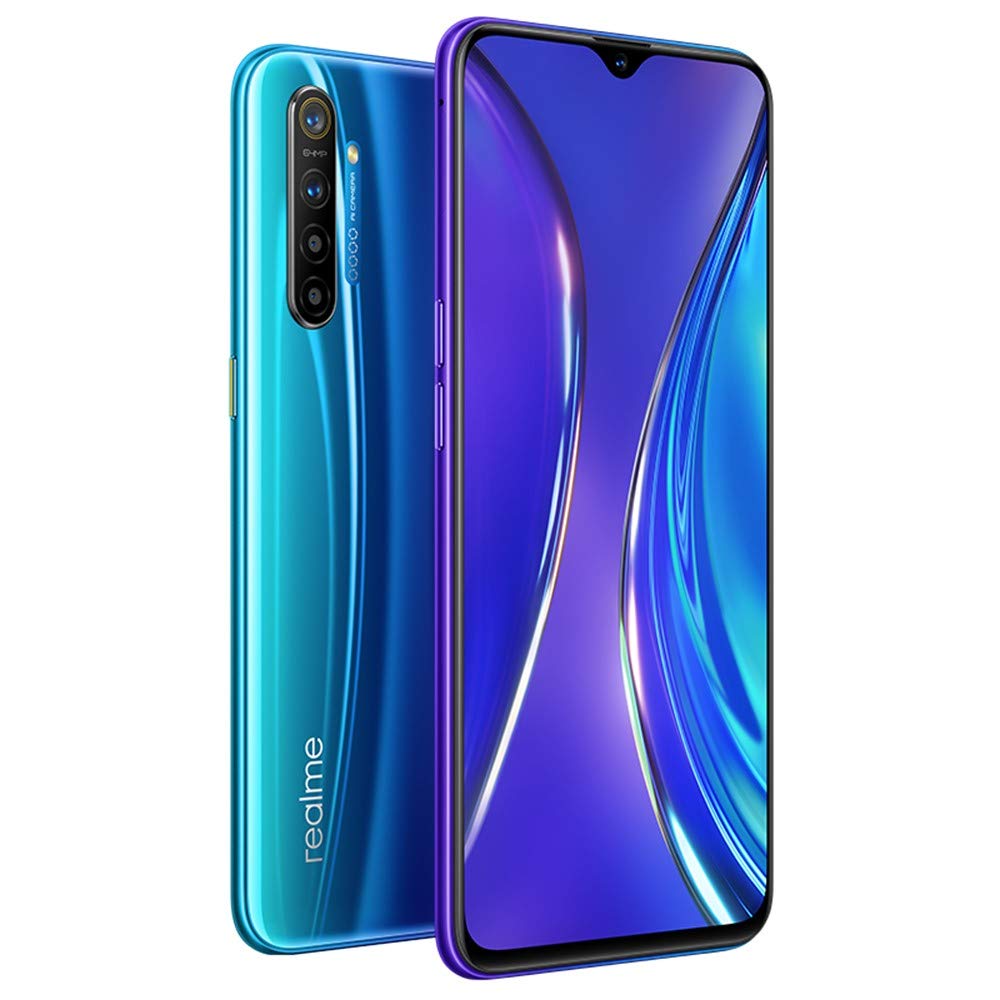
Image 1.1: Realme XT smartphone, displaying both front and rear aspects of the device.
2. Konfiguracja
2.1. Wkładanie karty SIM i SD
Locate the SIM tray on the side of your device. Use the provided SIM ejector tool to open the tray. Insert your Nano-SIM cards and the optional microSD card into the designated slots. Ensure the cards are correctly oriented before reinserting the tray into the phone.
2.2. Pierwsze włączenie i konfiguracja
Press and hold the power button until the Realme logo appears. Follow the on-screen instructions to select your language, connect to a Wi-Fi network, and set up your Google account. This process will guide you through basic device settings.
2.3. Setting Up Biometric Security
The Realme XT features an In-Display Fingerprint Scanner and facial recognition for secure unlocking. Navigate to Settings > Fingerprint, Face & Passcode to register your fingerprints and set up face unlock. For the fingerprint scanner, ensure your finger covers the entire sensor area during registration for optimal accuracy.
2.4. Data Transfer (Phone Cloning)
To transfer data from an old phone, utilize the phone cloning feature. This allows for the migration of music, videos, pictures, applications, contacts, and linked emails. Refer to the on-screen instructions during initial setup or find the Phone Clone app in your device's tools folder.
3. Instrukcja obsługi
3.1. Wyświetlacz i nawigacja
The device features a 6.4-inch Super AMOLED dew-drop fullscreen display with a resolution of 2340x1080 pixels. Utilize Night Mode for eye care, accessible via the quick settings panel or Ustawienia > Wyświetlacz i jasność. Navigation can be performed using on-screen gestures or traditional navigation buttons, configurable in settings.
3.2. Korzystanie z aparatu
The Realme XT is equipped with a 64MP AI Quad Camera system. The main 64MP sensor (f/1.8) uses Tetracell and 3D HDR technology for clear photos. Other lenses include an 8MP ultra-wide-angle, 2MP macro, and 2MP depth sensor. The front camera is 16MP (f/2.0). Open the Camera app to select various modes such as Photo, Video, Portrait, Nightscape, Ultra Macro, and Expert mode.

Obraz 3.1: Tył view of the Realme XT, highlighting the 64MP AI Quad Camera module.
3.3. Wydajność i gry
Powered by the Qualcomm Snapdragon 712 AIE processor (Octa-core, up to 2.3 GHz), the device offers enhanced performance. For an optimized gaming experience, use the 'Game Space' feature to block notifications and calls, ensuring uninterrupted gameplay. The integrated cooling system helps maintain optimal device temperature during extended use.
3.4. Charging with VOOC Flash Charge 3.0
The Realme XT supports 20W VOOC Flash Charge 3.0, allowing for rapid charging. Connect the device using the provided charger and USB-C cable. This technology enables quick recharges, even during active use like gaming, while managing heat effectively.
3.5. Software Features (ColorOS)
The device runs on Android 9.0 (Pie) with ColorOS. Explore features like Dark Mode for a comfortable viewing experience in low light, screen casting, NFC, Bluetooth, Do-Not-Disturb settings, Kid Space, malware scanning, and storage cleaning tools. These features are accessible through the Settings menu.
4. Konserwacja
4.1. Pielęgnacja baterii
To prolong battery life, avoid extreme temperatures. While VOOC Flash Charge 3.0 is efficient, avoid leaving the phone plugged in for extended periods after it reaches 100%. The screen power-saving feature and AI cooling also contribute to battery longevity.
4.2. Aktualizacje oprogramowania
Regularnie sprawdzaj dostępność aktualizacji systemu, aby mieć pewność, że Twoje urządzenie ma najnowsze funkcje, poprawki zabezpieczeń i ulepszenia wydajności. Przejdź do Ustawienia > Aktualizacja oprogramowania aby sprawdzić i zainstalować dostępne aktualizacje.
4.3. Czyszczenie urządzenia
Use a soft, lint-free cloth to clean the screen and body of your phone. Avoid using harsh chemicals or abrasive materials. For ports, use a dry, soft brush to gently remove dust and debris.
5. Rozwiązywanie Problemów
5.1. Typowe problemy
- Urządzenie się nie włącza: Upewnij się, że bateria jest naładowana. Podłącz ładowarkę i odczekaj kilka minut przed ponownym włączeniem.
- Niska wydajność: Close unnecessary background applications. Clear cache regularly through the Phone Manager app. Consider a factory reset if performance issues persist after backing up your data.
- Connectivity problems (Wi-Fi/Bluetooth/Mobile Data): Toggle the respective connection off and on. Restart your device. For mobile data, ensure your SIM card is properly inserted and your plan is active.
- Fingerprint scanner issues: Ensure your finger is clean and dry. Re-register your fingerprint if accuracy is low.
- Przegrzanie: While the device has a cooling system, prolonged heavy usage or charging in direct sunlight can cause warmth. Reduce usage, close demanding apps, or disconnect from charging if the device feels excessively hot.
5.2. Przywracanie ustawień fabrycznych
If software issues cannot be resolved, a factory reset may be necessary. This will erase all data on your phone. Back up all important information before proceeding. Go to Settings > Additional Settings > Back up and reset > Erase all data (factory reset).
6. Specyfikacje
| Funkcja | Specyfikacja |
|---|---|
| Numer modelu | RMX1921 |
| System operacyjny | Android 9.0 (Pie) |
| Edytor | Qualcomm Snapdragon 712 AIE (Octa-core, 2.3 GHz) |
| BARAN | 8 GB |
| Pamięć wewnętrzna | 128 GB |
| Wyświetlacz | 6.4-inch Super AMOLED, 2340x1080 pixels, 402 ppi |
| Kamera tylna | 64 MP (f/1.8) + 8 MP (f/2.3) + 2 MP (f/2.4) + 2 MP (f/2.4) Quad Camera |
| Przednia kamera | 16 MP (f/2.0) |
| Bateria | VOOC Flash Charge 3.0 (20W) |
| Łączność | 4G LTE, Wi-Fi, Bluetooth, GPS (GLONASS) |
| Obsługa karty SIM | Dual SIM (Nano-SIM, dual stand-by) |
| Bezpieczeństwo | In-Display Fingerprint, Face Unlock |
| Wymiary | Wymiary 22.86 x 9.65 x 7.87 cm |
| Waga | 726 gramów |
| Gniazdo audio | Brak gniazda słuchawkowego |
| Co jest w pudełku | Etui na telefon |
7. Gwarancja i wsparcie
7.1. Informacje o gwarancji
Please note that this is an International Model. Warranty coverage may vary by region. Specifically, there is brak gwarancji w USA for this international model. For warranty details applicable to your region, please refer to the documentation provided with your purchase or contact your local Realme service center.
7.2. Obsługa klienta
For further assistance, technical support, or service inquiries, please visit the official Realme website or contact their customer service. Keep your device's model number (RMX1921) and purchase details readily available when seeking support.


