Wstęp
Thank you for choosing the XINJIA Digital Watch Model 2400018. This manual provides detailed instructions for the proper setup, operation, and maintenance of your new watch. Please read this manual thoroughly to ensure optimal performance and longevity of your device. Keep this manual for future reference.
Informacje dotyczące bezpieczeństwa
- Unikaj wystawiania zegarka na działanie ekstremalnych temperatur, długotrwałego bezpośredniego światła słonecznego i silnych pól magnetycznych.
- Nie próbuj samodzielnie otwierać koperty zegarka ani wymieniać baterii, ponieważ może to spowodować utratę gwarancji i uszkodzenie zegarka. Skorzystaj z profesjonalnego serwisu.
- Czyść zegarek miękką, suchą ściereczką. Unikaj stosowania chemicznych środków czyszczących.
- While the watch is designed for daily wear, avoid direct contact with corrosive substances.
Produkt ponadview
The XINJIA Digital Watch Model 2400018 features a digital display, date function, and a chronometer. It is designed with a durable silicone strap and a buckle clasp for secure wear.

Rycina 1: Przód View Straży. This image displays the watch face with its digital display, showing time and day of the week. The four buttons are visible: 'START' (top left), 'RESET' (top right), 'LIGHT' (bottom left), and 'MODE' (bottom right).
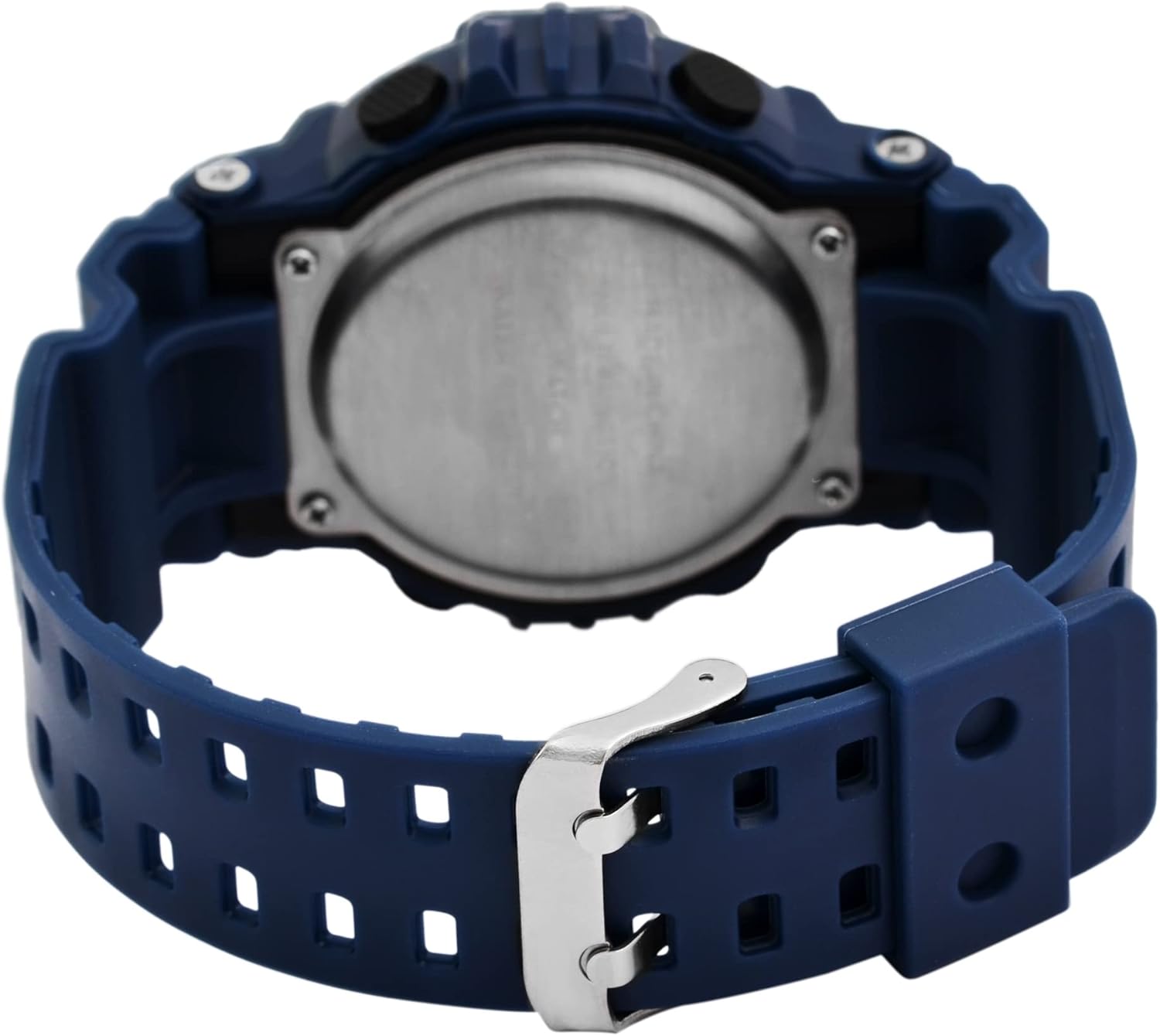
Rysunek 2: Tył View Straży. This image shows the reverse side of the watch, highlighting the stainless steel case back and the blue silicone strap with its traditional buckle clasp.
Funkcje przycisków:
- Przycisk MODE (prawy dolny róg): Cycles through display modes (Time, Date, Alarm, Chronometer). Used to select settings during adjustment.
- LIGHT Button (Bottom Left): Włącza podświetlenie, aby zwiększyć widoczność w warunkach słabego oświetlenia.
- START Button (Top Left): Starts/stops the chronometer. Used to increase values during setting.
- Przycisk RESET (prawy górny róg): Resets the chronometer. Used to select items or move to the next setting during adjustment.
Organizować coś
Ustawianie czasu i daty:
- W normalnym trybie wyświetlania czasu naciśnij przycisk TRYB Naciśnij przycisk trzy razy, aby wejść w tryb ustawiania czasu. Cyfry sekund zaczną migać.
- Naciśnij NASTAWIĆ przycisk, aby przełączać się między ustawieniami: Sekundy → Godziny → Minuty → Miesiąc → Data → Dzień tygodnia.
- Podczas migania cyfry naciśnij START przycisk, aby dostosować wartość. Przytrzymaj START button to advance rapidly.
- Po wprowadzeniu wszystkich prawidłowych ustawień naciśnij przycisk TRYB przycisk, aby wyjść z trybu ustawień i powrócić do normalnego wyświetlania czasu.
Instrukcja obsługi
Using the Chronometer (Stopwatch):
- W normalnym trybie wyświetlania czasu naciśnij przycisk TRYB button once to enter Chronometer mode. The display will show "00:00:00".
- Naciśnij START przycisk, aby rozpocząć odliczanie czasu.
- Naciśnij START naciśnij przycisk ponownie, aby wstrzymać odliczanie.
- Naciśnij NASTAWIĆ button to reset the chronometer to "00:00:00".
- Naciśnij TRYB przycisk, aby powrócić do normalnego wyświetlania czasu.
Ustawianie i używanie alarmu:
- W normalnym trybie wyświetlania czasu naciśnij przycisk TRYB Naciśnij przycisk dwa razy, aby przejść do trybu alarmu. Wyświetli się godzina alarmu.
- Naciśnij NASTAWIĆ button to select the hour or minute digits for adjustment. The selected digit will flash.
- Naciśnij START przycisk, aby dostosować migającą cyfrę.
- Aby aktywować/dezaktywować alarm, naciśnij przycisk START I NASTAWIĆ buttons simultaneously while in Alarm mode. An alarm icon will appear/disappear on the display.
- Naciśnij TRYB przycisk, aby wyjść z trybu alarmu.
Korzystanie z podświetlenia:
- Naciśnij ŚWIATŁO button (bottom left) to illuminate the display for a few seconds.
Konserwacja
Wymiana baterii:
This watch uses one LR44 battery. When the display becomes dim or the watch stops functioning, the battery may need replacement. It is recommended to have the battery replaced by a qualified watch technician to ensure proper sealing and water resistance.
Czyszczenie:
Wipe the watch case and strap with a soft, slightly damp ściereczką. Unikaj stosowania silnych środków chemicznych, rozpuszczalników i ściernych środków czyszczących, ponieważ mogą one uszkodzić wykończenie i materiały zegarka.
Wodoodporność:
The watch is designed to withstand splashes and brief immersion. However, it is not suitable for swimming, diving, or hot water activities (e.g., showering, sauna) as steam and hot water can compromise the seals. Do not operate buttons while the watch is wet.
Rozwiązywanie problemów
| Problem | Możliwa przyczyna | Rozwiązanie |
|---|---|---|
| Wyświetlacz jest pusty lub przyciemniony. | Niski poziom naładowania akumulatora lub jego rozładowanie. | Replace the LR44 battery. Seek professional service. |
| Czas jest nieprawidłowy. | Time was not set correctly or reset accidentally. | Aby zresetować godzinę, zapoznaj się z sekcją „Ustawianie godziny i daty”. |
| Przyciski nie reagują. | Zegarek może być zablokowany lub bateria może być bardzo słaba. | Spróbuj nacisnąć TRYB button to cycle modes. If still unresponsive, consider battery replacement. |
| Alarm nie włącza się. | Alarm nie jest aktywowany lub jest nieprawidłowo ustawiony. | Ensure the alarm icon is displayed and the alarm time is set correctly. Refer to "Setting and Using the Alarm". |
Specyfikacje
- Numer modelu: 2400018
- Marka: XINJIA
- Typ wyświetlacza: Cyfrowy
- Materiał obudowy: Not specified (implied plastic/resin with stainless steel back)
- Materiał paska: Silikon
- Rodzaj zapięcia: Klamra
- Średnica koperty: 46 mm
- Grubość obudowy: 16 mm
- Przepustowość łącza: 29 mm
- Wymiary produktu (dł. x szer. x wys.): Wymiary 26 x 4.6 x 1.6 cm
- Waga przedmiotu: 54.43 gramów
- Typ baterii: 1 x LR44 (w zestawie)
- Cechy: Time, Date, Day of Week, Chronometer, Alarm, Backlight
- Wodoodporność: Splash resistant (general, not for swimming/diving)
Gwarancja i wsparcie
Aby uzyskać informacje dotyczące gwarancji lub wsparcia technicznego, zapoznaj się z dokumentacją dołączoną do produktu lub skontaktuj się ze sprzedawcą. Zachowaj dowód zakupu na wypadek roszczeń gwarancyjnych.