1. Wprowadzenie
The Altice Amplify is an intelligent, high-fidelity smart speaker designed to enhance your home entertainment experience. Powered by Devialet technologies, it delivers exceptional sound quality with rich detail. Integrated with Alexa Voice Control, it allows for hands-free operation, music playback, smart home control, and seamless connection to various streaming services.

Główne cechy obejmują:
- Devialet sound processing technologies for extraordinary audio quality through 5 speakers.
- Far-field AI voice assistant powered by Alexa for convenient hands-free control.
- Multiple connectivity options: Wi-Fi, Bluetooth, and Optical audio input for TV playback.
- Native streaming music support for popular services like Spotify, Pandora, Amazon Music, Apple Music, Audible, TuneIn, Tidal, and iHeartRadio.
- Control of smart home accessories leveraging Alexa skills.
Oficjalny pokaz wideoasing the features and design of the Altice Amplify Smart Speaker.
2. Koniec produktuview
2.1. Co znajduje się w pudełku
- Altice Amplify Smart Speaker
- Kabel optyczny
- Jednostka zasilająca
2.2. Elementy głośników


3. Konfiguracja
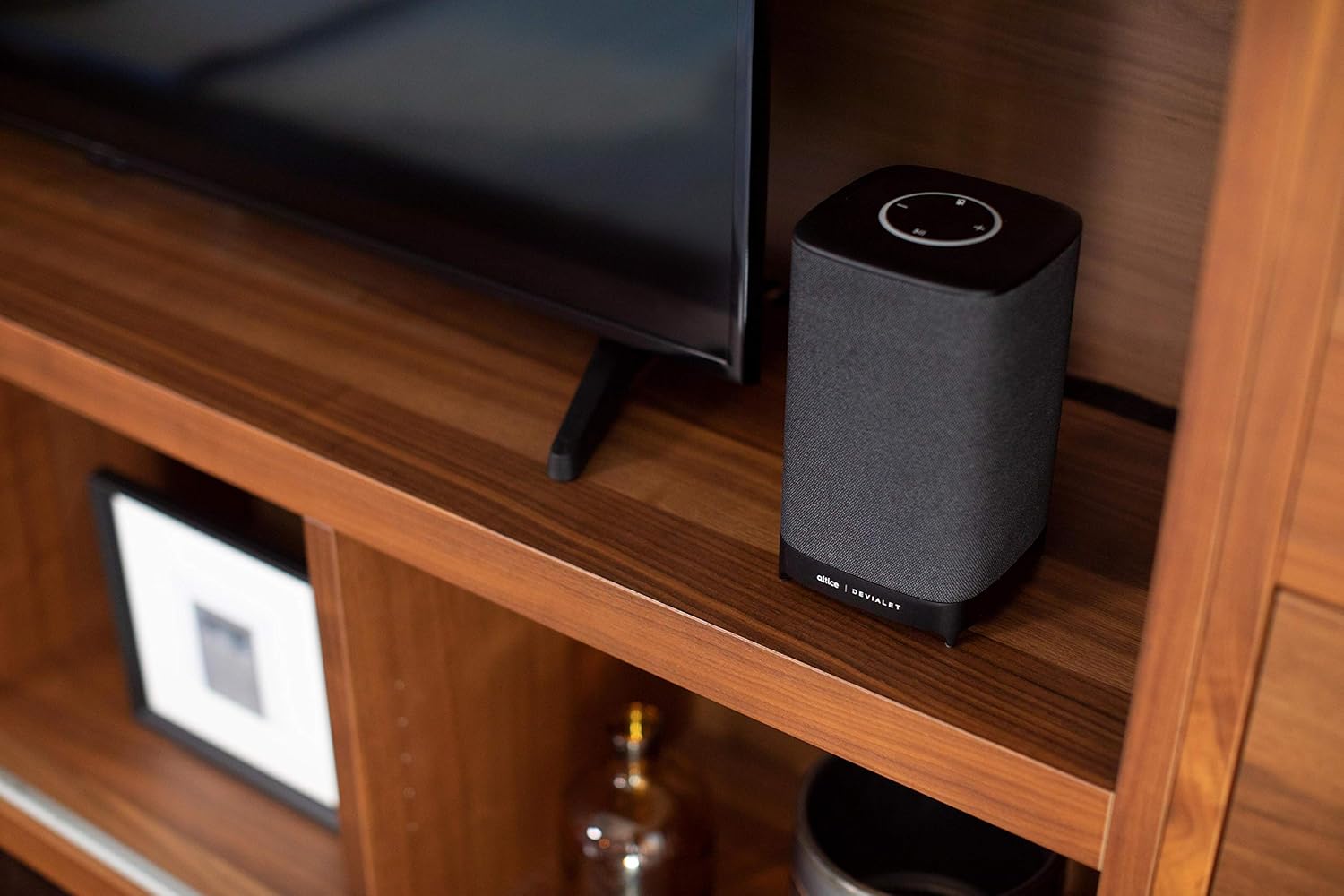
3.1. Umieszczenie
Place your Altice Amplify speaker indoors on a stable, flat surface such as a tabletop or floor. Ensure it is positioned to provide optimal sound distribution in your desired listening area.
3.2. Podłączenie zasilania
Connect the provided power supply unit to the speaker's power input port and then plug it into a wall outlet. The speaker will power on automatically.
3.3. Podłączanie do telewizora
For TV audio, use the included optical cable to connect the speaker's optical input to your TV's optical audio output. To switch to the optical input, press and hold the play/pause button on the speaker's top panel until the input changes.
3.4. Network and App Setup
To utilize smart features and streaming services, connect the speaker to your Wi-Fi network. Download the Altice Amplify companion app on your smartphone or tablet. Follow the in-app instructions for initial setup, including Wi-Fi configuration and linking your Alexa account. The app facilitates the setup process and allows for management of speaker settings.
4. Obsługa głośnika
4.1. Sterowanie głosowe za pomocą Alexy
With Alexa built-in, you can control your speaker and smart home devices using voice commands. Simply say "Alexa" followed by your request. For example, "Alexa, play music," "Alexa, what's the weather?" or "Alexa, turn off the lights."
4.2. Strumieniowe przesyłanie dźwięku
The Altice Amplify supports premier audio streaming from various services. Once connected to Wi-Fi, you can stream directly from Spotify, Amazon Music, Apple Music, Pandora, Audible, TuneIn, Tidal, and iHeartRadio. You can also stream audio via Bluetooth from any compatible device.
4.3. Adjusting Volume and Sources
Volume can be adjusted using the touch controls on the top of the speaker (plus and minus symbols) or via voice commands through Alexa. To switch between audio sources (Optical, Bluetooth, Wi-Fi), press and hold the play/pause button on the top panel. Note that the volume control may not be highly incremental, so adjust carefully.
5. Konserwacja
To maintain the performance and appearance of your Altice Amplify speaker, follow these guidelines:
- Czyszczenie: Use a soft, dry cloth to wipe the exterior surfaces. Avoid using liquid cleaners, aerosols, or abrasive materials.
- Umieszczenie: Keep the speaker away from direct sunlight, heat sources, and areas with high humidity or dust.
- Wentylacja: Ensure proper airflow around the speaker to prevent overheating. Do not block any ventilation openings.
- Moc: Disconnect the power supply during electrical storms or when unused for long periods.
6. Rozwiązywanie Problemów
If you encounter issues with your Altice Amplify speaker, refer to the following common problems and solutions:
- Brak zasilania: Ensure the power supply unit is securely connected to both the speaker and a working electrical outlet.
- Brak wyjścia audio:
- Verify the correct audio source is selected (Optical, Bluetooth, Wi-Fi) by pressing and holding the play/pause button to cycle through inputs.
- Sprawdź poziom głośności głośnika i podłączonego urządzenia.
- If using optical, ensure the optical cable is securely connected and your TV's audio output is set to PCM/Stereo (not Bitstream or Dolby Digital).
- Problemy z łącznością Wi-Fi:
- Upewnij się, że głośnik znajduje się w zasięgu routera Wi-Fi.
- Uruchom ponownie router Wi-Fi i głośnik.
- If the speaker loses contact with the Wi-Fi network and cannot reconnect, try resetting the speaker (refer to the app or online resources for specific reset instructions).
- Some users have reported difficulties with the Android app for setup; ensure your app is updated to the latest version.
- Problemy z parowaniem Bluetooth:
- Upewnij się, że głośnik jest w trybie parowania Bluetooth.
- Upewnij się, że Bluetooth jest włączony w Twoim urządzeniu i że jest ono wykrywalne.
- Delete previous pairings on your device and try pairing again.
- Alexa nie odpowiada:
- Check if the microphone is muted on the speaker (indicated by a specific light pattern or button).
- Ensure the speaker has a stable internet connection.
- Verify your Alexa account is properly linked in the companion app.
For persistent issues, consult the Altice support webwitryny lub skontaktuj się z obsługą klienta.
7. Specyfikacje
| Funkcja | Specyfikacja |
|---|---|
| Nazwa modelu | Altice Ampliofilizować |
| Typ głośnika | Inteligentny głośnik, 3D/atmosferyczny, soundbar, subwoofer |
| Funkcja specjalna | Devialet Sound Processing Technology |
| Zalecane zastosowania produktu | Music, home entertainment, parties, or background music |
| Kompatybilne urządzenia | Smartfon, tablet, laptop |
| Typ kontrolera | Vera, Amazon Alexa |
| Konfiguracja kanału dźwięku przestrzennego | 2.1 |
| Kolor | Czarny |
| Zawarte komponenty | Optical cable, Power supply unit |
| Waga przedmiotu | 5.73 funtów |
| jest wodoodporny | FAŁSZ |
| Rodzaj gwarancji | Ograniczona gwarancja |
| Liczba elementów | 1 |
| Metoda kontroli | Głos |
| Technologia komunikacji bezprzewodowej | Bluetooth, WiFi |
| Źródło zasilania | Elektryczny przewodowy |
| Stosunek sygnału do szumu | 5dB |
| Typ pakietu klienta | Opakowanie standardowe |
| Typ sterownika audio | Dynamiczny sterownik |
| Zasięg Bluetooth | 10 metrów |
| Technologia łączności z subwooferem | Bezprzewodowy |
| Protokół łączności | Bluetooth, WiFi |
| Czy zawiera odtwarzacz MP3? | NIE |
| UPC | 810038290003 |
| Zastosowanie wewnątrz/na zewnątrz | Wnętrz |
| Globalny numer identyfikacyjny handlu | 00810038290003 |
| Producent | Altice, Devialet |
| Wymiary opakowania | 12.2 x 8.6 x 7 cala |
| Numer modelu przedmiotu | SBDV01 |
| Data pierwszej dostępności | 4 listopada 2019 r. |
| Maksymalna moc wyjściowa głośnika | 5 watów |
| Tryb wyjścia audio | Stereofoniczny |
| Typ montażu | Floor Standing, Tabletop Mount |
8. Gwarancja i wsparcie
The Altice Amplify Smart Speaker comes with a Limited Warranty. For detailed information regarding warranty coverage, terms, and conditions, please refer to the documentation included with your product or visit the official Altice support webstrona.
For technical support, troubleshooting assistance beyond this manual, or to inquire about service, please contact Altice customer support through their official channels. Keep your product model number (SBDV01) and proof of purchase ready when contacting support.


