1. Koniec produktuview
The OIVO PS4 Controller Charging Station is designed to efficiently charge two PlayStation 4, PS4 Slim, or PS4 Pro controllers simultaneously. It features LED indicators to display charging status and incorporates intelligent protection mechanisms to ensure safe and reliable operation.
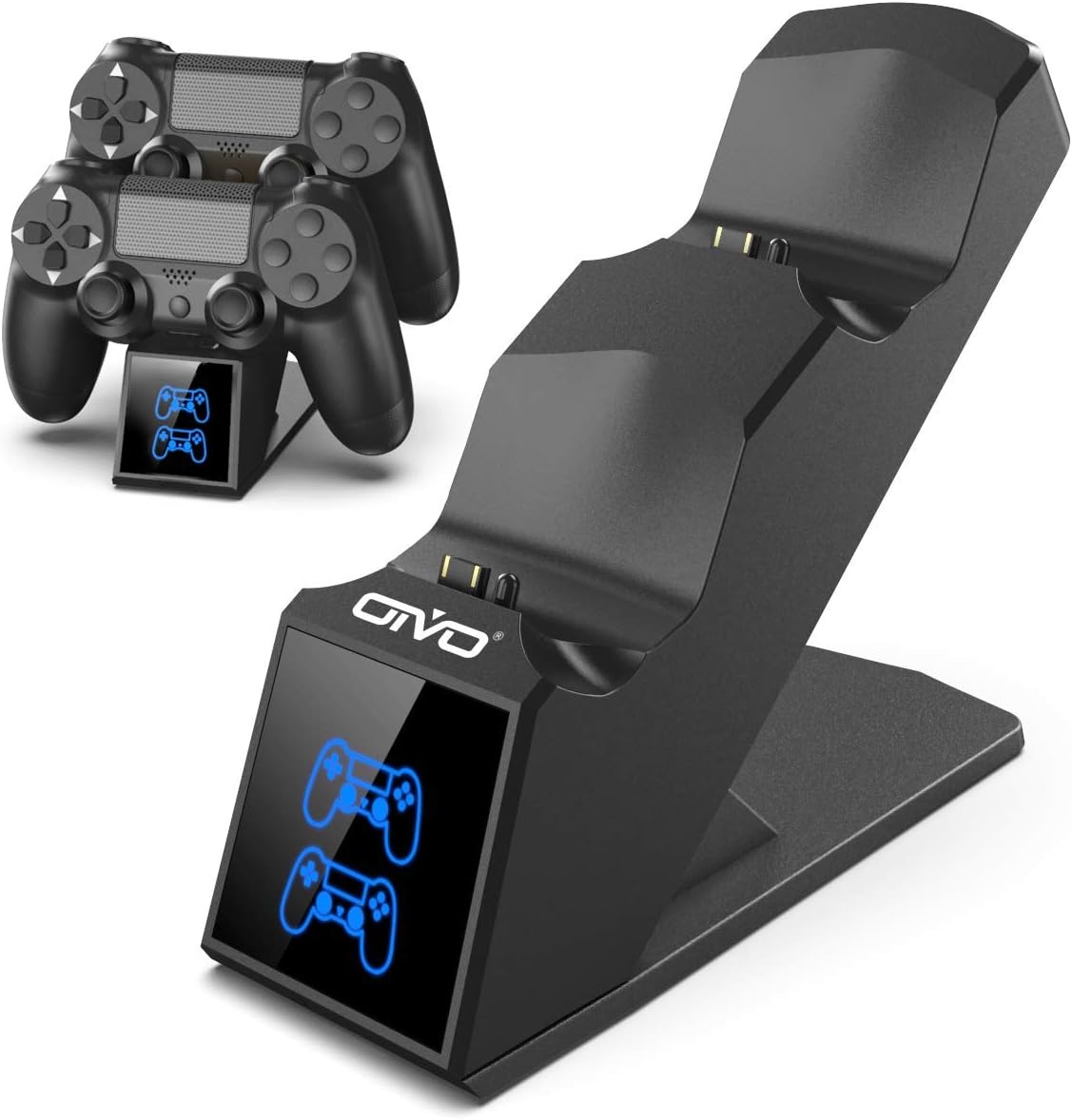
Image 1.1: The OIVO PS4 Controller Charging Station, capable of charging two controllers simultaneously.
2. Zawartość opakowania
Sprawdź, czy w przesyłce znajdują się wszystkie elementy wymienione poniżej:
- 1 x OIVO PS4 Controller Charging Station
- 1 x kabel ładujący (Micro USB)
- 1 x Instrukcja obsługi (ten dokument)
3. Instrukcje konfiguracji
- Podłącz stację ładującą: Insert the provided charging cable into the Micro USB port on the back of the charging station. Connect the other end of the cable to a compatible 5V/1A power source. Compatible sources include a computer USB port, PS4/Slim/Pro console USB port, wall adapter (not included), or a power bank.
- Place Controllers for Charging: Align the charging port on your PS4 controller with the connector pins on the charging station. Gently push the controller down until it securely docks. The LED indicator on the station will change color to show the charging status.

Image 3.1: Illustration of compatible power sources and how to correctly place a PS4 controller onto the charging station.
4. Instrukcja obsługi
4.1 Charging Controllers
Once controllers are docked, the charging process begins automatically. The station is designed to charge two controllers simultaneously in approximately 1.8 hours.
- Wskaźnik LED: The front panel features LED indicators for each charging slot.
- Czerwone światło: Indicates that the PS4 controller is currently charging.
- Niebieskie światło: Indicates that the PS4 controller is fully charged or the station is in standby mode (no controller or fully charged controller).

Image 4.1: The LED indicators on the charging station display red when charging and blue when fully charged or in standby.
4.2 Możliwość szybkiego ładowania
The charging station is equipped with an upgraded copper chip, enabling fast charging for both controllers. This allows for a full charge of two controllers in approximately 1.8 hours.

Image 4.2: Visual representation of the 1.8-hour fast charging cycle for two controllers.
5. Funkcje bezpieczeństwa
The OIVO PS4 Controller Charging Station integrates smart chips and high-quality components to provide comprehensive protection for your controllers and the charging station itself. These protections include:
- Over-Heated Protection: Zapobiega przegrzaniu podczas ładowania.
- Zabezpieczenie przed zwarciem: Zabezpieczenia przed zwarciami.
- Ochrona nadprądowa: Chroni przed nadmiernym przepływem prądu.
- Over-voltage Ochrona: Tarcze przeciwko voltage kolce.

Image 5.1: Visual representation of the intelligent protection features built into the charging station.
6. Konserwacja
- Czyszczenie: Disconnect the charging station from the power source before cleaning. Use a soft, dry cloth to wipe the surface. Do not use liquid cleaners or abrasive materials.
- Składowanie: Gdy nie używasz stacji ładującej, przechowuj ją w chłodnym, suchym miejscu, z dala od bezpośredniego światła słonecznego i ekstremalnych temperatur.
- Obsługiwanie: Unikaj upuszczania urządzenia i narażania go na silne uderzenia. Nie próbuj samodzielnie demontować ani naprawiać urządzenia.
7. Rozwiązywanie Problemów
| Problem | Rozwiązanie |
|---|---|
| Controller not charging (no LED light) |
|
| Ładowanie jest powolne |
|
| LED light is blue but controller is not fully charged |
|
8. Specyfikacje
| Funkcja | Szczegół |
|---|---|
| Marka | OVO |
| Numer modelu | 12359687031 |
| Kolor | Niebieski |
| Typ złącza | USB |
| Kompatybilne urządzenia | Game Console (PS4, PS4 Slim, PS4 Pro controllers) |
| Cechy specjalne | Szybkie ładowanie |
| Łączna liczba portów USB | 2 (for charging controllers) |
| Wejście Voltage | 5 wolty |
| Ampwymazać | 1 A |
| Zawarte komponenty | Kabel USB |
| Producent | OVO |
| Kraj pochodzenia | Chiny |
9. Gwarancja i wsparcie
This OIVO product comes with a 2-letnia gwarancja producenta od daty zakupu. Niniejsza gwarancja obejmuje wady materiałowe i wykonawcze przy normalnym użytkowaniu.
The warranty does not cover damage caused by accident, misuse, abuse, neglect, unauthorized modification or repair, or damage from external causes such as power surges.
For warranty claims or technical support, please contact OIVO customer service through the retailer where the product was purchased or visit the official OIVO webwitryna do informacji kontaktowych.

