Wstęp
This manual provides instructions for the assembly, operation, and maintenance of your suptek MST004 Monitor Stand Riser. Designed to elevate your computer monitor, laptop, or printer, this stand helps create a more ergonomic workspace and offers additional storage. Please read these instructions carefully before use.

Image: The suptek MST004 Monitor Stand Riser in use, elevating a computer monitor.
Informacje dotyczące bezpieczeństwa
- Nie przekraczaj maksymalnego obciążenia wynoszącego 20 kg (44.1 funtów).
- Ensure the stand is placed on a stable, flat surface to prevent tipping.
- Małe części należy trzymać z dala od dzieci, aby uniknąć ryzyka zadławienia.
- Regularnie sprawdzaj wszystkie połączenia, aby mieć pewność, że są bezpieczne.
Zawartość opakowania
Przed rozpoczęciem montażu należy sprawdzić, czy wszystkie elementy są obecne.
- 1 x suptek Metal Vented Monitor Stand Riser (Platform)
- 2 x U-Shaped Base Legs
- Screws and Assembly Tool (Wrench)
Specyfikacje
| Funkcja | Szczegół |
|---|---|
| Numer modelu | MST004 |
| Tworzywo | Stal stopowa |
| Kolor | Czarny |
| Wymiary platformy (dł. x szer.) | 370 mm x 235 mm (14.6 cale x 9.25 cale) |
| Height (Underneath Storage) | 100 mm (4 cala) |
| Maksymalna ładowność | 20 kg (44.1 funta) |
| Waga przedmiotu | 1.3 kg (2.86 funta) |
| Cechy specjalne | Vented Metal Platform, Ergonomic Design, Organizational Benefits |

Image: Detailed product dimensions of the MST004 stand.
Konfiguracja i montaż
The suptek MST004 Monitor Stand Riser requires minimal assembly. Follow these steps:
- Rozpakuj wszystkie komponenty i sprawdź je na liście „Zawartość opakowania”.
- Align the U-shaped base legs with the pre-drilled holes on the underside of the metal platform.
- Insert the provided screws through the holes and tighten them securely using the included wrench. Do not overtighten.
- Ensure the non-slip pads on the bottom of the legs are intact and properly positioned for stability.

Image: Assembly process showing the attachment of legs to the platform.
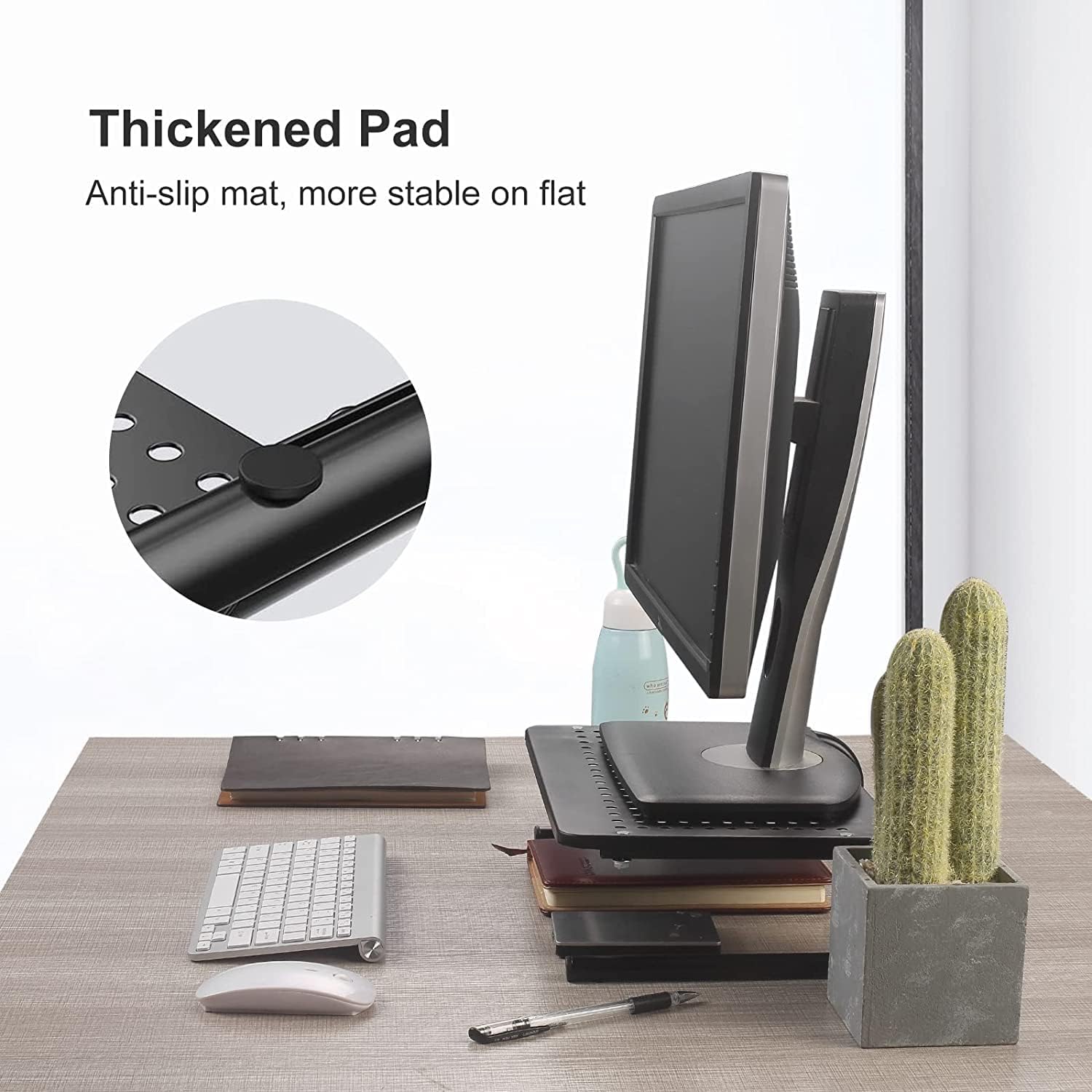
Image: Detail of the non-slip pad for enhanced stability.
Instrukcja obsługi
The MST004 stand is designed for versatile use to improve your workspace ergonomics and organization.
Pozycjonowanie ergonomiczne
Place your monitor, laptop, or printer on the stand's platform. The 100mm (4-inch) elevation helps raise your screen to a comfortable viewing height, reducing strain on your neck and back.

Image: Achieving an ergonomic viewing angle with the monitor stand.
Wentylacja
The platform features a vented metal surface. This design promotes airflow, helping to dissipate heat from your devices (laptops, printers, etc.) and prevent overheating.

Image: Vented surface design for optimal airflow and device cooling.
Desk Organization
Utilize the 4 inches of space underneath the stand to store keyboards, mice, notebooks, planners, or other office supplies, keeping your desk tidy and clutter-free.

Image: Versatile use of the stand for various devices and storage.

Image: The stand effectively frees up desk space.
Oficjalne filmy produktowe
Wideo: Ponadview of the suptek Monitor Stand Riser for Computer.
Video: Demonstration of the suptek Monitor Stand Riser for Computer and Laptop.
Konserwacja
- Czyszczenie: Przetrzyj stojak miękką szmatką.amp szmatką. Unikaj środków czyszczących o działaniu ściernym i silnych środków chemicznych, które mogłyby uszkodzić wykończenie.
- Kontrola: Periodically check all screws and connections to ensure they are tight and the stand remains stable.
Rozwiązywanie problemów
Stojak wydaje się niestabilny:
- Upewnij się, że wszystkie śruby są dobrze dokręcone.
- Sprawdź, czy stojak jest umieszczony na płaskiej, równej powierzchni.
- Check that the weight of the device on the stand does not exceed the maximum load capacity of 20 kg (44.1 lbs).
Przegrzanie urządzenia:
- While the stand provides ventilation, ensure that the device's own cooling vents are not obstructed.
- Confirm that the vented holes on the stand's platform are clear of debris.
Gwarancja i wsparcie
For warranty information or technical support, please refer to the suptek official webOdwiedź stronę internetową lub skontaktuj się bezpośrednio z działem obsługi klienta. Zachowaj paragon zakupu na wypadek ewentualnych roszczeń gwarancyjnych.
Producent: suptek


