1. Wprowadzenie
The Maxell Bass 13 Wireless Headphones (Model B13-WHPS) are designed to provide a versatile audio experience. These headphones feature 40mm drivers for clear sound, an integrated microphone for communication, and comfortable ear pads for extended listening. They offer both wireless Bluetooth connectivity and a traditional 3.5mm wired option.
2. Co znajduje się w pudełku
- Maxell Bass 13 Wireless Headphones
- Kabel ładujący USB
- 3.5mm Audio Cable (if applicable, not explicitly listed but common for hybrid headphones)
- Instrukcja obsługi
3. Koniec produktuview
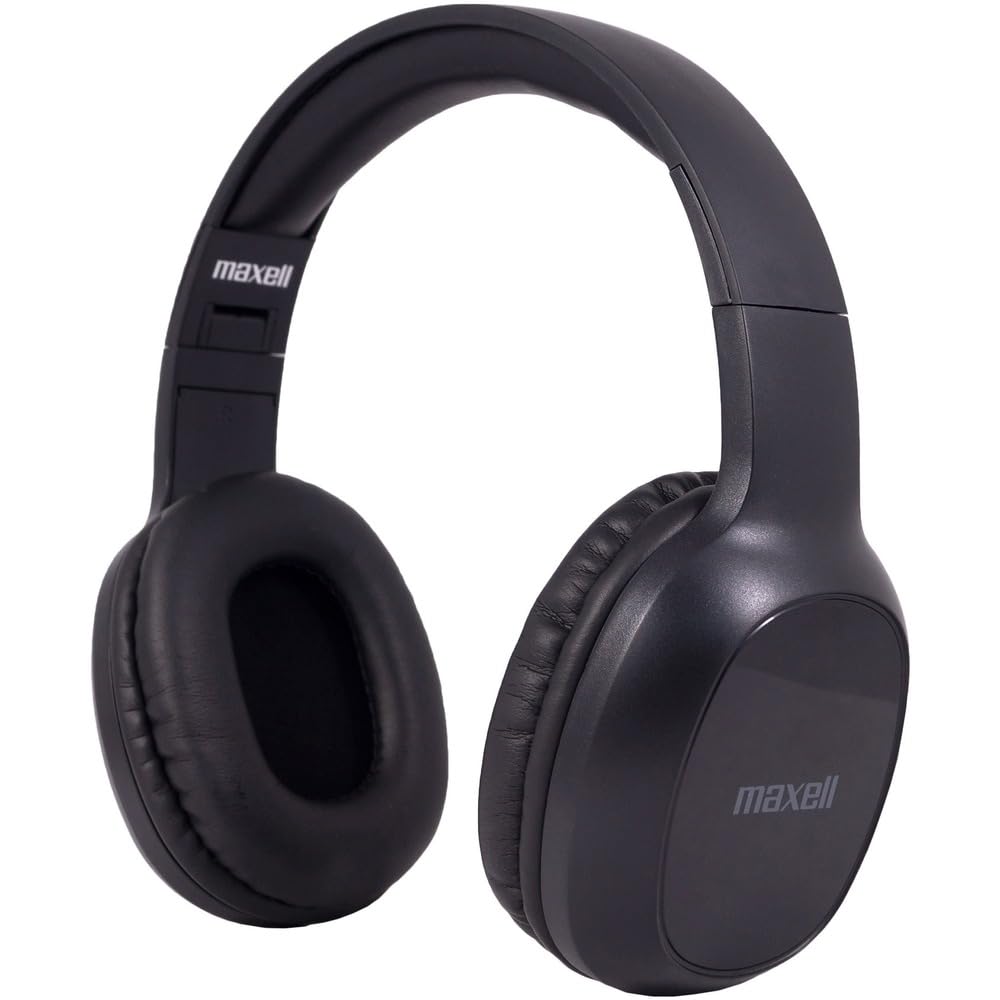
Figure 1: Maxell Bass 13 Wireless Headphones

Figure 2: Earcup Controls (Power, Volume, Play/Pause)
Główne cechy:
- Przetworniki dynamiczne 40 mm: Deliver clear and powerful audio performance.
- Zintegrowany mikrofon: Umożliwia wykonywanie połączeń bez użycia rąk.
- Noise-Isolating Earpads: Provide comfort and help reduce external distractions.
- Łączność Bluetooth 5.0: Dla stabilnego połączenia bezprzewodowego.
- Gniazdo audio 3.5 mm: Allows for wired connection to compatible devices.
- Regulowany pałąk: Gwarantuje wygodne dopasowanie do różnych rozmiarów głowy.
- Czas pracy baterii do 8 godzin: For extended listening and talk time.
4. Konfiguracja
4.1 Ładowanie słuchawek

Figure 3: Connecting the USB Charging Cable
- Locate the charging port on the headphone earcup.
- Connect the small end of the provided USB charging cable to the headphone's charging port.
- Podłącz większy koniec kabla USB do źródła zasilania USB (np. portu USB komputera, zasilacza ściennego USB).
- The LED indicator on the headphones will illuminate to show charging status. It will typically turn off or change color when fully charged.
- A full charge provides up to 8 hours of continuous talk/play time.
4.2 parowanie Bluetooth
- Sprawdź, czy słuchawki są całkowicie naładowane.
- Press and hold the Power button on the headphone earcup until the LED indicator flashes blue and red, indicating pairing mode.
- Na swoim urządzeniu (smartfonie, tablecie, komputerze) przejdź do ustawień Bluetooth.
- Szukaj available devices. Select "Maxell Bass 13" from the list.
- Once paired, the LED indicator will typically show a solid blue light or flash blue slowly.
- Jeśli zostaniesz poproszony o podanie hasła, wpisz „0000”.
Połączenie przewodowe 4.3 (gniazdo audio 3.5 mm)

Figure 4: Connecting the 3.5mm Audio Cable
For devices without Bluetooth or when battery is low, you can use the 3.5mm audio cable:
- Plug one end of the 3.5mm audio cable into the audio input jack on the headphone earcup.
- Podłącz drugi koniec do gniazda wyjściowego audio 3.5 mm w urządzeniu.
- The headphones will operate in passive mode, and Bluetooth functionality will be disabled.
5. Instrukcja obsługi
5.1 Włączanie/wyłączanie zasilania
- Włączanie: Naciśnij i przytrzymaj przycisk zasilania przez około 3 sekundy, aż zaświeci się kontrolka LED.
- Wyłączone: Naciśnij i przytrzymaj przycisk zasilania przez około 3–5 sekund, aż wskaźnik LED zgaśnie.
5.2 Regulacja głośności
- Zwiększ głośność: Naciśnij przycisk zwiększania głośności (+).
- Zmniejsz głośność: Naciśnij przycisk zmniejszania głośności (-).
5.3 Odtwarzanie muzyki
- Odtwórz/Pauza: Naciśnij raz przycisk wielofunkcyjny (często jest to przycisk zasilania lub specjalny przycisk odtwarzania/pauzy).
- Następny utwór: Press and hold the Volume Up (+) button (or double-press, refer to specific product button layout).
- Poprzedni utwór: Press and hold the Volume Down (-) button (or double-press, refer to specific product button layout).
5.4 Zarządzanie połączeniami
- Odbieranie/kończenie połączeń: Naciśnij raz przycisk wielofunkcyjny.
- Odrzuć połączenie: Naciśnij i przytrzymaj przycisk wielofunkcyjny przez około 2 sekundy.
- Ponowne wybieranie ostatniego numeru: Dwukrotnie naciśnij przycisk wielofunkcyjny.
6. Konserwacja
6.1 Czyszczenie
- Wytrzyj słuchawki miękką, suchą i niepozostawiającą włókien ściereczką.
- Nie należy używać środków czyszczących o działaniu ściernym, rozpuszczalników ani aerozoli.
- Unikaj dostania się wilgoci do otworów.
6.2 Przechowywanie

Figure 5: Headphones Folded for Storage
- Przechowuj słuchawki w chłodnym i suchym miejscu, chroniąc je przed ekstremalnymi temperaturami.
- When not in use for extended periods, ensure the headphones are fully charged before storage to preserve battery health.
- The headphones feature a foldable design for compact storage and portability.
6.3 Pielęgnacja baterii
- Unikaj częstego całkowitego rozładowywania akumulatora.
- Charge the headphones regularly, even if not used often.
- Do not expose the battery to excessive heat or direct sunlight.
7. Rozwiązywanie Problemów
| Problem | Możliwa przyczyna | Rozwiązanie |
|---|---|---|
| Słuchawki się nie włączają | Niski poziom baterii | Naładuj słuchawki do pełna. |
| Nie można sparować przez Bluetooth | Headphones not in pairing mode; Device Bluetooth off; Too far from device | Upewnij się, że słuchawki są w trybie parowania (migają na niebiesko/czerwono). Włącz Bluetooth w urządzeniu. Przybliż słuchawki do urządzenia. |
| Brak dźwięku | Volume too low; Incorrect audio source; Headphones not connected | Increase headphone and device volume. Check if headphones are properly paired/connected. Verify audio output settings on your device. |
| Słaba jakość połączeń | Weak Bluetooth signal; Microphone obstructed | Move closer to your device. Ensure microphone is not covered. |
8. Specyfikacje
| Funkcja | Szczegół |
|---|---|
| Numer modelu | B13-WHPS |
| Marka | Maxell |
| Technologia łączności | Bluetooth 5.0 |
| Rozmiar sterownika audio | 40 mm |
| Żywotność baterii | Up to 8 Hours (continuous talk/play time) |
| Gniazdo słuchawkowe | 3.5 mm Jack |
| Funkcje kontroli hałasu | Sound Isolation, Noise Cancelling |
| Impedancja | 32 omy |
| Wrażliwość | 100dB |
| Odpowiedź częstotliwościowa | 20 Hz |
| Umieszczenie ucha | Na ucho |
| Współczynnik kształtu | Na ucho |
| Wymiary produktu | 7.25 x 3 x 9 cala |
| Waga przedmiotu | 8.4 uncji |
| Tworzywo | Electronic Components, Foam, Plastic, Wire |
| Kompatybilne urządzenia | Tablets, Laptops, Desktops, Portable Devices with 3.5mm Audio Jack |
9. Oficjalny film o produkcie
Video 1: Maxell Bass 13 Bluetooth Headphones Overview. This video provides a visual demonstration of the headphones' features and design.
10. Gwarancja i wsparcie
Maxell products are designed for reliability and performance. For specific warranty information, please refer to the warranty card included with your purchase or visit the official Maxell website. For technical support or customer service inquiries, please contact Maxell customer support through their official channels.


